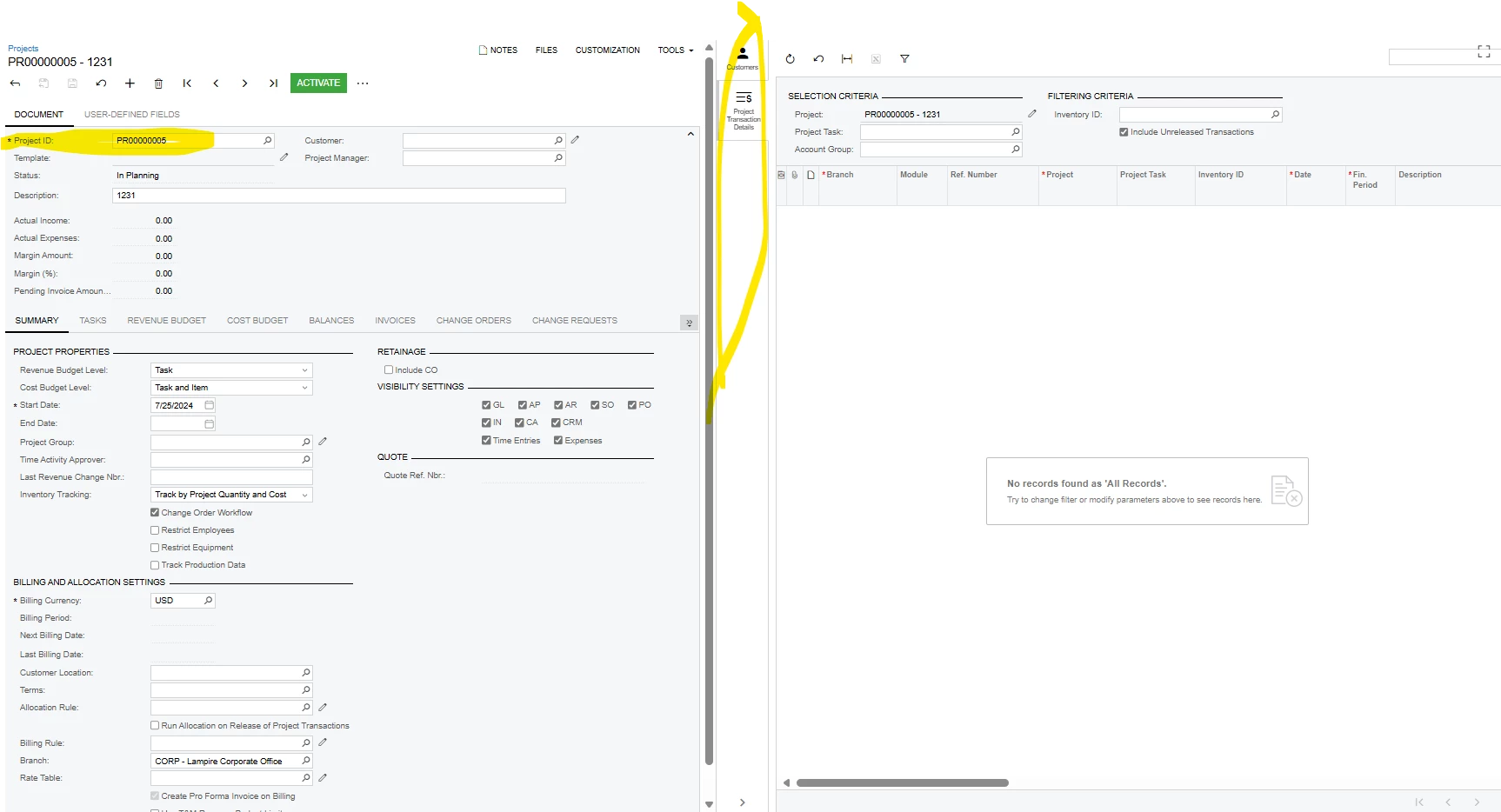
I am looking to understand how I can generate a simple side panel on the projects screen where it will integrate with distribution, specifically sales orders that have a project code associated with them.
The mapping would include utilizing the project ID on the specific project linking to an SO GI to pull in orders with that designation.
This would be similar to the projects transactions detail side panel just for Sales Orders
Any help would be greatly appreciated
Best answer by awomack
If I understand correctly, you want a side panel in the record screen, and not the list view that shows multiple. If you wanted to show it on the list screen, you can customize that Generic Inquiry to have it as a side panel action in the settings for the Inquiry.
For the discrete project record screen, you can use a small customization project. I hope this works as you need it to.
Go to Customization Projects (or customization from the screen itself in the top right) Create a customization project and name it however you want or use an existing one if you want to tie it to other smaller UI stuff.
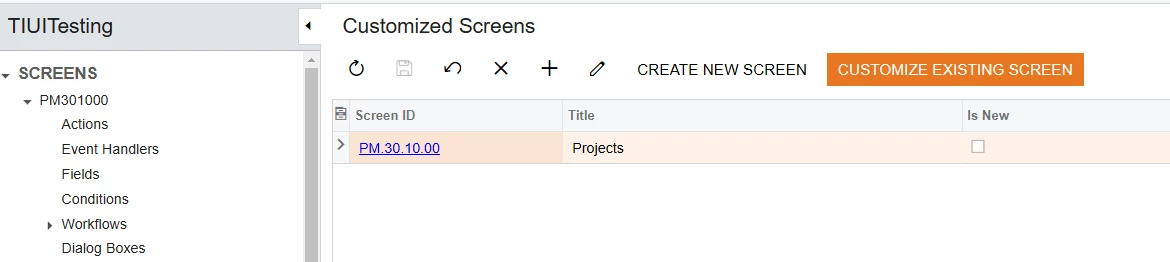
Add the Screen (PM301000 in this case) to the Customization Project:
Select the ‘Actions’ from the left menu.
Add a new action:
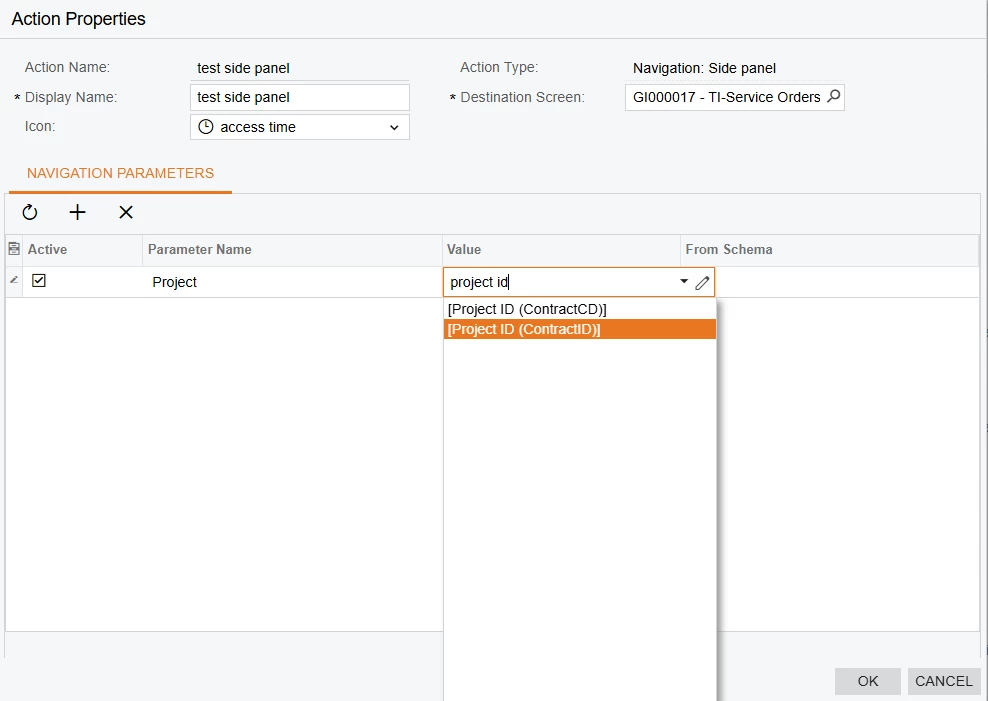
In the Action screen you can set it to a Navigation: Side Panel action with where it should go, how the icon should look, and any parameters it needs to pass to the destination screen for proper filtering:
Then you can save, Verify, and publish and try it out. I would show the end result, but I’m not home at my local install of Acumatica, sorry about that. : )
If I understand correctly, you want a side panel in the record screen, and not the list view that shows multiple. If you wanted to show it on the list screen, you can customize that Generic Inquiry to have it as a side panel action in the settings for the Inquiry.
For the discrete project record screen, you can use a small customization project. I hope this works as you need it to.
Go to Customization Projects (or customization from the screen itself in the top right) Create a customization project and name it however you want or use an existing one if you want to tie it to other smaller UI stuff.
Add the Screen (PM301000 in this case) to the Customization Project:
Select the ‘Actions’ from the left menu.
Add a new action:
In the Action screen you can set it to a Navigation: Side Panel action with where it should go, how the icon should look, and any parameters it needs to pass to the destination screen for proper filtering:
Then you can save, Verify, and publish and try it out. I would show the end result, but I’m not home at my local install of Acumatica, sorry about that. : )