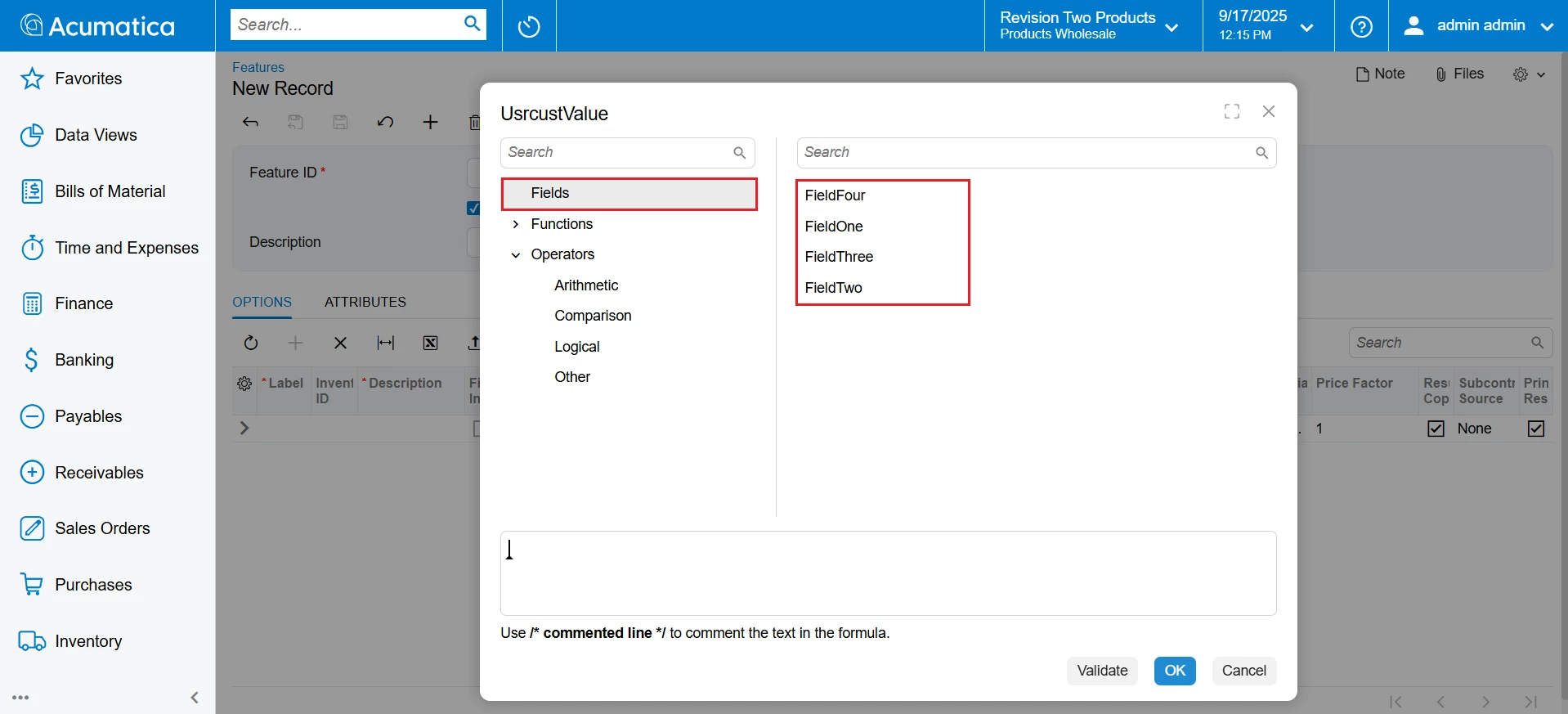
I have a screen in Classic UI. there is a Parameters grid in the lower. After adding data to the Parameters grid, it reflected in the Formula Editor when click on Equation field and inside the Fields node. This works correctly in Classic UI like
so, to achieve this, written code in the ASPX.CS file to retrieve parameters inside the Fields node
-------------------------------aspx-----------------
<pxa:PXFormulaCombo ID="edChildField" runat="server" DataField="Equation" EditButton="True" FieldsAutoRefresh="True" FieldsRootAutoRefresh="true" LastNodeName="Fields" PanelAutoRefresh="True" IsInternalVisible="false" IsExternalVisible="false" OnRootFieldsNeeded="edOns_RootFieldsNeeded" CommitChanges="true"/>
-------------aspx.cs:- ------------------------------
protected void edOns_RootFieldsNeeded(object sender, PXCallBackEventArgs e) {
EWQCVariableMaint graph = this.ds.DataGraph as EWQCVariableMaint;
if (graph != null) {
String[] parameters = graph.GetAllParameters();
e.Result = string.Join(";", parameters);
}
}
Similarly, after converting the screen to Modern UI, the Fields node in the formula editor popup does not display the data added in the Parameters tab like
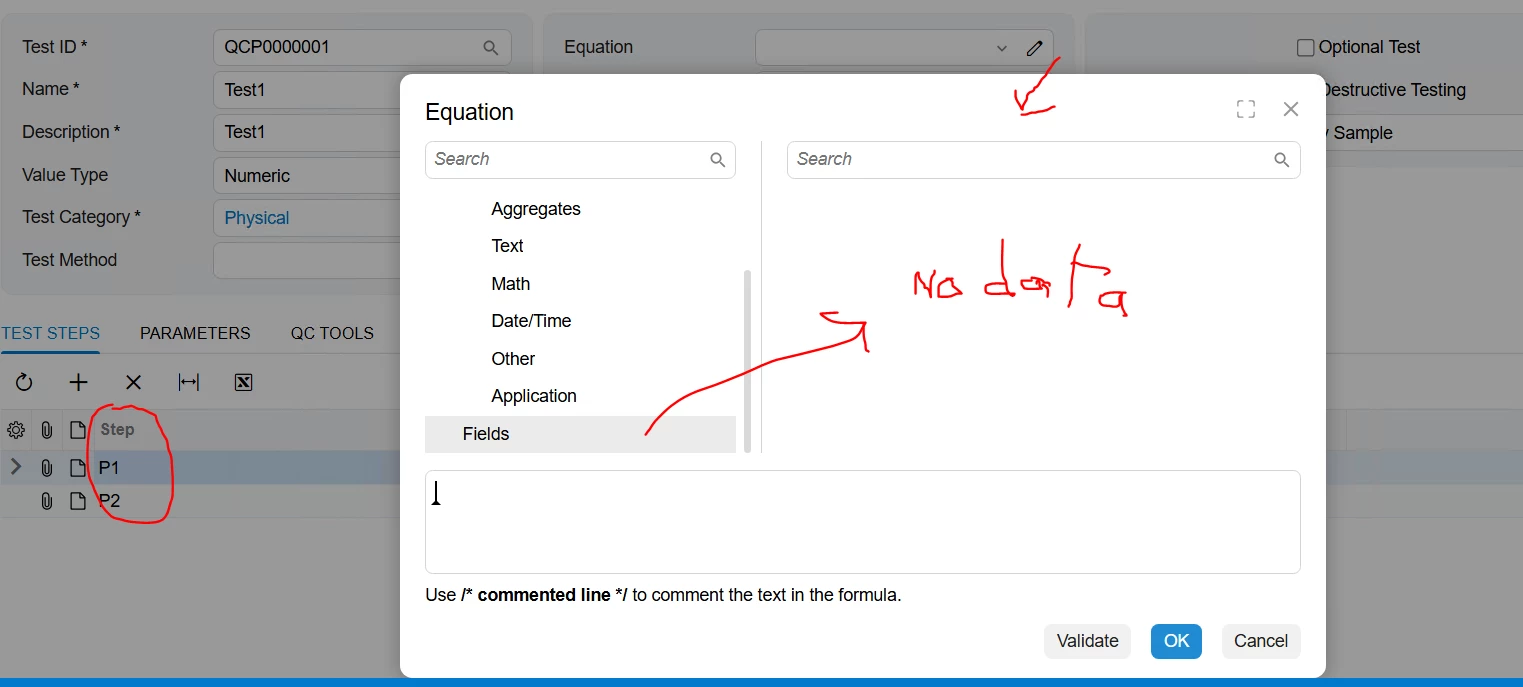
so on Modern UI
------------------views.ts--------------
export class EWQCVariable extends PXView {
fieldConfig({
controlType: "qp-formula-editor",
controlConfig: {
dynamicNodeName: "Fields",
preloadDynamicNode: true,
comboBox: true
}
})
Equation: PXFieldState<PXFieldOptions.CommitChanges>;
}
-------------Screen.ts----------
export class QC204000 extends PXScreen {
Variables = createSingle(EWQCVariable);
}
----------------------screen.html-------------------
<qp-fieldset id="Variables_form011" wg-container="Variables_form" view.bind="Variables" slot="B" >
<field name="Equation" ></field>
</qp-fieldset>
<qp-tab id="tab1" caption="Parameters">
<qp-grid id="TestParameters_parameterGrid" view.bind="TestParameters"></qp-grid>
</qp-tab>