Question

FormTab Layout record loading issue

  • June 18, 2025
  • 1 reply
  • 30 views

I have working on Creating Form Tab Layout based on two Table RepairItem and RepairPrice.

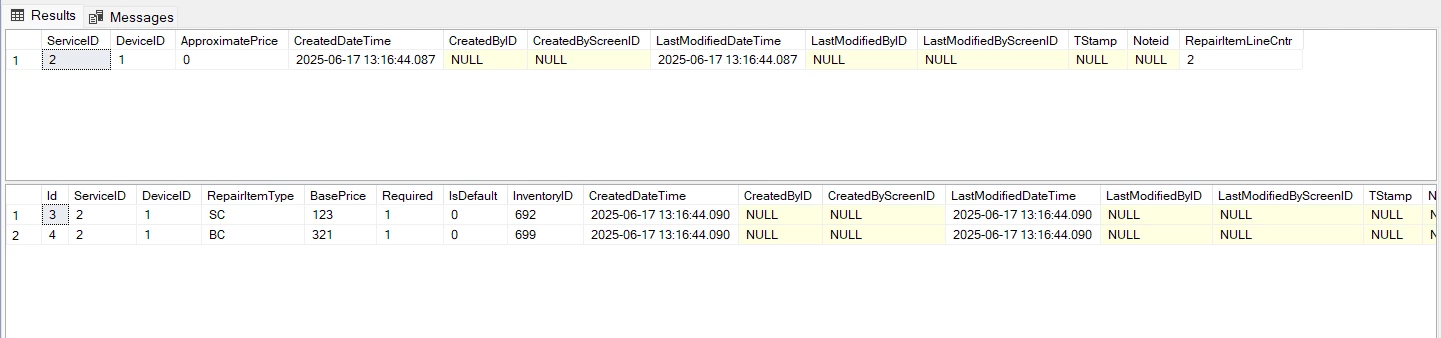
I am able to add the Repair Item corressponding to the Service and Device based on the screen.

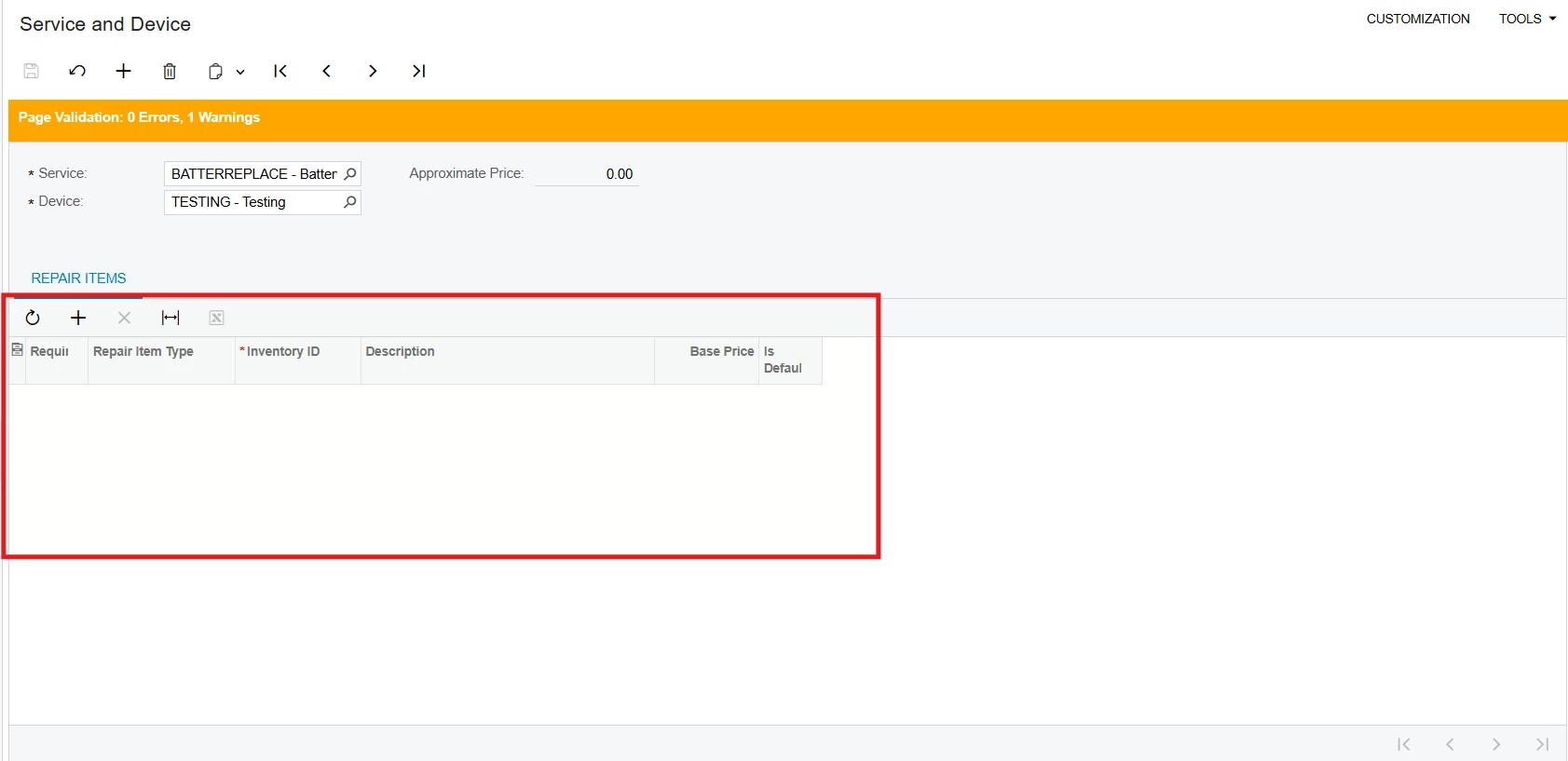
But whenever I select the same Service and Device the already exisitng Repair Item records are not getting updated.

Although, records are available.


1 reply

CherryStreet
Jr Varsity I
Forum|alt.badge.img
  • Jr Varsity I
  • June 19, 2025

Hi, 

We are testing our new AI Assistant and ran your scenario through it, Let me know if this helps:


Issue Recap (Documented Behavior)

You have a custom screen where:

  • A Service and Device are selected at the header level.
  • You have a Repair Items grid populated from a custom table.
  • When reselecting the same Service and Device, the expected Repair Items records (which exist in SQL) do not populate the grid.
 

Documented Root Cause

Per Acumatica customization standards, a grid will not display records unless the data view behind it is correctly bound to the current header context (as shown in the Acumatica Customization Guide sections on PXSelect, PXGrid, and view binding).

The PXGrid control only populates when:

  • Its DataMember points to a PXSelect (or PXView) view
  • The view's Where<> clause uses Current<> to bind to the parent record
  • The cache is refreshed or re-evaluated when header fields change
 

Steps to Resolve (Fully Documented)

🔹 1. Ensure Proper View Declaration

Use a PXSelect (or SelectFrom) that filters RepairItem records by the current Service and Device:

public PXSelect<RepairItem,

    Where<RepairItem.serviceID, Equal<Current<ServiceDevice.serviceID>>,

      And<RepairItem.deviceID, Equal<Current<ServiceDevice.deviceID>>>>>

    RepairItems;


🔹 2. Confirm Grid Binding in ASPX

Ensure your PXGrid control is pointing to the correct view:

<px:PXGrid ID="gridRepairItems" runat="server" DataSourceID="ds" DataMember="RepairItems">


🔹 3. Trigger Grid Refresh on Header Field Change

In your graph extension, add a FieldUpdated event for ServiceID and/or DeviceID:

protected void _(Events.FieldUpdated<ServiceDevice.serviceID> e)

{

    Base.RepairItems.Cache.Clear();

    Base.RepairItems.View.RequestRefresh();

}


🔹 4. Optional: Use RowSelected to Reset Grid

If you prefer centralizing logic, use RowSelected:

protected void _(Events.RowSelected<ServiceDevice> e)

{

    Base.RepairItems.Cache.Clear();

    Base.RepairItems.View.RequestRefresh();

}


Conclusion (Strictly Documented)

Your issue is caused by a missing or incomplete view filter and/or a lack of cache refresh in response to header changes. Per Acumatica's documented framework:

  • Use PXSelect<...Where<Current<>>> to link child grid records to parent fields
  • Ensure DataMember in ASPX matches your declared view
  • Call Cache.Clear() and View.RequestRefresh() when context changes