I’m starting to get really frustrated with processing screens lately, but maybe I’m just bad at making them.
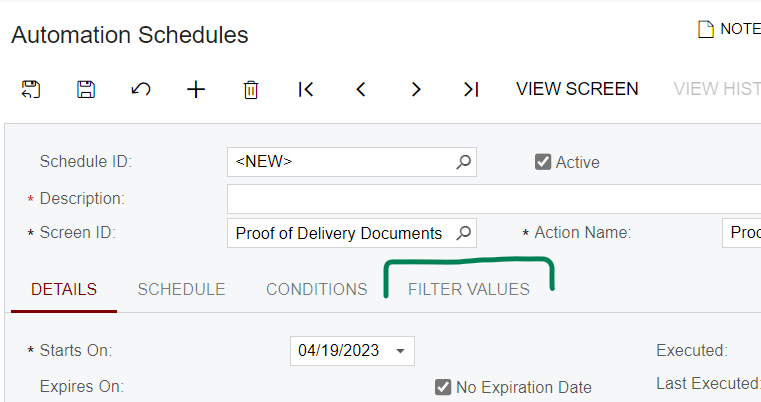
The latest frustration is that when I use ProcessingView Lines, the screen looks like a processing screen:

But when I use ProcessingView.FilteredBy<PODDocumentsFilter> Lines, all the processing tools go away:

I have defined the data view like this:
public PXCancel<PODDocumentsFilter> Cancel;
public PXFilter<PODDocumentsFilter> Filter;

[PXFilterable]
public SelectFrom<SOPackageDetailEx>.
	InnerJoin<SOShipment>.
		On<SOPackageDetailEx.FK.Shipment>.
	LeftJoin<ISSOShipmentTrackingPOD>.
		On<ISSOShipmentTrackingPOD.FK.PackageDetail>.
	Where<
		SOPackageDetailEx.customRefNbr1.StartsWith<fedEx>.
		And<
			Brackets<
				PODDocumentsFilter.action.FromCurrent.IsEqual<actionDownload>.
					And<ISSOPackageDetailExExt.usrIsPODDownloaded.IsEqual<False>.
						Or<ISSOPackageDetailExExt.usrIsPODDownloaded.IsNull>>.
					Or<PODDocumentsFilter.showDownloaded.FromCurrent.IsEqual<True>.
						And<ISSOPackageDetailExExt.usrIsPODDownloaded.IsEqual<True>>>
				>.
			Or<PODDocumentsFilter.action.FromCurrent.IsEqual<actionExport>.
				And<ISSOPackageDetailExExt.usrIsPODDownloaded.IsEqual<True>.
					And<ISSOPackageDetailExExt.usrIsPODExported.IsEqual<False>.
						Or<ISSOPackageDetailExExt.usrIsPODExported.IsNull>>.
					Or<PODDocumentsFilter.showExported.FromCurrent.IsEqual<True>.
						And<ISSOPackageDetailExExt.usrIsPODExported.IsEqual<True>>>>>
			>.
		And<SOShipment.shipDate.IsGreaterEqual<PODDocumentsFilter.startDateTime.FromCurrent>>.
		And<SOShipment.shipDate.IsLessEqual<PODDocumentsFilter.endDateTime.FromCurrent>.Or<PODDocumentsFilter.endDateTime.FromCurrent.IsNull>>.
		And<SOShipment.customerID.IsEqual<PODDocumentsFilter.customerID.FromCurrent>.Or<PODDocumentsFilter.customerID.FromCurrent.IsNull>>>.
		ProcessingView.FilteredBy<PODDocumentsFilter> Lines;
The filter is defined like this:
[PXHidden]
public class PODDocumentsFilter : IBqlTable
{
	#region Action
	[PXDBString(1, IsFixed = true)]
	[PXUIField(DisplayName = "Action")]
	[PXStringList(
		new string[] { "D", "E" },
		new string[] { "Download FedEx POD", "Export FedEx POD" })]
	[PXDefault("D")]
	public virtual string Action { get; set; }
	public abstract class action : PX.Data.BQL.BqlString.Field<action> { }
	#endregion

	#region StartDateTime
	[PXDBDate()]
	[CurrentDateDefault(-7)]
	[PXUIField(DisplayName = "Start Date", Required = true)]
	public virtual DateTime? StartDateTime { get; set; }
	public abstract class startDateTime : PX.Data.BQL.BqlDateTime.Field<startDateTime> { }
	#endregion

	#region EndDateTime
	[PXDBDate()]
	[PXUIField(DisplayName = "End Date")]
	public virtual DateTime? EndDateTime { get; set; }
	public abstract class endDateTime : PX.Data.BQL.BqlDateTime.Field<endDateTime> { }
	#endregion

	#region CustomerID
	[PXUIField(DisplayName = "Customer")]
	[CustomerActive]
	public virtual int? CustomerID { get; set; }
	public abstract class customerID : PX.Data.BQL.BqlInt.Field<customerID> { }
	#endregion

	#region ShowDownloaded
	[PXDBBool]
	[PXUIVisible(typeof(Where<action.IsEqual<actionDownload>>))]
	[PXUIField(DisplayName = "Show Downloaded")]
	[PXDefault(false)]
	public bool? ShowDownloaded { get; set; }
	public abstract class showDownloaded : PX.Data.BQL.BqlBool.Field<showDownloaded> { }
	#endregion

	#region ShowExported
	[PXDBBool]
	[PXUIVisible(typeof(Where<action.IsEqual<actionExport>>))]
	[PXUIField(DisplayName = "Show Exported")]
	[PXDefault(false)]
	public bool? ShowExported { get; set; }
	public abstract class showExported : PX.Data.BQL.BqlBool.Field<showExported> { }
	#endregion

	#region LimitResults
	[PXDBBool]
	[PXUIField(DisplayName = "Limit Results")]
	[PXDefault(true)]
	public bool? LimitResults { get; set; }
	public abstract class limitResults : PX.Data.BQL.BqlBool.Field<limitResults> { }
	#endregion
}
What am I doing wrong?