



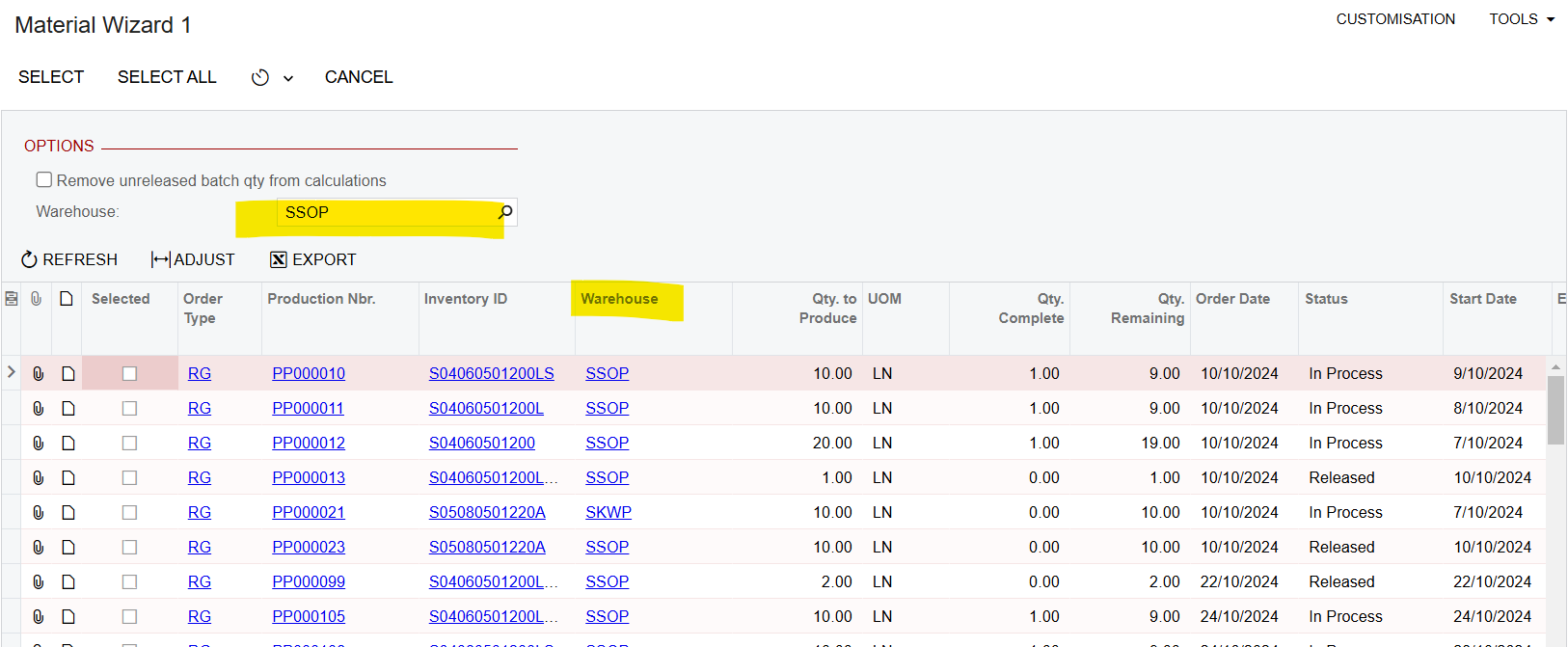
Hi I have added a user defined warehouse selector as below in the Material Wizard 1 screen in Acumatica.
[PXInt]
[PXSelector(
            typeof(Search<INSite.siteID>),
            typeof(INSite.siteCD),
            typeof(INSite.descr),
            SubstituteKey = typeof(INSite.siteCD))]
[PXUIField(DisplayName="Warehouse")]
The records should be filtered based on the selected warehouse, but no filtering occurs. I have implemented the filtering logic below.
using System;
using PX.Data;
using System.Collections.Generic;
using PX.Objects.CS;
using System.Collections;
using System.Linq;
using PX.Objects.IN;
using PX.Objects.AM.Attributes;
using PX.Objects;
using PX.Objects.AM;

namespace PX.Objects.AM
{
  public class MatlWizard1_Extension : PXGraphExtension<PX.Objects.AM.MatlWizard1>
  {

#region View Extensions
   public override void Initialize()
    {
        base.Initialize();

        // Modify the existing processing delegate
        Base.OpenOrders.SetProcessDelegate(list =>
        {
            var filter = Base.filter.Current;
            if (filter != null)
            {
                var warehouseFilter = filter.GetExtension<WizFilterExt>();
                if (warehouseFilter?.UsrWarehouseSelector2 != null)
                {
                    // Convert string to int for comparison
                    var warehouseID = int.Parse(warehouseFilter.UsrWarehouseSelector);
                    // Filter the list by warehouse before processing
                    list = list.Where(item => item.SiteID == warehouseID).ToList();
                }
            }

            // Call the original FillMatlWrk method
            MatlWizard1.FillMatlWrk(list, filter);
        });
    }

    // Add view delegate to modify the select command
    protected virtual IEnumerable openOrders()
    {
        var baseView = new PXView(Base, true,
            Base.OpenOrders.View.BqlSelect);

        var startRow = PXView.StartRow;
        int totalRows = 0;

        var filter = Base.filter.Current;
        if (filter == null)
        {
            return baseView.Select(PXView.Currents, PXView.Parameters,
                PXView.Searches, PXView.SortColumns, PXView.Descendings,
                PXView.Filters, ref startRow, PXView.MaximumRows, ref totalRows);
        }

        var warehouseFilter = filter.GetExtension<WizFilterExt>();
        if (warehouseFilter?.UsrWarehouseSelector2 == null)
        {
            return baseView.Select(PXView.Currents, PXView.Parameters,
                PXView.Searches, PXView.SortColumns, PXView.Descendings,
                PXView.Filters, ref startRow, PXView.MaximumRows, ref totalRows);
        }

        // Add warehouse filter
        var warehouseID = warehouseFilter.UsrWarehouseSelector2.Value;
        var select = new PXSelect<AMProdItem,
            Where<AMProdItem.function, NotEqual<OrderTypeFunction.disassemble>,
                And<Where<AMProdItem.isOpen, Equal<True>,
                    And<AMProdItem.completed, NotEqual<True>,
                    And<AMProdItem.siteID, Equal<Required<AMProdItem.siteID>>>>>>>>(Base);

        return select.Select(warehouseID);
    }
    #endregion
  }
}
Please let me know how I can get this working, thank you!


