Answer

field updated event causes error with existing field

  • July 11, 2025
  • 12 replies
  • 104 views

Forum|alt.badge.img

I added a new field to the item warehouse detail screen. We wanted to be able to choose the default bom and revision. i was trying to add a field updated event where it would automatically fill out the revision when the bom was selected. I tried to delete the default bom so that i could add it back in to see if my code was working , and i get the below error.  i have also include the dac for the new field and the graph extension. Any idea why i started getting this error? The code builds successfully in visual studio and loads in fine.


public class INItemSiteFieldExt : PXCacheExtension<PX.Objects.IN.INItemSite>

{
#region UsrBOMRevision
public abstract class usrbOMRevision : PX.Data.BQL.BqlString.Field<usrbOMRevision> { }
protected string _UsrBOMRevision;
[RevisionIDField(DisplayName = "Bom Revision")]
[PXRestrictor(typeof(Where<AMBomItem.status, Equal<AMBomStatus.active>>), Messages.InactiveKitRevision, typeof(AMBomItem.bOMID), typeof(AMBomItem.revisionID), CacheGlobal = true)]

[PXSelector(typeof(Search<AMBomItem.revisionID,
Where<AMBomItem.bOMID, Equal<Current<INItemSiteExt.aMBOMID>>>>)
, typeof(AMBomItem.revisionID)
, typeof(AMBomItem.descr)
, typeof(AMBomItem.effStartDate)
, typeof(AMBomItem.effEndDate)
, DescriptionField = typeof(AMBomItem.descr))]
[PXForeignReference(typeof(CompositeKey<Field<INItemSiteExt.aMBOMID>.IsRelatedTo<AMBomItem.bOMID>, Field<INItemSiteExt.aMBOMID>.IsRelatedTo<AMBomItem.revisionID>>))]
//[PXLocalizableDefault(typeof(Search<AMBomItem.revisionID, Where<AMBomItem.bOMID, Equal<Current<INItemSiteExt.aMBOMID>>, And<AMBomItem.status, Equal<AMBomStatus.active>>>>),
//typeof(AMBomItem.revisionID), PersistingCheck = PXPersistingCheck.Nothing)]
//[PXUIRequired(typeof(IIf<Where<INItemSiteExt.aMBOMID, IsNotNull>, True, False>))]

public virtual string UsrBOMRevision

{
get
{
return this._UsrBOMRevision;
}
set
{
this._UsrBOMRevision = value;
}
}

#endregion
}
}


namespace PX.Objects.IN
{
public class INItemSiteMaint_Extension : PXGraphExtension<PX.Objects.IN.INItemSiteMaint>
{

#region Event Handlers

protected void _(Events.FieldUpdated<INItemSite, INItemSiteExt.aMBOMID> e)

{
INItemSite row = e.Row;
var rowext = row.GetExtension<INItemSiteExt>();

AMBomItem MyRev = PXSelect<AMBomItem, Where<AMBomItem.bOMID, Equal<INItemSiteExt.aMBOMID>, And<AMBomItem.status, Equal<AMBomStatus.active>>>>.Select(Base).TopFirst;


if (rowext.AMBOMID == null) return;

if (rowext.AMBOMID != null)

{

e.Cache.SetValue<INItemSiteFieldExt.usrbOMRevision>(row, MyRev.RevisionID);

}

}

#endregion
}
}


Best answer by Tony Lanzer

I’m running out of ideas. You said it was a local install.  Maybe check your site bin folder for the customization .dll.  If it’s there, delete it.

12 replies

Forum|alt.badge.img+2

Hello ​@justen0351 You need to substitute the extension field value (rowext.AMBOMID) directly into the query as a parameter, like this:
 

if (rowext?.AMBOMID != null)
{
AMBomItem myRev = PXSelect<AMBomItem,
Where<AMBomItem.bOMID, Equal<Required<AMBomItem.bOMID>>,
And<AMBomItem.status, Equal<AMBomStatus.active>>>>
.Select(Base, rowext.AMBOMID)
.TopFirst;

if (myRev != null)
{
e.Cache.SetValue<INItemSiteFieldExt.usrbOMRevision>(row, myRev.RevisionID);
}
}


I hope it Helps!


Forum|alt.badge.img
  • Author
  • Varsity III
  • July 14, 2025

@Abhishek Niikam thank you for your response. i changed the code and i am still getting that error. i also tried unpublishing the customization and i still get it then too. 


Tony Lanzer
Pro III
Forum|alt.badge.img+2
  • Pro III
  • July 14, 2025

@justen0351 Please supply the error call stack. If it happens after unpublish, the error could be coming from elsewhere.


Forum|alt.badge.img
  • Author
  • Varsity III
  • July 14, 2025

@Tony Lanzer here is the stack trace for the error.

Microsoft.Data.SqlClient.SqlException (0x80131904): The multi-part identifier "INItemSite.AMBOMID" could not be bound.
at Microsoft.Data.SqlClient.SqlConnection.OnError(SqlException exception, Boolean breakConnection, Action`1 wrapCloseInAction)
at Microsoft.Data.SqlClient.TdsParser.ThrowExceptionAndWarning(TdsParserStateObject stateObj, Boolean callerHasConnectionLock, Boolean asyncClose)
at Microsoft.Data.SqlClient.TdsParser.TryRun(RunBehavior runBehavior, SqlCommand cmdHandler, SqlDataReader dataStream, BulkCopySimpleResultSet bulkCopyHandler, TdsParserStateObject stateObj, Boolean& dataReady)
at Microsoft.Data.SqlClient.SqlDataReader.TryConsumeMetaData()
at Microsoft.Data.SqlClient.SqlDataReader.get_MetaData()
at Microsoft.Data.SqlClient.SqlCommand.FinishExecuteReader(SqlDataReader ds, RunBehavior runBehavior, String resetOptionsString, Boolean isInternal, Boolean forDescribeParameterEncryption, Boolean shouldCacheForAlwaysEncrypted)
at Microsoft.Data.SqlClient.SqlCommand.RunExecuteReaderTds(CommandBehavior cmdBehavior, RunBehavior runBehavior, Boolean returnStream, Boolean async, Int32 timeout, Task& task, Boolean asyncWrite, Boolean inRetry, SqlDataReader ds, Boolean describeParameterEncryptionRequest)
at Microsoft.Data.SqlClient.SqlCommand.RunExecuteReader(CommandBehavior cmdBehavior, RunBehavior runBehavior, Boolean returnStream, String method, TaskCompletionSource`1 completion, Int32 timeout, Task& task, Boolean& usedCache, Boolean asyncWrite, Boolean inRetry)
at Microsoft.Data.SqlClient.SqlCommand.RunExecuteReader(CommandBehavior cmdBehavior, RunBehavior runBehavior, Boolean returnStream, String method)
at Microsoft.Data.SqlClient.SqlCommand.ExecuteReader(CommandBehavior behavior, String method)
at PX.Data.PXSqlDatabaseProvider.ExecuteReaderInternal(IDbCommand command, CommandBehavior behavior) in C:\build\code_repo\NetTools\PX.Data\Database\MsSql\MsSqlDatabaseProvider.cs:line 351
at PX.Data.PXSelectResult.PXSelectResultEnumerator.System.Collections.IEnumerator.MoveNext() in C:\build\code_repo\NetTools\PX.Data\Database\PXSelectResult.cs:line 98
at PX.Data.PXView.GetResult(Object[] parameters, PXFilterRow[] filters, Boolean reverseOrder, Int32 topCount, PXSearchColumn[] sorts, Boolean& overrideSort, Boolean& extFilter) in C:\build\code_repo\NetTools\PX.Data\Database\Cached.cs:line 4171
at PX.Data.PXView.Select(Object[] currents, Object[] parameters, Object[] searches, String[] sortcolumns, Boolean[] descendings, PXFilterRow[] filters, Int32& startRow, Int32 maximumRows, Int32& totalRows, String[] sortAsImplicitColumns) in C:\build\code_repo\NetTools\PX.Data\Database\Cached.cs:line 6989
at PX.Data.PXView.Select(Object[] currents, Object[] parameters, Object[] searches, String[] sortcolumns, Boolean[] descendings, PXFilterRow[] filters, Int32& startRow, Int32 maximumRows, Int32& totalRows) in C:\build\code_repo\NetTools\PX.Data\Database\Cached.cs:line 6722
at PX.Data.PXDelayedQuery.GetRows(Boolean singleRow) in C:\build\code_repo\NetTools\PX.Data\Database\Delegate.cs:line 5512
at PX.Data.PXResultset`1.op_Implicit(PXResultset`1 l) in C:\build\code_repo\NetTools\PX.Data\Database\Delegate.cs:line 6054
at PX.Objects.IN.INItemSiteMaint_Extension2._(FieldUpdated`2 e) in C:\Program Files\Acumatica ERP\AcumaticaERP\App_Data\Projects\IWDaddBomRev\IWDaddBomRev\INItemSiteMaint.cs:line 39
at PX.Data.PXCache.OnFieldUpdated(String name, Object row, Object oldValue, Boolean externalCall) in C:\build\code_repo\NetTools\PX.Data\Cache\ModelEventHandling.cs:line 974
at PX.Data.PXCache`1.FillWithValues(TNode item, TNode copy, IDictionary values, PXCacheOperation operation, Boolean externalCall) in C:\build\code_repo\NetTools\PX.Data\Cache\Model.cs:line 1686
ClientConnectionId:1bead2cd-bb0e-4e14-a0ed-d4090e440f26
Error Number:4104,State:1,Class:16
at PX.Data.PXCache`1.FillWithValues(TNode item, TNode copy, IDictionary values, PXCacheOperation operation, Boolean externalCall) in C:\build\code_repo\NetTools\PX.Data\Cache\Model.cs:line 1729
at PX.Data.PXCache`1.Update(IDictionary keys, IDictionary values) in C:\build\code_repo\NetTools\PX.Data\Cache\Model.cs:line 5097
at PX.Data.PXGraph.ExecuteUpdate(String viewName, IDictionary keys, IDictionary values, Object[] parameters) in C:\build\code_repo\NetTools\PX.Data\Graph\Graph.cs:line 3062


Tony Lanzer
Pro III
Forum|alt.badge.img+2
  • Pro III
  • July 14, 2025

@justen0351 This is coming from SQL, it appears not to be able to find that column for some reason.

In the call stack, I see this line:

at PX.Objects.IN.INItemSiteMaint_Extension2._(FieldUpdated`2 e) in C:\Program Files\Acumatica ERP\AcumaticaERP\App_Data\Projects\IWDaddBomRev\IWDaddBomRev\INItemSiteMaint.cs:line 39

This appears to be coming from a FieldUpdated event handler in a customization project IWDaddBomRev. I would first look here.

Also, do you have the Manufacturing module installed? The AM* fields are used by this module.


Forum|alt.badge.img
  • Author
  • Varsity III
  • July 14, 2025

@Tony Lanzer that is the customization project that i am trying to add. i went in an unpublished it but it is still giving the error. The Customization is using the ambomid as a filter for the new field I added. Before i added an event handler, it worked fine. but now it is erroring. i event tried to comment the code out of the event handler so that it was just empty and published it and it is still doing it. I shouldnt have anything in the code that would affect the field.


Tony Lanzer
Pro III
Forum|alt.badge.img+2
  • Pro III
  • July 14, 2025

Do you have multiple tenants? Sounds like the code is in a .dll. Could it be loaded in a different tenant? Maybe do a restart and refresh cache and see what happens. Can you include the same column in a GI?


Forum|alt.badge.img
  • Author
  • Varsity III
  • July 14, 2025

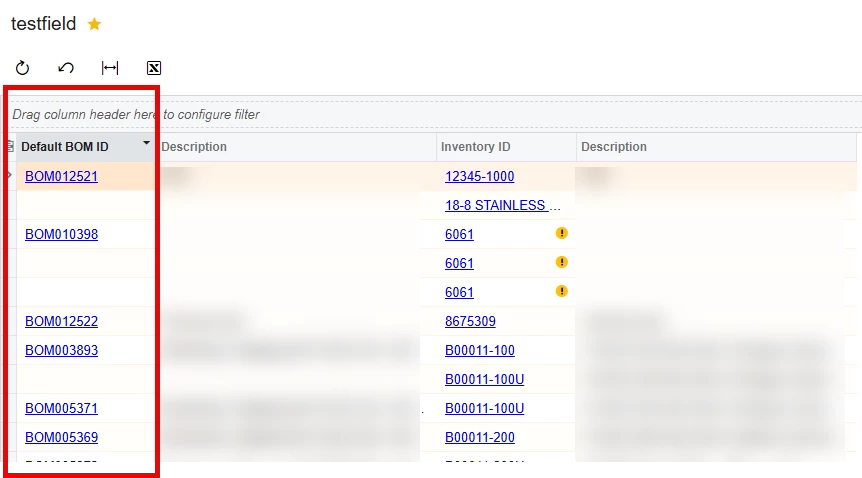
@Tony Lanzer the code is in a .dll. i currently have the customization project for it unpublished. i restarted and reset the cache and it still is giving me that error. I put the initemsite table in a GI and the field does show up there. This is in a local version and there is only one tenant.


Tony Lanzer
Pro III
Forum|alt.badge.img+2
  • Pro III
  • July 14, 2025

I just noticed that your custom field class is named usrbOMRevision, with a lowercase “b”. The correct capitalization should be usrBOMRevision, with an uppercase “B”, because your field name is UsrBOMRevision. The class name’s first letter should be lowercase, but the remaining case should match the field.  Please try this and see if that helps anything.


Forum|alt.badge.img
  • Author
  • Varsity III
  • July 14, 2025

@Tony Lanzer i updated with that change and it is still giving me the same error.


Tony Lanzer
Pro III
Forum|alt.badge.img+2
  • Pro III
  • Answer
  • July 14, 2025

I’m running out of ideas. You said it was a local install.  Maybe check your site bin folder for the customization .dll.  If it’s there, delete it.


Forum|alt.badge.img
  • Author
  • Varsity III
  • July 15, 2025

@Tony Lanzer deleting the graph extension fixed the error. ill have to try to add it back in now and see if it will work. thank you!