Question

Error when trying to add PO505000 screen to customization project “Object reference not set to an instance of an object. The customization project must be published before the screen can be edited.”

  • December 3, 2025
  • 4 replies
  • 27 views

I am trying to add a custom field to the PO505000 (Create Purchase Orders) screen, but when I click the “customize existing screen” button in the project editor and then go to the screen to edit it, I am getting the error shown below:
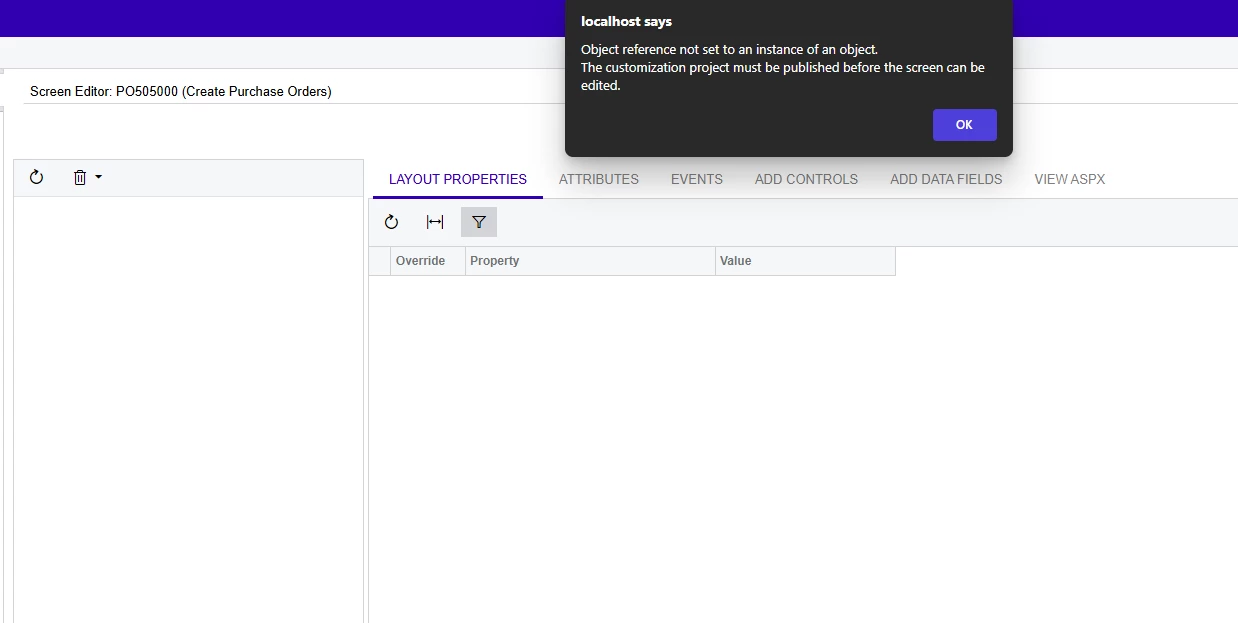
 

I have tried publishing the project after adding the screen but that has not worked. I have also tried removing the screen, publishing the project, and adding it back into the project but that has also not helped.


Any ideas on things I can try would be greatly appreciated!

4 replies

Forum|alt.badge.img+8
  • Captain II
  • December 3, 2025

What fields have you added to the screen?


This usually happens when a field ( e.g. POOrder.OrderNbr) or object ( e.g. POCreateFilter view) that should have a value, but in this case is null, is used further downstream and the process cannot be executed.


Could you please share your source code?


Hi Aiwan, thanks for the reply!

I haven’t added any fields to the screen yet which is why this is strange. I just clicked the “customize existing screen” button in the project editor, chose this screen, clicked on the screen when it added it to the project, and then this error showed up before I got the chance to edit anything. There isn’t any code customizing this screen yet.


Forum|alt.badge.img+8
  • Captain II
  • December 4, 2025

@austinschosterMWA 


That is weird!

Could you please reset cache and restart application in the ‘Apply Updates’ screen please.


Forum|alt.badge.img+3

Do you have any other customizations published?
