I am trying to create a new project in VS on a 25R2 instance. (first time working in 25R2).
I open the project and simply try to compile it. I have not added anything to the project...just the default that was created.
I get this error:
Unable to find package Microsoft.Bcl.AsyncInterfaces. No packages exist with this id in source(s): Microsoft Visual Studio Offline Packages, TestSDK
I see that there was a similar error a couple of years ago, but it did not address my issue.
From the above link, I tried removing Microsoft.Bcl.AsyncInterfaces from my csproj file. It compiles after doing that. But then the site will not load.
After killing the site, I can get it back up by upgrading the site only using the installation tool.
Note that simply attempting to compile my project in VS, it kills the site.
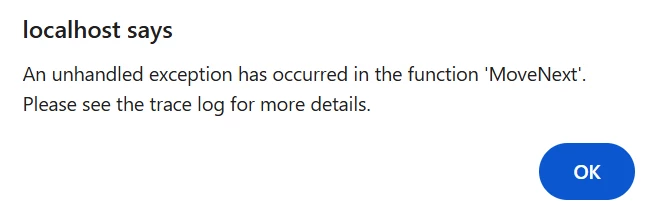
Could not load file or assembly 'Microsoft.Extensions.Options.ConfigurationExtensions' or one of its dependencies. The located assembly's manifest definition does not match the assembly reference. (Exception from HRESULT: 0x80131040)
I “think” this might have something to do with the TestSDK I installed for 24R2.
I looked under Extensions in Visual Studio, but I don’t see anything custom other than Acuminator.
I tried disabling the Acuminator extension. Still have an error (site is killed).
In the Nuget package manager, it looks like this version is installed in my project:

That dll is not listed in my project references
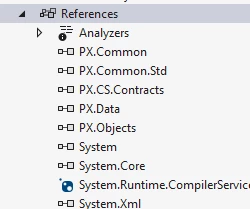
In all the projects I’ve done prior to 25R2, that dll is listed.
I thought I’d ask here before submitting a support ticket in case it is an easy fix.