Answer

Enable/Disable is NOT working for Lot Serial Nbr. Selector field on Details Grid.

  • September 26, 2025
  • 8 replies
  • 116 views

Hello All,

I have been working on trying to disable the Lot/Serial Nbr. selector field on the grid section of the Inventory Receipts screen (IN301000) through code, but it’s not working as expected.

I was able to successfully disable the unitCost field on the same grid, so I’m not sure what is preventing the Lot/Serial Nbr. selector field itself from being disabled/enabled.
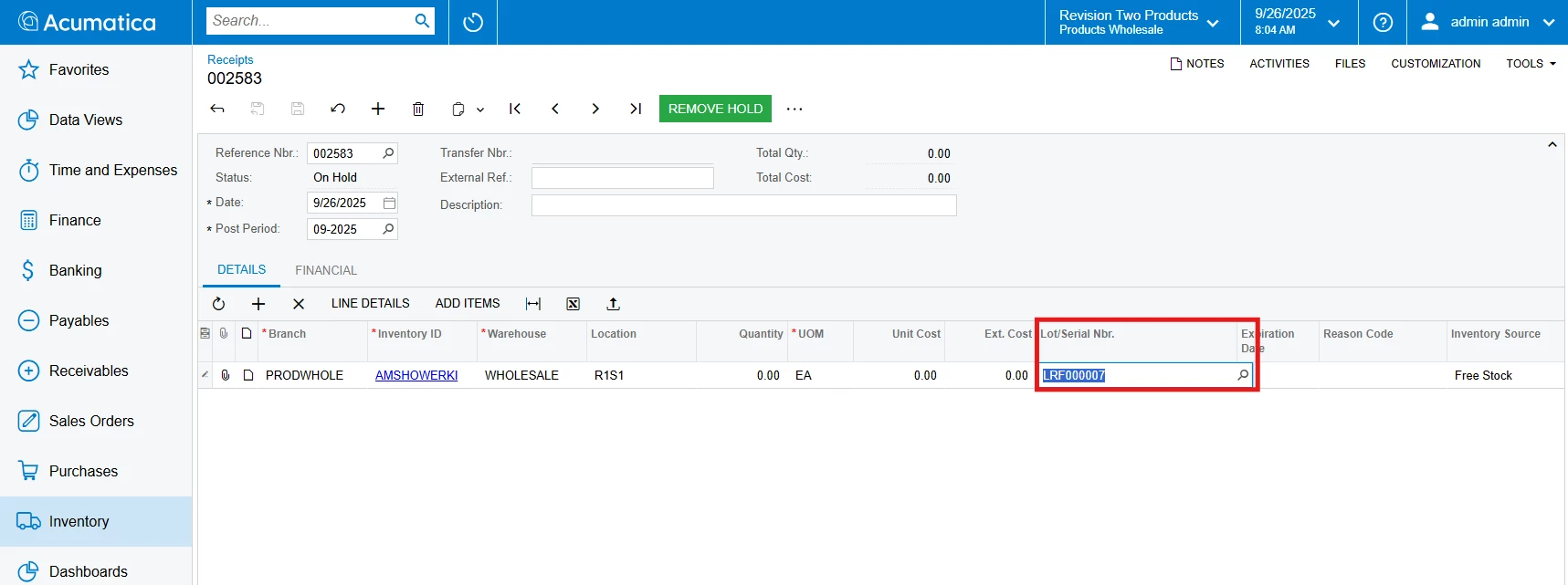
 

Here is the code I am using:
 

public class INReceiptEntry_Ext : PXGraphExtension<INReceiptEntry>
{
    protected void _(Events.RowSelected<INTran> e, PXRowSelected baseHandler)
    {
        baseHandler?.Invoke(e.Cache, e.Args);
        if (e.Row == null) return;
        PXUIFieldAttribute.SetEnabled<INTran.lotSerialNbr>(e.Cache, e.Row, false);
    }

}


If anyone could help me with this, it would be really helpful.

@darylbowman 
@Naveen Boga 

Best answer by Abhishek Niikam

Hey ​@dhruv40, The SetReadOnly usually works when SetEnabled doesn't because something else might be re-enabling the field after your code runs.
so try this snippet with your conditions (it works for me):
 

 protected void _(Events.RowSelected<INTran> e, PXRowSelected baseHandler)
{
baseHandler?.Invoke(e.Cache, e.Args);
if (e.Row == null) return;
PXUIFieldAttribute.SetReadOnly<INTran.lotSerialNbr>(e.Cache, e.Row, true);
}


I hope it helps!

8 replies

Forum|alt.badge.img+2

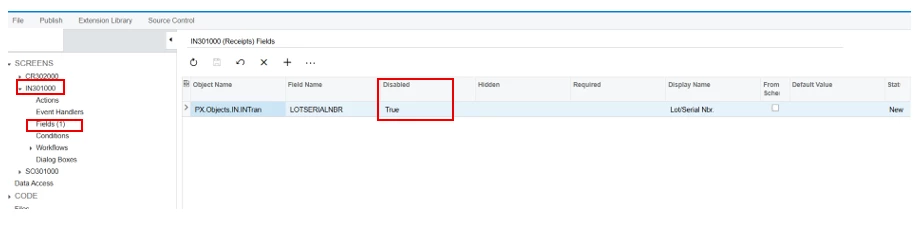
Hello ​@dhruv40, You can try with customization editor:

In Field section (under IN301000 screen) just add DAC & set ‘Disabled = True

Add Field & set Disabled = True

I hope it helps!


darylbowman
Captain II
Forum|alt.badge.img+15
  • September 26, 2025

The INTran.LotSerialNbr field uses the [INTranLotSerialNbr] attribute to configure the selector among other things.

INTranLotSerialNbrAttribute inherits INLotSerialNbrAttribute which contains this code:

public virtual void FieldSelecting(PXCache sender, PXFieldSelectingEventArgs e)
{
ILSMaster iLSMaster = (ILSMaster)e.Row;
if (iLSMaster != null)
{
PXResult<InventoryItem, INLotSerClass> pXResult = ReadInventoryItem(sender, iLSMaster.InventoryID);
((PXUIFieldAttribute)_Attributes[_UIAttrIndex]).Enabled = !ForceDisable && pXResult != null && sender.AllowUpdate && IsTracked(iLSMaster, pXResult, iLSMaster.TranType, iLSMaster.InvtMult);
}
}

You’ll notice it’s setting the ‘Enabled’ property depending upon some conditions.

There are a couple ways you could approach this. I would start by writing a FieldSelecting statement (override) for LotSerialNbr and see if setting the value there fixes it.


  • Author
  • Freshman I
  • September 26, 2025

@Abhishek Niikam 

tried that solution, but the thing is it completely disables the field, whereas I want it to be disabled only under a certain condition defined in my code.

Although, thank you for the help and response.


  • Author
  • Freshman I
  • September 26, 2025

Thank you ​@darylbowman ,  for suggesting this solution!

I’ll try to implement it and will let you know how it goes.


  • Author
  • Freshman I
  • September 30, 2025

Hello ​@darylbowman, I tried using both RowSelecting as well as  FieldSelecting but did not seem to resolve the issue.

I am not able to find any ways to make LotSerialNbr  field Enable/Disable via code.


Forum|alt.badge.img+2
  • Jr Varsity II
  • Answer
  • September 30, 2025

Hey ​@dhruv40, The SetReadOnly usually works when SetEnabled doesn't because something else might be re-enabling the field after your code runs.
so try this snippet with your conditions (it works for me):
 

 protected void _(Events.RowSelected<INTran> e, PXRowSelected baseHandler)
{
baseHandler?.Invoke(e.Cache, e.Args);
if (e.Row == null) return;
PXUIFieldAttribute.SetReadOnly<INTran.lotSerialNbr>(e.Cache, e.Row, true);
}


I hope it helps!


darylbowman
Captain II
Forum|alt.badge.img+15
  • September 30, 2025

I’m not sure if there’s an easier way or not, but I’m pretty sure creating a new attribute that inherits the original attribute class and overrides the FieldSelecting event to include your logic would solve the issue.


  • Author
  • Freshman I
  • October 1, 2025

Thank you ​@Abhishek Niikam, I tried using SetReadOnly instead of SetEnabled and it worked how I wanted it to perform on lotSerialNbr field.


Thank you ​@darylbowman, for suggestion and help.