Question

Display base64 images on Form in acumatica

  • April 1, 2026
  • 2 replies
  • 45 views

Forum|alt.badge.img

I have received some requirements from users. They want to display a QR code payment image that is generated as a base64-encoded PNG from an external API.

I need to show this base64 image on an Acumatica form. Once the user scans the QR code and completes the payment, we will receive a response from the API and continue with the next process.

Please guide me on how to display a dynamic base64 image in Acumatica 2025 R2, for both the Classic UI and the Modern UI.


2 replies

Forum|alt.badge.img+8
  • Captain II
  • April 1, 2026

I did a quick search and found this discussion topic on how you can pull images from the database to be included in the report:


Forum|alt.badge.img
  • Author
  • Freshman II
  • April 3, 2026

I did a quick search and found this discussion topic on how you can pull images from the database to be included in the report:


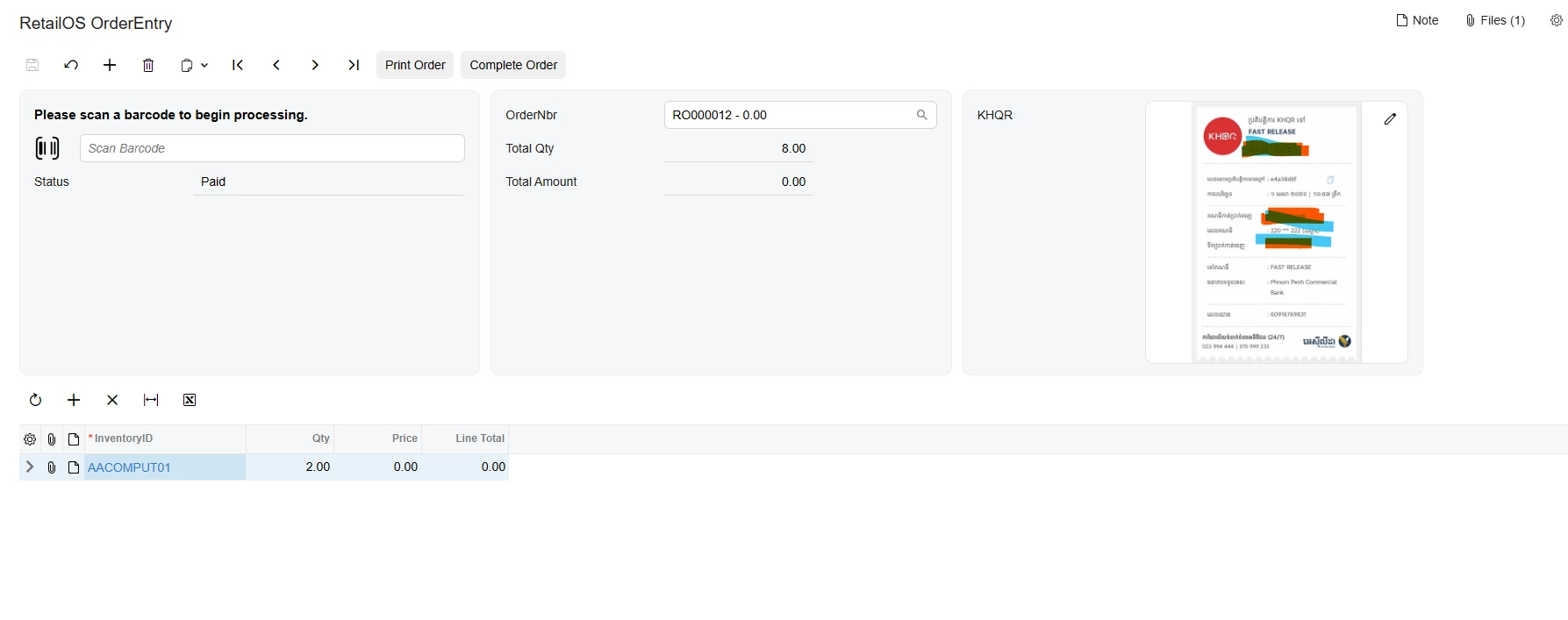
I don’t want to display on report. I want to display on form. Now I can display it but I’m still have some problem. when click pay action it’s already upload image to file but not display yet until I reload form.

    <qp-fieldset id="Document_CstPXLayoutRule6_fs1" wg-container="Document_form" view.bind="Document" slot="C" >

        <field name="KHQRReport" unbound>

            <qp-label slot="label" caption="KHQR"></qp-label>

            <qp-image-uploader id="KHQRReport" allow-null="false" state.bind="Document.KHQRReport"

                width="300px 1/1"></qp-image-uploader>

        </field>


    </qp-fieldset>