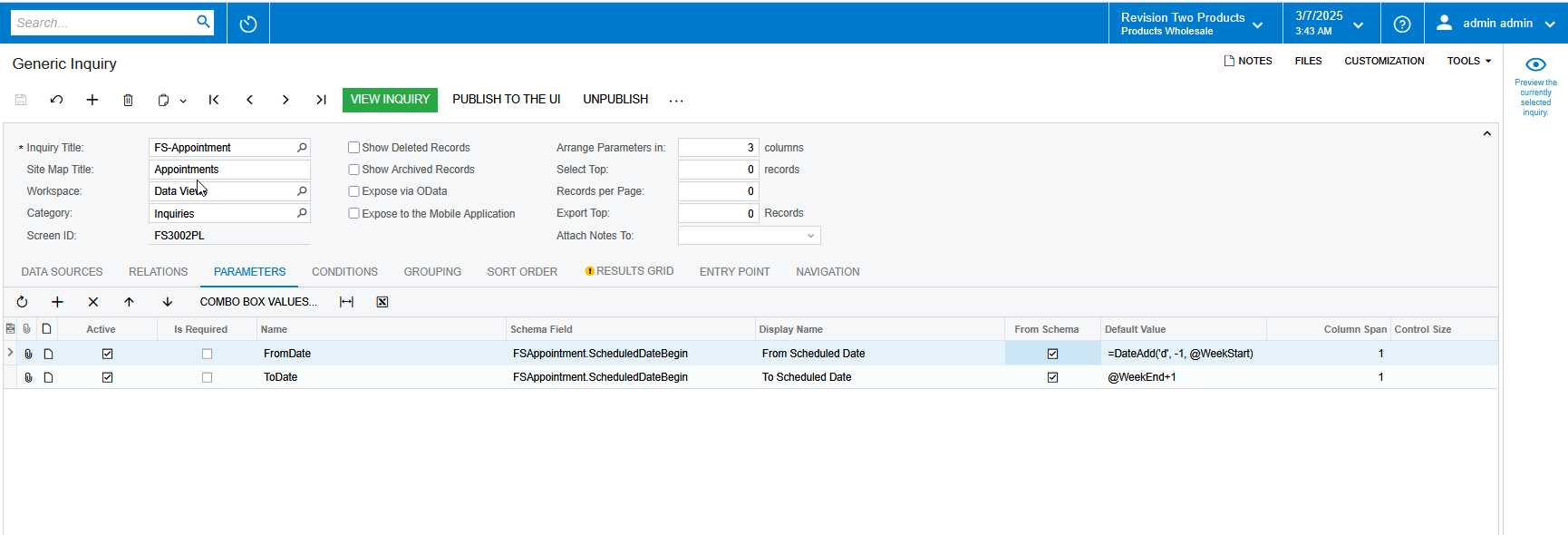
For the Generic Inquiry, we would like to provide parameters like below and seems it is not working in Acumatica generic inquiry. Can you please review and provide your inputs.
Acumatica's Business Date : 03/07/2025
We need to populate the From Date and To Date like below
From Date: @weekStart - One Day (Acumatica always start the @weekStart as Sunday but we need Saturday instead)
To Date: @weekEnd + One Week - One Day
Best answer by bwhite49
You could try connecting FSAppointment to itself in a join. So FSAppointment inner join on FSAppointmentFilter (an Alias)
In the join itself you would do refnbr = refnbr and then you would add your FSappointment.ScheduledDateBegin is greater than DateAdd(‘d’, -1, @WeekStart) formula to filter out all records that do not meet this condition. I think this will work.
This would get rid of your parameters, but it sounds like you just need a list of this week's appointments?
AI was used to create this answer. Since the DateAdd function might not work as expected in Acumatica’s Generic Inquiry (GI) default values, let's try an alternative approach.
Alternative Solution Using @WeekStart and @WeekEnd
Acumatica’s built-in functions like @WeekStart and @WeekEnd provide only the beginning and end of the current week (Sunday to Saturday). However, we need to adjust these to get the required dates.
Required Date Adjustments
From Date → Saturday of the current week (@WeekStart - 1 day)
To Date → Next Saturday (@WeekEnd + 1 week)
Correct Formula to Use in Acumatica Generic Inquiry
Since Acumatica doesn't support DateAdd() in Generic Inquiry, we can try predefined Acumatica functions:
For FromDate (Last Saturday instead of Sunday)
plaintext
CopyEdit
=@WeekStart - 1
@WeekStart returns Sunday (by default).
Subtracting 1 day moves it back to Saturday.
For ToDate (Next Saturday)
plaintext
CopyEdit
=@WeekEnd + 7
@WeekEnd returns Saturday.
Adding 7 days moves it to next Saturday.
Implementation Steps
Open Generic Inquiry for FS-Appointment.
Go to the Parameters tab.
Locate the FromDate and ToDate fields.
Modify the Default Value:
FromDate → =@WeekStart - 1
ToDate → =@WeekEnd + 7
Save and Test the inquiry.
Expected Output
Date Type
Expected Output (if today is March 7, 2025)
FromDate
March 1, 2025 (Saturday)
ToDate
March 15, 2025 (Next Saturday)
If the Above Doesn't Work
If Acumatica doesn’t allow direct calculations (+ or -), try setting default values using Custom Business Logic (i.e., modify the underlying DAC field using customization).
AI was used to create this answer Root cause: Generic inquiries in Acumatica might not always handle the Date() function in the same way as other parts of the system. The exact behavior can depend on the Acumatica version and the context of the inquiry. In some cases, the date function is not supported, or the result is not formatted as expected.
Use the Convert Function:
Instead of Date(), use the Convert function with the format string 'd'. This format string tells Acumatica to convert the DateTime value to a short date string, effectively removing the time component.
Example Formula:
If your DateTime field is named YourDateTimeField, the formula in your Generic Inquiry would look like this:
=Convert([YourDateTimeField], 'd')
Explanation:
The Convert function takes two arguments: the value to convert and the format string.
The format string 'd' is a standard date format that represents the short date.
Additional Considerations:
Localization: The 'd' format string will respect the date format settings of the user's locale in Acumatica. This ensures that dates are displayed according to the user's regional preferences.
Alternative formats: If you need a different date format, you can use other format strings with the Convert function. For example, 'MM/dd/yyyy' or 'yyyy-MM-dd'.
Acumatica Version: While this solution is generally applicable, always test it in your specific Acumatica version to ensure compatibility.
Generic Inquiry limitations: Generic inquiries have limitations, and very complex date manipulation might be better handled by a custom GI, or a custom report.
In summary: When working with dates in Acumatica Generic Inquiries, the Convert([YourDateTimeField], 'd') approach is the most reliable way to extract and display the date portion without the time.
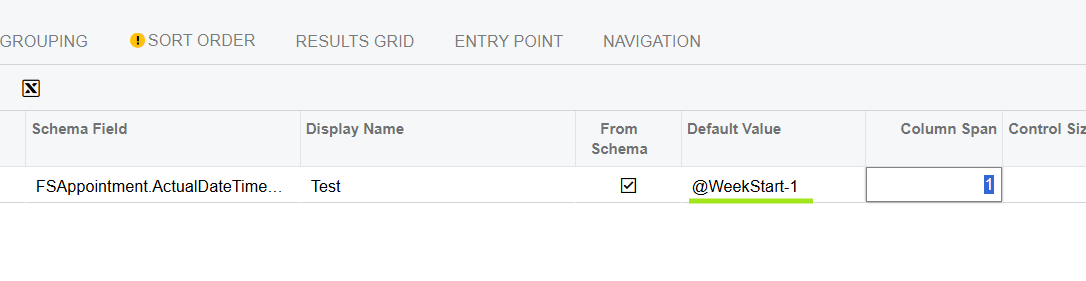
@saifalisabri - Please stop posting purely AI generated answers. Repeatedly trying to get the correct answer by just using AI is not helpful to the Community. AI is available to everyone. If people are coming here, it’s to get a real response by knowledgeable humans.
@nsmith51 - This is the correct format to get one day less than @WeekStart
I think that will actually get you the start of last week unfortunately. I’m not sure you’re able to set a default value like this unless there is a way to change what day is the week start in system settings somewhere.
You could try connecting FSAppointment to itself in a join. So FSAppointment inner join on FSAppointmentFilter (an Alias)
In the join itself you would do refnbr = refnbr and then you would add your FSappointment.ScheduledDateBegin is greater than DateAdd(‘d’, -1, @WeekStart) formula to filter out all records that do not meet this condition. I think this will work.
This would get rid of your parameters, but it sounds like you just need a list of this week's appointments?