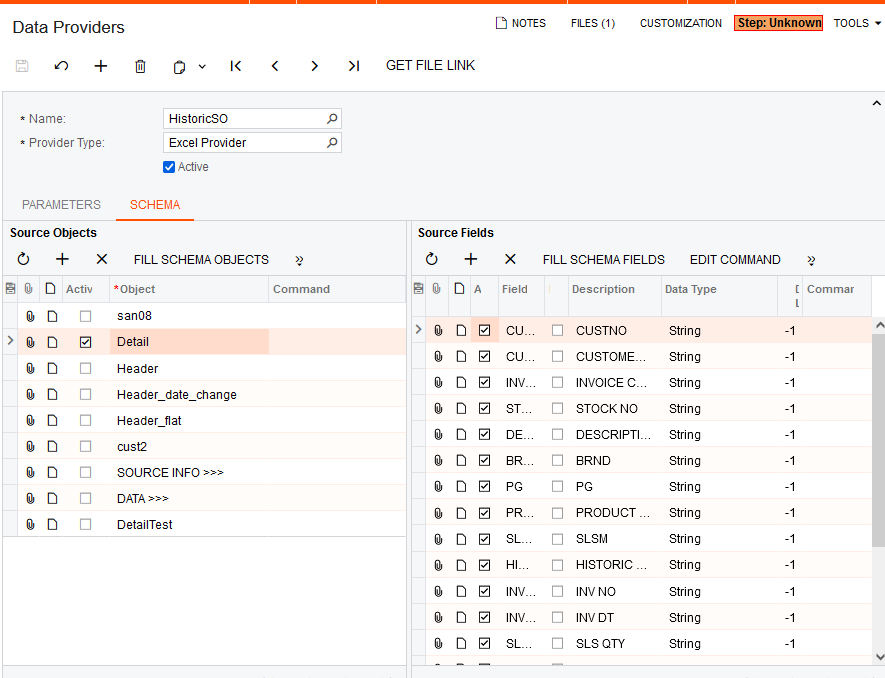
I’ve created data provider, it’s using the built in Excel Provider type, it is used by an Import Scenario.It has various setting and mappings, as shown below.
I can add the import scenario to my customisation package, but how can I add the Data Provider?
Best answer by Naveen Boga
@stephenward03 It is NOT required to add the DATA PROVIDERS to the package. We can just add the IMPORT SCENARIOS to the package, Once you deploy the customization, Import Scenario will be created along with the respective Data Provider by default.
I think you simply add the DLL as a File to your project. Because the data provider interface will be visible in the DLL, it will be made available once published.
@stephenward03 It is NOT required to add the DATA PROVIDERS to the package. We can just add the IMPORT SCENARIOS to the package, Once you deploy the customization, Import Scenario will be created along with the respective Data Provider by default.