
Solved

Customized Acumatica Screens With Modern UI in 25R2

  • October 31, 2025
  • 31 replies
  • 926 views

Show first post

31 replies

darylbowman
Captain II
Forum|alt.badge.img+16

Do I have to merge ALL the changes to the screen in one extension?  If it is possible to do it in multiple extensions, I can only imagine the screen will be pretty ugly.  

No, you shouldn’t need to put everything in one if the concerns are truly separate. It may take a while to get right, but it should be possible.

I would suggest starting your own question though.


DavidEichner
Captain II
Forum|alt.badge.img+14
  • Author
  • Captain II
  • November 5, 2025

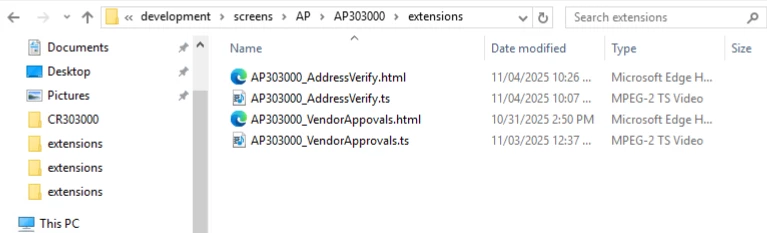
@Joe Schmucker It is possible to do mutlple extensions.  We have 2 products that both customize the vendor screen AP303000.


Joe Schmucker
Captain II
Forum|alt.badge.img+3
  • Captain II
  • November 6, 2025

Please let me know if I should create a new topic for my noob questions.  This is 100% new for me and I am at the beginning of the learning curve.  FYI, I have done the T290 course 3 times.  That course was prior to the availability of the new tools and some of it seems incorrect now (paths etc.).

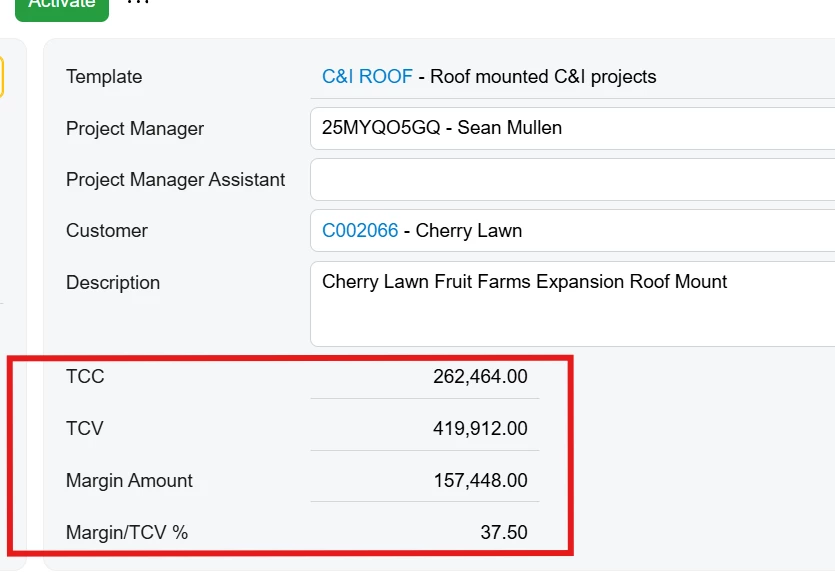
Using the Modern UI Editor for the first time, I clicked the Add Field and added my four custom fields.

Then I added the four fields (arbitrarily) into an existing slot

    <qp-fieldset id="formSlotB" slot="B" view.bind="Project">
      <field name="TemplateID" config-allow-edit.bind="true"></field>
      <field name="OwnerID"></field>
      <field name="AssistantID"></field>
      <field name="CustomerID" pinned="" config-allow-edit.bind="true"></field>
      <field name="CuryID" pinned="false"></field>
      <field name="Description" pinned="" config-rows.bind="3"></field>
      <field name="Project.UsrTCC"></field>
      <field name="Project.UsrTCV"></field>
      <field name="Project.UsrMarginAmount"></field>
      <field name="Project.UsrMarginTCVPercent"></field>

    </qp-fieldset>

I published it and it the fields show up on the screen.  So far so good!

I searched through all the files in the src folder and I don’t see any sign of the UsrTCC field for example in any of the HTML, ts files etc.  

Where are these changes being stored?  

Are there two ways to do changes to the UI??

  1. using the editor, and/or
  2. manually creating files on the site folders

It seems like my changes made in the editor are working.  Should I be manually creating extension files like you have been showing above?  Making changes to the screen in the UI Editor seems to work and I don’t THINK it is changing the base MUI files directly.

To test, I exported this project and published it into another 25R2 dummy site and it is working.  Maybe I can get away with just using the MUI editor and not have to do the manual creation of extension files.

I think to have maximum control, doing the manual creating of the ui files is probably best. 

Sorry for hijacking this thread.


darylbowman
Captain II
Forum|alt.badge.img+16

I believe the changes are stored inside the Customization Project. You can ‘Export to Development’ from the Modern UI Files node of the side panel, but you probably don’t need to.


Joe Schmucker
Captain II
Forum|alt.badge.img+3
  • Captain II
  • November 6, 2025

Ah.  I didn’t even notice that three files were added to the Modern UI Files tree.  Thanks Daryl!

Maybe I can hire someone to do this for me and then I can look at the results to see what I am supposed to be doing!  :-)


Joe Schmucker
Captain II
Forum|alt.badge.img+3
  • Captain II
  • November 8, 2025

Thank you to all who contributed to this topic.  This topic saved me a LOT of frustration as you ​@DavidEichner asked the questions that I would have asked!


A HUGE shout out to Acumatica engineers for the Modern UI tools in the Project Editor.  I don’t know how you did it, but this tool is INVALUABLE.  

THANK YOU ACUMATICA!!!