

Answer

Customization project holds workflow modifications even after removing the modifications from the project

  • November 28, 2024
  • 6 replies
  • 104 views

Forum|alt.badge.img+2

I create a customization project to add few fields to several screens including sales order screen, then I need keep these fields as any time editable (in every state). So, I customized the SO301000 (Sales Order) workflow. I do that inhering the existing workflow. Then custom fields become editable,

but the default fields turn uneditable in every states.
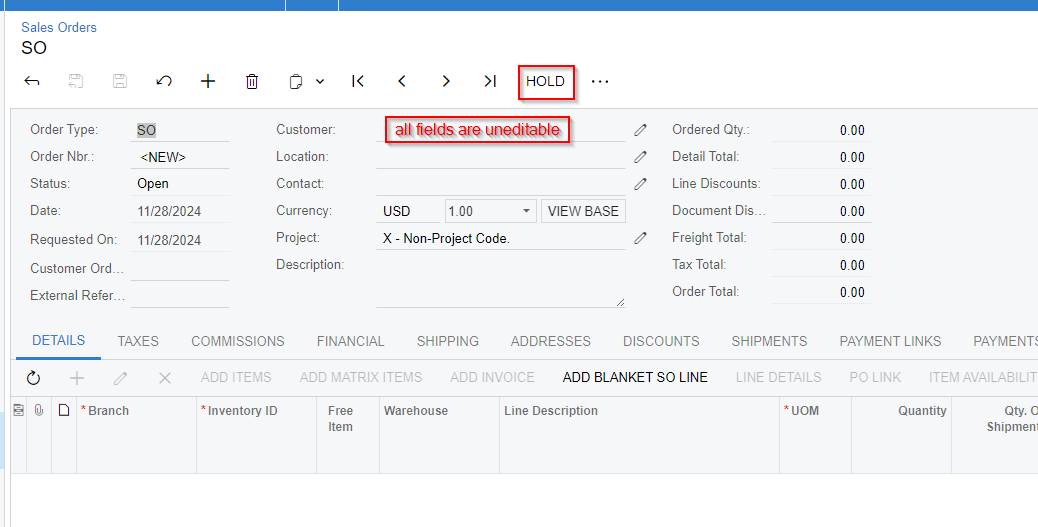
 

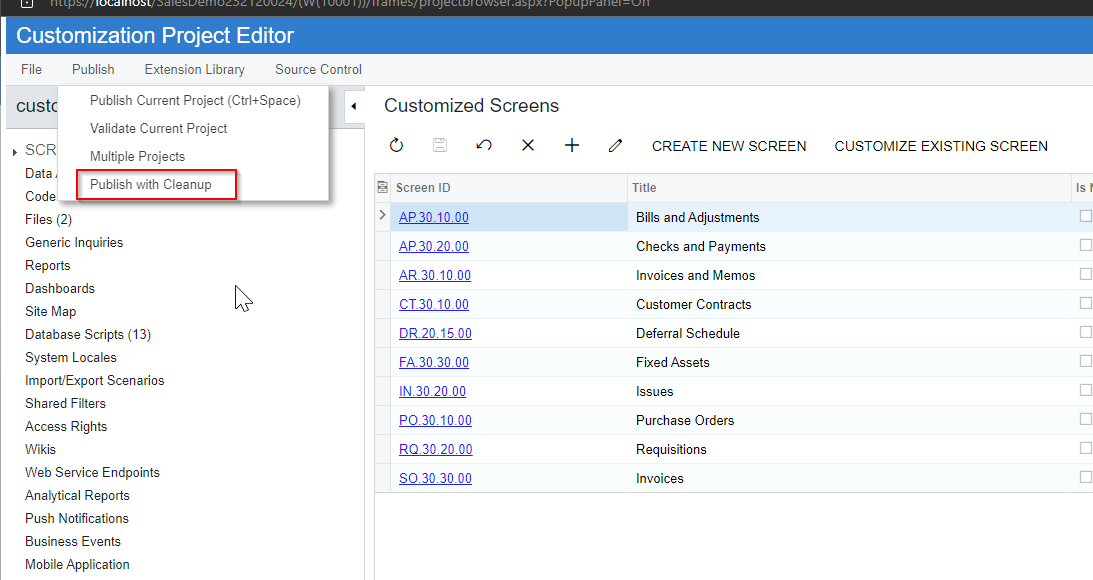
Then I Remove the newly added workflows and enable the default workflows. but the fields still uneditable. Then I delete the whole SO301000 screen from the customization project. Even now default fields are uneditable. SO301000 screens returns back to the default behavior when only the whole customization is unpublished. I Tried with “Publish with cleanup”. It also not works for me.


Best answer by PDharmasena10

I able to resolve the issue in field customization project. As I initially thought the issue is not relate to workflow customization. To enable the fields in every state I had override the RowSelected event. In that method I forgot to call the RowSeleted event in the Base instance. That is the reason to disable the exiting fields. I able to fix the issue updating my even as bellow

Updated Code

        protected virtual void SOOrder_RowSelected(PXCache cache, PXRowSelectedEventArgs e, PXRowSelected InvokeBaseHandler)
        {
            InvokeBaseHandler?.Invoke(cache, e);
            SOOrder row = e.Row as SOOrder;
            if (row != null)
            {
                //Allowing caches to update with below code
                Base.Document.Cache.AllowUpdate = true;
                //Base.Transactions.Cache.AllowUpdate = true;
                PXUIFieldAttribute.SetEnabled<SOOrderExt.usrAgentName>(cache, row, true);
                PXUIFieldAttribute.SetEnabled<SOOrderExt.usrDeliveryTime>(cache, row, true);


                // rest of fields

}


6 replies

Vignesh Ponnusamy
Acumatica Moderator
Forum|alt.badge.img+5

Hi ​@PDharmasena10,

Can you please share the setup of your workflow extension? If possible, share a small customization package using which we can reproduce the issue? What is the Acumatica version/build you are in?


Forum|alt.badge.img+2
  • Author
  • Semi-Pro I
  • November 28, 2024

I use Build 23.212.0024 (DB: 23.211.0017) to develop the customization. Here i have attached the inital customization with SO301000 page modidcations. and other one is after removing SO301000 screen. Both project have same issue


DipakNilkanth
Pro III
Forum|alt.badge.img+13

Hi ​@PDharmasena10,

Have you already tried resetting caches and restarting the application to address the issue. Please follow the steps below if you haven’t done so yet:

  1. Navigate to the Apply Updates screen (SM203510).
  2. Select Reset Caches to clear all cached data.
  3. Click Restart Application to reload the instance and apply any pending changes.

If the issue persists even after restarting the application, please try the following steps:

  1. Open the BIN folder in your Acumatica site directory (e.g.  C:\Program Files (x86)\Acumatica ERP\<InstanceName>\Bin).
  2. Locate and delete the DLL file associated with the specific customization project. It is possible that the DLL is causing conflicts by holding on to outdated changes.


Hope, it helps!


Forum|alt.badge.img+2
  • Author
  • Semi-Pro I
  • December 2, 2024

Hi ​@Dipak Nilkanth I tried with your solution. But the issue still same.


Forum|alt.badge.img+2
  • Author
  • Semi-Pro I
  • Answer
  • December 3, 2024

I able to resolve the issue in field customization project. As I initially thought the issue is not relate to workflow customization. To enable the fields in every state I had override the RowSelected event. In that method I forgot to call the RowSeleted event in the Base instance. That is the reason to disable the exiting fields. I able to fix the issue updating my even as bellow

Updated Code

        protected virtual void SOOrder_RowSelected(PXCache cache, PXRowSelectedEventArgs e, PXRowSelected InvokeBaseHandler)
        {
            InvokeBaseHandler?.Invoke(cache, e);
            SOOrder row = e.Row as SOOrder;
            if (row != null)
            {
                //Allowing caches to update with below code
                Base.Document.Cache.AllowUpdate = true;
                //Base.Transactions.Cache.AllowUpdate = true;
                PXUIFieldAttribute.SetEnabled<SOOrderExt.usrAgentName>(cache, row, true);
                PXUIFieldAttribute.SetEnabled<SOOrderExt.usrDeliveryTime>(cache, row, true);


                // rest of fields

}


Chris Hackett
Community Manager
Forum|alt.badge.img
  • Acumatica Community Manager
  • December 3, 2024

Thank you for sharing your solution with the community ​@PDharmasena10!




