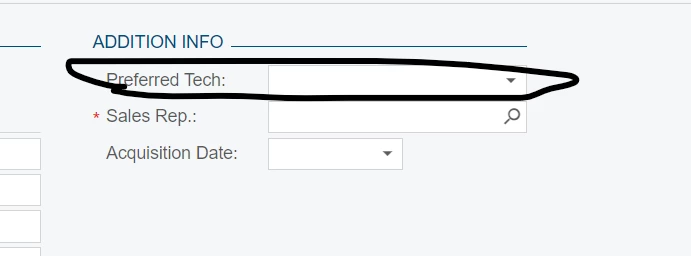
I want to add a custom field in Customer Location screen(AR303020) as below so i added as preferred Tech
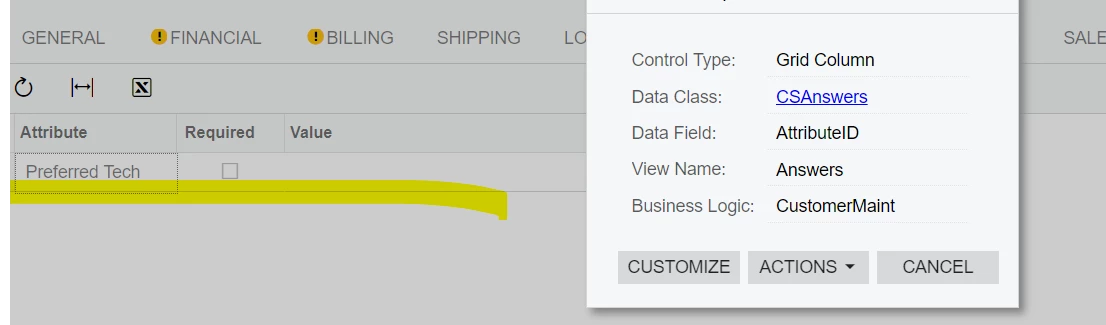
and the data should picked from Customer screen(AR303000), attribute TAB.
The newly added column Preferred Tech (either as Text or Dropdown) should hold the data of AttributeID field(with Value if its contain).
Kindly advise how to proceed further.
Best answer by aaghaei
@sujithra
@ddunn is absolutely correct. You will need to join the attribute with customers if you need the assigned Tech to customers as per Dunn's instructions.
From the previous thread regarding “Sales Rep”, I guess you will need the list of all your technicians. Considering you are new to Acumatica I thought you might need a hand. Below is what you will need in your DAC Ext. Replace the “COLOR” with your Technician AttributeID whatever it is.
using PX.Data; using PX.Objects.AR; using PX.Objects.CR; using PX.Objects.CS;
namespace PX.Objects.CR { public class TechAttributeID : PX.Data.BQL.BqlString.Constant<TechAttributeID> { public TechAttributeID() : base("COLOR") { } }
public sealed class MyCRLocationExt : PXCacheExtension<PX.Objects.CR.Location> { public static bool IsActive() => true;
You’re going to need two parts. One part is the PXSelector attribute.
[PXSelector(
  typeof(Search<this is your search logic that returns the field value you want>),
  typeof(a field to show in the selector),
  typeof(another field to show in the selector)
)]
Your search is going to be something similar to this. The NoteID of the customer DAC connects to the CSAnswers.refNoteID - that’s how attributes are connected to it’s related record.
@ddunn is absolutely correct. You will need to join the attribute with customers if you need the assigned Tech to customers as per Dunn's instructions.
From the previous thread regarding “Sales Rep”, I guess you will need the list of all your technicians. Considering you are new to Acumatica I thought you might need a hand. Below is what you will need in your DAC Ext. Replace the “COLOR” with your Technician AttributeID whatever it is.
using PX.Data; using PX.Objects.AR; using PX.Objects.CR; using PX.Objects.CS;
namespace PX.Objects.CR { public class TechAttributeID : PX.Data.BQL.BqlString.Constant<TechAttributeID> { public TechAttributeID() : base("COLOR") { } }
public sealed class MyCRLocationExt : PXCacheExtension<PX.Objects.CR.Location> { public static bool IsActive() => true;
@sujithra Can you please advise if the above solution worked for you and if yes kindly flag the correct answer to close the case and make it a reference for others in case they come across the same issue? If not what is the problem you are facing and provide your code for further review.@Chris Hackett
@sujithra It is up to you what kind of data type you store in DB and won’t make any difference to the solution. The question is did the suggested solution worked or not.