Answer

Custom Fields connecting

  • April 24, 2025
  • 11 replies
  • 133 views

FinnSystemAG
Freshman II
Forum|alt.badge.img

Hello Guys,

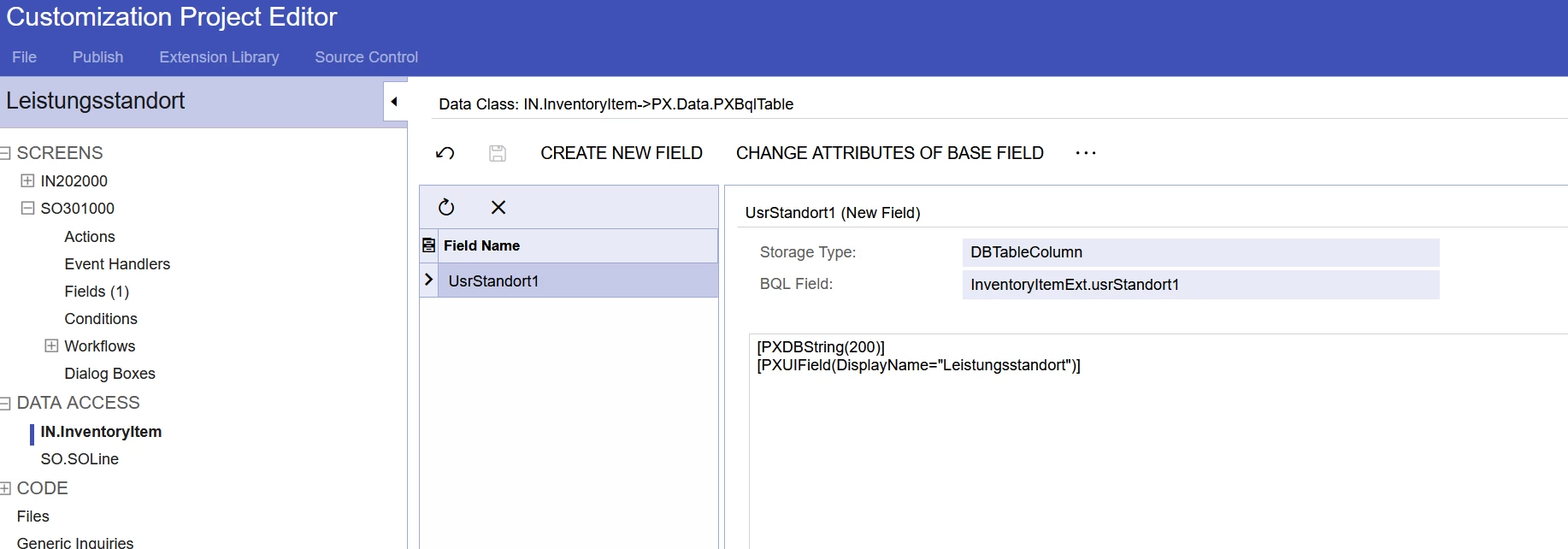
i have created two customerfields

  1. UsrStandorte1 , Fieldname: Leistungsstandort
  2. UsrStandorte2 , Fieldname: Leistungsstandort

UsrStandorte1 is in Screen ID : IN202000
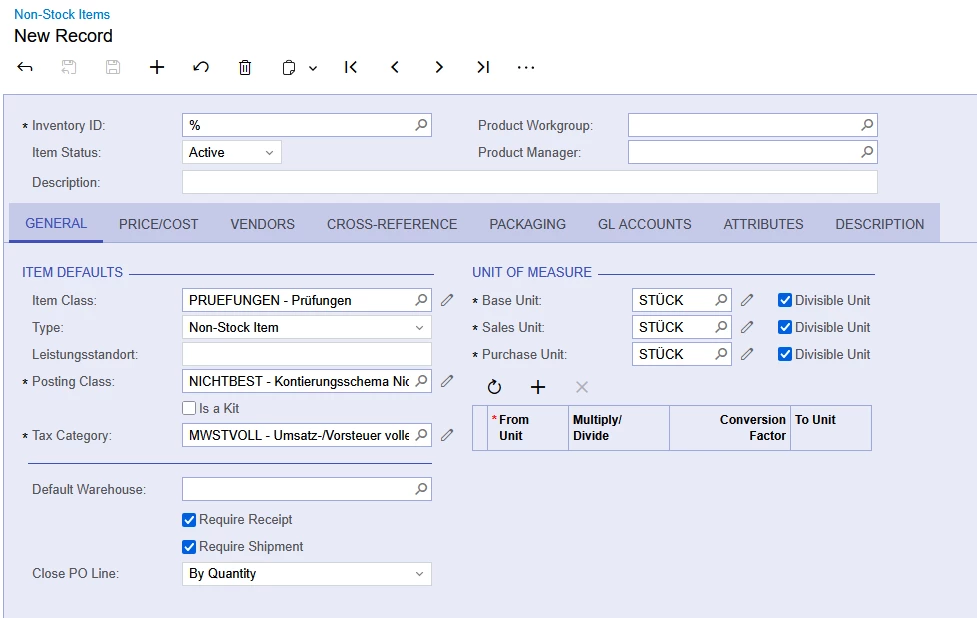
 

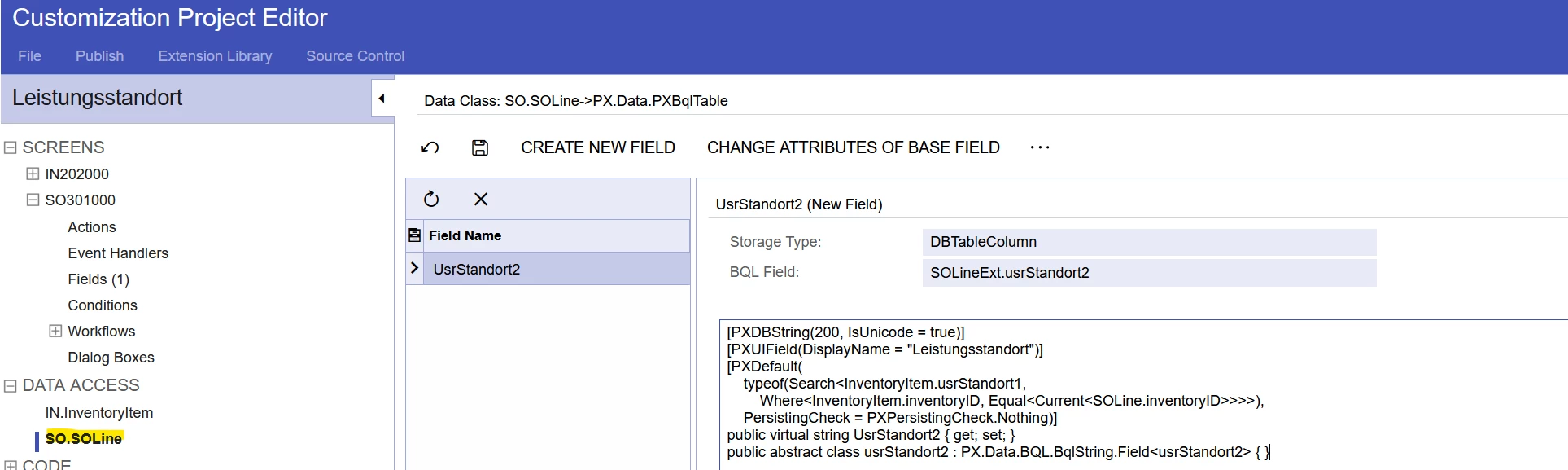
UsrStandorte2 is in Screen ID : SO301000
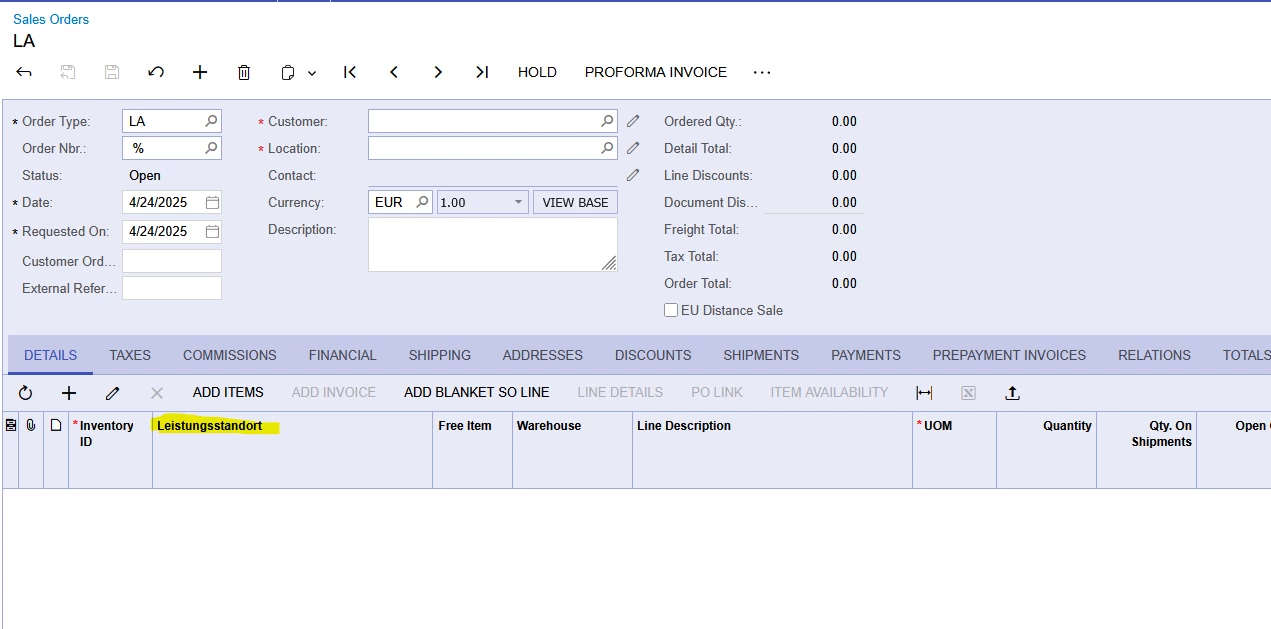
 

I want the field UsrStandort2 to automatically take its value from UsrStandort1. This should be done via customizations, but I haven’t been able to get it to work. Does anyone have a tip on how to approach this?


Hope you can lend me a hand

Best answer by FinnSystemAG

Hi ​@FinnSystemAG were you able to find a solution? Thank you!

Yes

11 replies

Forum|alt.badge.img+1
  • Jr Varsity I
  • April 24, 2025

You can accomplish this with an attribute on the field (something like [PXDefault(typeof(Search<[query]>))] or with an event handler either field defaulting or field updating depending on your situation.


FinnSystemAG
Freshman II
Forum|alt.badge.img
  • Author
  • Freshman II
  • April 24, 2025


I tried this:

[PXDBString(200, IsUnicode = true)]
[PXUIField(DisplayName = "Leistungsstandort")]
[PXDefault(
    typeof(Search<InventoryItem.usrStandort1, 
        Where<InventoryItem.inventoryID, Equal<Current<SOLine.inventoryID>>>>), 
    PersistingCheck = PXPersistingCheck.Nothing)]
public virtual string UsrStandort2 { get; set; }
public abstract class usrStandort2 : PX.Data.BQL.BqlString.Field<usrStandort2> { }


but i get this when i try to publish


Can you maybe give me an example Code ?


Forum|alt.badge.img+1
  • Jr Varsity I
  • April 24, 2025

‘Search<InventoryItem.usrStandort1...’

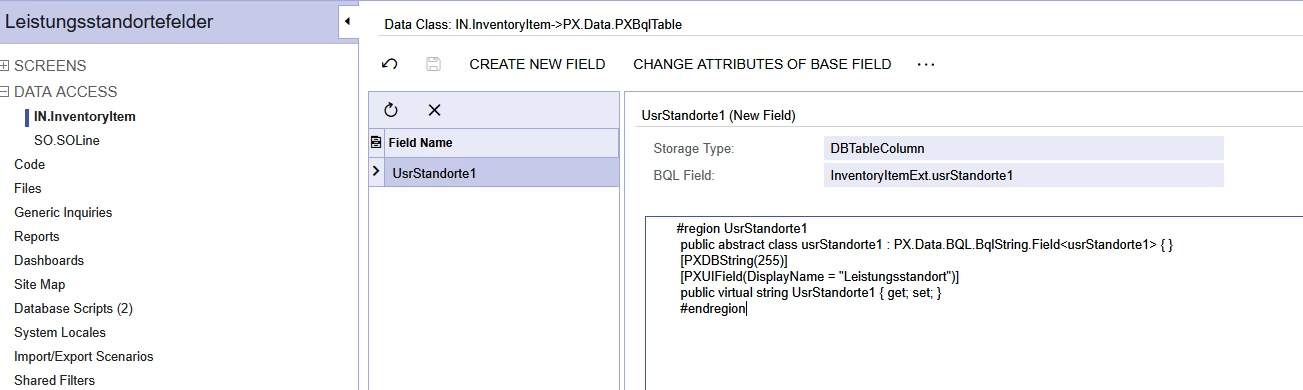
the value in this section should be the BQL Field in your first screenshot, usrstandort1 field is in InventoryItemExt

You also don’t want to re-declare the virtual and abstract members if you are creating the field in the Data Access tab


Forum|alt.badge.img+1
  • Semi-Pro III
  • April 24, 2025

Hello ​@FinnSystemAG for this below error 

you are declaring UsrStandorte2 twice in the same SOLineExt extension class.Please check.

The field is actually named UsrStandorte1, not usrStandort1 (missing e).

Can you double check once.


Forum|alt.badge.img+1
  • Semi-Pro III
  • April 24, 2025

@FinnSystemAG 

you can also try with below sample code

 protected void SOLine_InventoryID_FieldUpdated(PXCache cache, PXFieldUpdatedEventArgs e)
{
var row = (SOLine)e.Row;
if (row?.InventoryID == null) return;

InventoryItem item = InventoryItem.PK.Find(Base, row.InventoryID);
InventoryItemTableExt itemExt = item?.GetExtension<InventoryItemTableExt>();
SOLineExt lineItem = row.GetExtension<SOLineExt>();

if (item != null && itemExt != null)
lineItem.UsrStandorte2 = itemExt.UsrStandort2;
}


Forum|alt.badge.img+1
  • Jr Varsity II
  • April 25, 2025

Hi ​@FinnSystemAG ,

we can achieve this through DAC fields as below,

       #region UsrStandorte1

        public abstract class usrStandorte1 : PX.Data.BQL.BqlString.Field<usrStandorte1> { }

        [PXDBString(255)]

        [PXUIField(DisplayName = "Leistungsstandort")]

        public virtual string UsrStandorte1 { get; set; }

        #endregion


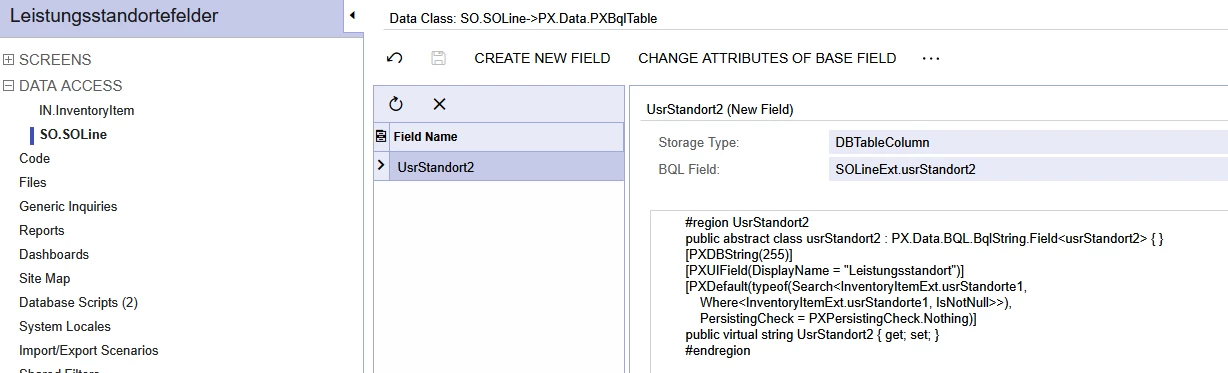
        #region UsrStandorte2

        public abstract class usrStandorte2 : PX.Data.BQL.BqlString.Field<usrStandorte2> { }

        [PXDBString(255)]

        [PXUIField(DisplayName = "Leistungsstandort")]

        [PXDefault(typeof(Search<InventoryItemExt.usrStandorte1,

            Where<InventoryItemExt.usrStandorte1, IsNotNull>>),

            PersistingCheck = PXPersistingCheck.Nothing)]

        public virtual string UsrStandorte2 { get; set; }

        #endregion

hope above helps!!!


FinnSystemAG
Freshman II
Forum|alt.badge.img
  • Author
  • Freshman II
  • April 25, 2025

Guys Thanks a lot for your help, i think we are close to our goal:


[2025-04-25 07:46:46.884] \App_RuntimeCode\PX_Objects_IN_InventoryItem_extensions.cs(36): error CS0102: The type 'InventoryItemExt' already contains a definition for 'usrStandorte1'

[2025-04-25 07:46:46.884] \App_RuntimeCode\PX_Objects_SO_SOLine_extensions.cs(41): error CS0102: The type 'SOLineExt' already contains a definition for 'usrStandort2'

[2025-04-25 07:46:46.885] \App_RuntimeCode\PX_Objects_IN_InventoryItem_extensions.cs(35): error CS0102: The type 'InventoryItemExt' already contains a definition for 'UsrStandorte1'

[2025-04-25 07:46:46.885] \App_RuntimeCode\PX_Objects_SO_SOLine_extensions.cs(40): error CS0102: The type 'SOLineExt' already contains a definition for 'UsrStandort2'

[2025-04-25 07:46:46.887] \App_RuntimeCode\PX_Objects_IN_InventoryItem_extensions.cs(36): error CS0102: The type 'InventoryItemExt' already contains a definition for 'usrStandorte1'

[2025-04-25 07:46:46.888] Compiler time, in seconds: 5.0228552

[2025-04-25 07:46:46.888] Validation failed.


Forum|alt.badge.img+1
  • Jr Varsity II
  • April 25, 2025

@FinnSystemAG  Are you adding fields only through the Project Editor, or have you also made any code-level customizations? Please confirm.

as error refers to 

you are declaring UsrStandorte2,usrStandorte1 twice in the same SOLineExt extension & InventoryItemExt class. Please check.


FinnSystemAG
Freshman II
Forum|alt.badge.img
  • Author
  • Freshman II
  • April 25, 2025

@Rakshanda 

yeah, only through the Project Editor (pref. that one)


and Yes i created two fields  

  1. UsrStandorte1 in InventoryItemExt
  2. usrStandorte2 in SOLineExt

and want that the Field “usrStandorte2 in SOLineExt” takes the informations out of UsrStandorte1 in InventoryItemExt


Chris Hackett
Community Manager
Forum|alt.badge.img
  • Acumatica Community Manager
  • July 2, 2025

Hi ​@FinnSystemAG were you able to find a solution? Thank you!


FinnSystemAG
Freshman II
Forum|alt.badge.img
  • Author
  • Freshman II
  • Answer
  • July 4, 2025

Hi ​@FinnSystemAG were you able to find a solution? Thank you!

Yes