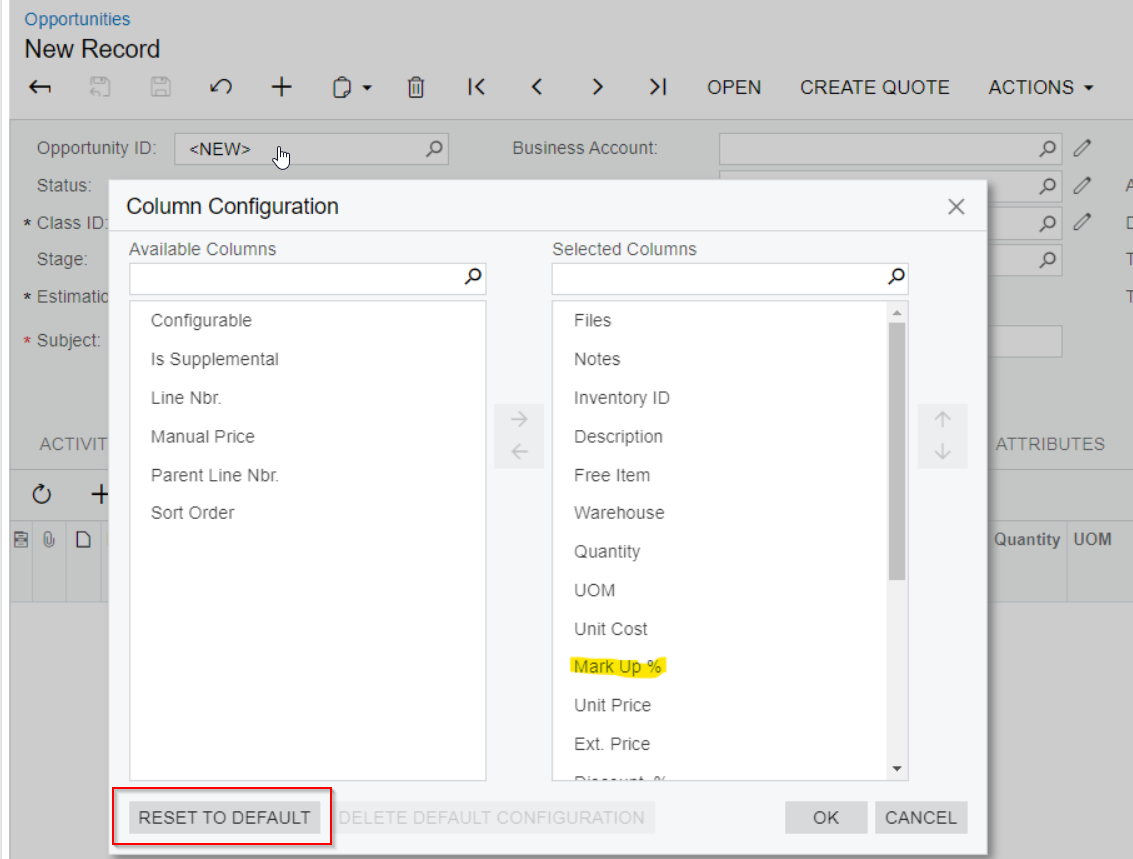
I’m not sure why but a custom field I’ve created is not showing in the grid on the screen.
The new field is the Mark Up % and it shows in the Column Configuration but not in the grid.
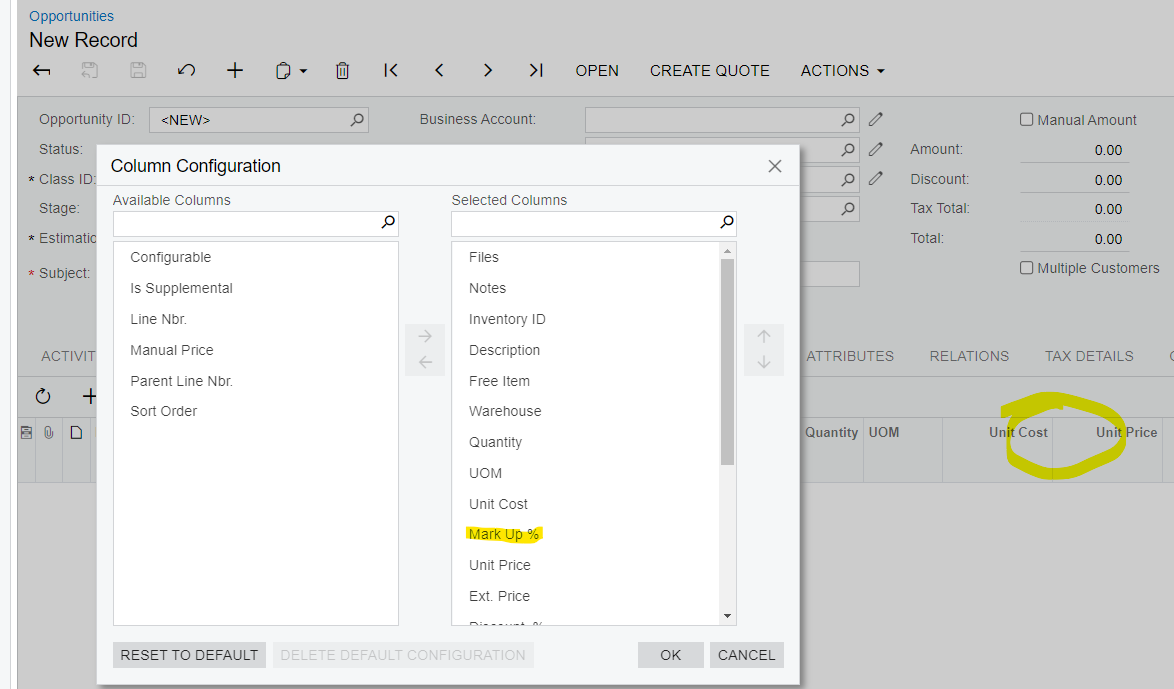
Here are the layout properties:
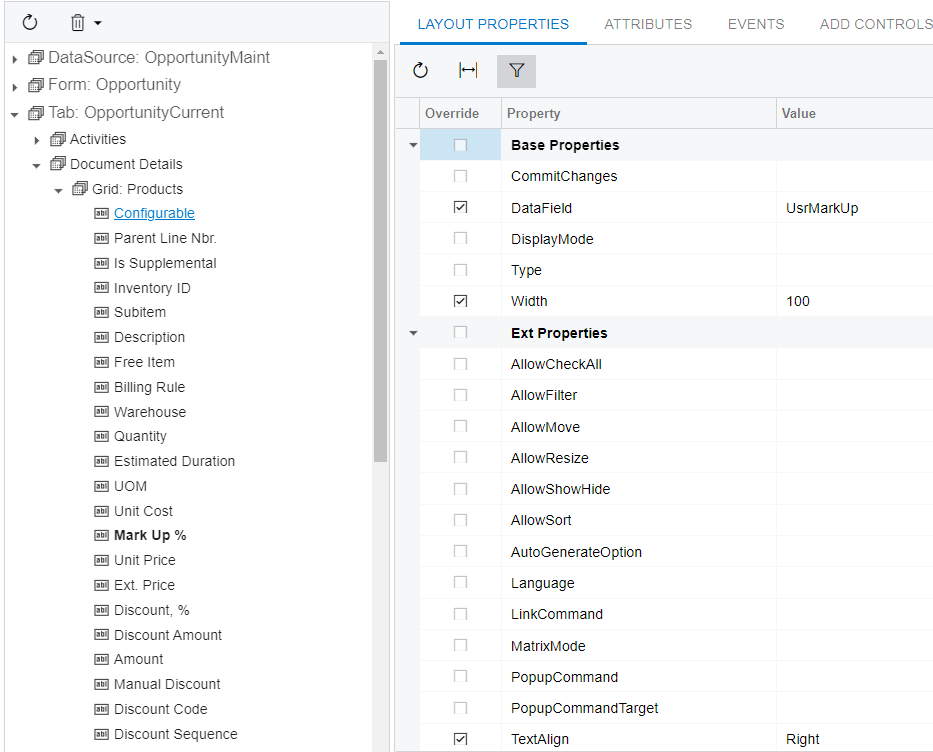
Here is the aspx:
Here is the extension code:
using PX.Data.ReferentialIntegrity.Attributes;
using PX.Data;
using PX.Objects.AP;
using PX.Objects.AR;
using PX.Objects.CM.Extensions;
using PX.Objects.Common.Discount.Attributes;
using PX.Objects.Common.Discount;
using PX.Objects.Common;
using PX.Objects.CR;
using PX.Objects.CS;
using PX.Objects.GL;
using PX.Objects.IN.Matrix.Interfaces;
using PX.Objects.IN;
using PX.Objects.PM;
using PX.Objects.SO;
using PX.Objects.TX;
using PX.Objects;
using System.Collections.Generic;
using System;

namespace PX.Objects.CR
{
  public class CROpportunityProductsExt : PXCacheExtension<PX.Objects.CR.CROpportunityProducts>
  {
    #region UsrMarkUp
    [PXDBDecimal]
    [PXDefault(TypeCode.Decimal, "0.000", PersistingCheck = PXPersistingCheck.Nothing)]
    [PXUIField(DisplayName="Mark Up %")]

    public virtual Decimal? UsrMarkUp { get; set; }
    public abstract class usrMarkUp : PX.Data.BQL.BqlDecimal.Field<usrMarkUp> { }
    #endregion
  }
}
I’m not sure what I could be missing. Thanks in advance for your help.