

Answer

Custom field added to Sales Order Line not showing in Details tab

  • August 27, 2025
  • 3 replies
  • 68 views

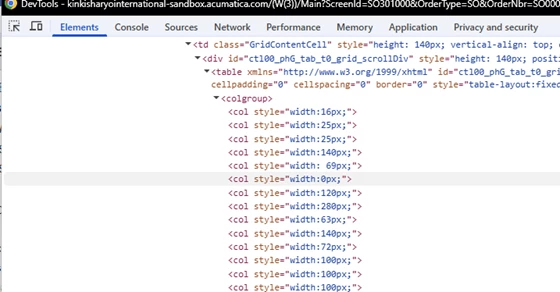
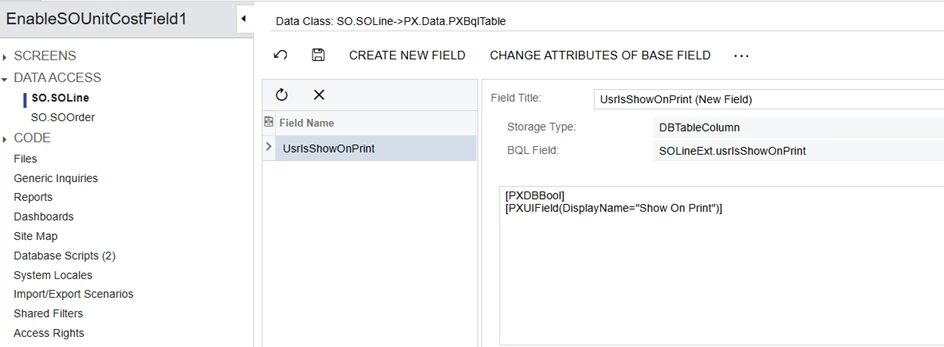
Screen SO301000 added new checkbox to sales order line using the customization project editor. New field shows in column configuration for line in details tab. When the field is moved from available columns to selected columns and I click OK, the field shows on the line for a second and then disappears. I examined the generated HTML and I see the field there but the colgroup element for my column has a width of 0px?

I have reviewed all the layout properties and they look correct to me, must be something simple I am missing but I am a newbie. Thank you in advance for your assistance.
ASPX code for field:

<px:PXGridColumn AllowNull="False" DataField="UsrIsShowOnPrint" Type="CheckBox" CommitChanges="True" TextAlign="Center" ></px:PXGridColumn>
 

Best answer by Django

My temptation would be to delete the column from the screen, publish, and confirm that it’s gone. Then re-add it, and publish.  

3 replies

Forum|alt.badge.img+7
  • Captain II
  • Answer
  • August 27, 2025

My temptation would be to delete the column from the screen, publish, and confirm that it’s gone. Then re-add it, and publish.  


Forum|alt.badge.img+8
  • Captain II
  • August 27, 2025

@mikemiller49 


Can you add a width value into it? e.g. Width=”70px”


  • Author
  • Freshman I
  • August 28, 2025

Thank you both for responding, I did have a width value of 60 but that made no difference. I ended up taking Django’s advice and removing the field entirely and starting over very carefully and methodically and I got it working.
