Answer

Conditionally set a Default value from a selector

  • January 9, 2023
  • 6 replies
  • 432 views

Michael Ndungi
Varsity I
Forum|alt.badge.img

Hi everyone,

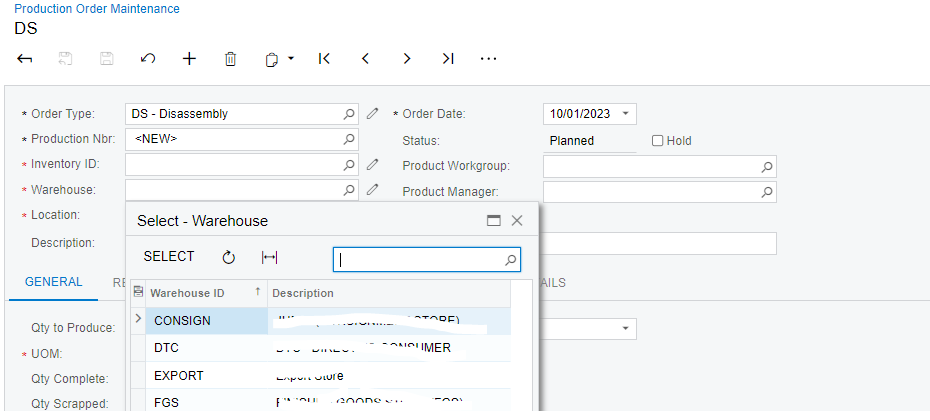
Need to set a default warehouse for specific types of order in the form below.

Kindly assist


Best answer by jinin

Hi @development93 

you should write the BQL to get the SiteID from the INSite table.

Example,

  protected virtual void SOOrder_OrderNbr_FieldUpdated(PXCache sender, PXFieldUpdatedEventArgs e)
{
if (e.Row == null) return;
SOOrder row = (SOOrder)e.Row;

INSite site = PXSelectReadonly<INSite, Where<INSite.siteID, Equal<Required<INSite.siteID>>>>.Select(Base, "WarehouseName");

row.SiteID = site?.siteID;
}


6 replies

Forum|alt.badge.img+1

Hi @development93,

You can create/modify the Warehouse selector like the below:

[PXSelector(typeof(Search<APDiscount.discountID, 
                    Where<APDiscount.bAccountID, 
                    Equal<Current<VendorDiscountSequence.vendorID>>>>))]


Note: Change DAC and Field Names as per your requirement.


Hope this may help you!

Moulali Shaik.


jinin
Pro I
Forum|alt.badge.img+11
  • Pro I
  • January 9, 2023

Hi @development93 ,

You can also write the logic in the Order Type Field updated event, based on the order type you can assign the Warehouse for the field.

Example,

  protected virtual void SOOrder_OrderNbr_FieldUpdated(PXCache sender, PXFieldUpdatedEventArgs e)
        {
            if (e.Row == null) return;
            SOOrder row = (SOOrder)e.Row;

            row.SiteID = warehouseID; // Assign the Warehouse for the field
        }


Michael Ndungi
Varsity I
Forum|alt.badge.img
  • Author
  • Varsity I
  • January 10, 2023

Thank you for all your responses

But am stack a bit. New to acumatica.


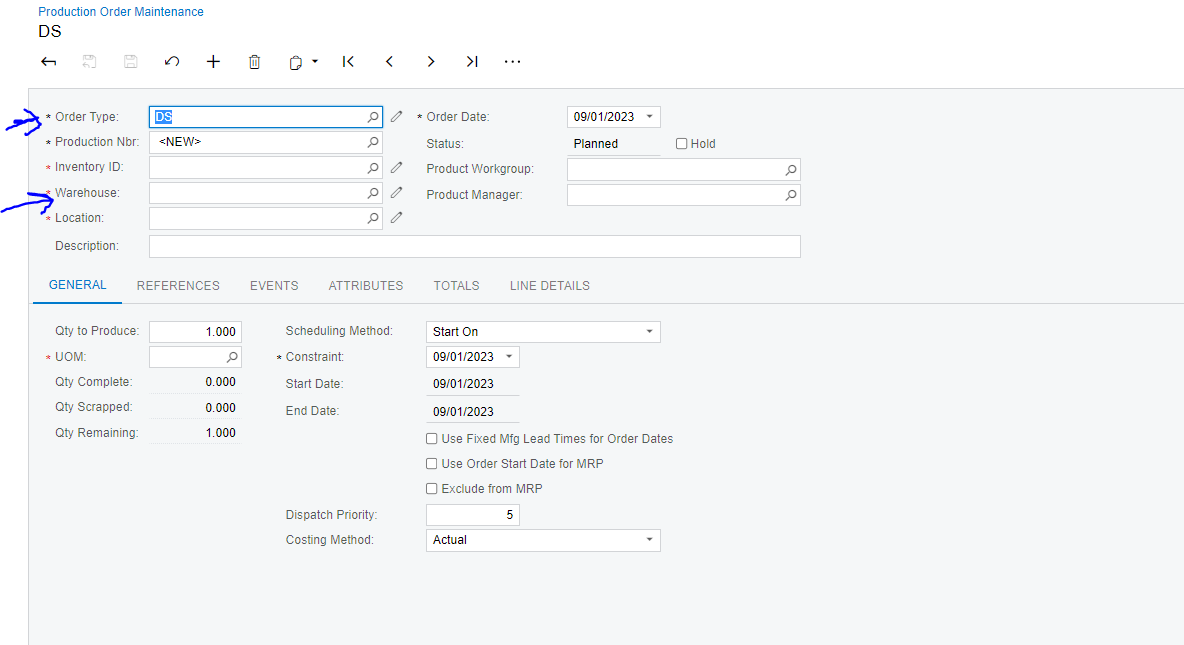
To be more specific of what I need. When I select DS order type the warehouse FGS should be the default one or it should populate itself upon choosing this specific order type.


All responses will be highly appreciated

Thank you


Forum|alt.badge.img+1

Hi @development93,

In that case, you need to follow as jinin suggested.

For Example:

protected void _(Events.FieldUpdated<DACNAME, DACNAME.inventoryID> e)
        {
            var row = (DACNAME)e.Row;
            if (row == null) return;
            InventoryItem inventory = SelectFrom<InventoryItem>
                                      .Where<InventoryItem.inventoryID.IsEqual<@P.AsInt>>
                                      .View.Select(this,row.InventoryID);
            if(inventory != null)
            {
                row.Description = inventory.Descr;
            }
        }


Note: Make the field Layout property commitChanges = true.

Hope this helps you!


Thanks,

Moulali Shaik.


Michael Ndungi
Varsity I
Forum|alt.badge.img
  • Author
  • Varsity I
  • January 13, 2023

Hi @development93 ,

You can also write the logic in the Order Type Field updated event, based on the order type you can assign the Warehouse for the field.

Example,

  protected virtual void SOOrder_OrderNbr_FieldUpdated(PXCache sender, PXFieldUpdatedEventArgs e)
        {
            if (e.Row == null) return;
            SOOrder row = (SOOrder)e.Row;

            row.SiteID = warehouseID; // Assign the Warehouse for the field
        }


Note: When one choose a value for the Inventory ID the warehouse field is updated.

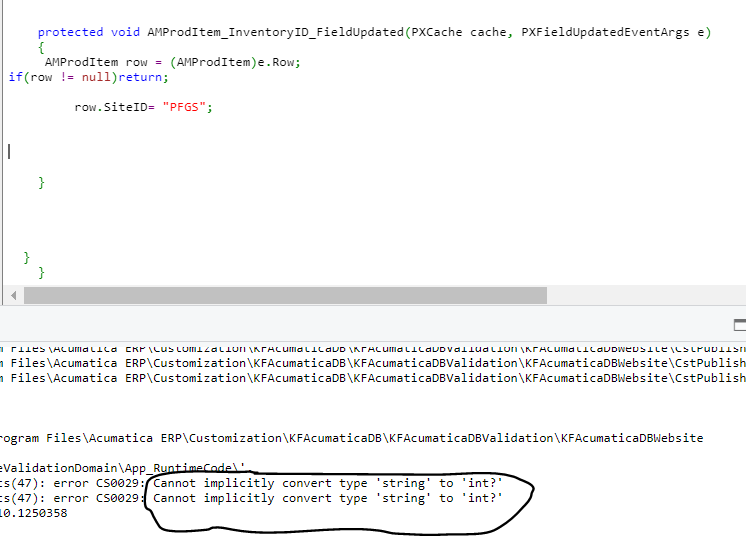
So I decided to to go along with @jinin approach such that when the Inventory Id is not null the warehouse filed should be updated with the value I want.

But I got the following error

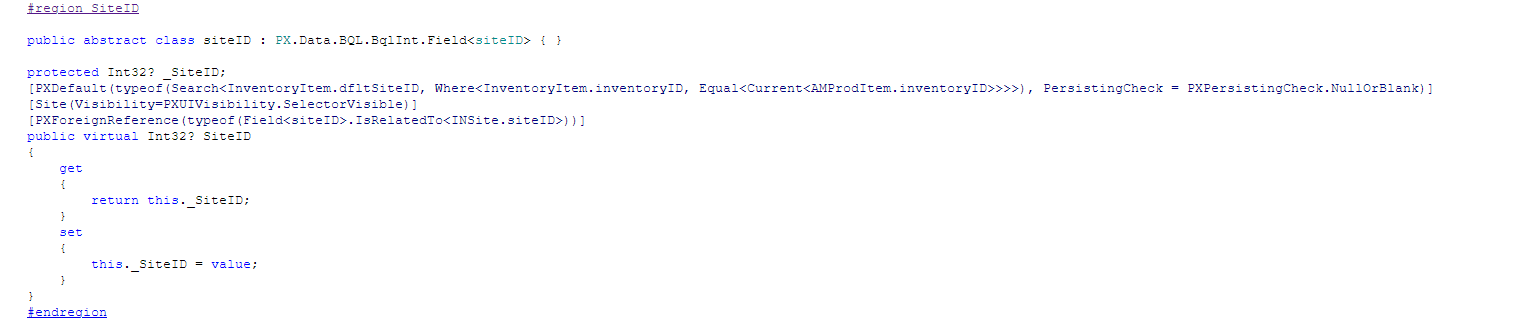
Maybe because the field is set to accept Integer values;


How should I go along with this?

Kindly help.


jinin
Pro I
Forum|alt.badge.img+11
  • Pro I
  • Answer
  • January 13, 2023

Hi @development93 

you should write the BQL to get the SiteID from the INSite table.

Example,

  protected virtual void SOOrder_OrderNbr_FieldUpdated(PXCache sender, PXFieldUpdatedEventArgs e)
{
if (e.Row == null) return;
SOOrder row = (SOOrder)e.Row;

INSite site = PXSelectReadonly<INSite, Where<INSite.siteID, Equal<Required<INSite.siteID>>>>.Select(Base, "WarehouseName");

row.SiteID = site?.siteID;
}