Answer

Change header labels on Grid level with the date append to the Week Days(Mon + DateOfMonday) on Employee Time card Screen

  • September 22, 2023
  • 5 replies
  • 175 views

Sagar Greytrix
Captain II
Forum|alt.badge.img+3

Hi Experts,

Is it possible to change the header labels at the grid level?

I would like to modify the Employee Timecard screen to include a label or field just below each day of the week to display the current date for that day. Is this achievable?
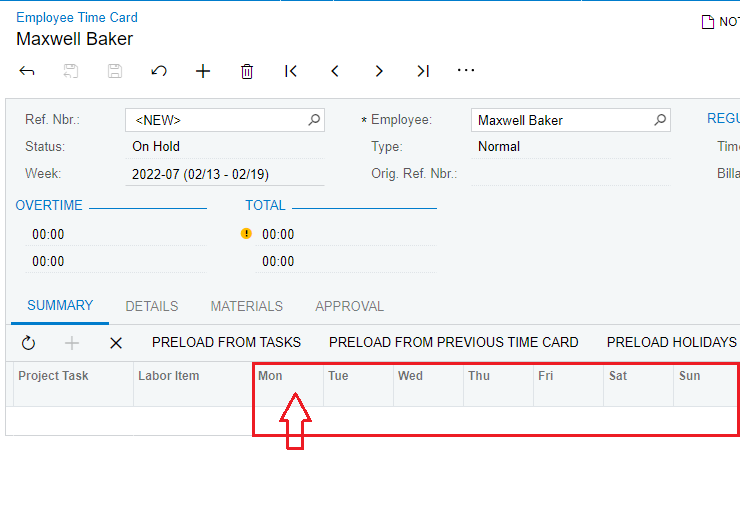
Employee Time Card

Thank you in advance!

Regards,

Sagar

Best answer by sweta68

Hi @sagar07 ,

To continuing with @Naveen Boga ,

You need to use PXUIFieldAttribute.SetDisplayName for all days fields in RowSelected event.

 PXUIFieldAttribute.SetDisplayName<EPTimeCardSummaryWithInfo.sun>(cache, newDisplayName);

You can implement Switch case for weekdays and increment date in For loop.

Hope, it helps!

Regards,

Sweta


5 replies

Kandy Beatty
Captain II
Forum|alt.badge.img+17
  • Captain II
  • September 22, 2023

HI @sagar07 

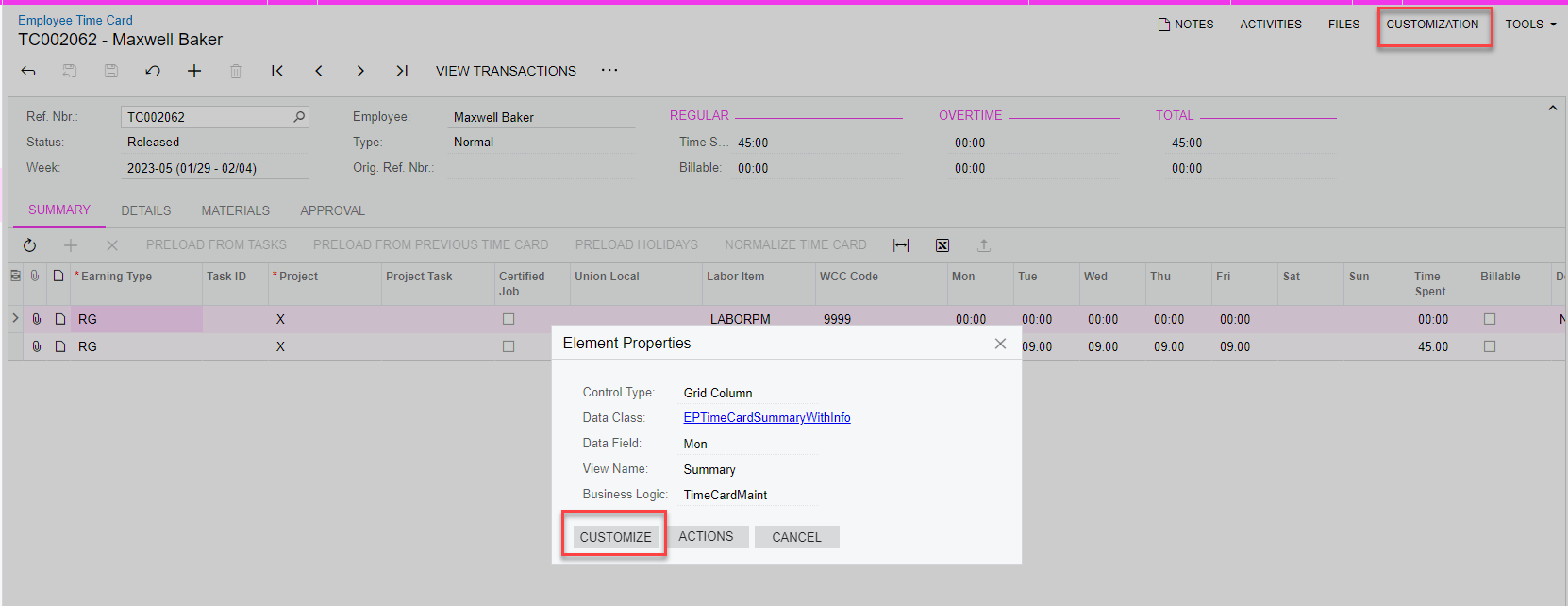
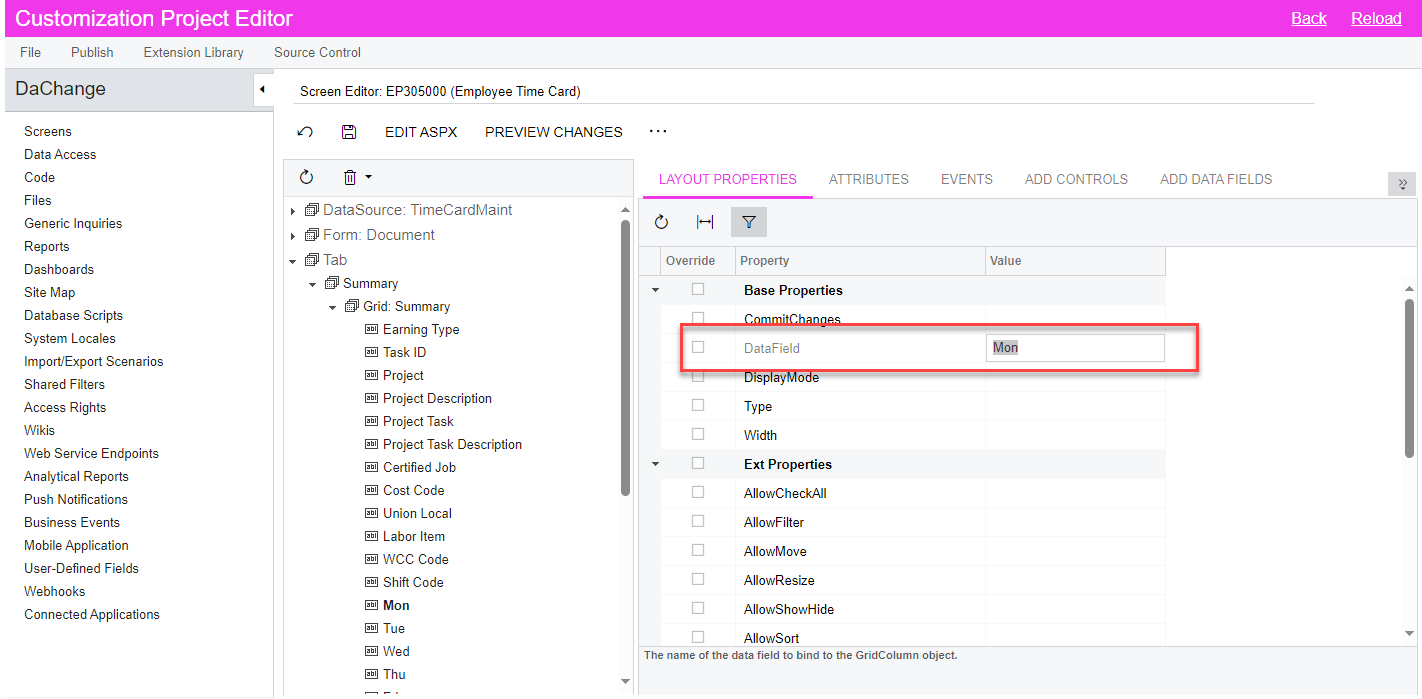
You can change this through a customization:

  1. Inspect the element that you want to change
  1. Change the name of the day, although you will not be able to add under it, you will be able to continue it.
  1. Save and publish the customization. 

Sagar Greytrix
Captain II
Forum|alt.badge.img+3
  • Author
  • Captain II
  • September 25, 2023

Hi @kandybeatty49,

Thanks for the response, I know I can change this from Data field but will it be dynamic? As I want Date for respective days. Like for Mon(09-25-2023) and for Tuesday(09-26-2023) and so on for that current week.


Naveen Boga
Captain II
Forum|alt.badge.img+19
  • Captain II
  • September 25, 2023

@sagar07 Have you tried with SetDisplayName? 

Here is the - Example

PXUIFieldAttribute.SetDisplayName

Naveen Boga
Captain II
Forum|alt.badge.img+19
  • Captain II
  • September 25, 2023

Here is another example for changing the Display Name dynamically @sagar07 

Another Example


Forum|alt.badge.img+9
  • Semi-Pro III
  • Answer
  • September 25, 2023

Hi @sagar07 ,

To continuing with @Naveen Boga ,

You need to use PXUIFieldAttribute.SetDisplayName for all days fields in RowSelected event.

 PXUIFieldAttribute.SetDisplayName<EPTimeCardSummaryWithInfo.sun>(cache, newDisplayName);

You can implement Switch case for weekdays and increment date in For loop.

Hope, it helps!

Regards,

Sweta