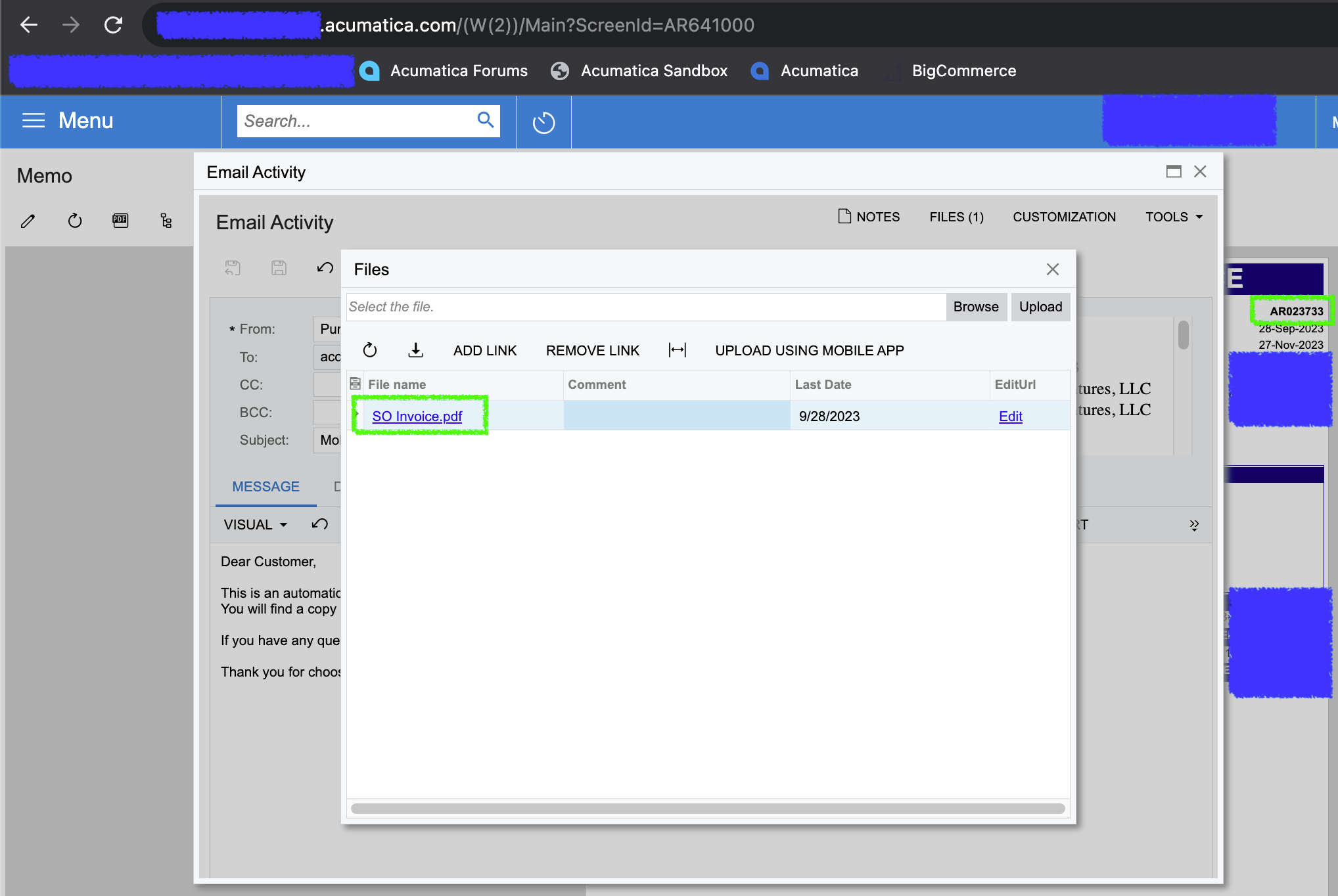
When we click “send” in Invoices and Memos [AR641000], the pdf file that is attached to the email defaults to “SO Invoice.pdf” -- we would like to change this so it’s dynamically named after the invoice that’s being sent, in this case, AR023733.pdf.
I’m assuming this would need to be done via a customization package?
Best answer by Laura03
Hello,
Below is a link to a similar question giving examples of the code required to change exported file names, answered by Craig2.
Please Vote for your Idea posted in Acumatica Community, asking Acumatica to add By Default, to have PDF files named with the reference number of the document:
Below is a link to a similar question giving examples of the code required to change exported file names, answered by Craig2.
Please Vote for your Idea posted in Acumatica Community, asking Acumatica to add By Default, to have PDF files named with the reference number of the document:
Below is a link to a similar question giving examples of the code required to change exported file names, answered by Craig2.
Please Vote for your Idea posted in Acumatica Community, asking Acumatica to add By Default, to have PDF files named with the reference number of the document: