




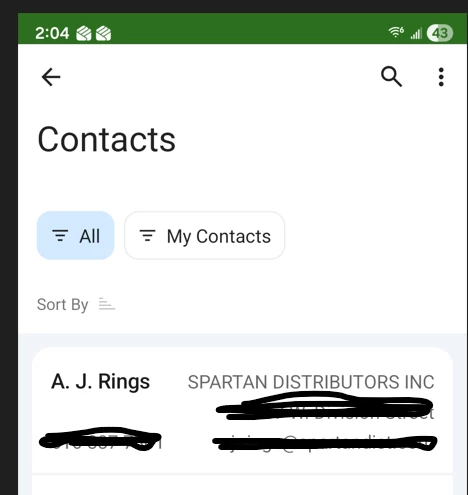
I want to add a few fields to the Contacts screen on the Mobile App. I’ve successfully got 3 of them to show, but the City field won’t.
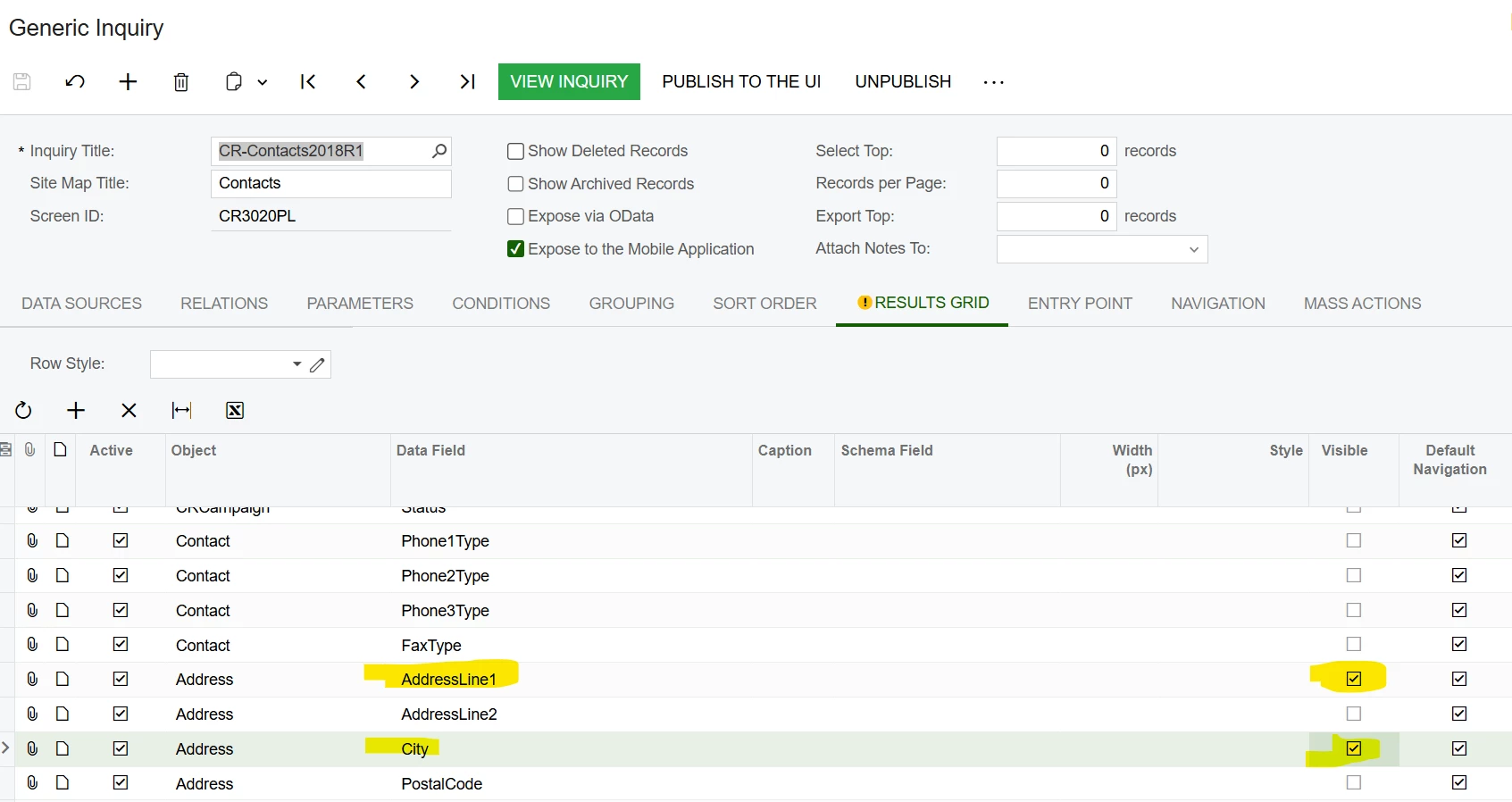
I modified the CR3020PL GI to enable the Address1 field to be visible. I added the City field as well. When you view the GI, the fields are visible.
I blacked out the email, address and phone number.
This is my code to update the CR3020PL
update screen CR3020PL {
  update container "Result"{
    fieldsToShow = 6
    containerActionsToExpand = 1
    add field "City"
    add field "AddressLine1"
    add field "Phone1"
    add field "Email"
    remove field "JobTitle"
    remove field "Status"
  }
}
If I remove AddressLine1, it goes away, so I do believe my updates are working.
I set the fieldsToShow to 10 and it still only shows per the screenshot.
In the GI, you can see the fields are in the Results Grid. I had to enable AddressLine1 to make it visible on the Mobile app.
Hopefully I am missing something simple.
