Solved

Cannot get a custom action to show on grid toolbar in MUI

  • January 29, 2026
  • 17 replies
  • 76 views

Joe Schmucker
Captain II
Forum|alt.badge.img+3

This is a duplicate of another topic, but the solution on that topic is not working for me.

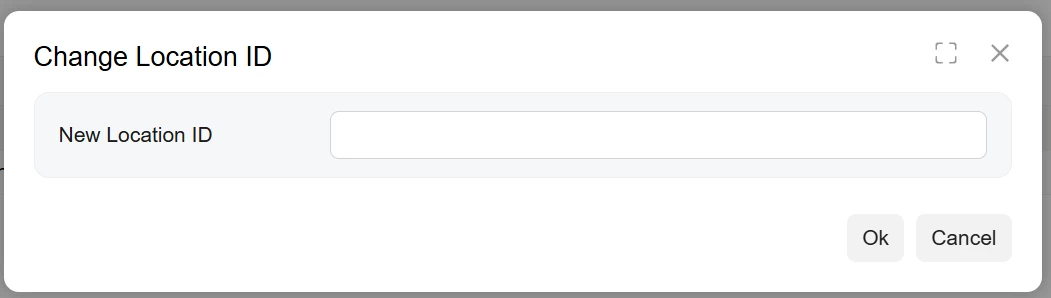
I have a custom action to open a popup to change the Location ID on the Customer screen, location tab.

I have a working popup on the main toolbar.
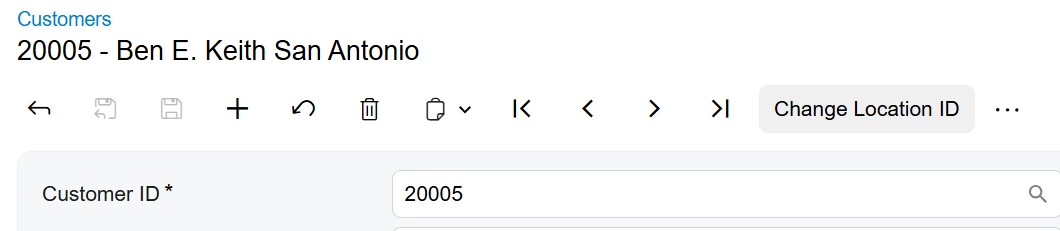


I want to have this action on the Locations Grid menu.  I cannot get it to show.
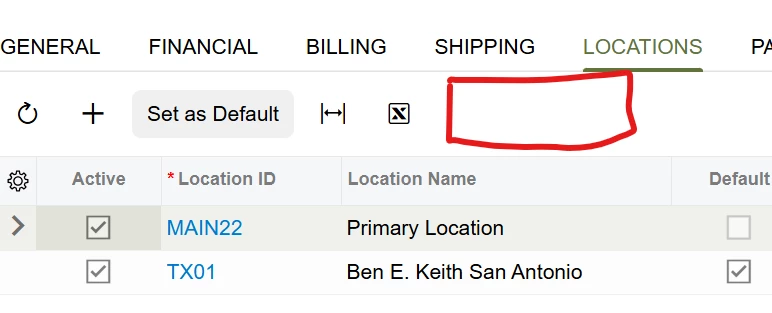
In the classic screen, the action shows up nicely.

This code works for showing the action on the main toolbar:

import {
PXFieldState,
PXView,
viewInfo,
createSingle,
gridConfig,
PXActionState,
} from "client-controls";
import { AR303000 } from "src/screens/AR/AR303000/AR303000";
export interface AR303000_AgroShip_converted extends AR303000 { }

//action that is showing on the main toolbar.
export class AR303000_AgroShip_converted {
@viewInfo({ containerName: "Change Location ID" })
ICSChangeLocationIDValueView = createSingle(ICSChangeLocationIDValue);
}

export interface AR303000_Location_AgroShip_converted extends Location { }
@gridConfig({
topBarItems: {
AddNew: { index: 0, config: { commandName: "ChangeLocationID", text: "Change Location ID" } }
}
})

//Adds the field to the popup
export class ICSChangeLocationIDValue extends PXView {
UsrNewLocationID: PXFieldState;
}

In this code, I tried to add the action to the grid which is not working:


import {
PXFieldState,
PXView,
viewInfo,
createSingle,
gridConfig,
PXActionState,
} from "client-controls";
import { AR303000 } from "src/screens/AR/AR303000/AR303000";
export interface AR303000_AgroShip_converted extends AR303000 { }

//action that is showing on the main toolbar.
export class AR303000_AgroShip_converted {
@viewInfo({ containerName: "Change Location ID" })
ICSChangeLocationIDValueView = createSingle(ICSChangeLocationIDValue);
}

//Attempt to add the button to the grid
export interface AR303000_Location_AgroShip_converted extends Location { }
export class AR303000_Location_AgroShip_converted {
ChangeLocationID: PXActionState;
}
@gridConfig({
topBarItems: {
AddNew: { index: 0, config: { commandName: "ChangeLocationID", text: "Change Location ID" } }
}
})

//Adds the field to the popup
export class ICSChangeLocationIDValue extends PXView {
UsrNewLocationID: PXFieldState;
}

What am I doing wrong??


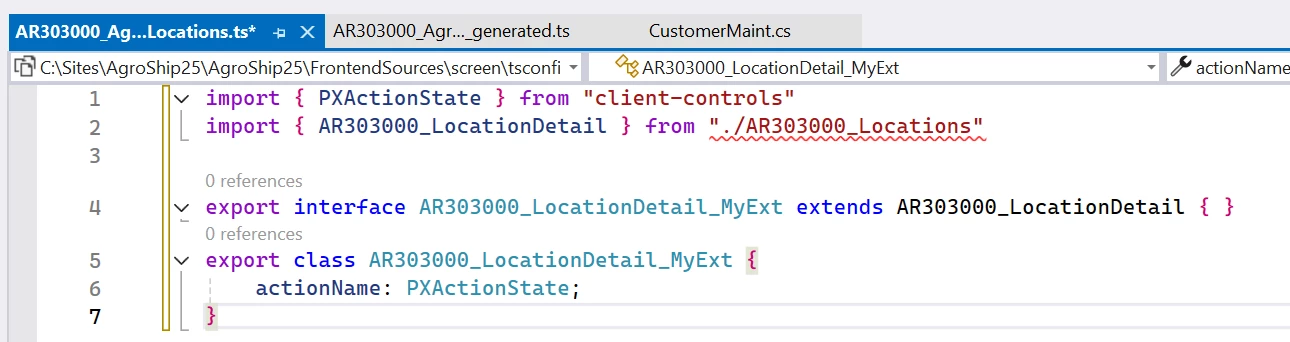
Best answer by darylbowman

This is what you need:

import { PXActionState } from "client-controls"
import { AR303000_LocationDetail } from "src/screens/AR/AR303000/extensions/AR303000_Locations"

export interface AR303000_LocationDetail_MyExt extends AR303000_LocationDetail { }
export class AR303000_LocationDetail_MyExt {
actionName: PXActionState;
}

Name the file AR303000_Locations_Something.ts

17 replies

  • Jr Varsity I
  • January 29, 2026

Hi Joe,

Have you tried adding ChangeLocationID: PXActionState; inside LocationDetail from the path:

src/screens/CR/common/tabs/tab-locations/tab-locations

This should make your action appear in the Locations grid.


darylbowman
Captain II
Forum|alt.badge.img+16

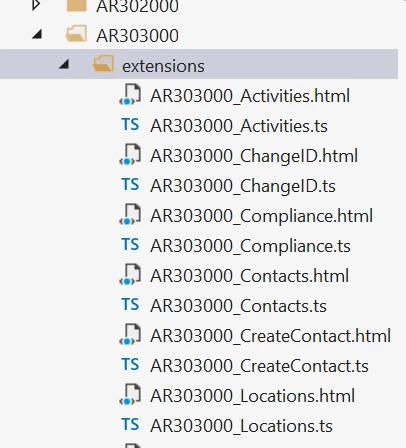
I think you need to import AR303000_Locations from  ../AR303000_Locations and extend that rather than ‘Location’.


Joe Schmucker
Captain II
Forum|alt.badge.img+3
  • Author
  • Captain II
  • January 29, 2026

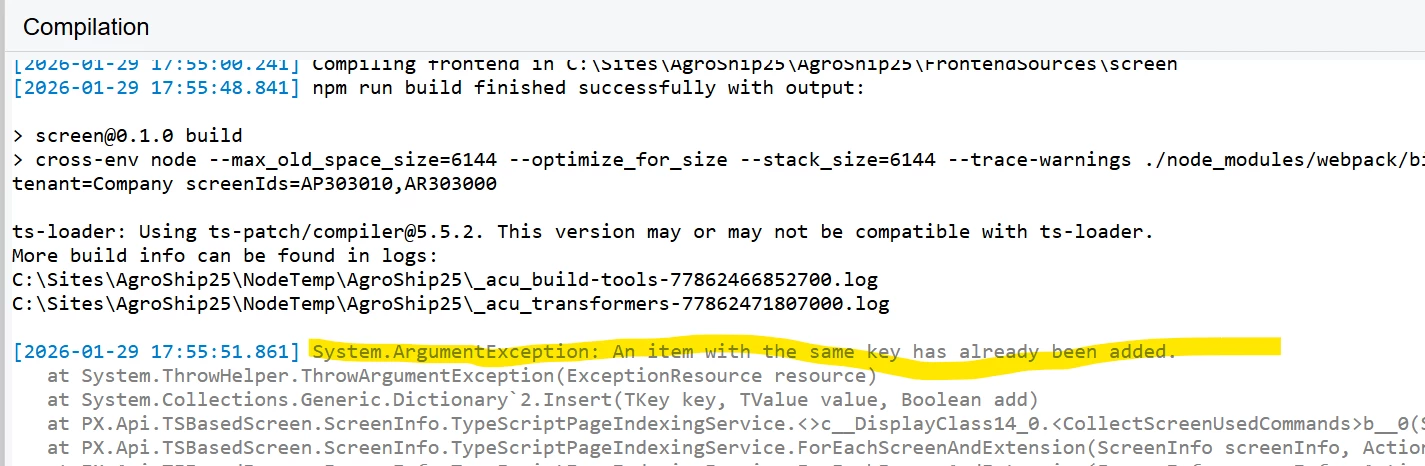
Hi ​@darylbowman   I did try that.  If I publish this, it tells me I have a duplicate key and I literally have to delete the site and reinstall it.

This is the import I was using:

import { AR303000_Locations } from "src/screens/AR/AR303000/Extensions/AR303000_Locations";


I am afraid to publish this as it will take another hour to delete the site, reinstall it and get everything back to working

import {
PXFieldState,
PXView,
viewInfo,
createSingle,
gridConfig,
PXActionState,
} from "client-controls";
import { AR303000 } from "src/screens/AR/AR303000/AR303000";
import { AR303000_Locations } from "src/screens/AR/AR303000/Extensions/AR303000_Locations";
export interface AR303000_AgroShip_converted extends AR303000 { }

//action that is showing on the main toolbar.
export class AR303000_AgroShip_converted {
@viewInfo({ containerName: "Change Location ID" })
ICSChangeLocationIDValueView = createSingle(ICSChangeLocationIDValue);
}

//Attempt to add the button to the grid
export interface AR303000_Location_AgroShip_converted extends AR303000_Locations { }
export class AR303000_Location_AgroShip_converted {
ChangeLocationID: PXActionState;
}
@gridConfig({
topBarItems: {
AddNew: { index: 0, config: { commandName: "ChangeLocationID", text: "Change Location ID" } }
}
})

//Adds the field to the popup
export class ICSChangeLocationIDValue extends PXView {
UsrNewLocationID: PXFieldState;
}

Before I publish this, do you think my import reference is bad?  I don’t know of any other way to get it to compile.

publishing now.  Hopefully I don’t kill my site.


Joe Schmucker
Captain II
Forum|alt.badge.img+3
  • Author
  • Captain II
  • January 29, 2026

Killed my site.  Re-installing.


darylbowman
Captain II
Forum|alt.badge.img+16

​If I publish this, it tells me I have a duplicate key and I literally have to delete the site and reinstall it.

You shouldn’t need to reinstall. Just change the code back and build again?


Joe Schmucker
Captain II
Forum|alt.badge.img+3
  • Author
  • Captain II
  • January 29, 2026

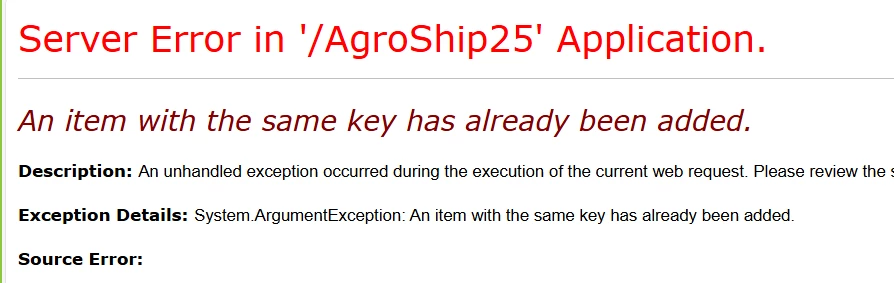
The project wont publish.


I close the publish window and I get this:

I can find no way to remove whatever is causing this error.  Time to reinstall.

I strongly recommend not publishing my ts code, or you will regret it.


Joe Schmucker
Captain II
Forum|alt.badge.img+3
  • Author
  • Captain II
  • January 29, 2026

I uploaded the project if you want to look at the code.  DON’T publish it!


darylbowman
Captain II
Forum|alt.badge.img+16

Just edit the file in the Modern UI files section and then republish.


darylbowman
Captain II
Forum|alt.badge.img+16

Ideally, you’d build the files locally before adding them to the package. There are quirks and once any MUI files are published, the locally built files no longer work, but it will save you hordes of time republishing.


Joe Schmucker
Captain II
Forum|alt.badge.img+3
  • Author
  • Captain II
  • January 29, 2026

Just edit the file in the Modern UI files section and then republish.

I cannot republish.  You cannot even open the site to get to the publish anything.

Ideally, you’d build the files locally before adding them to the package. There are quirks and once any MUI files are published, the locally built files no longer work, but it will save you hordes of time republishing.

I do all my ts file editing in VS, then check for updated MUI files in the project editor.

Sorry if I’m not explaining this correctly.


darylbowman
Captain II
Forum|alt.badge.img+16

I do all my ts file editing in VS, then check for updated MUI files in the project editor.

But you still need to republish each time, right? Using npm, you can ‘build’ (compile) the TypeScript into the JavaScript files Acumatica uses without publishing. It’s much faster than having to publish each time.


Joe Schmucker
Captain II
Forum|alt.badge.img+3
  • Author
  • Captain II
  • January 29, 2026

I will give the npm option a try.   


darylbowman
Captain II
Forum|alt.badge.img+16
  • Answer
  • January 29, 2026

This is what you need:

import { PXActionState } from "client-controls"
import { AR303000_LocationDetail } from "src/screens/AR/AR303000/extensions/AR303000_Locations"

export interface AR303000_LocationDetail_MyExt extends AR303000_LocationDetail { }
export class AR303000_LocationDetail_MyExt {
actionName: PXActionState;
}

Name the file AR303000_Locations_Something.ts


darylbowman
Captain II
Forum|alt.badge.img+16

For what it’s worth, when I tried my original code, I got the same error, but because I was building with npm instead of the publishing UI, I simply edited the code file, rebuilt, and refreshed the page.


Joe Schmucker
Captain II
Forum|alt.badge.img+3
  • Author
  • Captain II
  • January 29, 2026

I get a red squiggle

Sorry for all the questions


darylbowman
Captain II
Forum|alt.badge.img+16

Try this: 

import { AR303000_LocationDetail } from "src/screens/AR/AR303000/extensions/AR303000_Locations"


Joe Schmucker
Captain II
Forum|alt.badge.img+3
  • Author
  • Captain II
  • January 29, 2026

@darylbowman your last two posts got it working.  

I split the location extension into a separate file.  Maybe trying to put both the popup extension and the location extension caused the catastrophe.