Answer

Cannot Create Control for new Custom Field

  • November 13, 2024
  • 4 replies
  • 53 views

Forum|alt.badge.img

Hello,

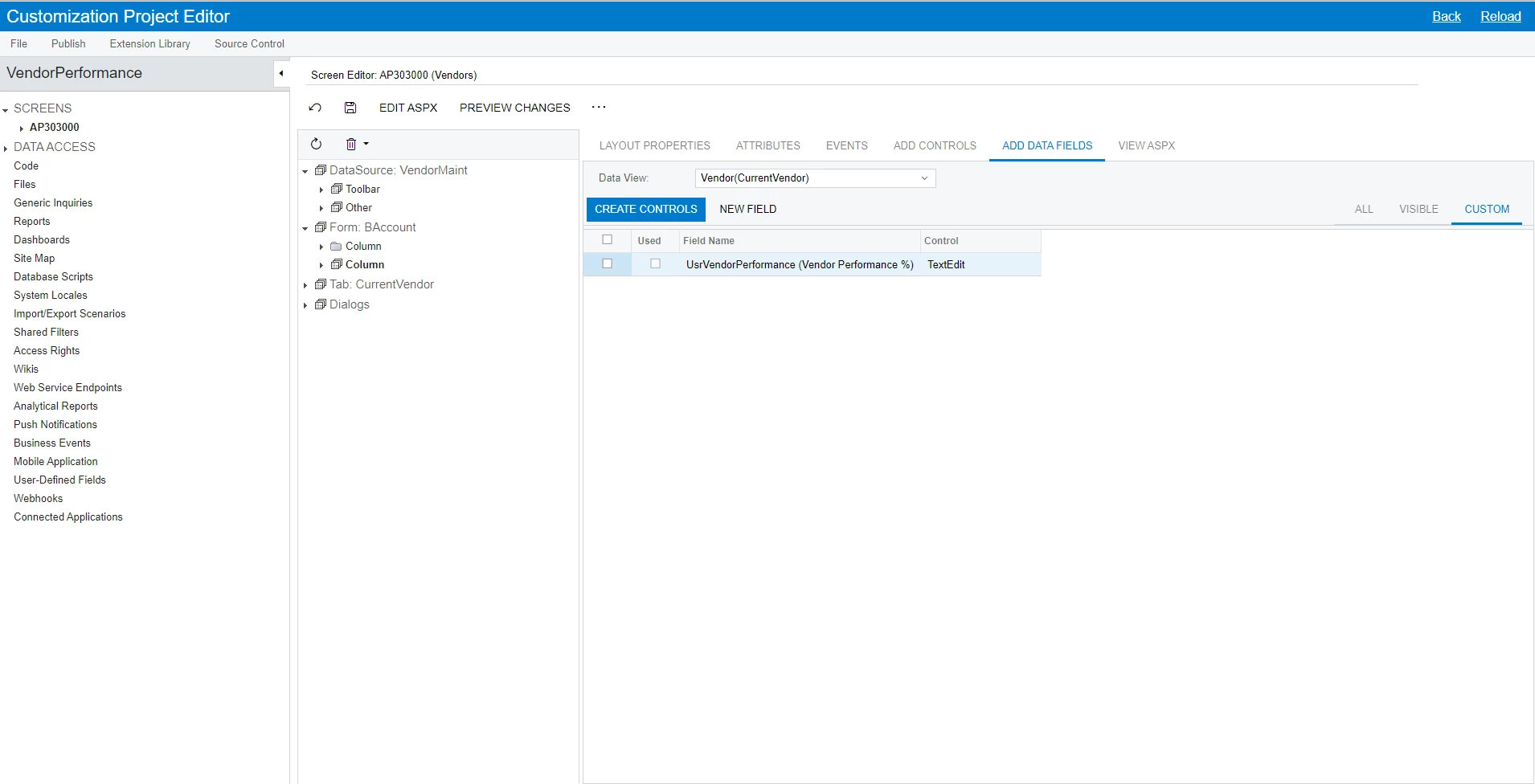
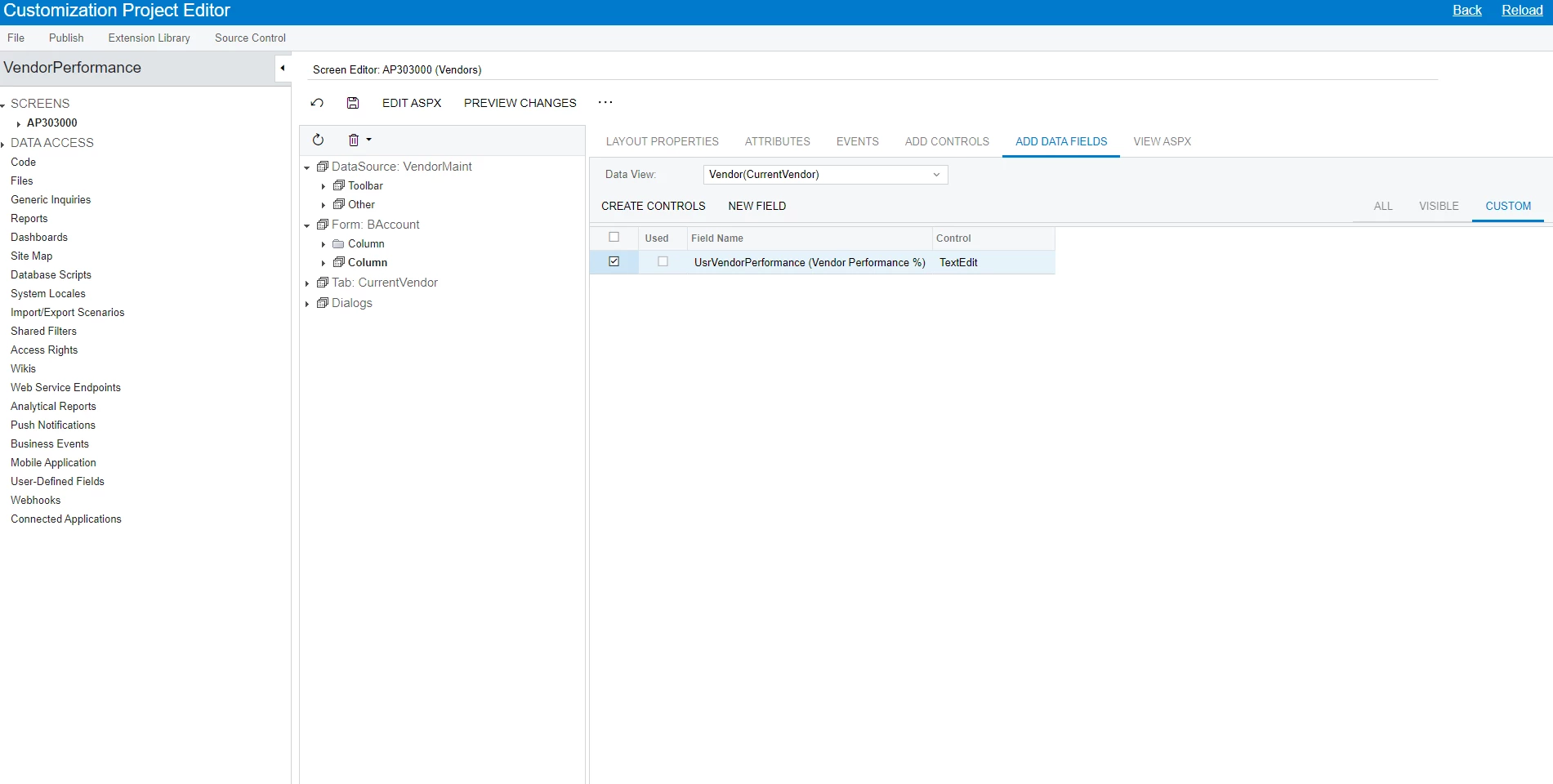
I try to add the new custom field on the screen and when I create the control for new custom field it just uncheck the box I selected and not showing it added.
Can someone help me with this issue ?

Thank you very much

See below for more information
 

Best answer by DipakNilkanth

Hi @trungrigshop,

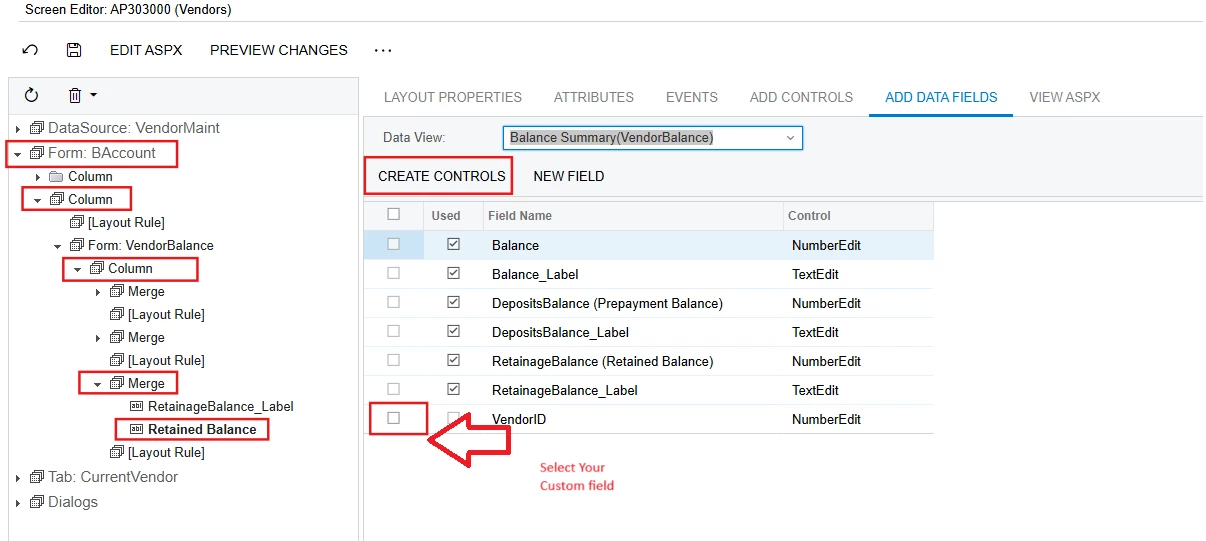
You need to expand the Column section, as well as the Form and Merge sections, and confirm where this field needs to be displayed. Select the previous field after which you want this field to appear, then click on the Create Controls action button.

Hope, it helps!

4 replies

Forum|alt.badge.img+7
  • Captain II
  • November 13, 2024

Try opening up the Column and selecting a field that you want to place your custom field after. Then click the check box next to your custom field and click Create Control.


Forum|alt.badge.img+8
  • Captain II
  • November 14, 2024

Hi @trungrigshop 


I believe you need to put this field in the Tab section.

The views need to match between where you are putting the field and where you are pulling the field from.


Aleks


DipakNilkanth
Pro III
Forum|alt.badge.img+13
  • Pro III
  • Answer
  • November 14, 2024

Hi @trungrigshop,

You need to expand the Column section, as well as the Form and Merge sections, and confirm where this field needs to be displayed. Select the previous field after which you want this field to appear, then click on the Create Controls action button.

Hope, it helps!


Forum|alt.badge.img
  • Author
  • Jr Varsity II
  • November 14, 2024

Thanks everyone for the helping,

I figured it out already