Answer

Can you create a processing form to run on a PXHidden DAC

  • February 18, 2025
  • 3 replies
  • 58 views

Forum|alt.badge.img+1

HI All,


I have a processing form built on the graph below, and so far, I can’t for the life of me get the Processing buttons to show.  I’m wondering if this is due to the processing form running on a DAC with the PX Hidden attribute - have never tried this before, or am I missing something else?
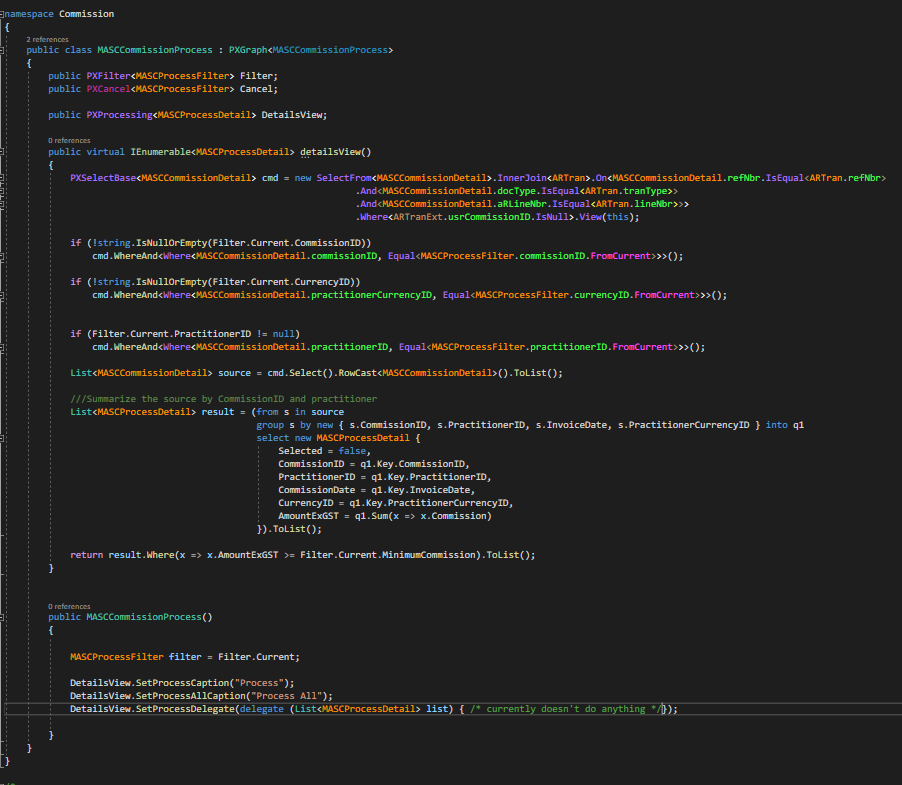


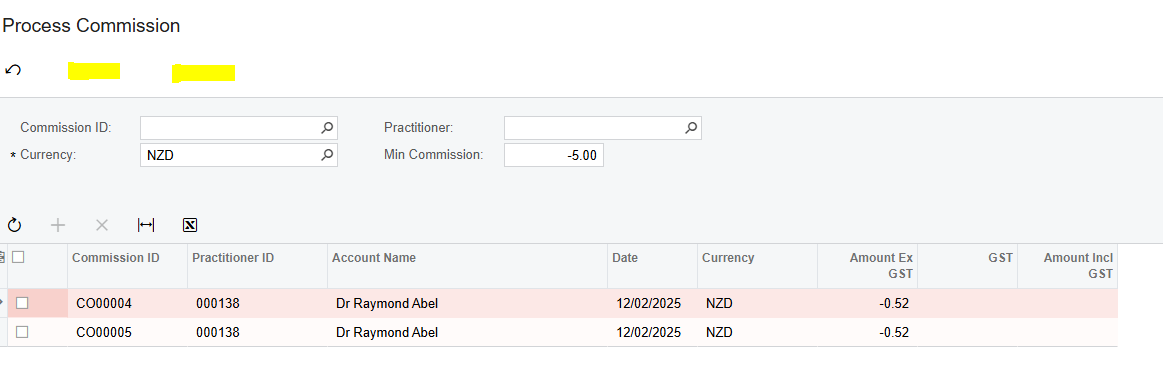
There is a View Delegate involved which takes data from a MASCCommissionDetail DAC which is persisted to the Database, and summarizes the data into a List of MASCProcessDetail.  The form is shown below.  This works exactly as required (except that there is no Process/Process All buttons visible)
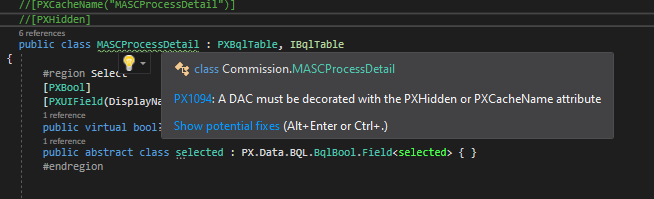
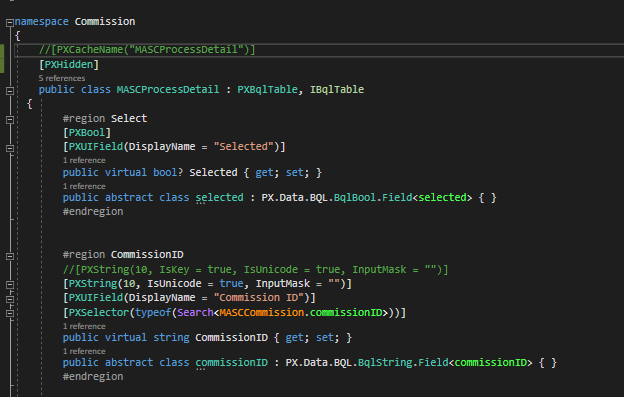
The MASCProcessDetail DAC is marked with the PXHidden attribute:


Essentially what I’m trying to do, is

  1. Summarise all the data in MASCCommissionDetail into MASCProcessDetail.  There is a many to one relationship between MASCCommissionDetail (many) and MASCProcess Detail (one), and
  2. when the processing form runs create one record  in APInvoice for each MASCProcessDetail record.  (I know how to do this part - if only the process buttons were visible)

Any ideas?  My thoughts on next step is maybe I need to create a physical MASCProcessDetail DAC and persist that to the DB.  I’m hoping to avoid having to do this though.


Thanks,

John.

Best answer by DipakNilkanth

Hi ​@JWS539,

Have you tried the same by commenting the PXHidden attribute? Are you able to see the Process buttons?
Try to add PXFilterable attribute to your view once and add FilterDAC to that Processing view.


Hope, it helps!

3 replies

DipakNilkanth
Pro III
Forum|alt.badge.img+13
  • Pro III
  • Answer
  • February 18, 2025

Hi ​@JWS539,

Have you tried the same by commenting the PXHidden attribute? Are you able to see the Process buttons?
Try to add PXFilterable attribute to your view once and add FilterDAC to that Processing view.


Hope, it helps!


Forum|alt.badge.img+1
  • Author
  • Varsity II
  • February 18, 2025

Hi Nilkanth,

Thank you so much for taking the time to review this topic.  Have tried your suggestions and one of them worked so we have the solution.  Findings:


  1. Removing the PXHidden attribute didn’t work.  My understanding is that the PXHidden attribute is what stops Acumatica attempting to run SQL queries on a table that doesn’t actually exist.  Without this you get runtime SQL exceptions.


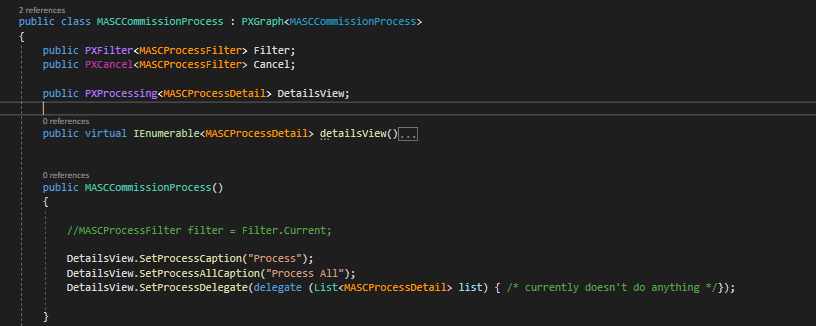
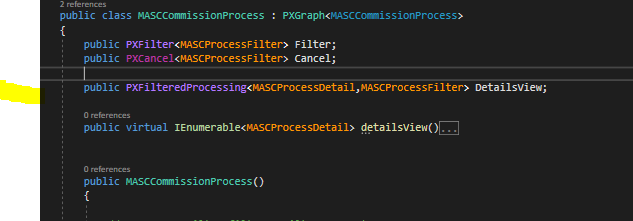
  1. Changing the View to PXFilteredProcessing and referencing the Filter worked!  Previously I had:


Changed just the highlighted line below, and bingo the Process buttons appeared:


I ‘m guessing the above makes sense as the data source for the form is a PXFilter and this provides a link between that and the DetailsView (so this is required even though all the Filtering is done in the delegate function).


Thanks for providing the solution.

John.


DipakNilkanth
Pro III
Forum|alt.badge.img+13

Hi Nilkanth,

Thank you so much for taking the time to review this topic.  Have tried your suggestions and one of them worked so we have the solution.  Findings:


  1. Removing the PXHidden attribute didn’t work.  My understanding is that the PXHidden attribute is what stops Acumatica attempting to run SQL queries on a table that doesn’t actually exist.  Without this you get runtime SQL exceptions.


  1. Changing the View to PXFilteredProcessing and referencing the Filter worked!  Previously I had:


Changed just the highlighted line below, and bingo the Process buttons appeared:


I ‘m guessing the above makes sense as the data source for the form is a PXFilter and this provides a link between that and the DetailsView (so this is required even though all the Filtering is done in the delegate function).


Thanks for providing the solution.

John.

You are right, John! PXFilteredProcessing will reference to filter DAC as well. Thanks for sharing the solution with the community.