Hello @TharidhiP ,
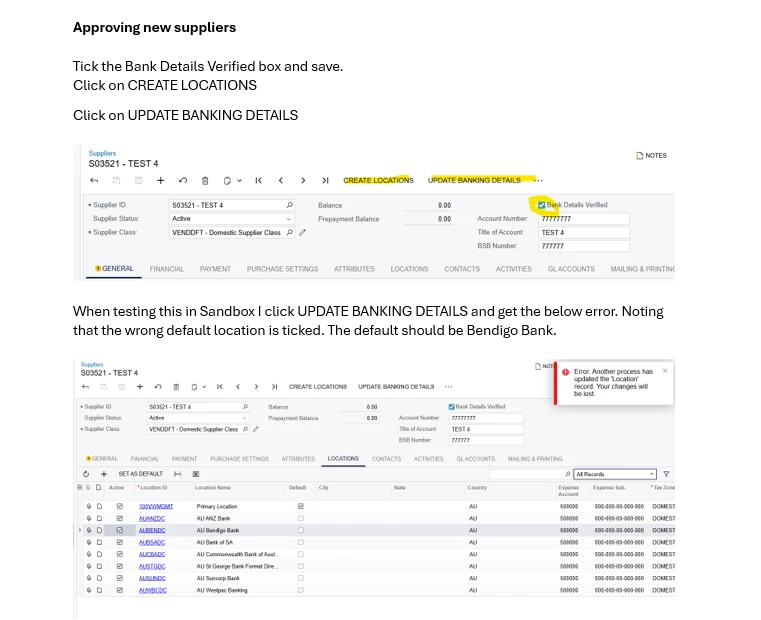
The error you’re encountering is caused by outdated Location data. Here’s what’s happening: when you update data in the view but continue using an old instance of an object you’ve already updated, the system throws this message. That’s because the next time you try to update it, the record no longer exists.
To avoid this, always work with the latest version of the record. After performing an update in your action, retrieve the record again before using it later in the process. This is straightforward in Acumatica, as it returns the updated records for each method, such as Insert or Update. Doing so ensures you’re not working with stale data.
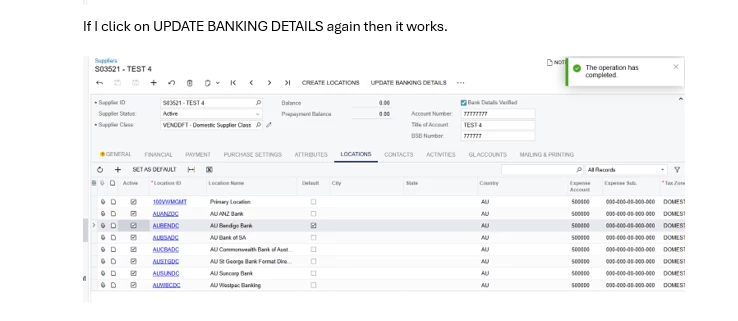
The reason it works after the second click is that the update has already been completed—this could be from your code or even from Acumatica’s own processes. However, you still need to ensure you’re retrieving the latest Location record whenever you interact with it.
I hope this resolves your issue. If not, please share your code so I can provide a more detailed and targeted solution.