Answer

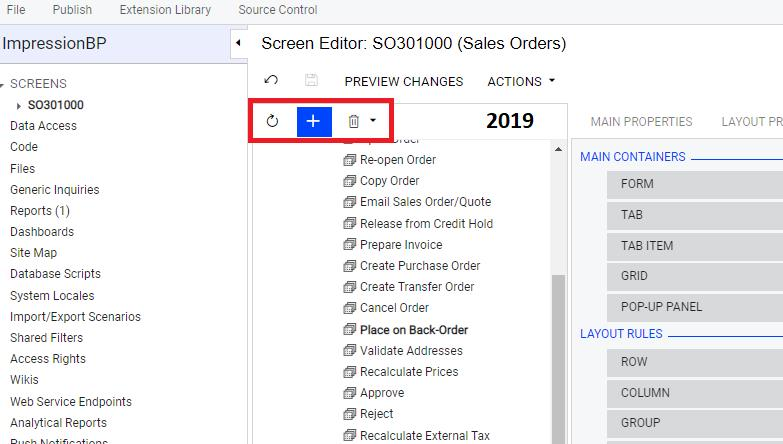
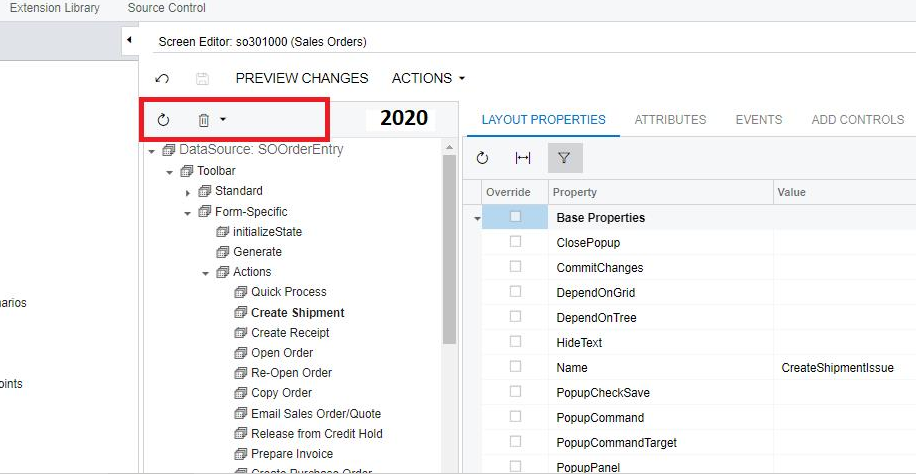
Button missing (add Action) in Acumatica 2020 R1

  • December 2, 2020
  • 3 replies
  • 1162 views

SadokHanini
Freshman II


there’s another way to create action in 2020  R1 ?
or i’m missing something


Thanks.

Best answer by Naveen Boga

Hi @SadokHanini ,

Please use the below example to add a new action in “Actions” menu.


Example from SOOrderEntry Graph Extension.


 public class SOOrderEntryExt : PXGraphExtension<SOOrderEntry>
    {
        public override void Initialize()
        {
            base.Initialize();
            Base.action.AddMenuAction(validateAddress);
        }


   public PXAction<SOOrder> validateAddress;
        [PXButton]
        [PXUIField(DisplayName = "Validate Address", MapEnableRights = PXCacheRights.Select, MapViewRights = PXCacheRights.Select, Enabled = true)]
        protected virtual void ValidateAddress()
        {
                         // Button logic here
​​​​​​​ 
        }
    }

3 replies

Irina
Community Manager
Forum|alt.badge.img+8
  • Acumatica Platform Analyst
  • December 2, 2020

Hello Sadok!

This functionality was replaced as follows.

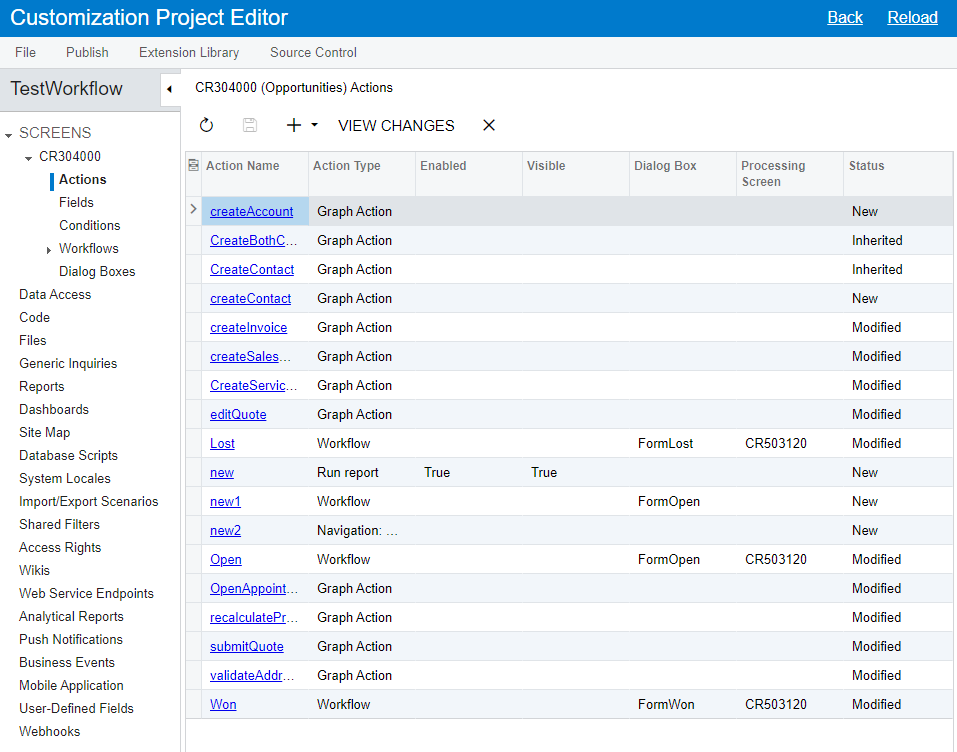
In Acumatica ERP 2020 R1, a developer can configure fields and add new actions or customize exiting actions by using the Field Editor and Action Editor of the Customization Project Editor. The editors can be accessed in the Screens node of the navigation pane.

Modification of the Disabled, Hidden, and Required properties was previously available on the Main Properties tab of the Screen Editor. The Main Properties tab of the Screen Editor has been removed.

For more info, refer to the Customization: Extended Editors for Fields and Actions topic in Acumatica 202 R1 Initial Release notes.


Naveen Boga
Captain II
Forum|alt.badge.img+19
  • Captain II
  • Answer
  • December 2, 2020

Hi @SadokHanini ,

Please use the below example to add a new action in “Actions” menu.


Example from SOOrderEntry Graph Extension.


 public class SOOrderEntryExt : PXGraphExtension<SOOrderEntry>
    {
        public override void Initialize()
        {
            base.Initialize();
            Base.action.AddMenuAction(validateAddress);
        }


   public PXAction<SOOrder> validateAddress;
        [PXButton]
        [PXUIField(DisplayName = "Validate Address", MapEnableRights = PXCacheRights.Select, MapViewRights = PXCacheRights.Select, Enabled = true)]
        protected virtual void ValidateAddress()
        {
                         // Button logic here
​​​​​​​ 
        }
    }

SadokHanini
Freshman II
  • Author
  • Freshman II
  • December 3, 2020

Hello Sadok!

This functionality was replaced as follows.

In Acumatica ERP 2020 R1, a developer can configure fields and add new actions or customize exiting actions by using the Field Editor and Action Editor of the Customization Project Editor. The editors can be accessed in the Screens node of the navigation pane.

Modification of the Disabled, Hidden, and Required properties was previously available on the Main Properties tab of the Screen Editor. The Main Properties tab of the Screen Editor has been removed.

For more info, refer to the Customization: Extended Editors for Fields and Actions topic in Acumatica 202 R1 Initial Release notes.


Thanks :D