Question

Blank PDF Attachment in Email Notification via Business Event (AR641000)

  • May 20, 2026
  • 12 replies
  • 77 views

Forum|alt.badge.img


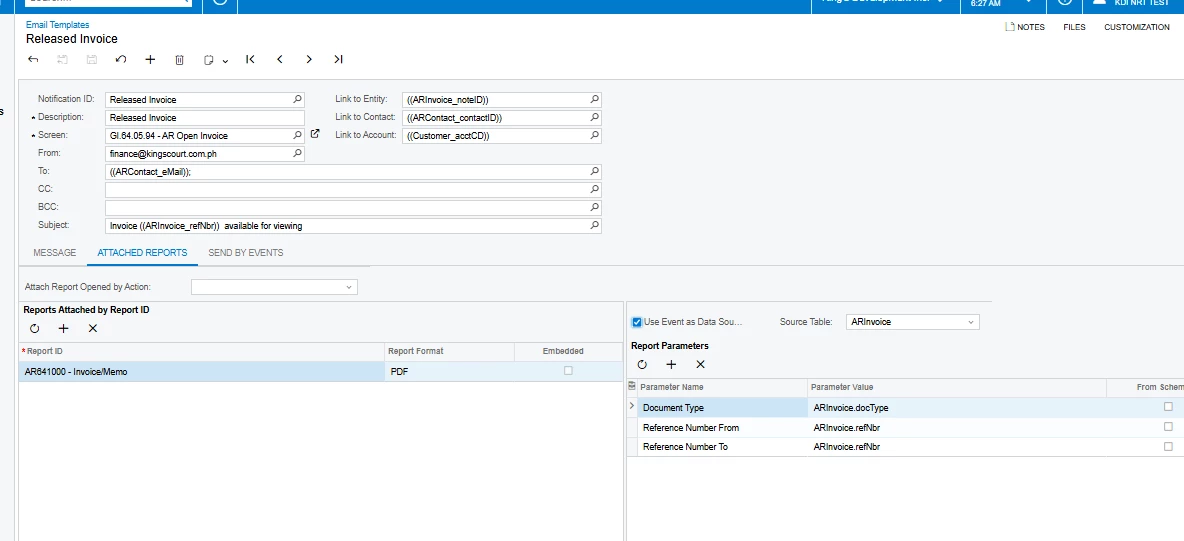
I am currently configuring an automated invoice emailing process in Acumatica using Business Events + Email Notifications + Attached Reports.

My setup is the following:

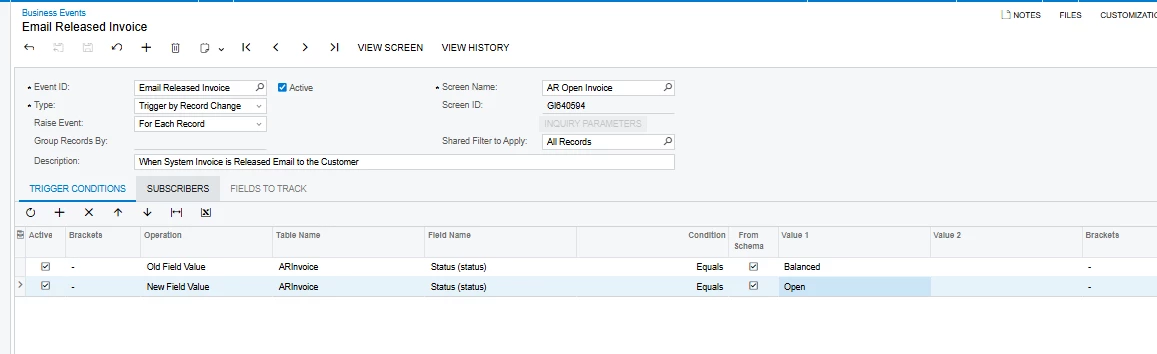
  • Business Event Type: Trigger by Record Change
  • Screen: AR Open Invoice (GI based)
  • Trigger Condition:
    • Old Status = Balanced
    • New Status = Open
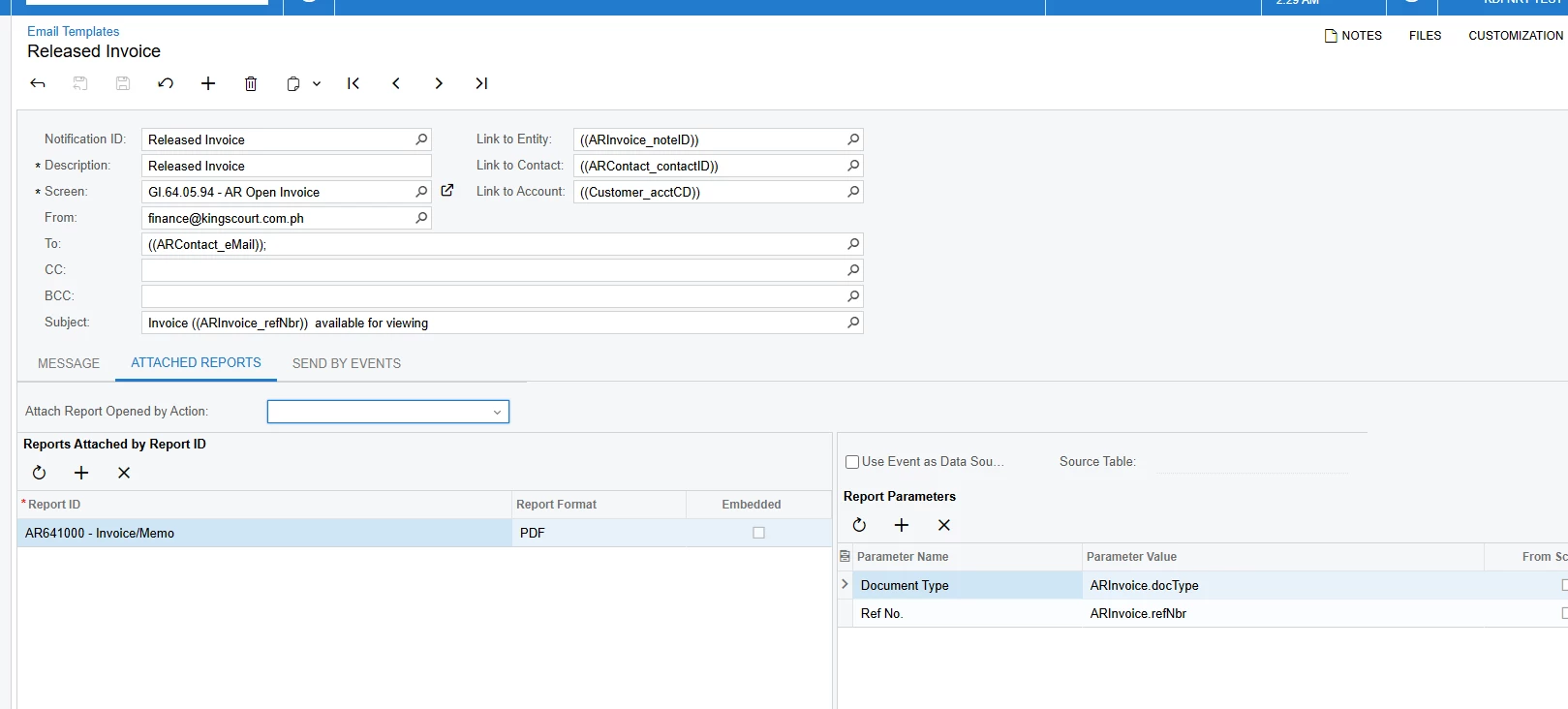
  • Subscriber Type: Email Notification
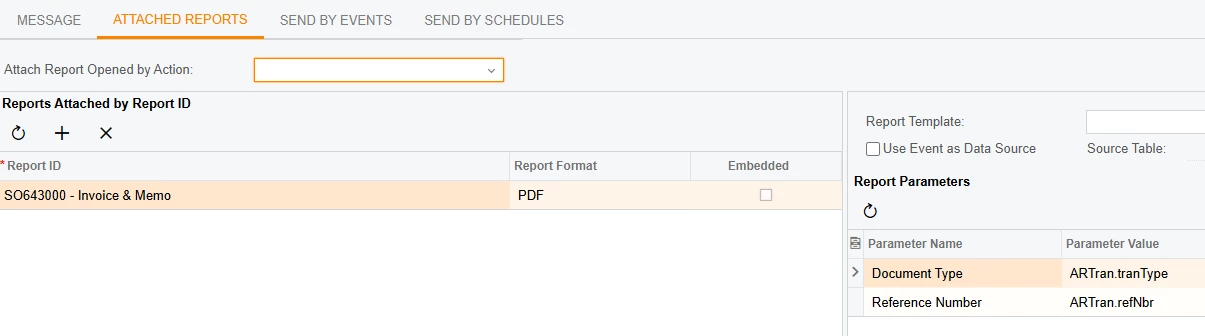
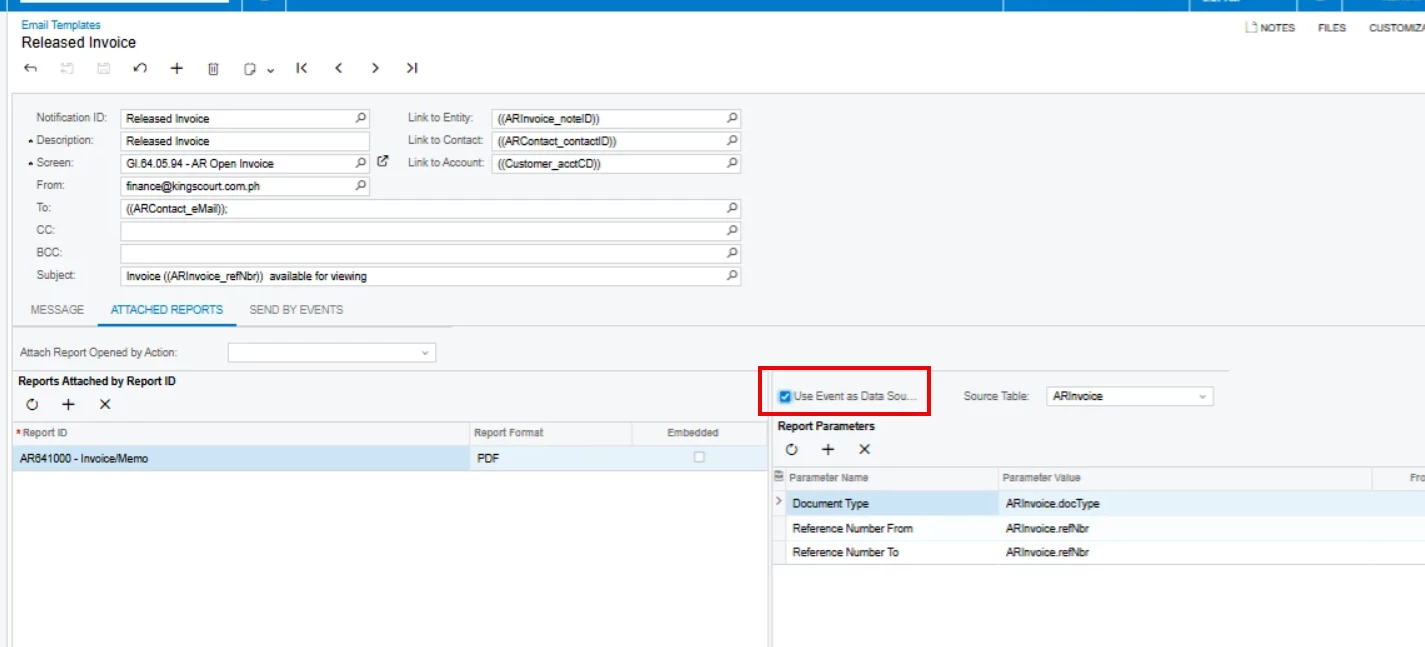
  • Attached Report: AR641000 - Invoice/Memo
  • “Use Event as Data Source” is enabled
  • Source Table = ARInvoice

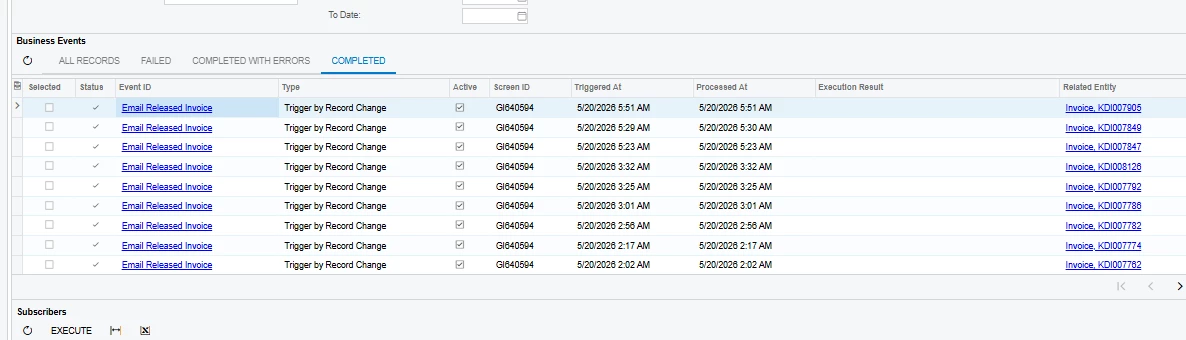
The Business Event and Email Notification are working correctly:

  • The email is successfully sent
  • The subject/body correctly resolves dynamic values such as:
    • ((ARInvoice_refNbr))
    • ((ARInvoice_docType))
  • The Related Entity in Business Event history correctly shows the invoice reference number
  • The AR641000 report displays correctly when manually run from the screen

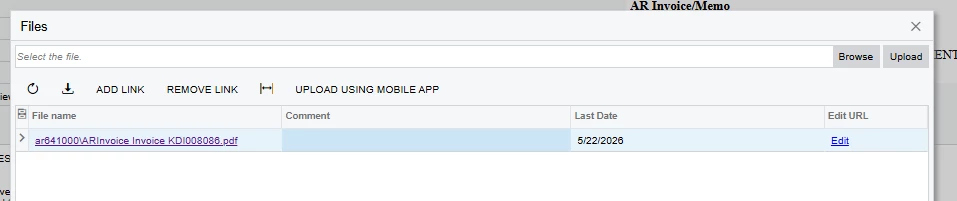
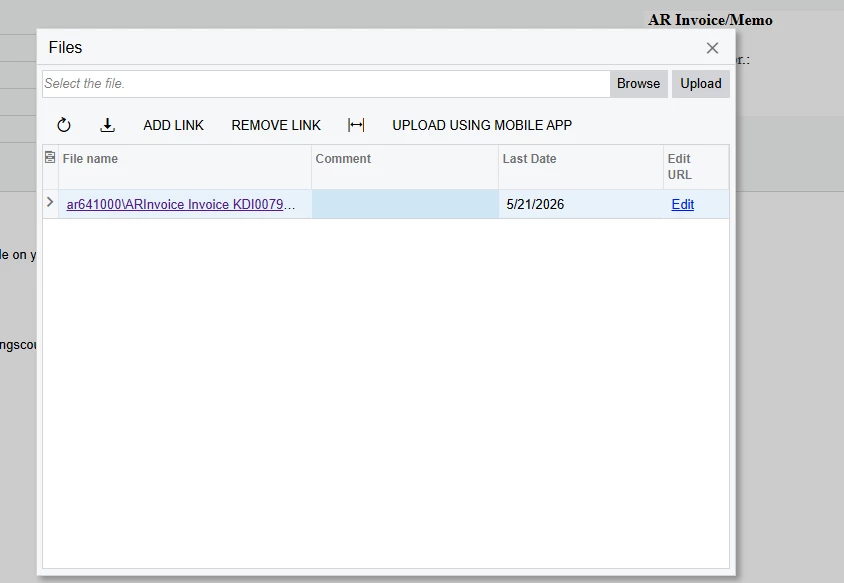
However, the issue is that the PDF attachment generated from the Email Notification is blank.

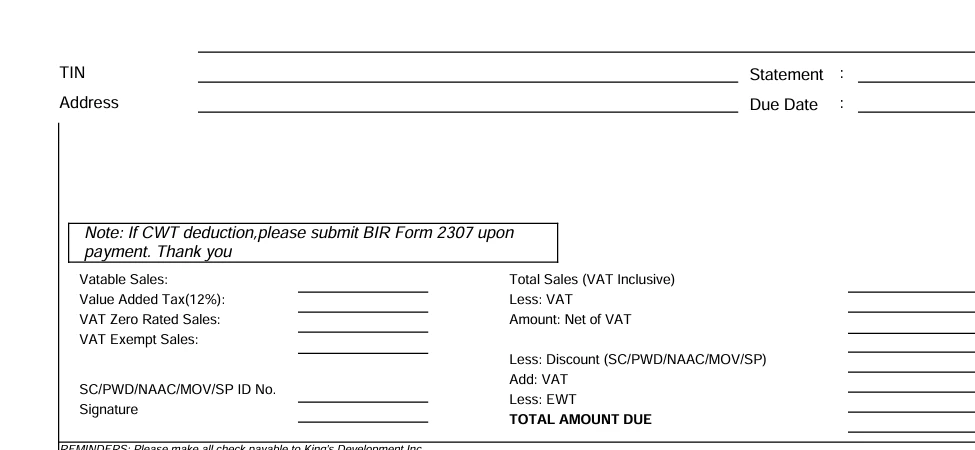
The PDF structure/layout loads, but no invoice data appears inside the report.

I already test that manual report execution works correctly

Despite all of this, the attached PDF generated by the Business Event Email Notification remains blank.

Has anyone fix this issue before because as i check the other report here its also not working on their end and nothing has solved 
12 replies

Forum|alt.badge.img
  • Author
  • Varsity I
  • May 21, 2026

as i check the invoice and ref is being read but not in the email report still the output is blank page


Forum|alt.badge.img
  • Author
  • Varsity I
  • May 21, 2026

@Manikanta Dhulipudi 


Manikanta Dhulipudi
Captain II
Forum|alt.badge.img+16

@saintsin Did you remove the source and try to select from the schema?


Forum|alt.badge.img
  • Author
  • Varsity I
  • May 21, 2026

@Manikanta Dhulipudi  yes i already try it still a blank report


Manikanta Dhulipudi
Captain II
Forum|alt.badge.img+16

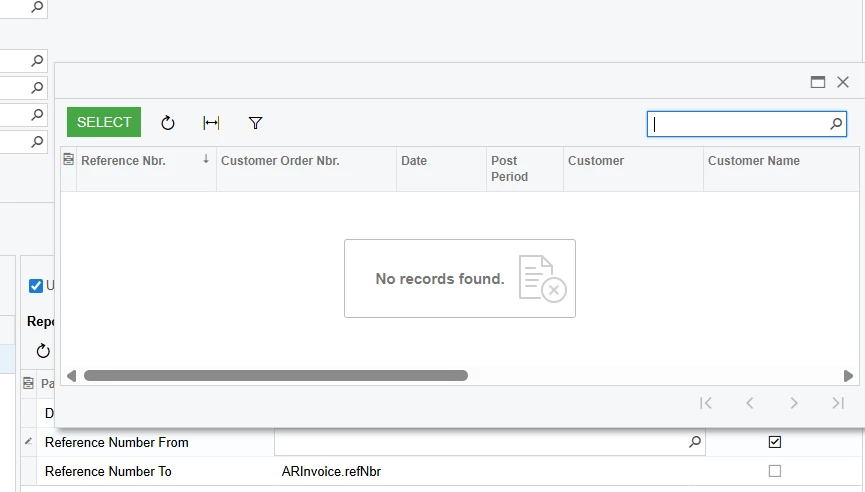
@saintsin This is my configuration and your report looks like from date and to date filters.


MissyMain41
Jr Varsity II
Forum|alt.badge.img
  • Jr Varsity II
  • May 21, 2026

Make the following false


Forum|alt.badge.img
  • Author
  • Varsity I
  • May 22, 2026

@Manikanta Dhulipudi  i already remove the reference to i put only one ref.nbr its still the same
can you give me sample template

@MissyMain41 still blank report for me when i uncheck it


Forum|alt.badge.img
  • Author
  • Varsity I
  • May 22, 2026


Forum|alt.badge.img
  • Author
  • Varsity I
  • May 22, 2026

is the problem is in my report? but if I load my report manually it doesn't have any problem


  • Acumatica Support Team
  • May 22, 2026

@saintsin, could you try opening the report as the admin user? Reports are generated in the admin context, and row-level security or branch/company access restrictions can cause them to show up empty.


Forum|alt.badge.img
  • Author
  • Varsity I
  • May 22, 2026

@dsavkin i have the admin access but its still not working


  • Acumatica Support Team
  • May 22, 2026

@saintsin, just to clarify—I don’t mean admin access on your account, but actually logging in as the admin user. You can do this via the “Sign In As” option on the Users screen or by using the admin user’s credentials directly