Answer

Base.Document Is not support Acumatica 2022 R2

  • February 21, 2023
  • 12 replies
  • 246 views

Forum|alt.badge.img

Hi,

I tried to do some customization in my acumatica Erp (2022 R2).

When I add the Base.Document.Current method it shows an error below like that.
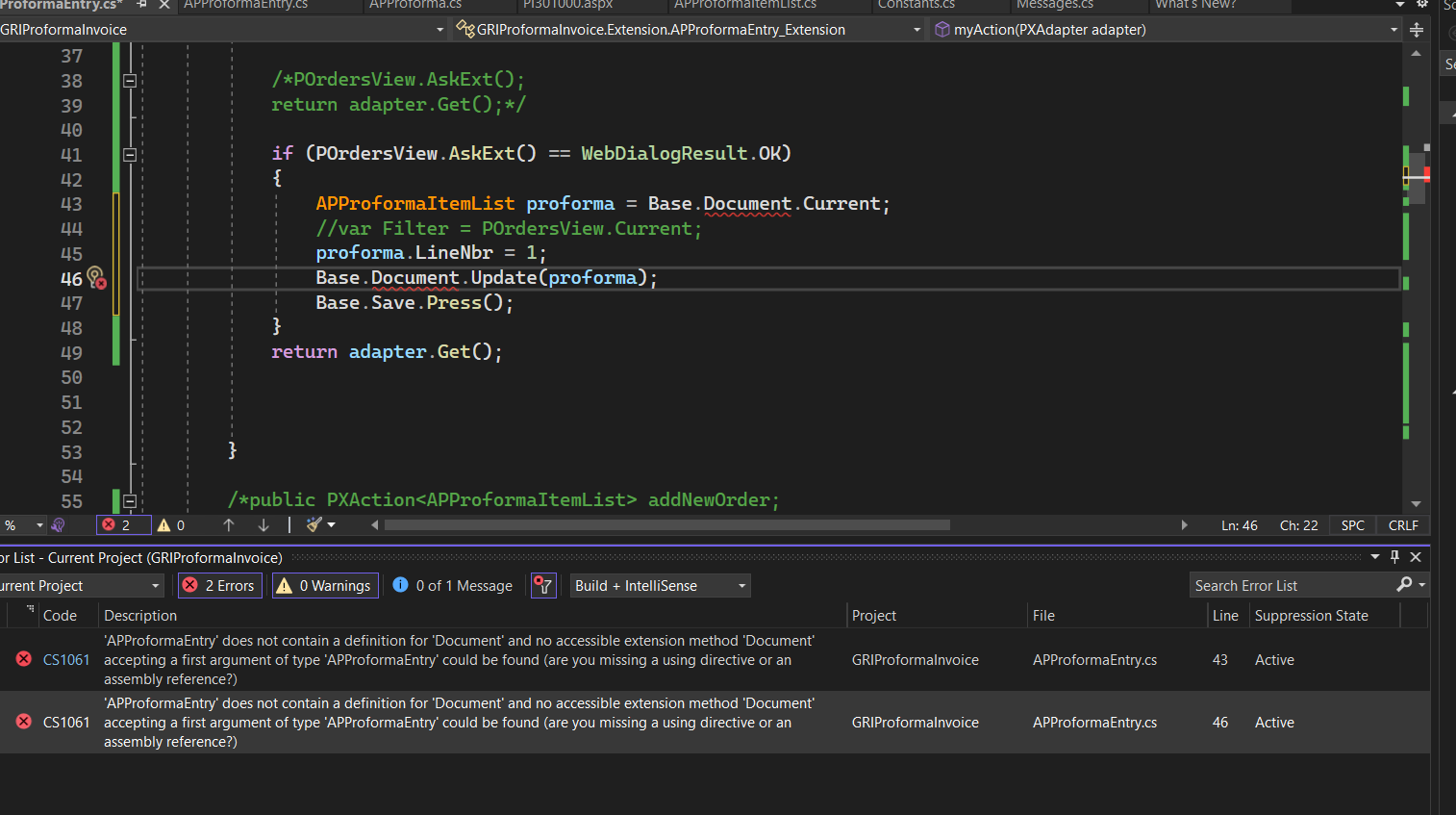
Is it not valid? Please help me.

Thanks you

Best answer by VidhyaHari

Hi @jeewanishalika20, Views are defined inside the graph and are bound to controls like a grid or a form. You can check the APProformaEntry graph for the PXSelect type of view with name - Document. You can learn more about views in: https://help-2022r2.acumatica.com/(W(1))/Help?ScreenId=ShowWiki&pageid=a0e0c90e-daf2-44c1-a4bc-b6dd4cda0580

12 replies

Naveen Boga
Captain II
Forum|alt.badge.img+19
  • Captain II
  • February 21, 2023

Hi @jeewanishalika20  It should work with the Base.Document.Current.

Can you please share the ProformaEntry extended graph code here?.


Forum|alt.badge.img

@Naveen Boga ,


using PX.Data;

using System;

using System.Collections.Generic;

using System.Linq;

using System.Text;

using System.Threading.Tasks;

using PX.Data.BQL.Fluent;

using PX.Objects.AR;

using PX.Objects.CR;

using PX.Objects.PO;

using System.Collections;

using PX.Objects.Common.GraphExtensions.Abstract.DAC;

using PX.Objects.SO.GraphExtensions.CarrierRates;

using PX.Objects.CR.Extensions.CRCreateSalesOrder;

using PX.Objects.CR.Extensions.Relational;


namespace GRIProformaInvoice.Extension

{

    public class APProformaEntry_Extension : PXGraphExtension<APProformaEntry>

    {


        public SelectFrom<POOrder>.View POrdersView;


        //public SelectFrom<POOrderExtension>.View POrdersView;


        //public PXFilter<POOrderExtension> POrdersView;


        public SelectFrom<APProformaItemList>.View APProformaView;


        public PXAction<APProforma> MyAction;

        [PXUIField(DisplayName = "Add Purchase", MapEnableRights = PXCacheRights.Select,       MapViewRights = PXCacheRights.Select)]

        [PXButton(CommitChanges = true)]

        public virtual IEnumerable myAction(PXAdapter adapter)

        {


            if (POrdersView.AskExt() == WebDialogResult.OK)

            {


                APProforma proforma = Base.Document.Current;

                proforma.LocationID = "Matara";

                Base.Document.Update(proforma);

                Base.Save.Press();


            }

            return adapter.Get();


        }


    }

}


Forum|alt.badge.img+9
  • Semi-Pro III
  • February 21, 2023

Hi, @jeewanishalika20,

I believe you need to declare view as Document like below example.

public PXSelectJoin<SOOrder, LeftJoinSingleTable<Customer, On<Customer.bAccountID, Equal<SOOrder.customerID>>>, Where<SOOrder.orderType, Equal<Optional<SOOrder.orderType>>, And<Where<Customer.bAccountID, IsNull, Or<Match<Customer, Current<AccessInfo.userName>>>>>>> Document;

I hope, It will work.

Regards,

Greytrix


Yuriy Zaletskyy
Jr Varsity I
Forum|alt.badge.img+3

Which page you customize? I can’t find graph APProformaEntry for some strange reason.


Forum|alt.badge.img

@Yuriy Zaletskyy ,

It’s not existing page. I develop new screen and graph.


Naveen Boga
Captain II
Forum|alt.badge.img+19
  • Captain II
  • February 21, 2023

Yes, I could not able to find as well.


Naveen Boga
Captain II
Forum|alt.badge.img+19
  • Captain II
  • February 21, 2023

Hi @jeewanishalika20  If it is a new screen then your graph declaration is incorrect.

It should not be a graph extension.


public class APProformaEntry : PXGraph<APProformaEntry>

    {

   // Declare your own View and add logic

 }


Forum|alt.badge.img

@Naveen Boga ,


This is not existing standard one.

I developed a new page.


Forum|alt.badge.img

Hi @Naveen Boga .

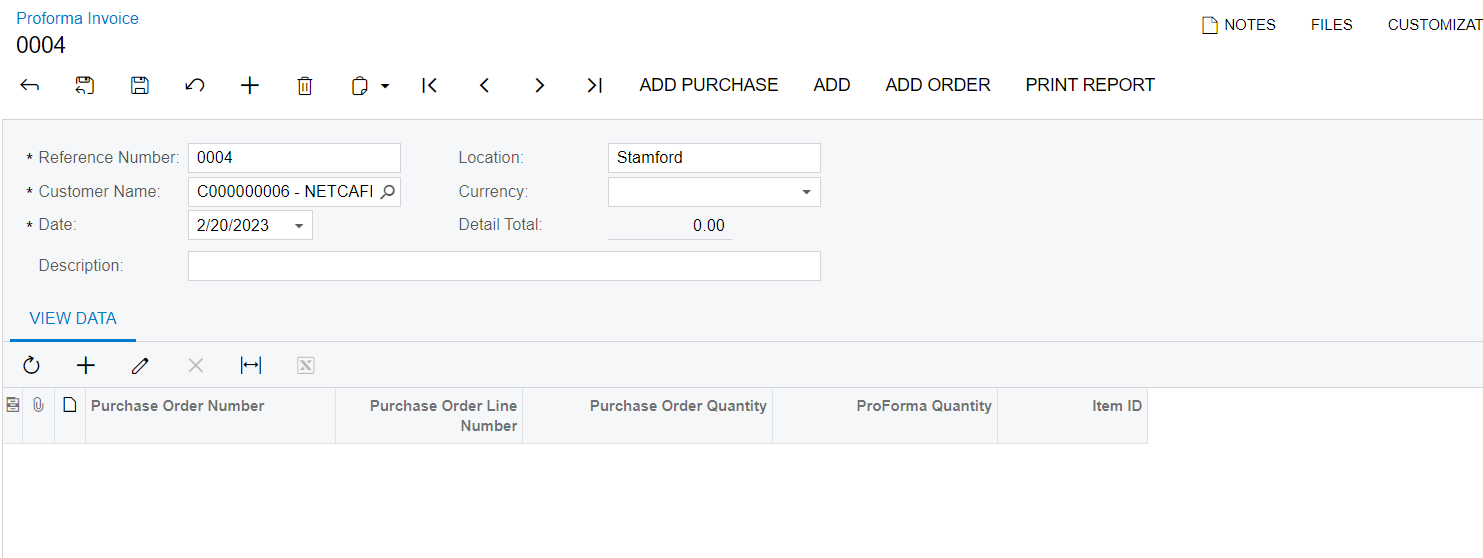
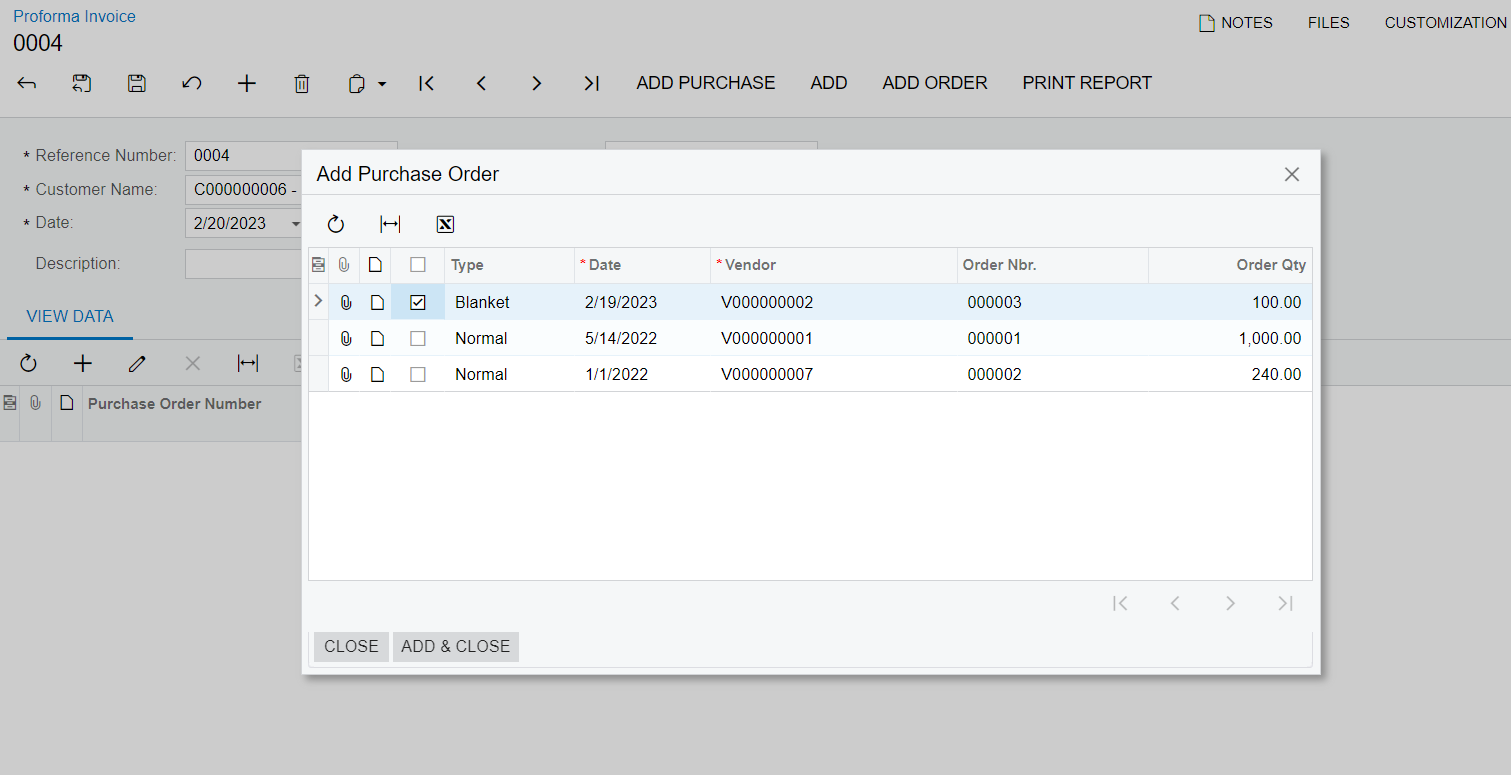
This is my newly developed form.In this form when I clicked the ADD PURCHASE button i nedd to open smart panel to load purchase order details below like that.

For the smart panel,I created a graph extension for the APProformaEntry graph(APProformaEntry graph is my main graph).

Then,I need to add purchase order details into my View details grid when click the ADD & CLOSE button.

That’s why I use the graph extension.


Thanks you


Dmitrii Naumov
Acumatica Moderator
Forum|alt.badge.img+7
  • Acumatica Moderator
  • February 21, 2023

@jeewanishalika20 

Base.Document is a reference to the Document view of your base graph. It does look like you don’t have the Document view in your APProformaEntry graph. Could you please double check that?


Forum|alt.badge.img

Hi @Dmitrii Naumov ,

How I check the document view in my base graph.

Thanks you


Forum|alt.badge.img+1
  • Acumatica Moderator
  • Answer
  • February 22, 2023

Hi @jeewanishalika20, Views are defined inside the graph and are bound to controls like a grid or a form. You can check the APProformaEntry graph for the PXSelect type of view with name - Document. You can learn more about views in: https://help-2022r2.acumatica.com/(W(1))/Help?ScreenId=ShowWiki&pageid=a0e0c90e-daf2-44c1-a4bc-b6dd4cda0580