Answer

Automation Schedule

  • February 13, 2023
  • 4 replies
  • 412 views

Forum|alt.badge.img


Hi,

How I can add a custom action in an automation schedule?
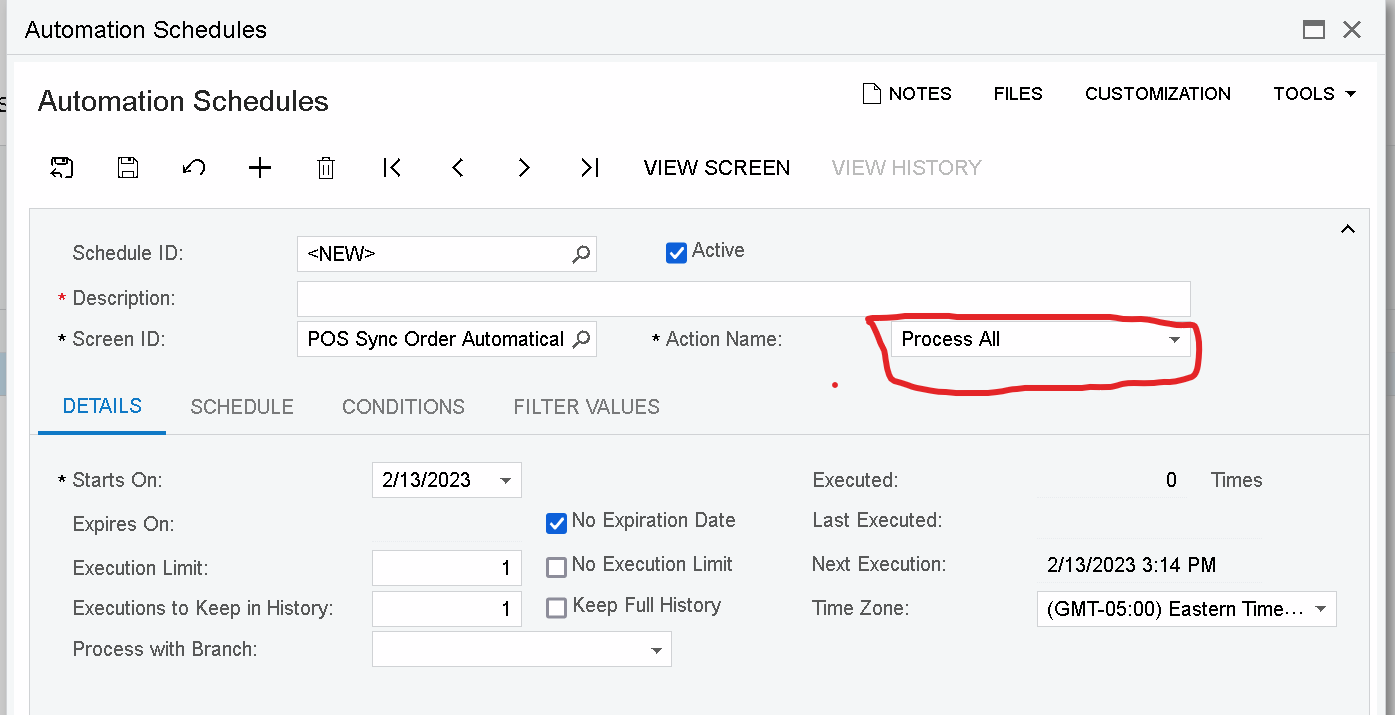
Thanks,

EV

Best answer by Yuriy Zaletskyy

The way how Acumatica team implements suchlike requests.

  1. You need to have processing screen by all means. It also includes graph, and PXProcessing, SetProcessDelegate, etc.
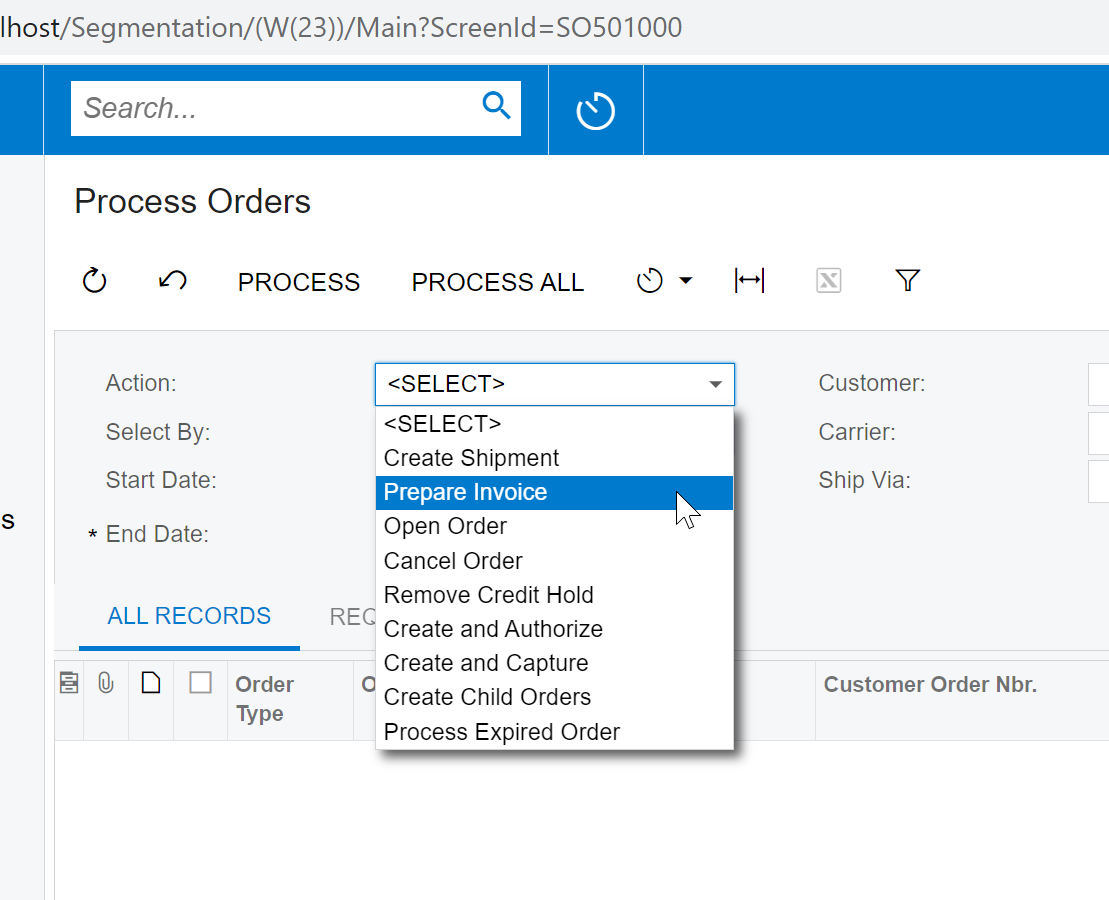
  2. On processing page, you add either selector, or Drop down list ( string list, or int list, doesn’t matter ).

For example as it is done on Process Orders screen:
  1. In your code of mass processing, you read value, which is selected by user
  2. In your automation schedule, you set up value of that Action

And you are all set. Just instead of button you use DropDown/Selector.

4 replies

Patrick Chen
Varsity II
Forum|alt.badge.img+2
  • Varsity II
  • February 13, 2023

Automation Schedule only works with Process Screens.  So you would need to create a custom process screen in order to make it eligible for scheduling


Forum|alt.badge.img
  • Author
  • Jr Varsity III
  • February 14, 2023

Automation Schedule only works with Process Screens.  So you would need to create a custom process screen in order to make it eligible for scheduling

Hi, I created the process screen, but how I can add a custom action to the Automation Schedule?


Thanks,

EV


Patrick Chen
Varsity II
Forum|alt.badge.img+2
  • Varsity II
  • February 14, 2023

The process that is activated when the user selects Process or Process all on the process screen needs to execute your custom action.


Yuriy Zaletskyy
Jr Varsity I
Forum|alt.badge.img+3
  • Jr Varsity I
  • Answer
  • February 15, 2023

The way how Acumatica team implements suchlike requests.

  1. You need to have processing screen by all means. It also includes graph, and PXProcessing, SetProcessDelegate, etc.
  2. On processing page, you add either selector, or Drop down list ( string list, or int list, doesn’t matter ).

For example as it is done on Process Orders screen:

  1. In your code of mass processing, you read value, which is selected by user
  2. In your automation schedule, you set up value of that Action

And you are all set. Just instead of button you use DropDown/Selector.