Answer

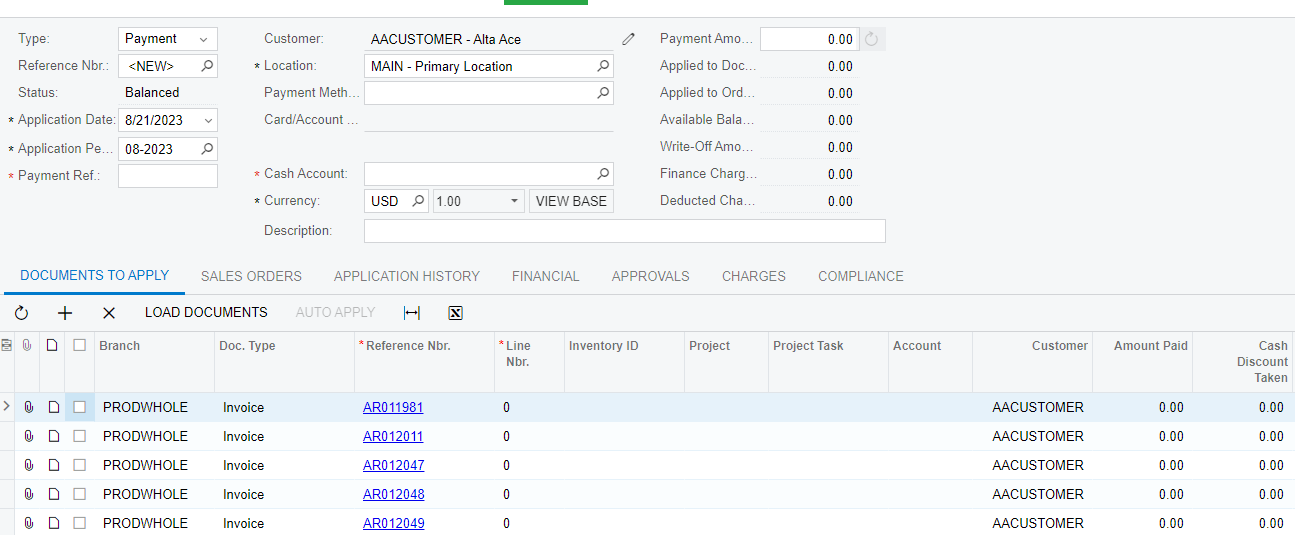
Automatic Invoice loading does not work in Payments and applications screen

  • August 21, 2023
  • 6 replies
  • 145 views

Forum|alt.badge.img+1

Hi all,

In Payments and applications screen, I want to load corresponding invoices automatically when we updating customer. Although it should work as default, it is not working.

Is there any configuration that I should do to enable this? or Can I do that using a customization?


Any idea on this?

Best answer by charithalakshan49

Hi @Chris Hackett I had to fetch records using a selector and insert those records to the Grid through code. I was unable to find why the default behavior is not working.

6 replies

Manikanta Dhulipudi
Captain II
Forum|alt.badge.img+15

Hi @charithalakshan49 


Are you Looking for auto Apply Payments?


Forum|alt.badge.img+1

@manikantad18 No I don’t want to auto apply payments. I only need to get back default behavior of Payments and applications screen. When I select a customer, Open Invoices corresponding to that customer should be loaded into the grid, 


dcomerford
Captain II
Forum|alt.badge.img+15
  • Captain II
  • August 21, 2023

To confirm when you opne the Payment and Applications screen and enter the a customer any open invoices etc should auto appear under Document to apply?

This is standard behaviour have you any customisations published? What version are you?


Forum|alt.badge.img+1

@dcomerford Yes I have added rowSelected event handler and I have overridden the Release action on that screen. But initially there are no documents in the grid. I had to click Load Document button to populate the gird. Version is 22R2


Chris Hackett
Community Manager
Forum|alt.badge.img
  • Acumatica Community Manager
  • September 18, 2023

Hi @charithalakshan49 were you able to find a solution? Thank you!


Forum|alt.badge.img+1

Hi @Chris Hackett I had to fetch records using a selector and insert those records to the Grid through code. I was unable to find why the default behavior is not working.