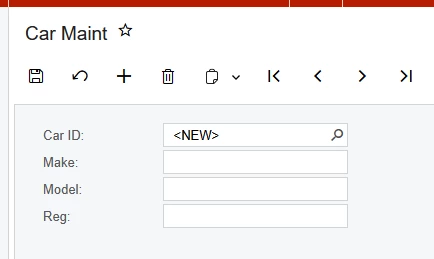
Hello. Having an odd one with AutoNumbering.
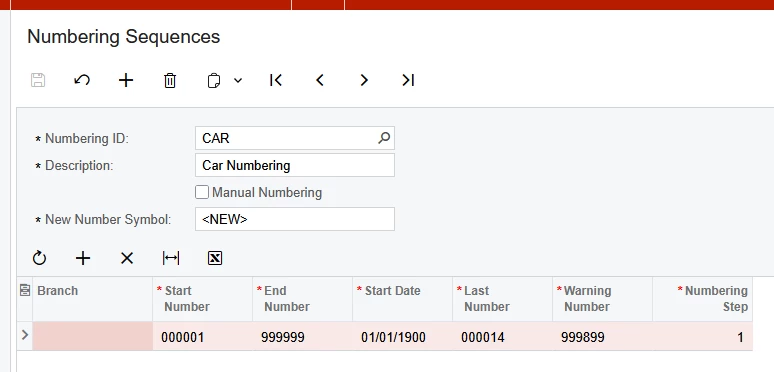
Below is the Numbering Sequence, the New Number Symbol is <NEW> like others.
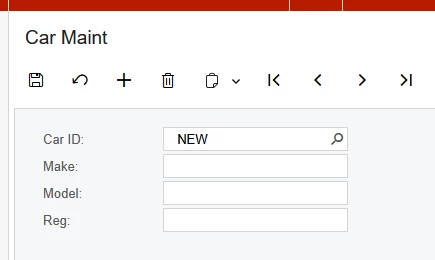
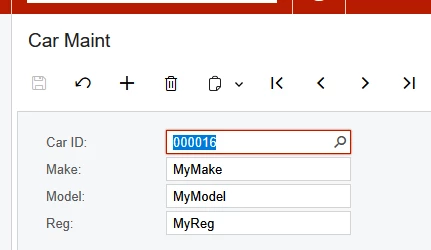
The custom screen is below. When I click add, the Car ID is set to ‘NEW’ not ‘<NEW>’.
There are also 2 spaces before the value NEW.
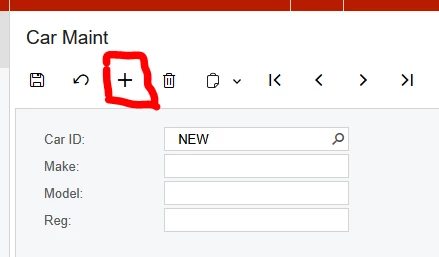
If I enter car details and click save, the auto numbering works.
The DAC is below
[Serializable]
[PXCacheName("PinnCar")]
public class PinnCar : IBqlTable
{
	#region Carid
	[PXDBString(15, IsKey = true)]
	[PXUIField(DisplayName = "Car ID", Visibility = PXUIVisibility.SelectorVisible)]
	[PXSelector(typeof(PinnCar.carid), typeof(PinnCar.carid), typeof(PinnCar.make), typeof(PinnCar.model))]
	[PXDefault(PersistingCheck = PXPersistingCheck.NullOrBlank)]
	[AutoNumber(typeof(INSetupExt.usrCarNumberingSequence), typeof(PinnCar.createdDateTime))]
	public virtual string Carid { get; set; }
	public abstract class carid : PX.Data.BQL.BqlString.Field<carid> { }
	#endregion

	//make, model and reg field
	//Acumatica fields.
}
The graph code is very simple
public class CarMaint : PXGraph<CarMaint, PinnCar>
{
	//getting access to the DAC containing the next number is essential, without this it fails
	public PXSetup<INSetup> Setup;
	public SelectFrom<PinnCar>.View CarView;
}
Can anyone suggest why the New Number Symbol is displaying incorrectly on the graph?