Answer

Assigning Action to a custom Button and UI layout issue

  • July 28, 2022
  • 2 replies
  • 854 views

Forum|alt.badge.img

I ran into two issues while working on the UI of the form:

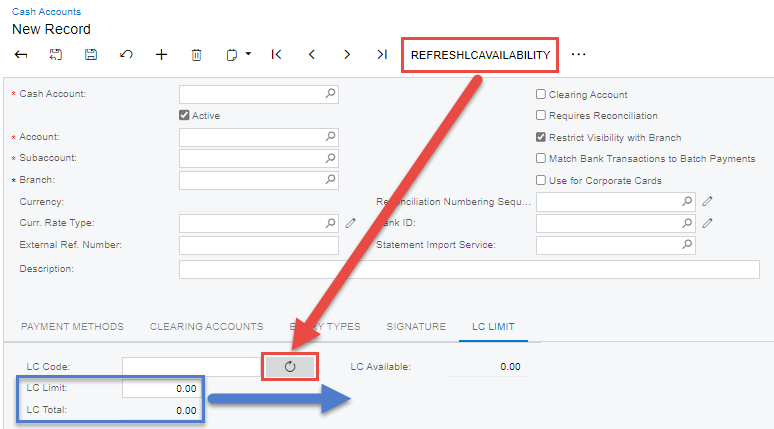
  1. I have created an Action but I can't seem to assign it to the new button that I've created. It appeared on toolbar instead as highlighted in red box as shown below:
 

The code on the Action and Button:

 public PXAction<CashAccount> RefreshAvailability;
[PXButton(CommitChanges = true)]
[PXUIField(MapEnableRights = PXCacheRights.Select, MapViewRights = PXCacheRights.Select, Enabled = true)]

protected virtual void refreshLCAvailability()
{
//logic here
}
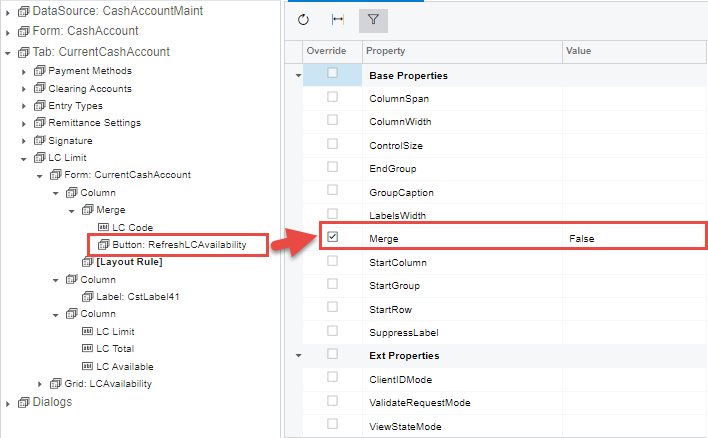
  1. I inserted two Column controls to separate the fields into two columns as shown in the image below but the output is not like what I wanted it to be as shown in blue box in the first image.
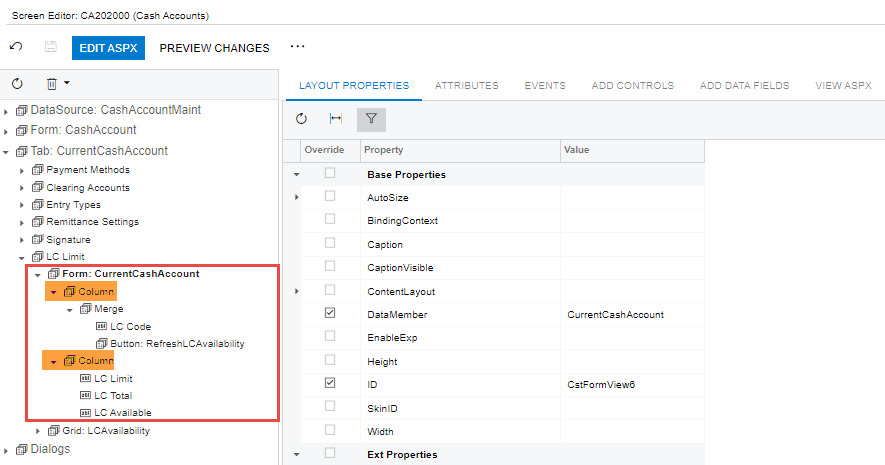
 

I feel like I'm missing something very simple but can't seem to figure it out.
Best answer by ErickLasimin

I managed to solve the second issue by trial and error. So basically, you need to:

  1. Insert an Empty Layout control after Merge control
  2. Specify the Merge property as False
  1. Insert another Column in between the two
  2. Insert a Label control in the newly created Column
  3. Leave the Label Text as blank


It is mind boggling that I have to do it in this roundabout way. If there is any better way of doing this, please do share it in this thread.

2 replies

Forum|alt.badge.img
  • Author
  • Varsity I
  • July 28, 2022

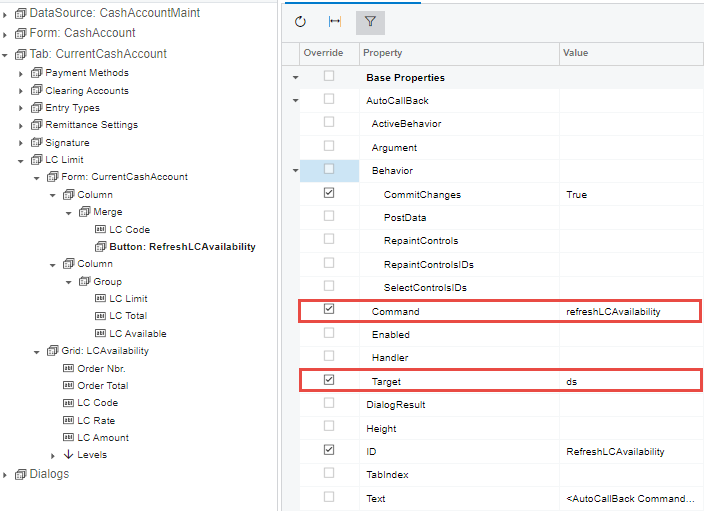
The first issue has been solved by assigning the Command as well as the Target as shown below:


I have yet to solve the second issue.


Forum|alt.badge.img
  • Author
  • Varsity I
  • Answer
  • August 8, 2022

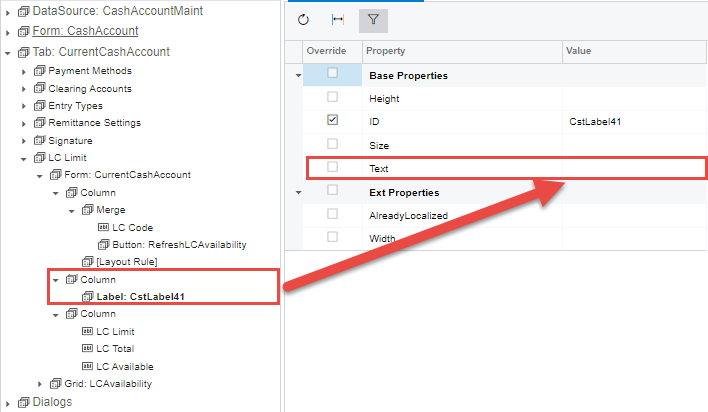
I managed to solve the second issue by trial and error. So basically, you need to:

  1. Insert an Empty Layout control after Merge control
  2. Specify the Merge property as False
  1. Insert another Column in between the two
  2. Insert a Label control in the newly created Column
  3. Leave the Label Text as blank


It is mind boggling that I have to do it in this roundabout way. If there is any better way of doing this, please do share it in this thread.