
Question

Applying Branch Restriction to Customer/Vendor Field in Journal Transactions Screen

  • March 16, 2026
  • 4 replies
  • 52 views

Sagar Greytrix
Captain II
Forum|alt.badge.img+3

Hi Team,

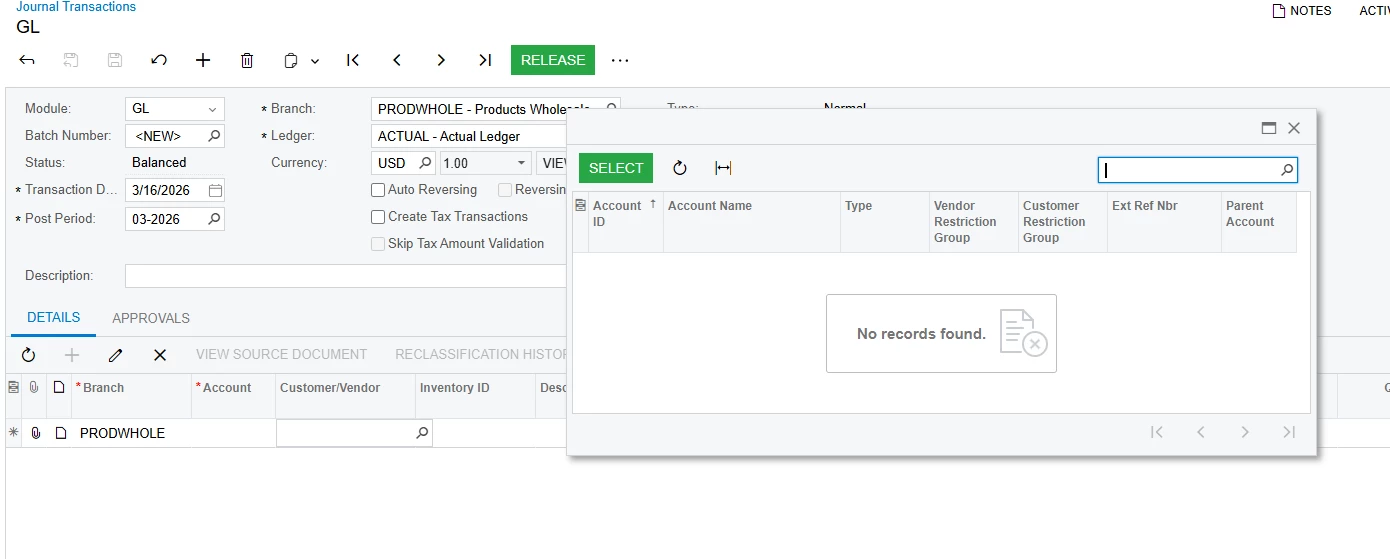
In Acumatica, on the Journal Transactions screen, there is a Customer/Vendor field that is currently disabled. I have enabled this field, and I want it to work the same way as the Vendor field in Bills and Adjustments.

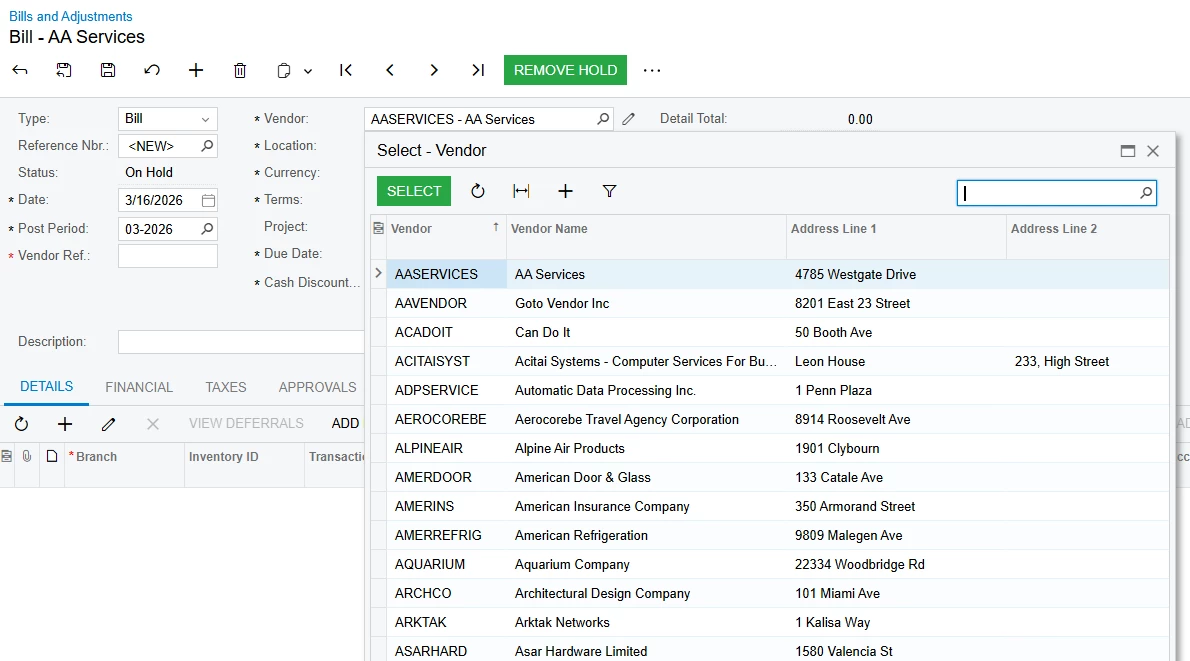
In that screen, if a vendor has a branch restriction, the vendor does not appear in the selector when working in a different branch. I want the Customer/Vendor field in Journal Transactions to follow the same behavior.

I have tried several code approaches, but I am still not getting the expected result. Does anyone know how to correctly apply branch restriction to this field so that the selector only shows vendors/customers allowed for the current branch?

Any guidance or solution would be appreciated.

Thank you.


 #region ReferenceID  
        [PXDBInt()]
        [PXSelector(typeof(Search<BAccountR.bAccountID>), SubstituteKey = typeof(BAccountR.acctCD),
            DescriptionField = typeof(BAccountR.acctName))]
        [CustomerVendorRestrictor]
        [PXUIField(DisplayName = "Customer/Vendor", Enabled = true, Visible = true)]
        [PXCustomizeSelectorColumns(
       typeof(PX.Objects.CR.BAccountR.acctCD),
       typeof(PX.Objects.CR.BAccountR.acctName),
       typeof(PX.Objects.CR.BAccountR.type),
       typeof(PX.Objects.CR.BAccountR.vOrgBAccountID),
       typeof(PX.Objects.CR.BAccountR.cOrgBAccountID),
       typeof(PX.Objects.CR.BAccount.acctReferenceNbr),
       typeof(PX.Objects.CR.BAccountR.parentBAccountID),
       typeof(PX.Objects.CR.BAccount.ownerID),
       typeof(PX.Objects.PJ.RequestsForInformation.CR.CacheExtensions.BAccountExt.isRelatedToProjectContact))]
        public int? ReferenceID { get; set; }
        #endregion


4 replies

Forum|alt.badge.img
  • Jr Varsity III
  • March 16, 2026

Once try this by modifying the Selector


#region ReferenceID

[PXDBInt]

[PXUIField(DisplayName = "Customer/Vendor", Enabled = true, Visible = true)]

[PXSelector(

typeof(Search2<

BAccountR.bAccountID,

LeftJoin<Vendor, On<Vendor.bAccountID, Equal<BAccountR.bAccountID>>,

LeftJoin<Customer, On<Customer.bAccountID, Equal<BAccountR.bAccountID>>>>,

Where<

Match<Current<AccessInfo.userName>>,

And<

Where<Vendor.bAccountID, IsNotNull,

Or<Customer.bAccountID, IsNotNull>>>>>>),

SubstituteKey = typeof(BAccountR.acctCD),

DescriptionField = typeof(BAccountR.acctName)

)]

[PXRestrictor(

typeof(Where<

Brackets<

Where<Vendor.bAccountID, IsNull,

Or<MatchWithBranch<Customer, Current<GLTran.branchID>>>>>,

Or<

Where<Customer.bAccountID, IsNull,

Or<MatchWithBranch<Vendor, Current<GLTran.branchID>>>>>>),

"Business Account is not available for the current branch."

)]

[PXCustomizeSelectorColumns(

typeof(BAccountR.acctCD),

typeof(BAccountR.acctName),

typeof(BAccountR.type),

typeof(BAccountR.acctReferenceNbr)

)]

public virtual int? ReferenceID { get; set; }

#endregion

Forum|alt.badge.img+2
  • Jr Varsity I
  • March 16, 2026

@Sagar Greytrix You may want to consider making a custom field. Customizing that field to use it for your own purpose could cause issues with the out of the box functionality trying to use the field.


However, have you tried just using the same attribute(s) that are used on the VendorID field that you already know has the desired behavior?


Sagar Greytrix
Captain II
Forum|alt.badge.img+3

@Josiah Lisle 

Yes, we have tried using the same attributes and code that are used in the VendorID field in Bills. However, we are still not getting the data filtered based on the branch as expected.

Could you please guide us on what might be missing or if there is any additional configuration required to achieve the same behavior?


Sagar Greytrix
Captain II
Forum|alt.badge.img+3

@FarhanaM60 We tried this, but we are getting an error. Also, in Or<MatchWithBranch<Customer, Current<GLTran.branchID>>>>>, the Customer field is giving an error—it does not match any field. Please let me know if you have any solution for this.
