Question

Allow Column Sorting in custom column

  • February 3, 2026
  • 17 replies
  • 79 views

Forum|alt.badge.img


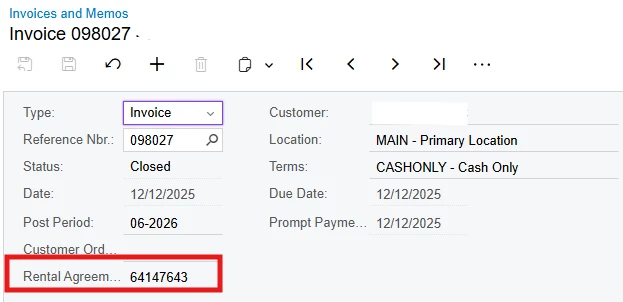
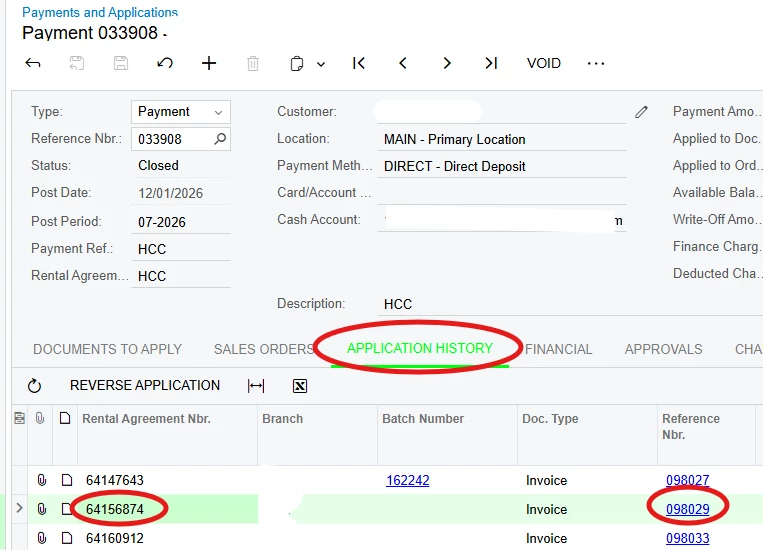
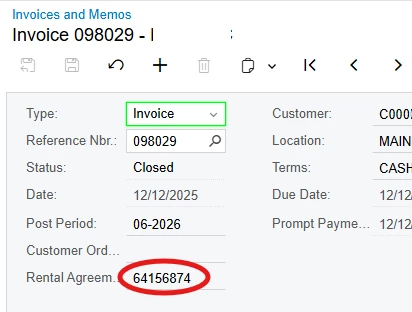
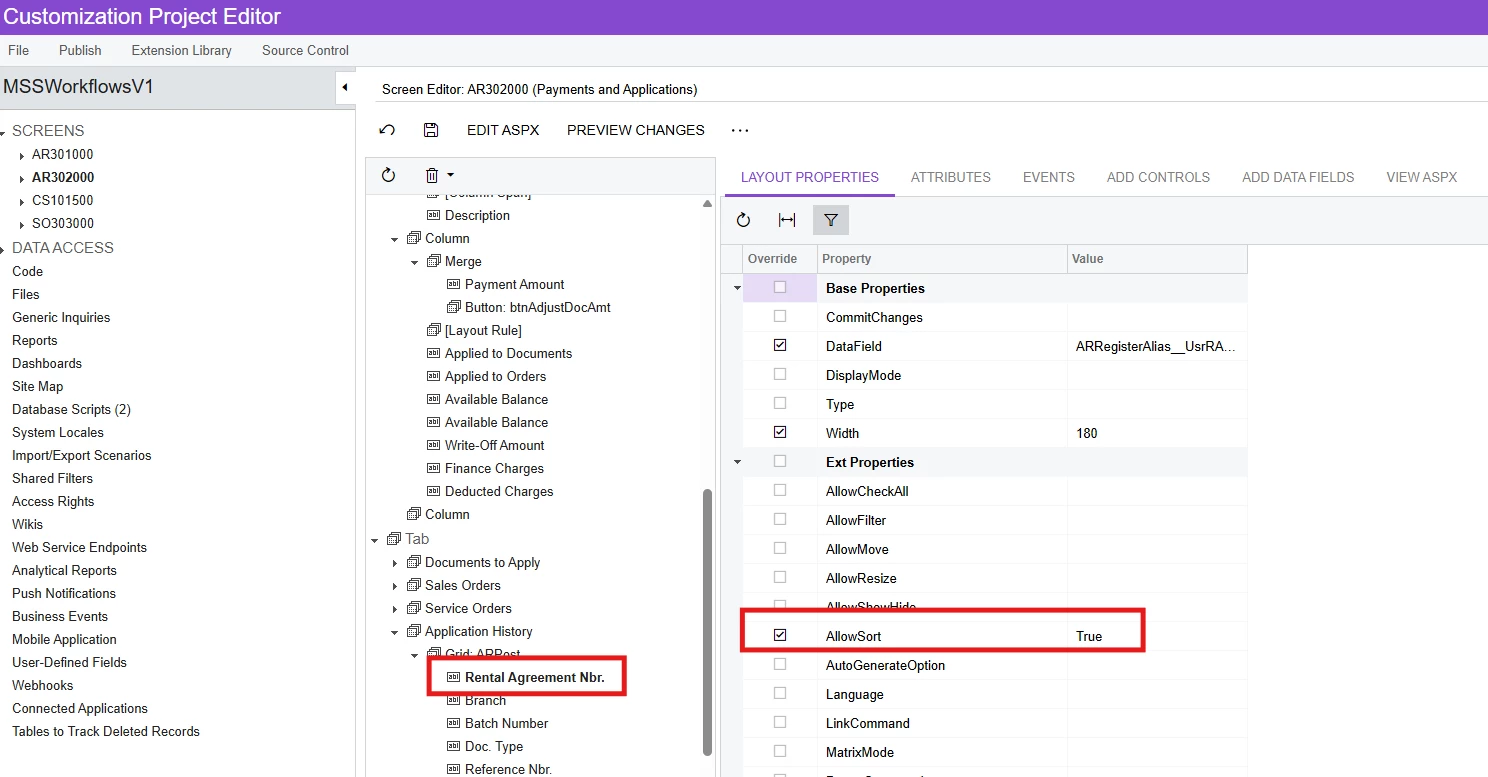
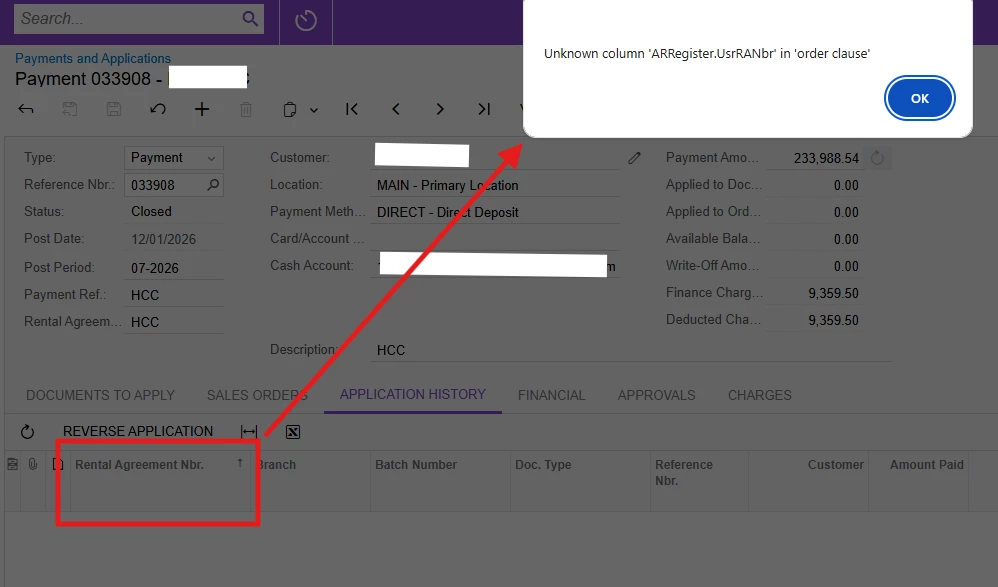
Hi, there is a custom field in Invoices and Memos screen called ‘Rental Agreement Nbr’ and this is also added in Application History tab of Payments and Applications screen. When sorting this column, I get the error: Unknown column 'ARRegister.UsrRANbr' in 'order clause' even though I have set the AllowSort to True. How do I allow sorting on this column?


17 replies

Forum|alt.badge.img+9
  • Captain II
  • February 3, 2026

@MarkD 


I don’t think you actually have to specify anything to be able to sort by that column. I am able to sort on my custom fields just after adding them to the screen.


Forum|alt.badge.img
  • Author
  • Jr Varsity III
  • February 3, 2026

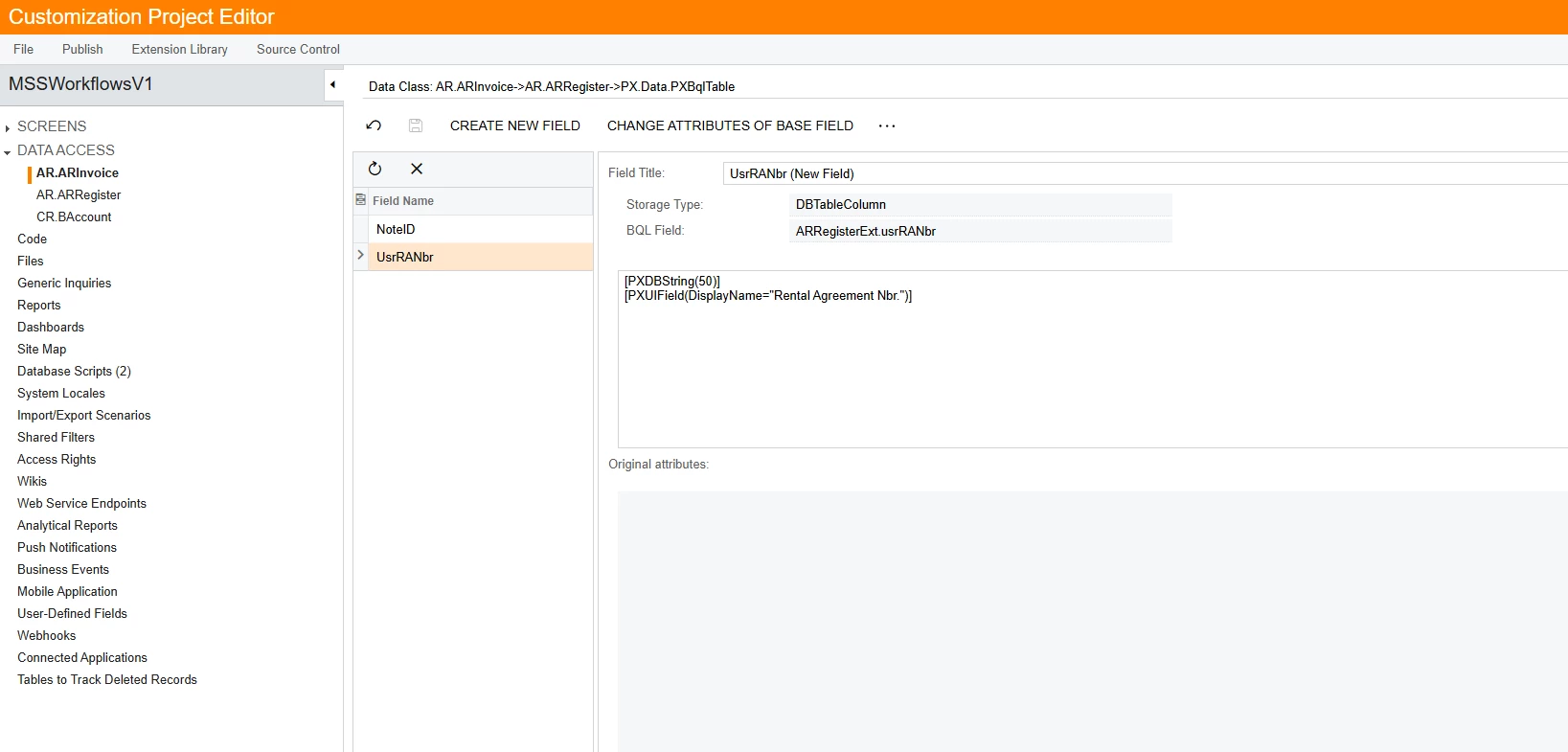
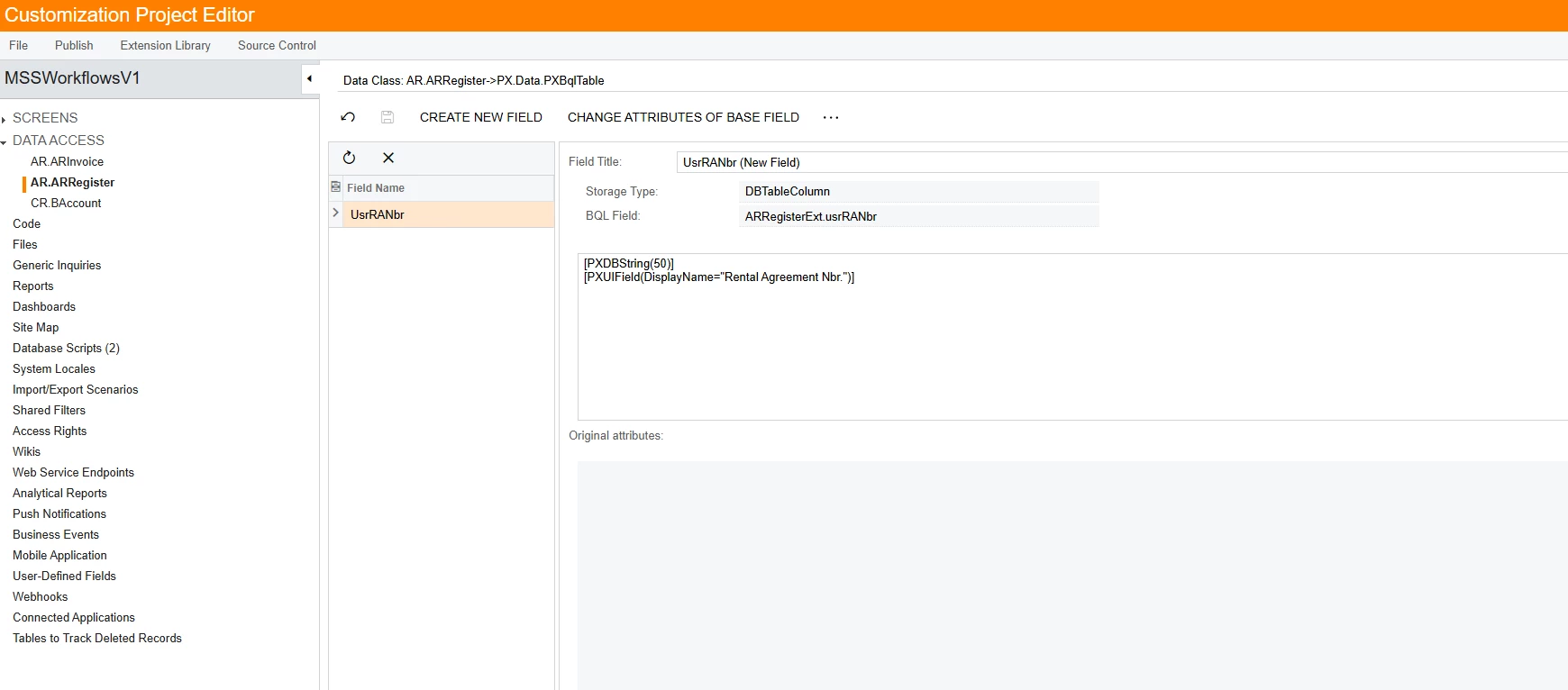
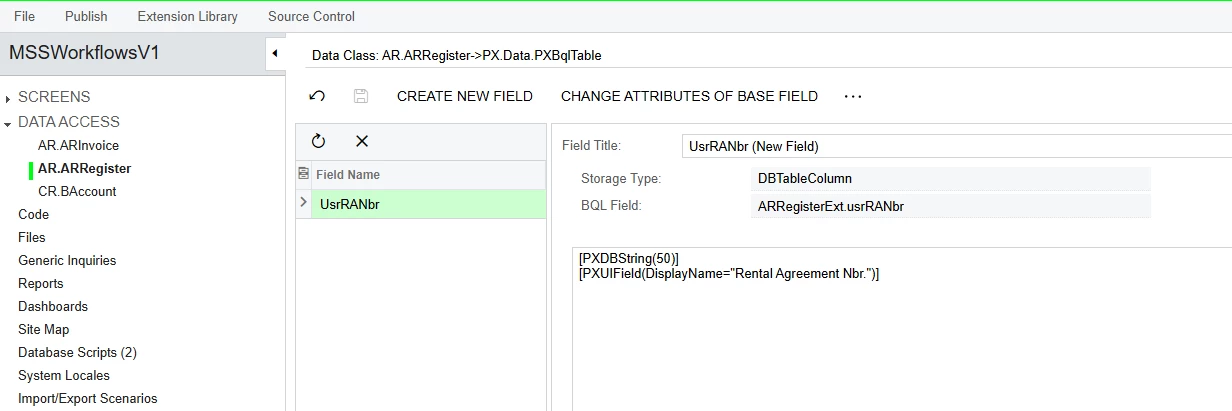
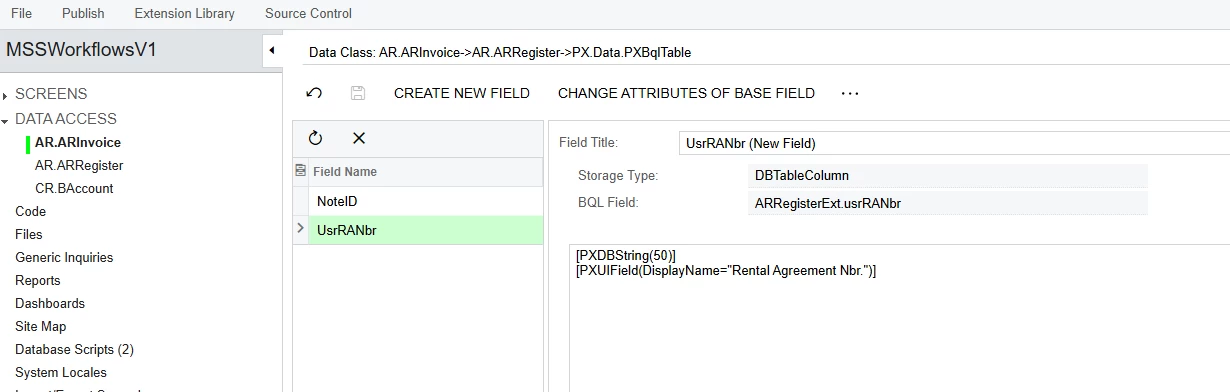
Hi ​@aiwan maybe the rental agreement nbr field was added incorrectly. I’m also unsure, how the field was added into Invoices and Memos screen and extended as a column in Payments and Applications screen, but here’s what I found (see screenshots below). Could you please share how you added a custom field and how to extend it as a column on a different table?


Forum|alt.badge.img+9
  • Captain II
  • February 3, 2026

That looks fine.


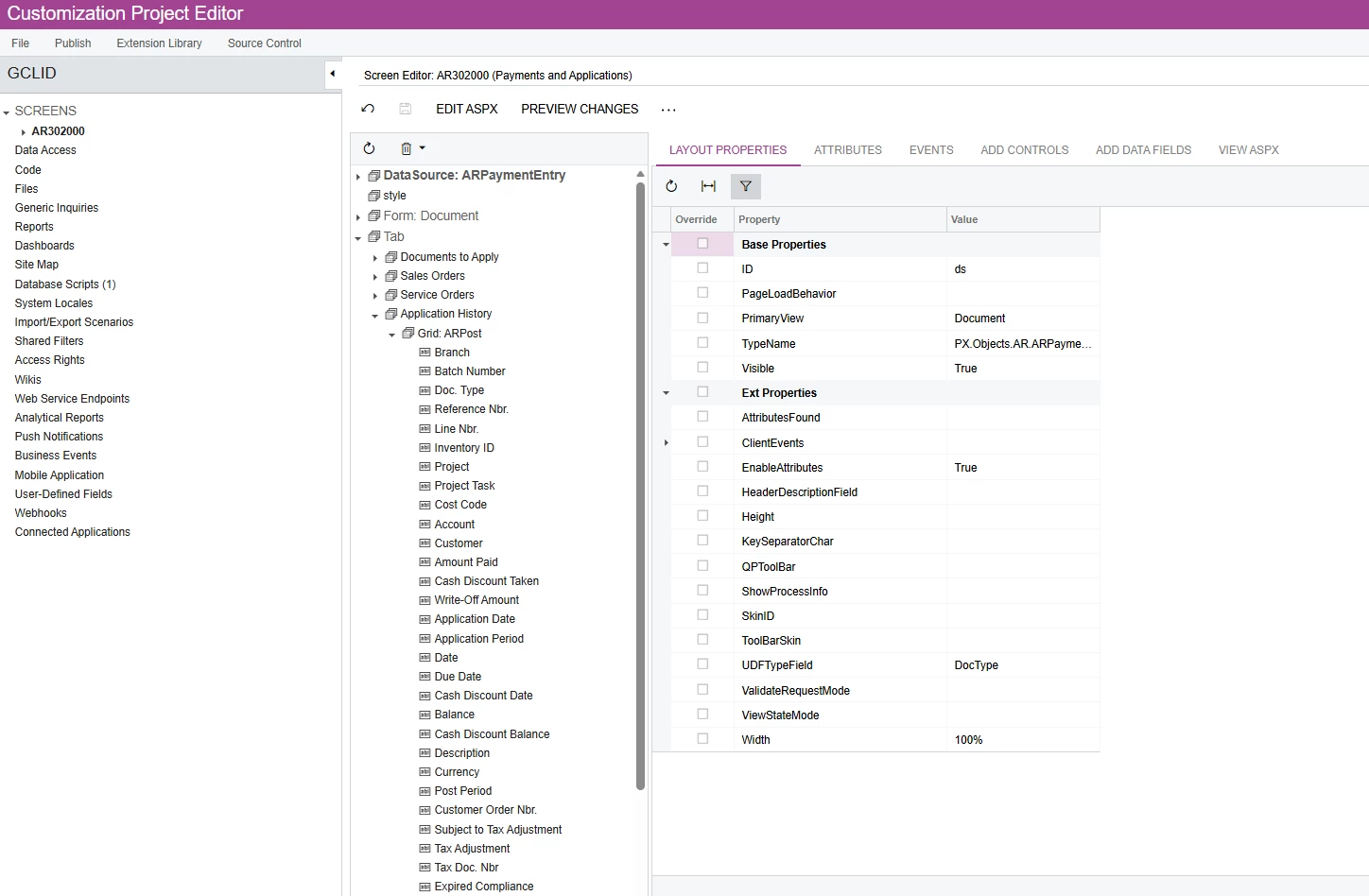
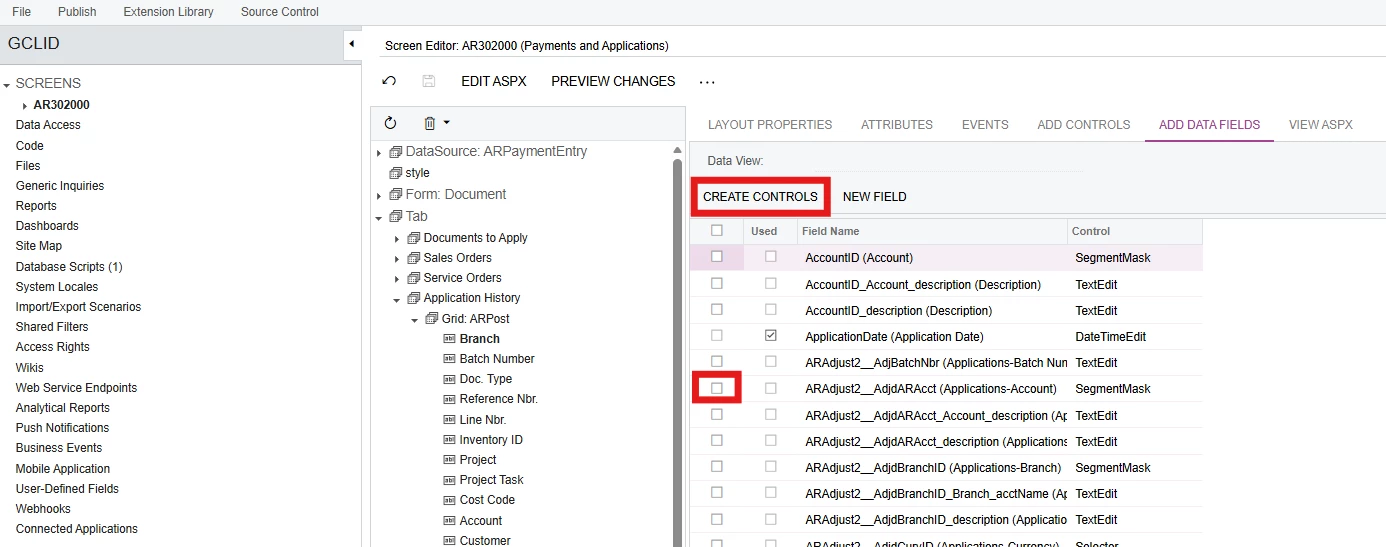
You will want to go into the ‘Screens’ section in the left hand toolbar, then click into ‘Payments and Applications (AR302000)’.

Then expand ‘Tab’ and then expand ‘Application History’.


From here you will be able to find the field, then remove it using the bin icon, to add it back you should go to ‘Add data fields’


Here, you should tick the field you want to use in the leftmost column, then press create controls.


Hope this helps.


Forum|alt.badge.img
  • Author
  • Jr Varsity III
  • February 3, 2026

If I understand it correctly, you want me to re-add the custom field and republish it?


Forum|alt.badge.img+9
  • Captain II
  • February 3, 2026

Yes please.


Forum|alt.badge.img
  • Author
  • Jr Varsity III
  • February 3, 2026

Hi ​@aiwan - I got the same error after re-adding and republishing. There must be something missing. Any other thoughts?


Forum|alt.badge.img+9
  • Captain II
  • February 3, 2026

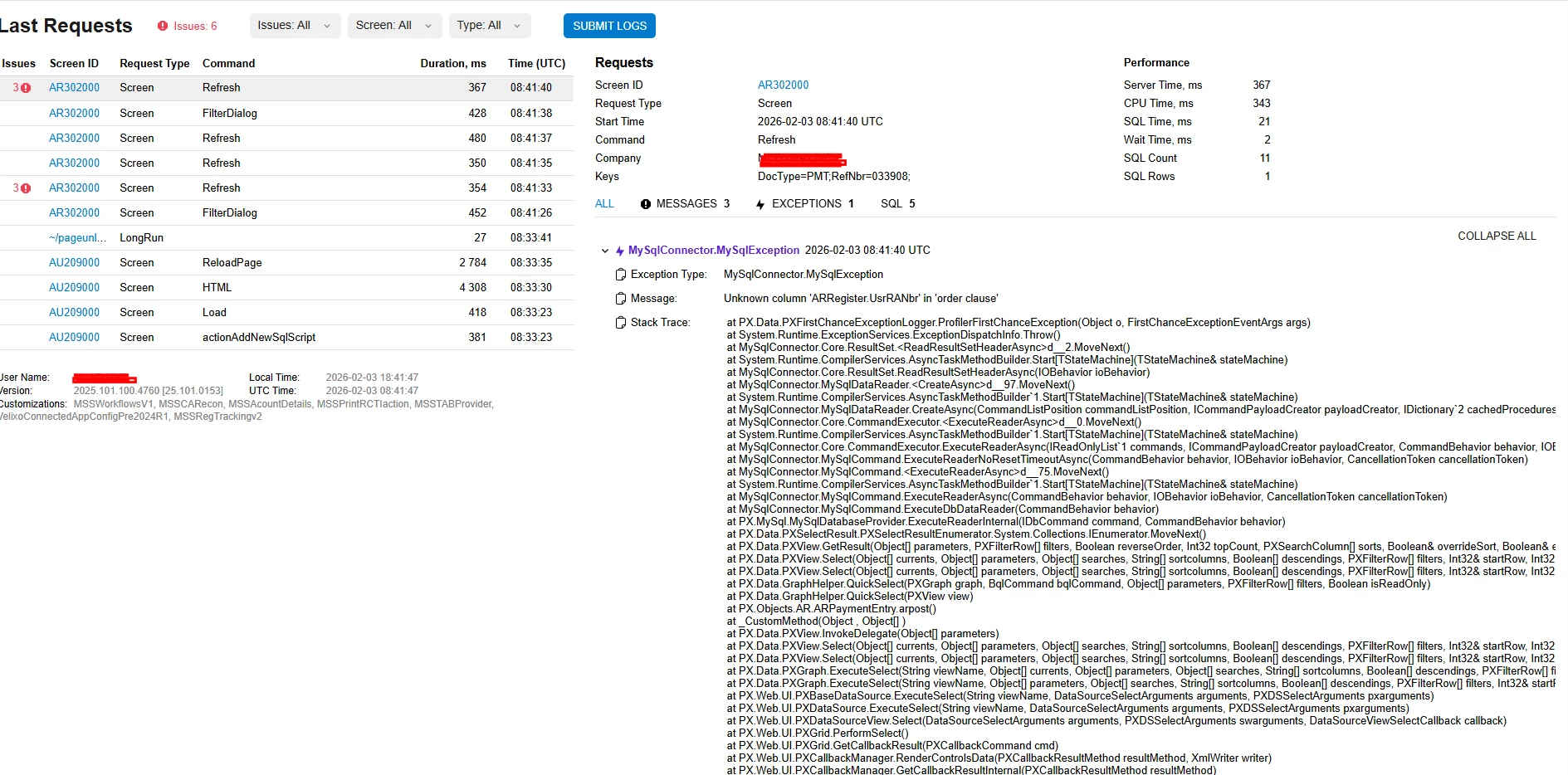
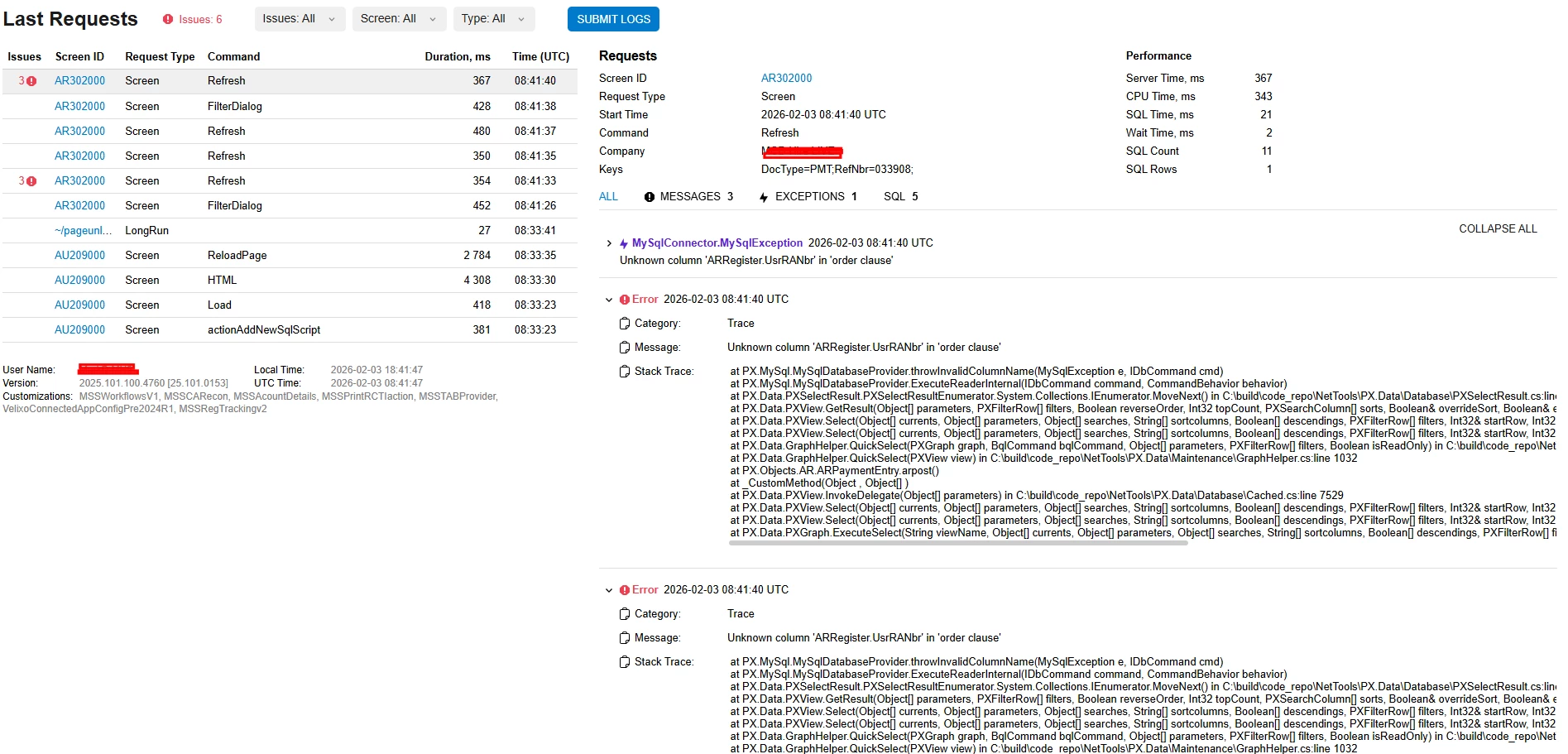
Could you share the trace please?


Forum|alt.badge.img
  • Author
  • Jr Varsity III
  • February 3, 2026

Here you go:


harutyungevorgyan
Jr Varsity I
Forum|alt.badge.img+4

Hello ​@MarkD ,

Since you are working with a bound field, start by verifying that the column actually exists in the ARRegister table within SQL. A missing column is a likely source of this issue.


Forum|alt.badge.img
  • Author
  • Jr Varsity III
  • February 3, 2026

Sorry, not so tech savvy. How do I actually verify that in Customization Project Editor?


harutyungevorgyan
Jr Varsity I
Forum|alt.badge.img+4

Sorry, not so tech savvy. How do I actually verify that in Customization Project Editor?

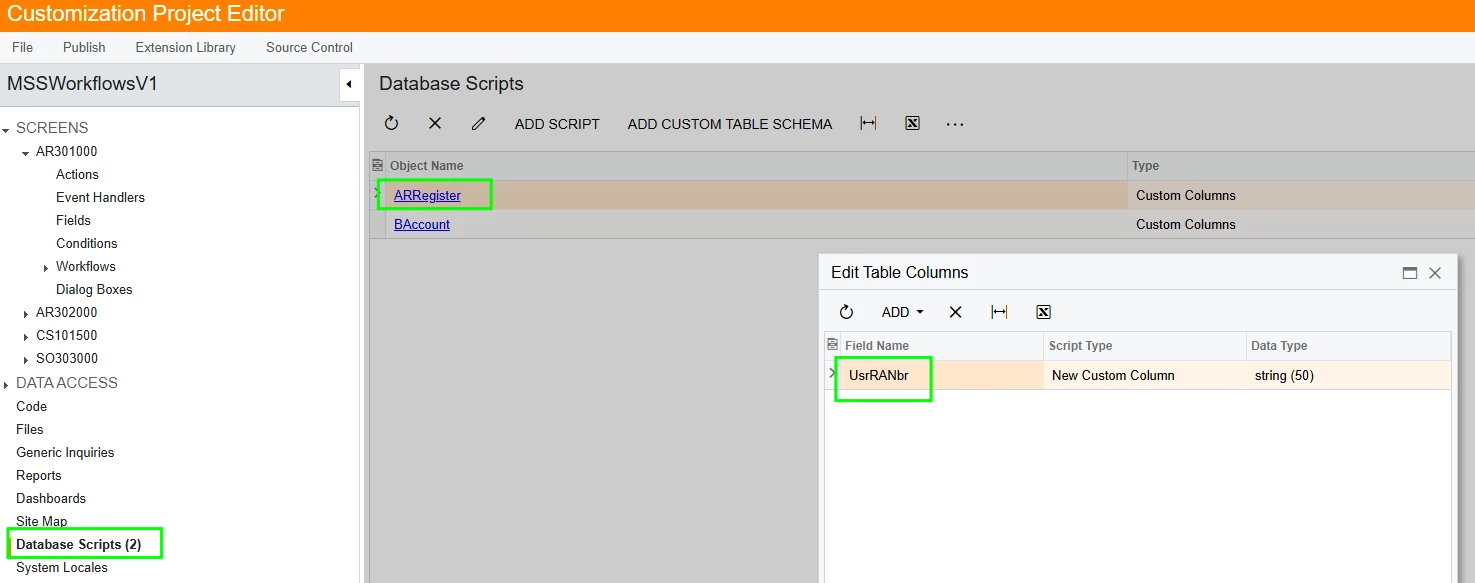
To verify the field, first check the Database Scripts section within your customization project to ensure the UsrRANbr field is included in the ARRegister table script. Once confirmed, use the Publish to Multiple Tenants option in the Customization Projects screen, making sure to select Execute All Database Scripts.

However, the most direct method is to run a query via MySQL to confirm the column physically exists within the ARRegister table. This remains the simplest and most reliable way to verify the database schema.

Please try this, and if you still see an error, I will help to check if the column is actually located there without technical knowledge.


Forum|alt.badge.img
  • Author
  • Jr Varsity III
  • February 13, 2026

@harutyungevorgyan - Sorry, I just got back. Looks like I need to unpublish customizations first before I can publish to multiple tenants and execute all database scripts.

I’ll let you know if that solves the issue.


Forum|alt.badge.img
  • Author
  • Jr Varsity III
  • February 13, 2026

@harutyungevorgyan - I’ve just published to multiple tenants and it still gave me the same error.

UsrRANbr is in ARRegister Database Script


aryanjadhav50
Jr Varsity I
Forum|alt.badge.img
  • Jr Varsity I
  • February 13, 2026

Hi ​@MarkD 

As of now, you are following all the steps correctly. I believe the issue might be coming from the DAC field. There could be something in the DAC definition that needs to be reviewed. Could you please share the DAC code so we can check and identify the root cause?


Forum|alt.badge.img
  • Author
  • Jr Varsity III
  • February 13, 2026

@aryanjadhav50 - Here you go. Please note, the Rental Agreement Nbr field in Application history tab of Payments and Applications screen is inherited from AR Invoice


harutyungevorgyan
Jr Varsity I
Forum|alt.badge.img+4

Hello ​@MarkD ,


Great news!! I’ve found a solution! It was a bit of a puzzle, but rest assured: you were doing everything correctly.

The issue is that the field you need doesn't exist in the ARRegisterAlias DAC. Since this specific DAC can't be modified using the standard no-code customization tools, we'll need to use a small code snippet to bridge the gap.

Here is the step-by-step guide to fixing this.

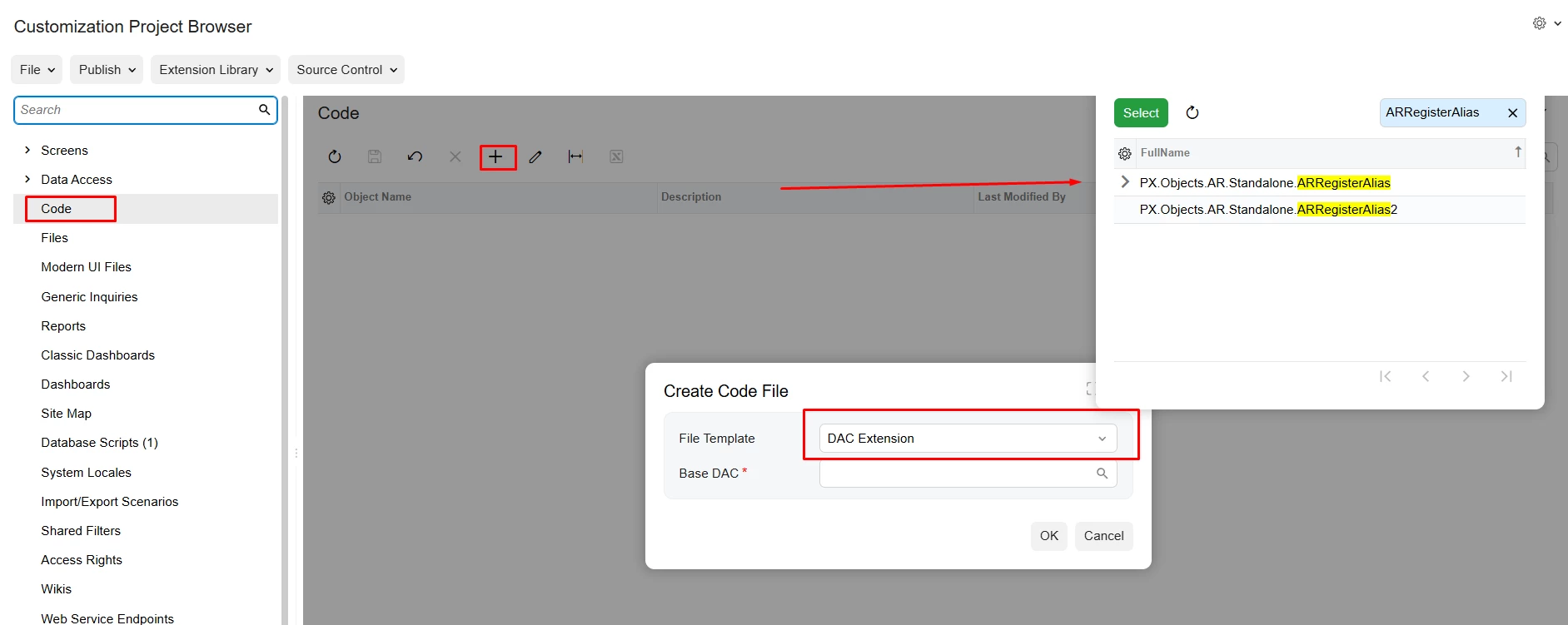
  • Navigate to the Code Section: In your customization project, go to the Code tab on the left-hand sidebar.

  • Create a New Entry: Click the + (Add) button.

  • Select the File Template: Choose DAC Extension.

    • Base DAC: Search for and select ARRegisterAlias.

    • Click OK.

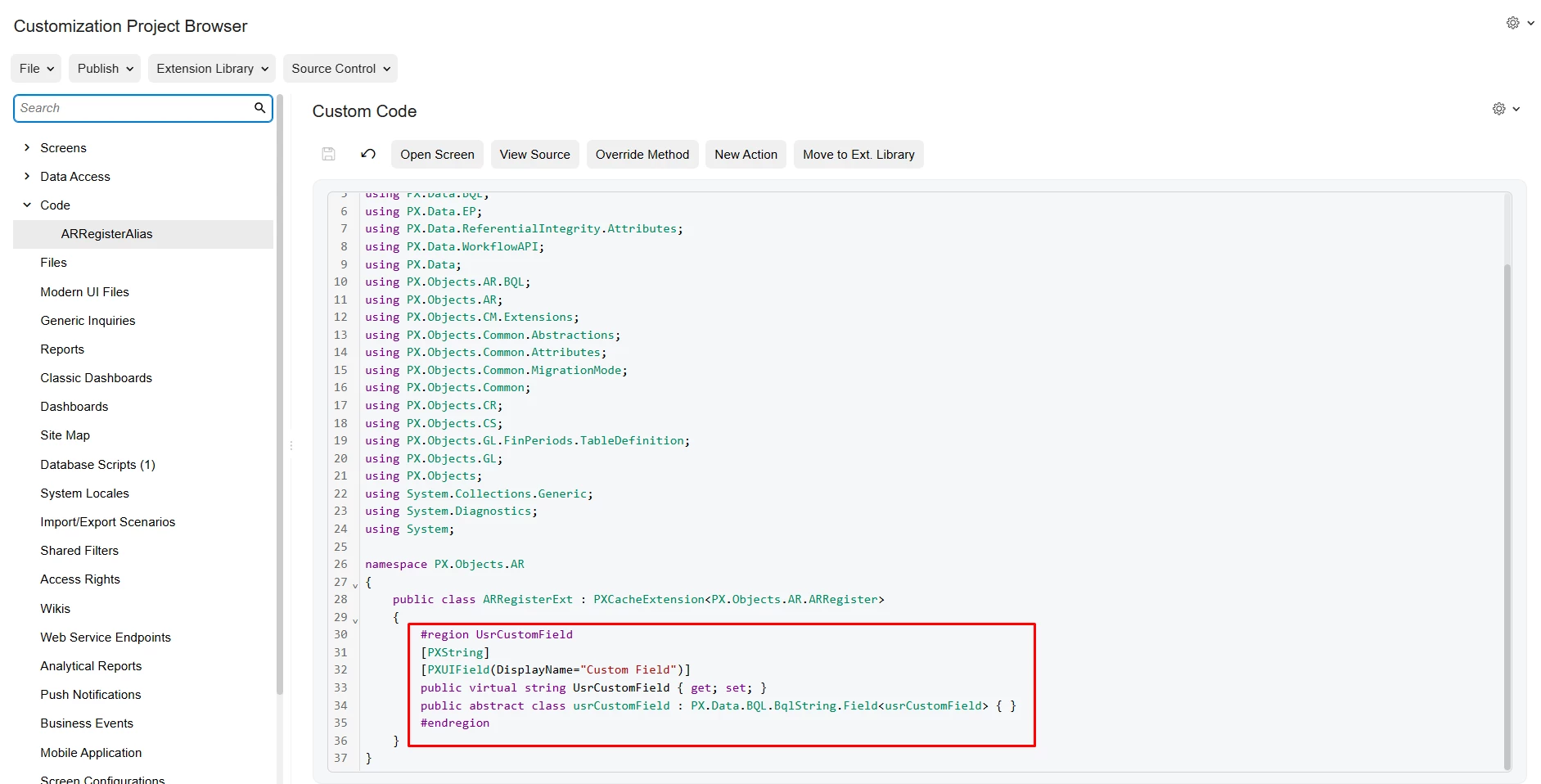
Update the Code: The system will generate a template and open the code editor. Locate the placeholder for UsrCustomField and replace it with your specific field code, which you can find below.
 

​​​​​​You can use the snippet below:

#region UsrRANbr
[PXDBString(50)]
[PXUIField(DisplayName = "Rental Agreement Nbr.")]

public virtual string UsrRANbr { get; set; }
public abstract class usrRANbr : PX.Data.BQL.BqlString.Field<usrRANbr> { }
#endregion


aryanjadhav50
Jr Varsity I
Forum|alt.badge.img
  • Jr Varsity I
  • February 16, 2026

Hi ​@MarkD 
 

This issue is not related to the AllowSort property. Setting AllowSort = True only enables sorting from the UI side. It does not guarantee that the column can actually be sorted at the database level.

The real problem is that the field UsrRANbr is not part of the BQL query used by the Application History grid.

In the Payments and Applications screen (AR302000), the Application History tab does not use ARRegister as its main table. It is based on ARAdjust / ARAdjust2, with joins to ARInvoice and other tables. When you try to sort the column, Acumatica generates an ORDER BY ARRegister.UsrRANbr clause. Since ARRegister is not included in the base query of that view, SQL cannot find that column and throws this error:

Unknown column 'ARRegister.UsrRANbr' in order clause

For sorting to work, the field must be part of the primary DAC used by the grid view.

Correct approach

First, identify the view used by the Application History tab. In most versions, it is Adjustments_History (or a similar view) inside the ARPaymentEntry graph.

You should not bind the grid column directly to ARRegister.UsrRANbr.

Instead, you need to bring that field into the DAC that the grid is actually using.

There are two proper ways to handle this.

Option 1 – Add the field to ARAdjust (recommended)

Create a DAC extension for ARAdjust (or ARAdjust2, depending on your version) and pull the value from ARInvoice using PXDBScalar.

Example:

public class ARAdjustExt : PXCacheExtension<ARAdjust>
{
#region UsrRANbr
[PXString(50)]
[PXUIField(DisplayName = "Rental Agreement Nbr")]
[PXDBScalar(typeof(
Search<ARInvoiceExt.usrRANbr,
Where<ARInvoice.docType, Equal<ARAdjust.adjdDocType>,
And<ARInvoice.refNbr, Equal<ARAdjust.adjdRefNbr>>>>))]
public string UsrRANbr { get; set; }
public abstract class usrRANbr : PX.Data.BQL.BqlString.Field<usrRANbr> { }
#endregion
}

This brings the Rental Agreement Nbr value from ARInvoice into ARAdjust. Once the field becomes part of the ARAdjust projection, it exists in the SQL query, and sorting will work properly.

After that, make sure the grid column is bound to ARAdjust.UsrRANbr instead of ARRegister.UsrRANbr.

Option 2 – Modify the view to include ARRegister (advanced)

Another approach is to override the Adjustments_History view in a graph extension and explicitly add a join to ARRegister so that UsrRANbr becomes part of the BQL query.

However, this is more invasive and usually unnecessary if you only need this single field. That is why the PXDBScalar approach is cleaner and recommended.

Best practice to remember

For sorting to work in Acumatica grids:

• The field must belong to the primary DAC of the view
• Or it must be added using PXDBScalar
• Or it must be included through a proper BQL join

Simply setting AllowSort = True will not work if the field is not part of the SQL query generated by the view.