Question

Allow Column Sorting in custom column

  • February 3, 2026
  • 12 replies
  • 79 views

Forum|alt.badge.img


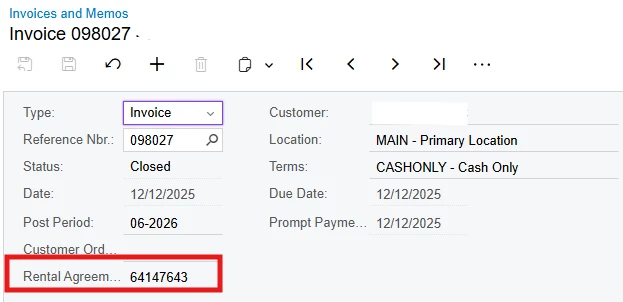
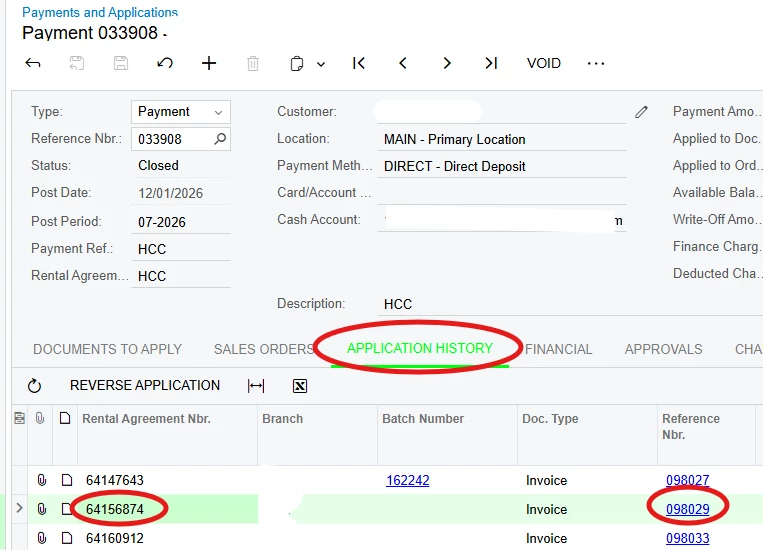
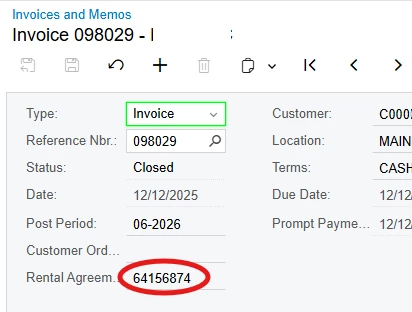
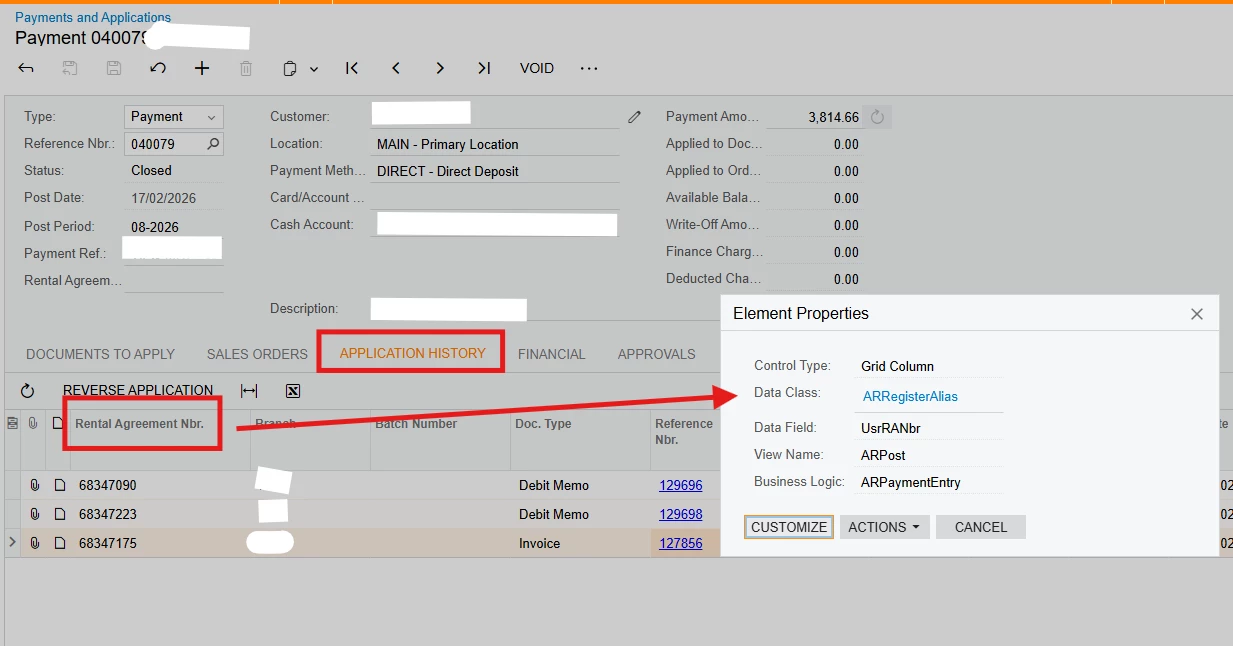
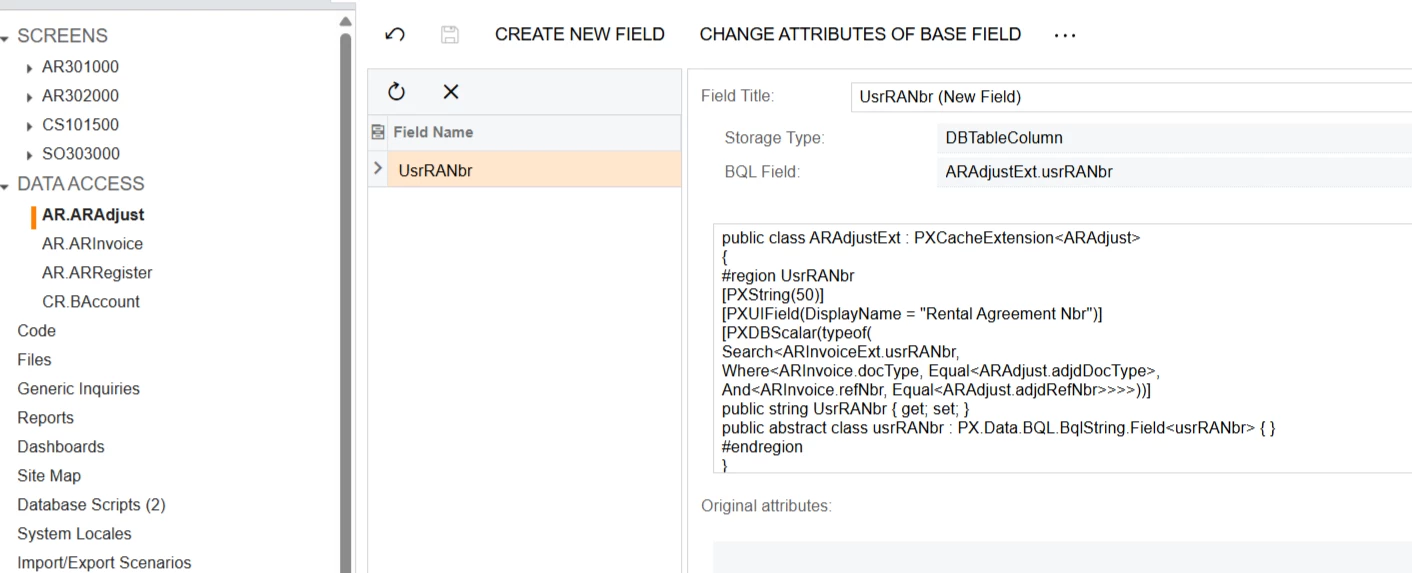
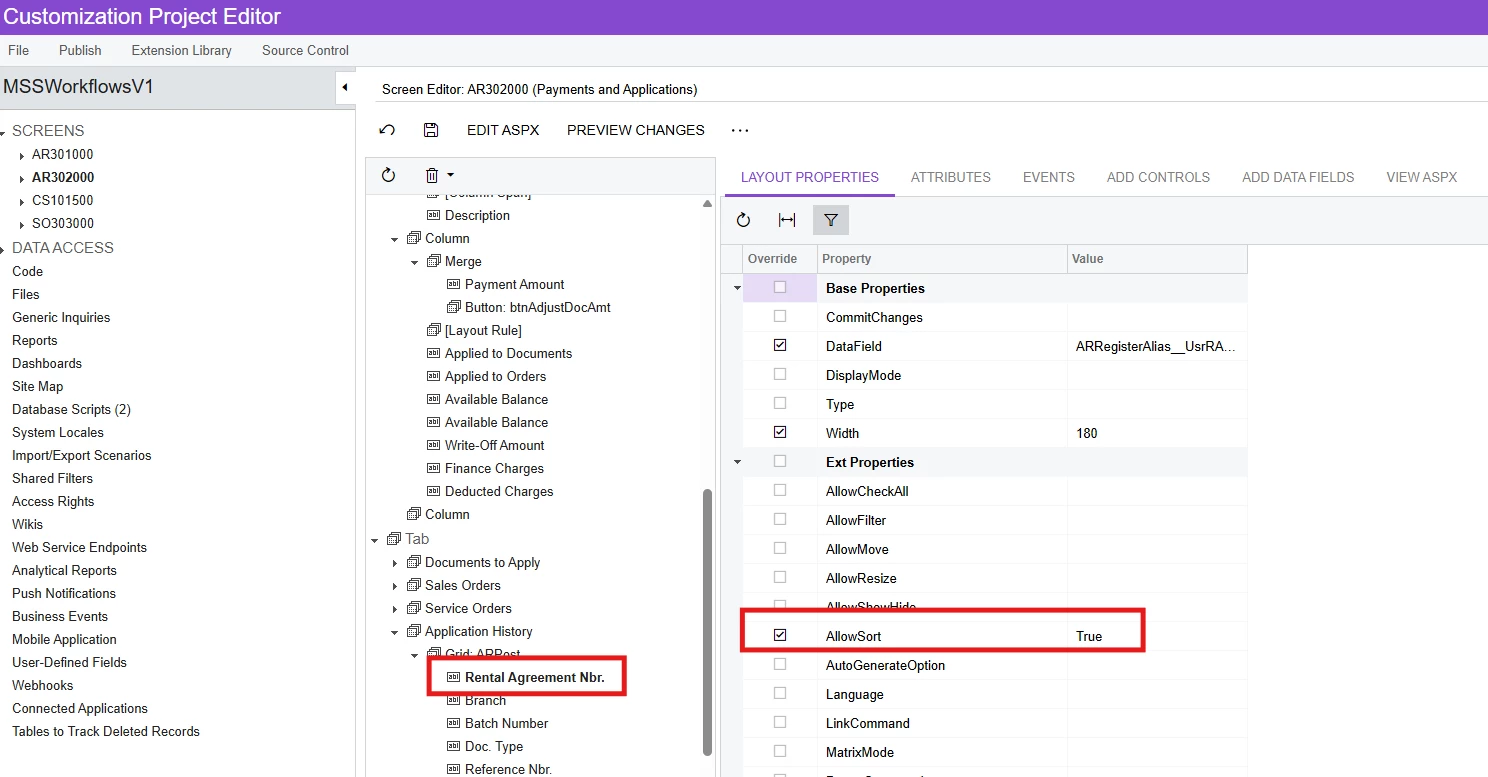
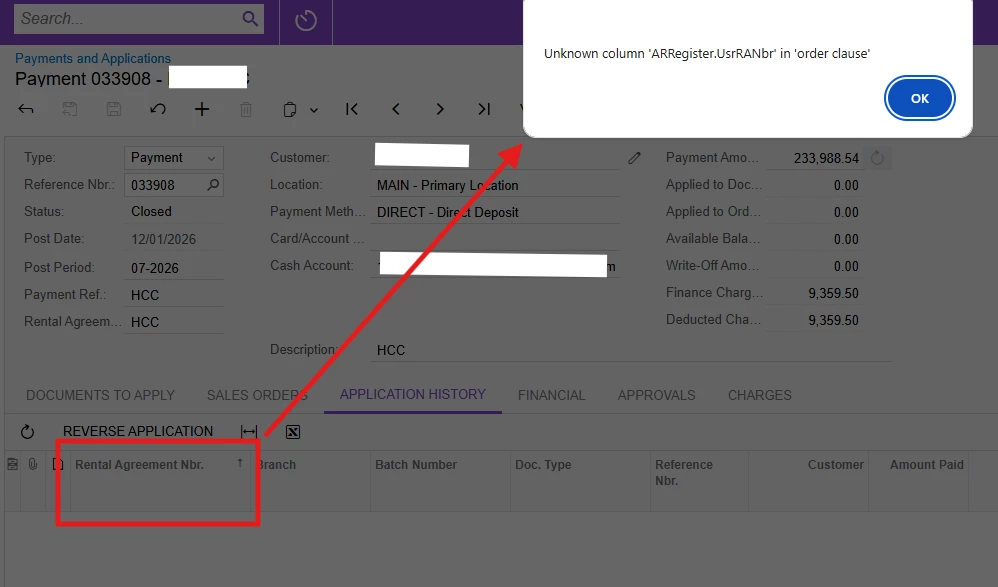
Hi, there is a custom field in Invoices and Memos screen called ‘Rental Agreement Nbr’ and this is also added in Application History tab of Payments and Applications screen. When sorting this column, I get the error: Unknown column 'ARRegister.UsrRANbr' in 'order clause' even though I have set the AllowSort to True. How do I allow sorting on this column?


12 replies

Forum|alt.badge.img+9
  • Captain II
  • February 3, 2026

@MarkD 


I don’t think you actually have to specify anything to be able to sort by that column. I am able to sort on my custom fields just after adding them to the screen.


Forum|alt.badge.img
  • Author
  • Jr Varsity III
  • February 3, 2026

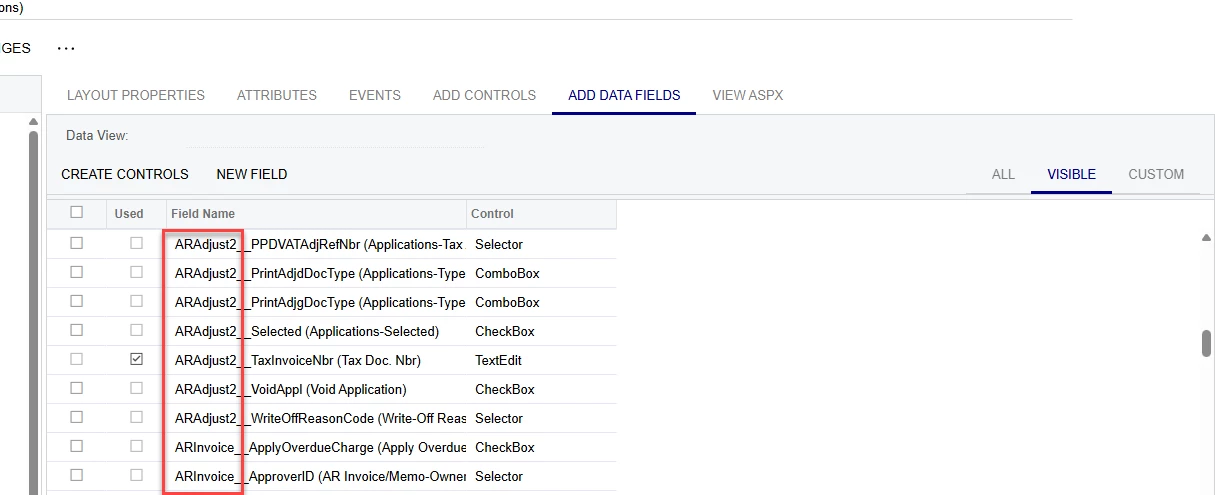
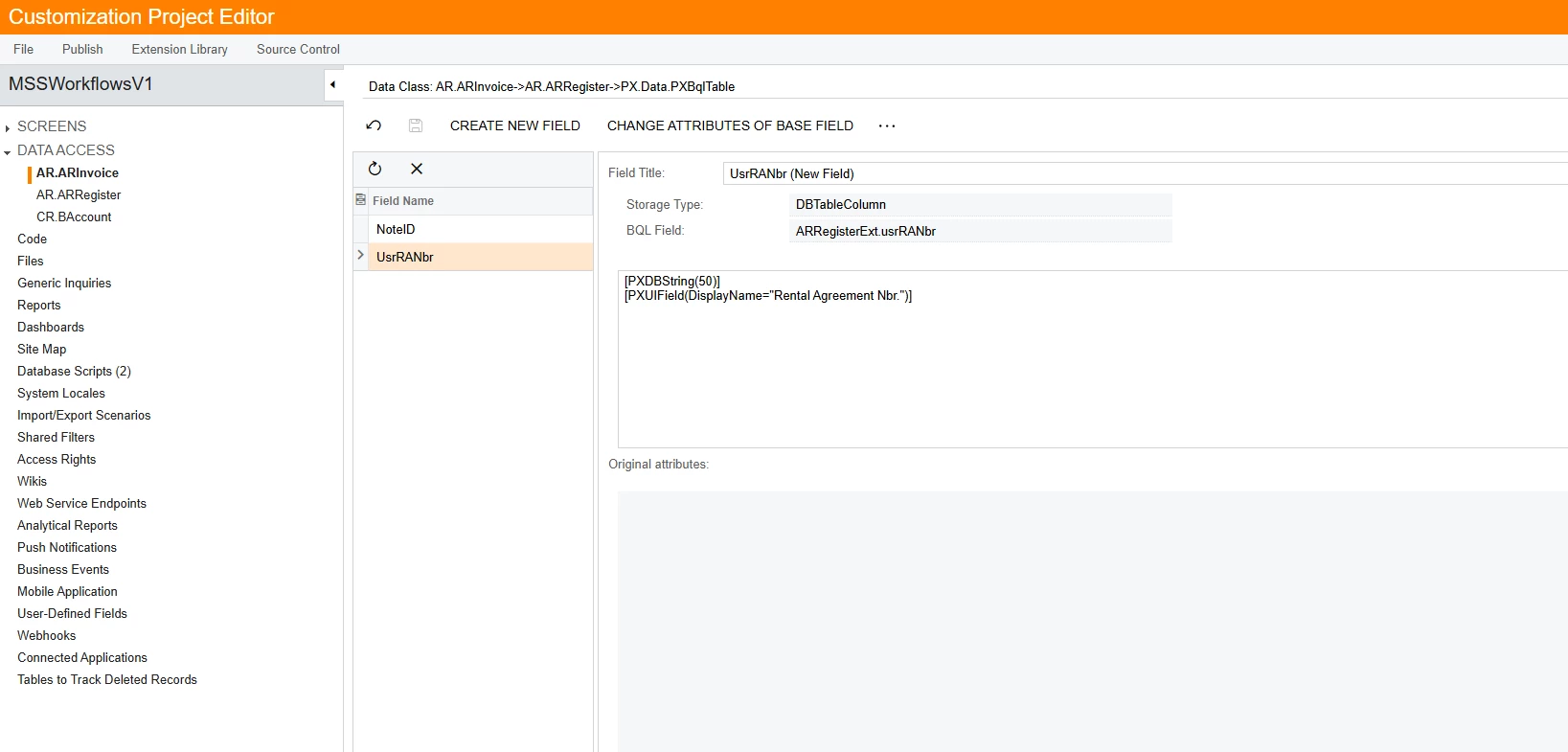
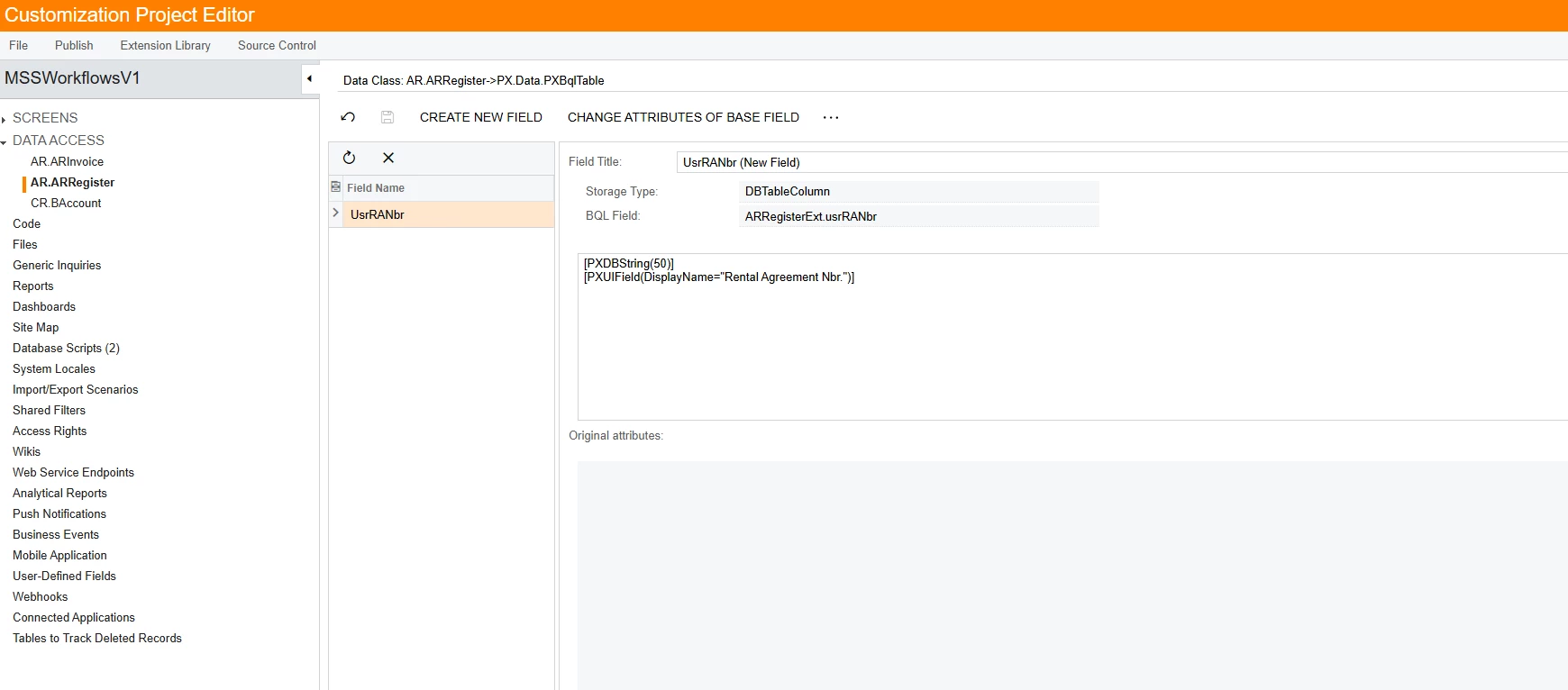
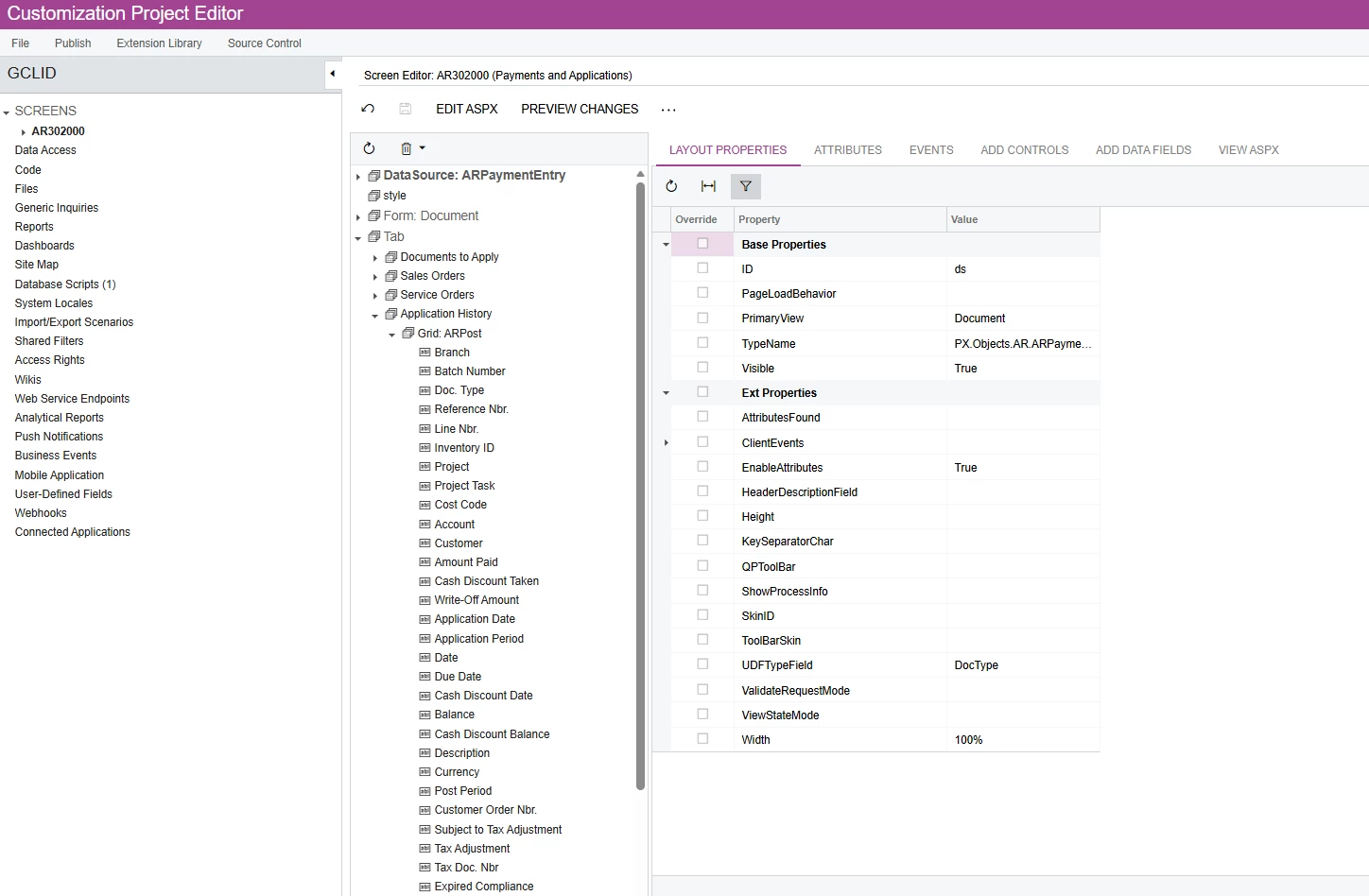
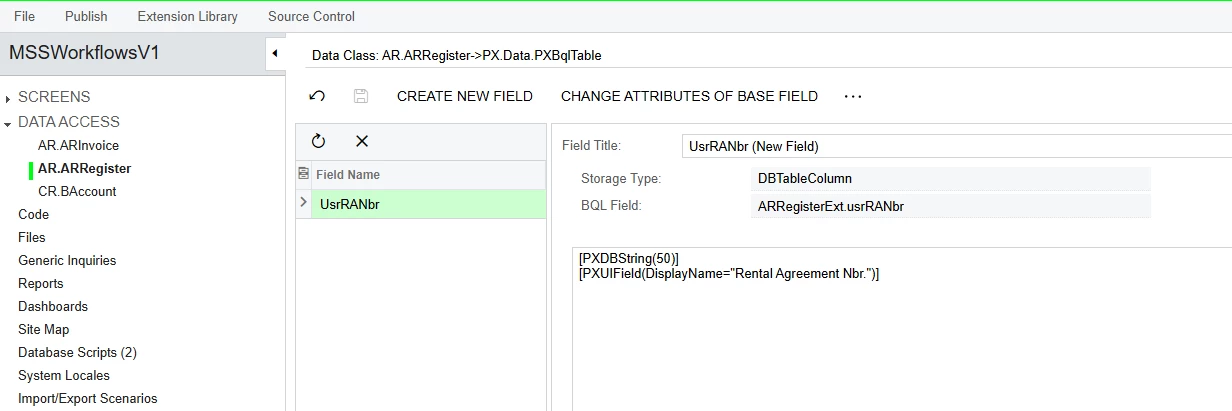
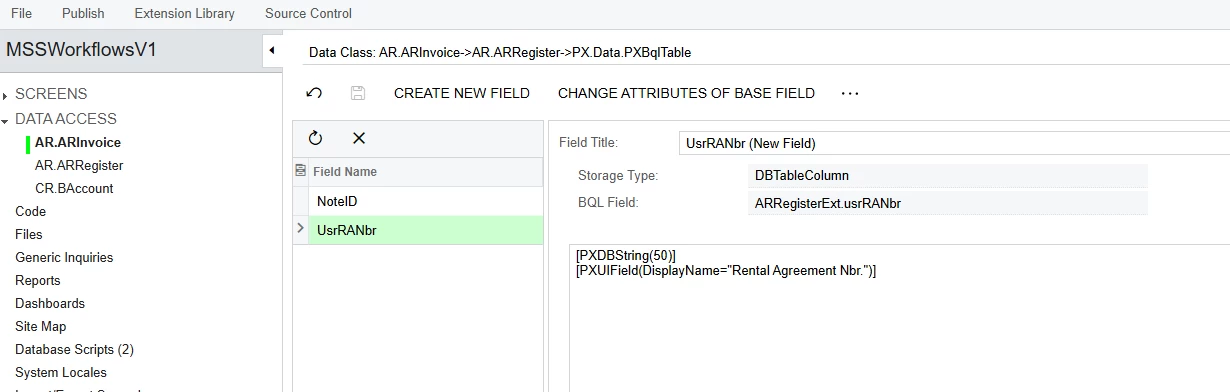
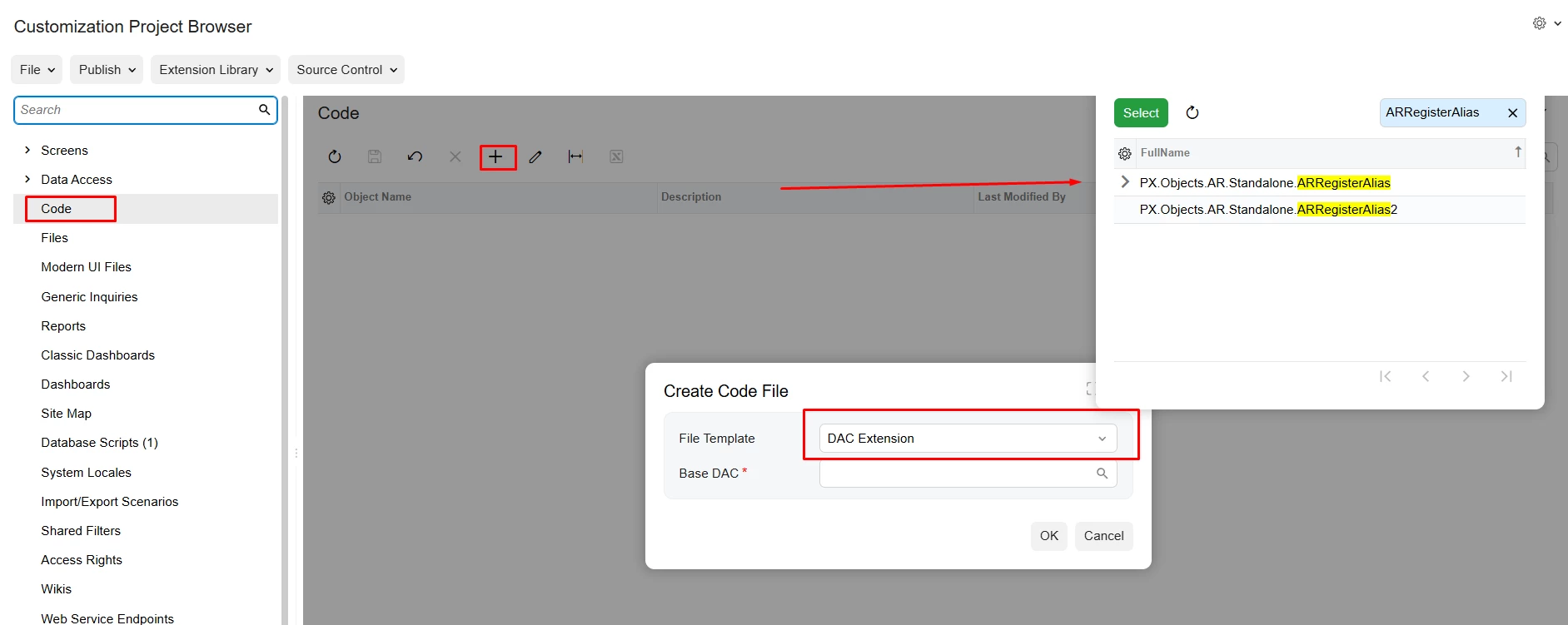
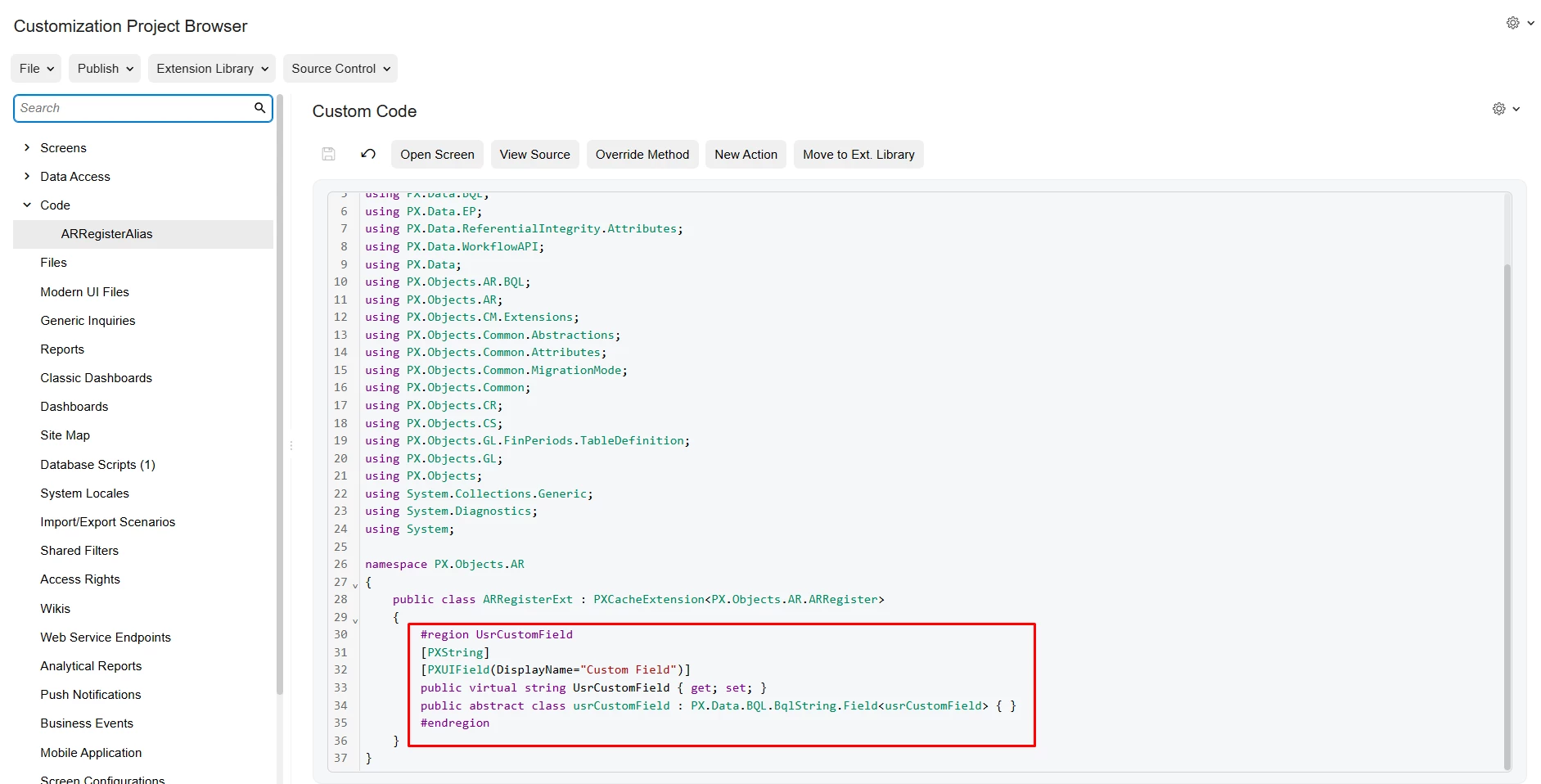
Hi ​@aiwan maybe the rental agreement nbr field was added incorrectly. I’m also unsure, how the field was added into Invoices and Memos screen and extended as a column in Payments and Applications screen, but here’s what I found (see screenshots below). Could you please share how you added a custom field and how to extend it as a column on a different table?


Forum|alt.badge.img+9
  • Captain II
  • February 3, 2026

That looks fine.


You will want to go into the ‘Screens’ section in the left hand toolbar, then click into ‘Payments and Applications (AR302000)’.

Then expand ‘Tab’ and then expand ‘Application History’.


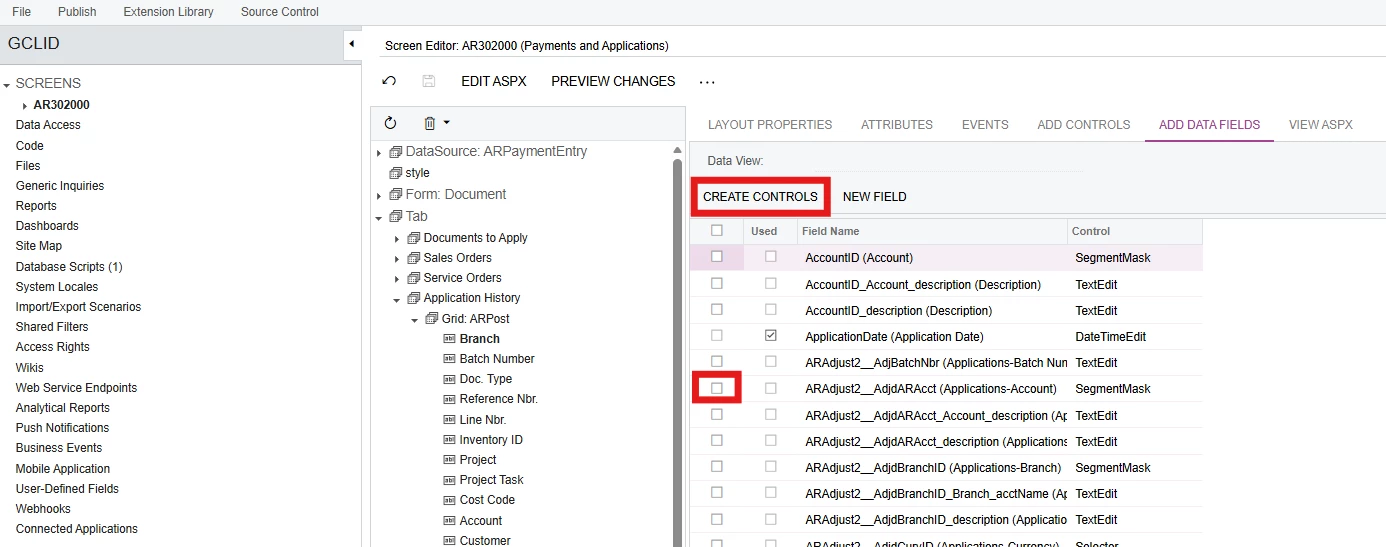
From here you will be able to find the field, then remove it using the bin icon, to add it back you should go to ‘Add data fields’


Here, you should tick the field you want to use in the leftmost column, then press create controls.


Hope this helps.


Forum|alt.badge.img
  • Author
  • Jr Varsity III
  • February 3, 2026

If I understand it correctly, you want me to re-add the custom field and republish it?


Forum|alt.badge.img+9
  • Captain II
  • February 3, 2026

Yes please.


Forum|alt.badge.img
  • Author
  • Jr Varsity III
  • February 3, 2026

Hi ​@aiwan - I got the same error after re-adding and republishing. There must be something missing. Any other thoughts?


Forum|alt.badge.img+9
  • Captain II
  • February 3, 2026

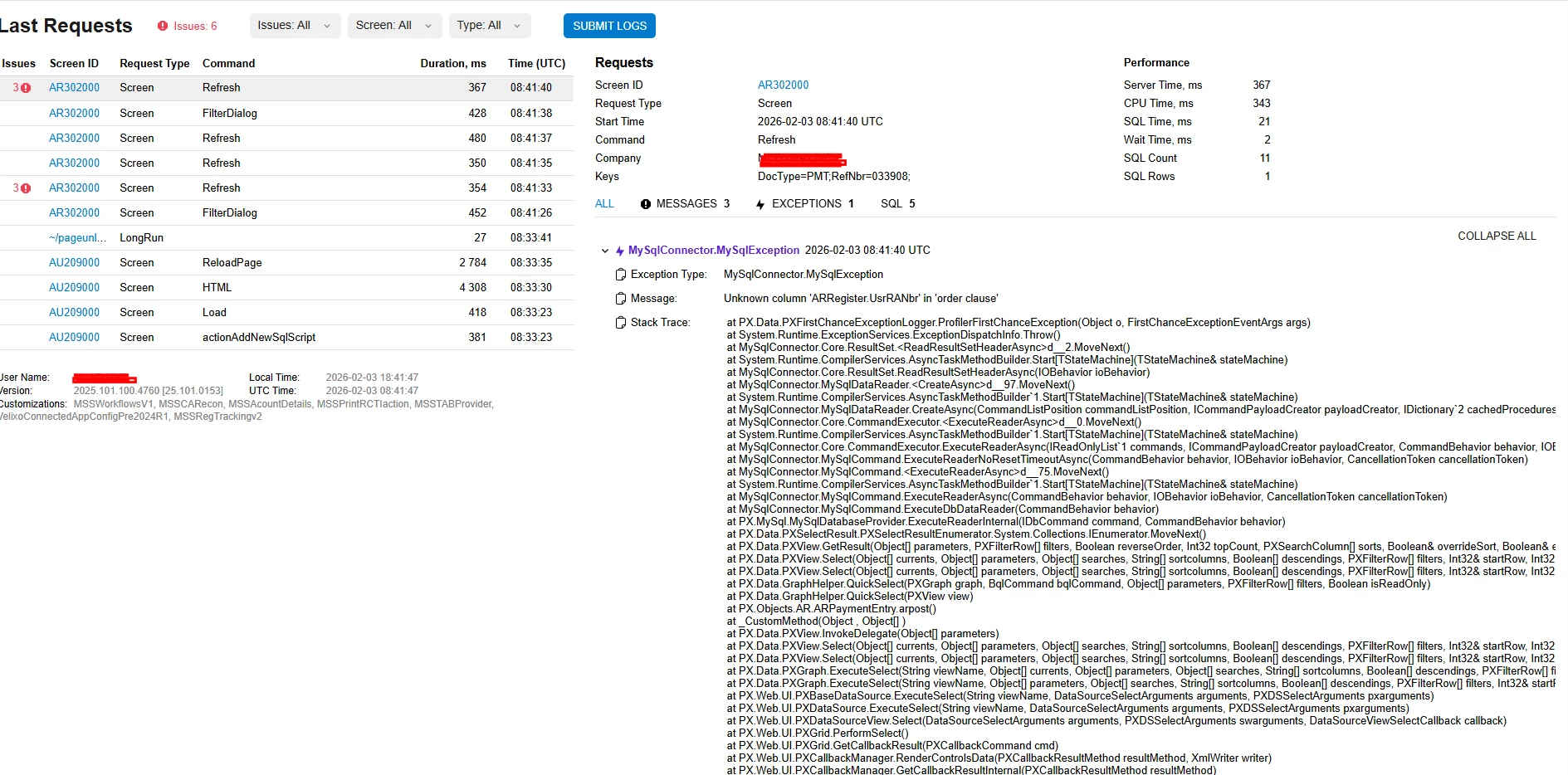
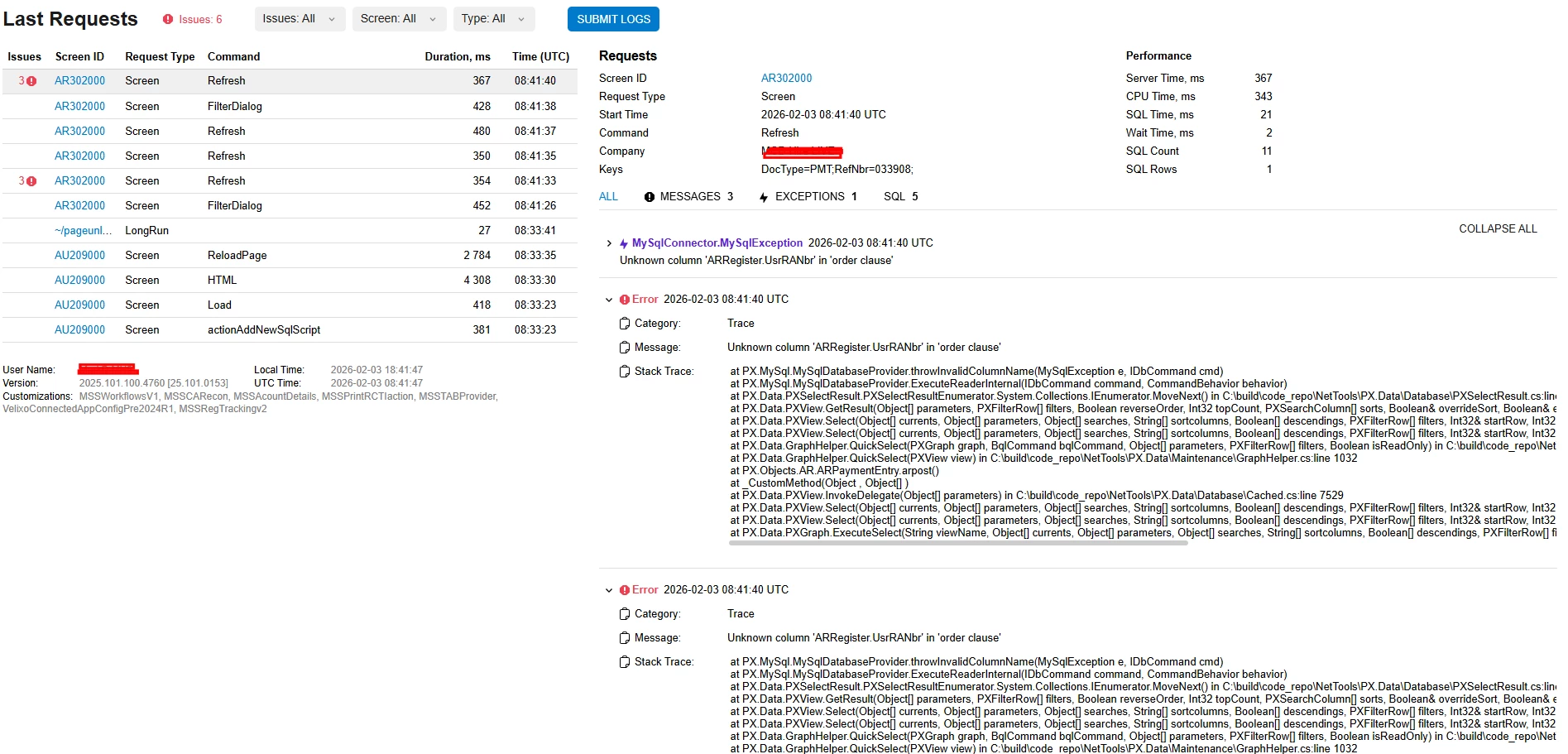
Could you share the trace please?


Forum|alt.badge.img
  • Author
  • Jr Varsity III
  • February 3, 2026

Here you go:


harutyungevorgyan
Jr Varsity I
Forum|alt.badge.img+4

Hello ​@MarkD ,

Since you are working with a bound field, start by verifying that the column actually exists in the ARRegister table within SQL. A missing column is a likely source of this issue.


Forum|alt.badge.img
  • Author
  • Jr Varsity III
  • February 3, 2026

Sorry, not so tech savvy. How do I actually verify that in Customization Project Editor?


harutyungevorgyan
Jr Varsity I
Forum|alt.badge.img+4

Sorry, not so tech savvy. How do I actually verify that in Customization Project Editor?

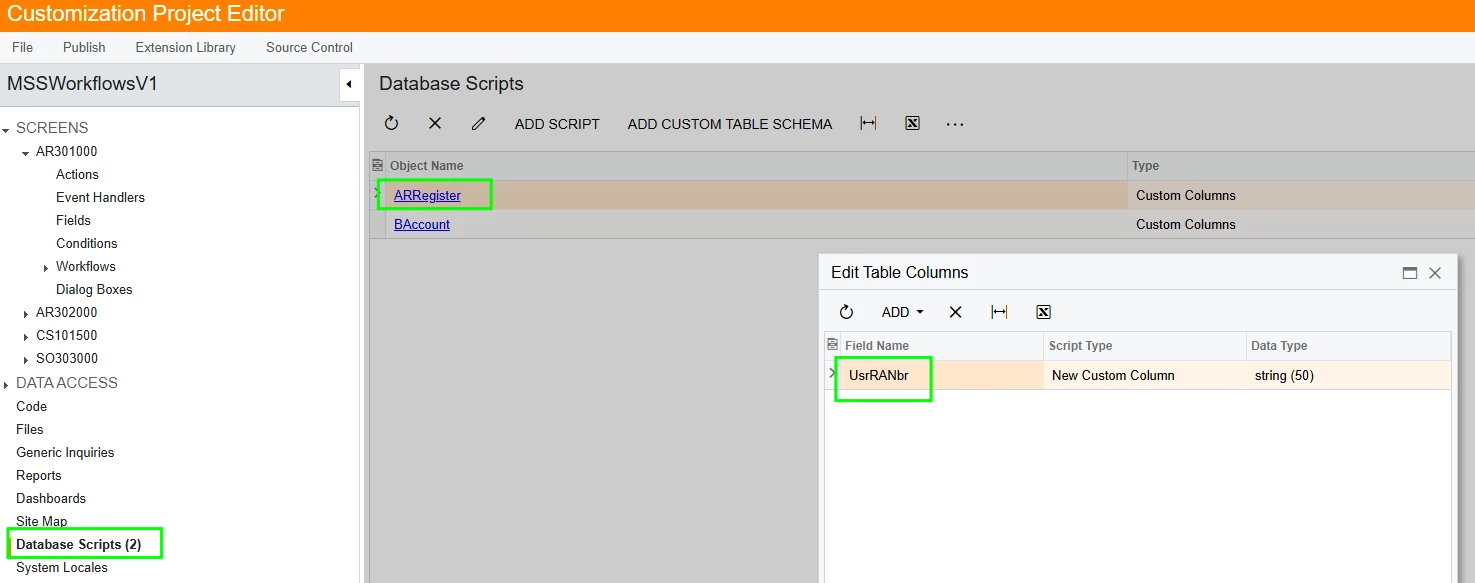
To verify the field, first check the Database Scripts section within your customization project to ensure the UsrRANbr field is included in the ARRegister table script. Once confirmed, use the Publish to Multiple Tenants option in the Customization Projects screen, making sure to select Execute All Database Scripts.

However, the most direct method is to run a query via MySQL to confirm the column physically exists within the ARRegister table. This remains the simplest and most reliable way to verify the database schema.

Please try this, and if you still see an error, I will help to check if the column is actually located there without technical knowledge.


Forum|alt.badge.img
  • Author
  • Jr Varsity III
  • February 13, 2026

@harutyungevorgyan - Sorry, I just got back. Looks like I need to unpublish customizations first before I can publish to multiple tenants and execute all database scripts.

I’ll let you know if that solves the issue.