Answer

Adding a column to the AP Bill Vendor Selector

  • January 28, 2022
  • 5 replies
  • 307 views

Forum|alt.badge.img

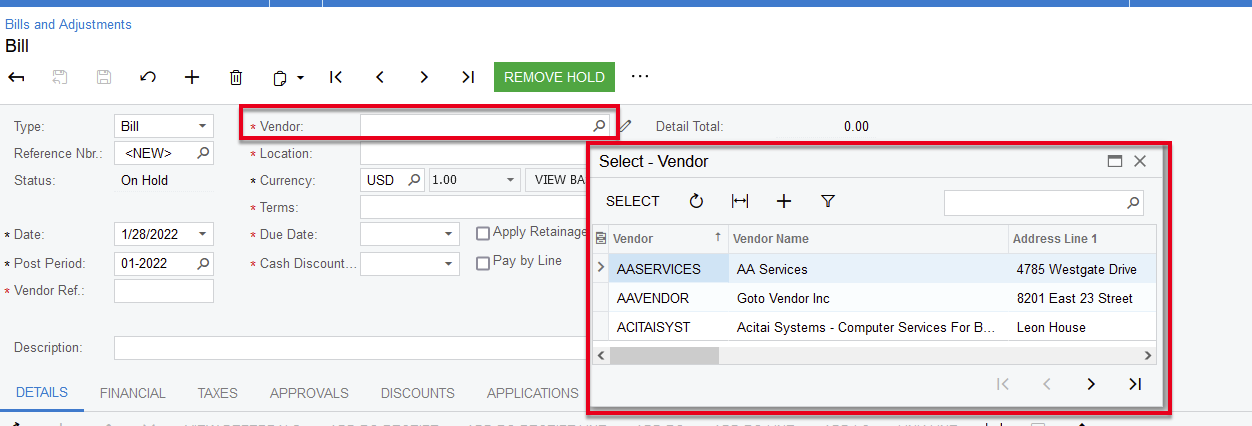
My customer would like to add the State field to the Vendor Selector form on the AP BIlls and Adjustments form.

I have followed this article https://www.info-sourcing.com/how-to-add-fields-to-acumatica-selector-lookup-no-coding/  but it is not adding the column.

Has anyone had any success adding a column to the vendor selector window?
 

Best answer by ChandraM

Hi @coleenmcnally22 Did you publish the customization after completing the steps on “Customization Project Editor”. If NOT, try publishing the project that you added the additional columns.

Thanks


5 replies

Forum|alt.badge.img+8
  • Semi-Pro I
  • Answer
  • February 4, 2022

Hi @coleenmcnally22 Did you publish the customization after completing the steps on “Customization Project Editor”. If NOT, try publishing the project that you added the additional columns.

Thanks


Forum|alt.badge.img+8
  • Semi-Pro I
  • February 4, 2022

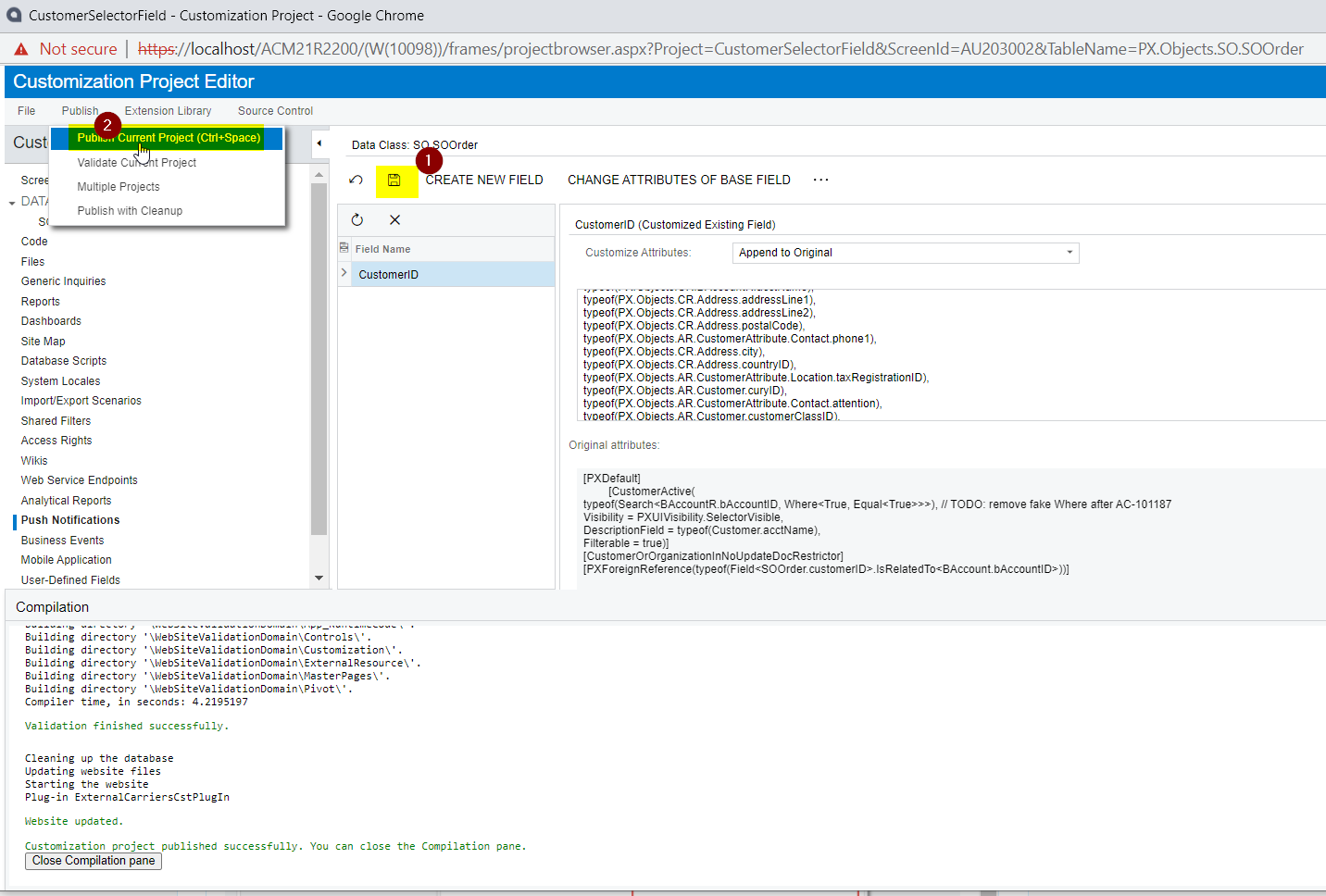
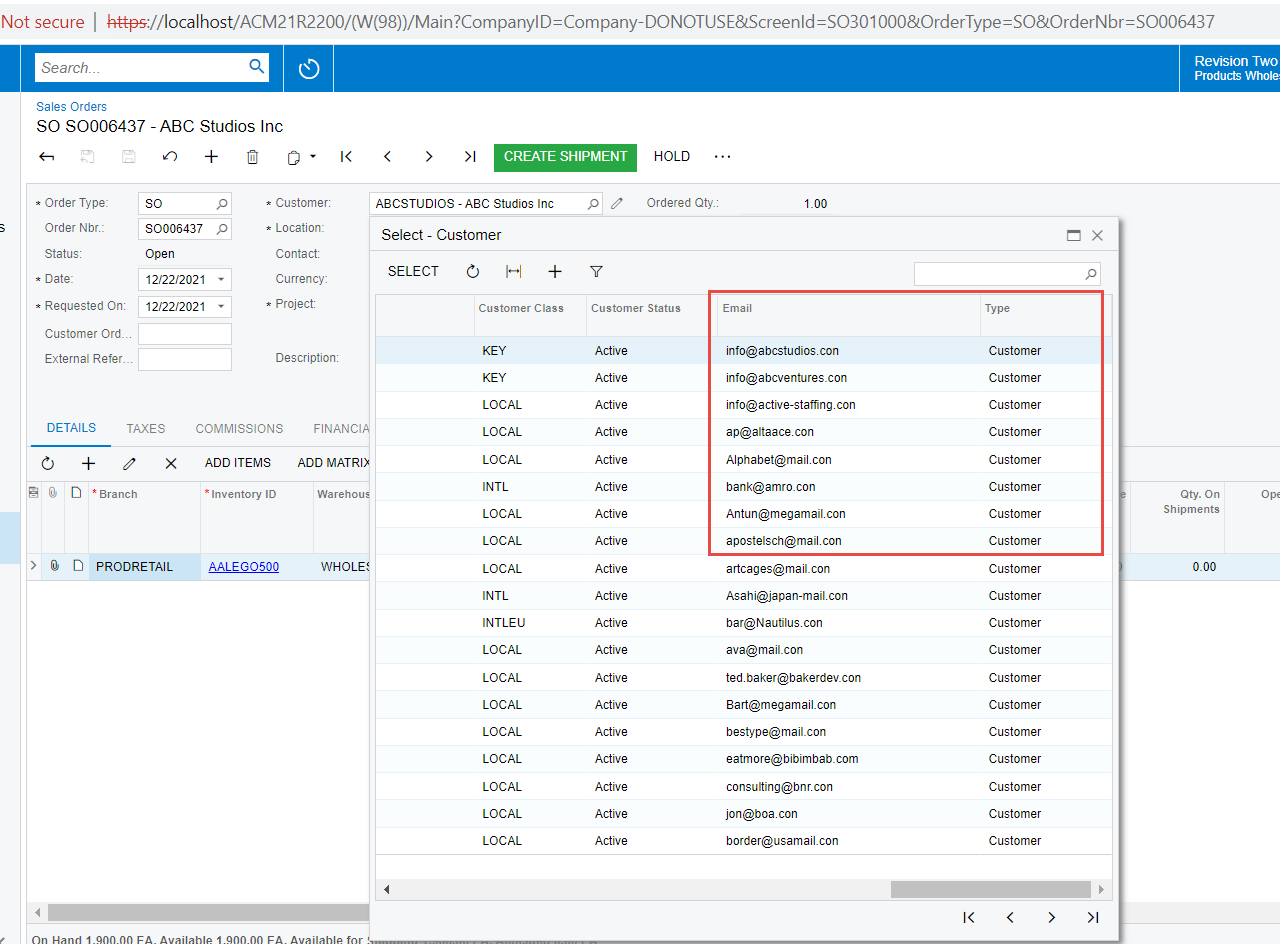
Hi @coleenmcnally22 Please find the below additional screenshots that shows the results after publishing the package.

Customization Published:

Result: The new columns are added


KishoK
Jr Varsity I
  • Jr Varsity I
  • February 5, 2022

Hi @coleenmcnally22
possible duplicate of this thread 
 

You can find my answer there 
Regards 


Forum|alt.badge.img+8
  • Semi-Pro I
  • February 7, 2022

Hi @KishoK The only difference about this requirement is to get the additional Colum (without any code) through the  “Add Columns” in the customization projects interface.

Thanks


KrunalDoshi
Freshman II
  • Freshman II
  • December 18, 2023

Hi,

Can we add Notes to the selector?