Answer

Add section to header New UI

  • July 15, 2025
  • 5 replies
  • 93 views

Forum|alt.badge.img

I have next problem. I am trying to add section to the right to blue section but it’s displayed on the bottom of the screen
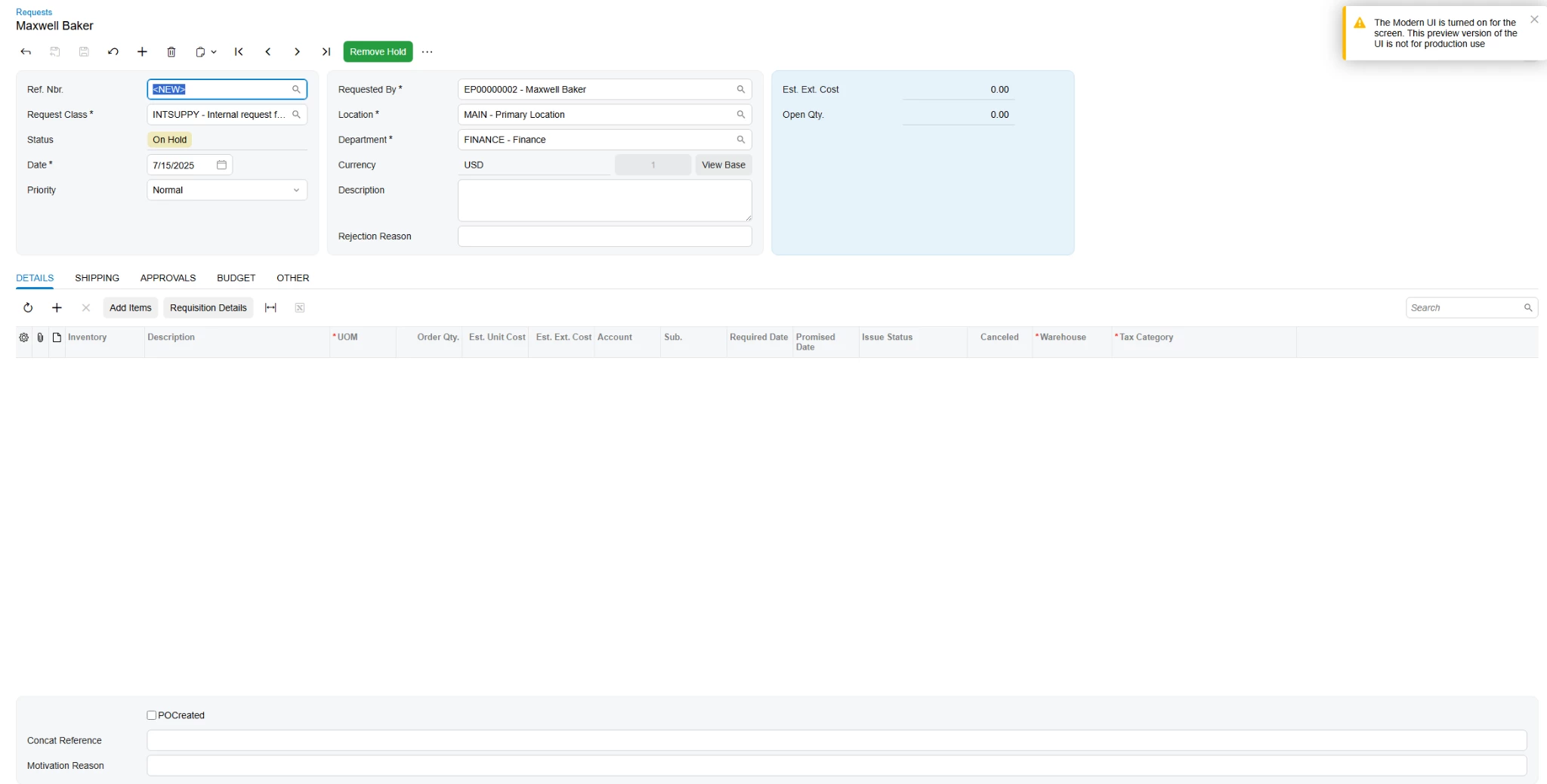
 

How I can make it correct?
 

<template>

  <qp-fieldset id="fsColumnD-Request" view.bind="Document">

      <field name="UsrPOCreated"></field>

      <field name="UsrConcatReference"></field>

      <field name="UsrMotivationReason"></field>

  </qp-fieldset>

<field after="#fsColumnB-Request [name='Description']" name="UsrRejectReason"></field>

<field after="#grid-Details [name='InventoryID']" name="UsrWarehouse"></field>

<field after="#grid-Details [name='UsrWarehouse']" name="UsrTaxCategory"></field>

</template>

Best answer by aiwan

@VadymBoichenko96 


The Modern UI is limited, by default, to 3 columns in the ‘header’ section of a form.

I have seen a way to add another column, but this is not recommended by Acumatica.

Here is a link that shows how to do it:

How to add more than three columns to the Form template in Modern UI? | Community

5 replies

Forum|alt.badge.img+2

​Hello, @VadymBoichenko96 
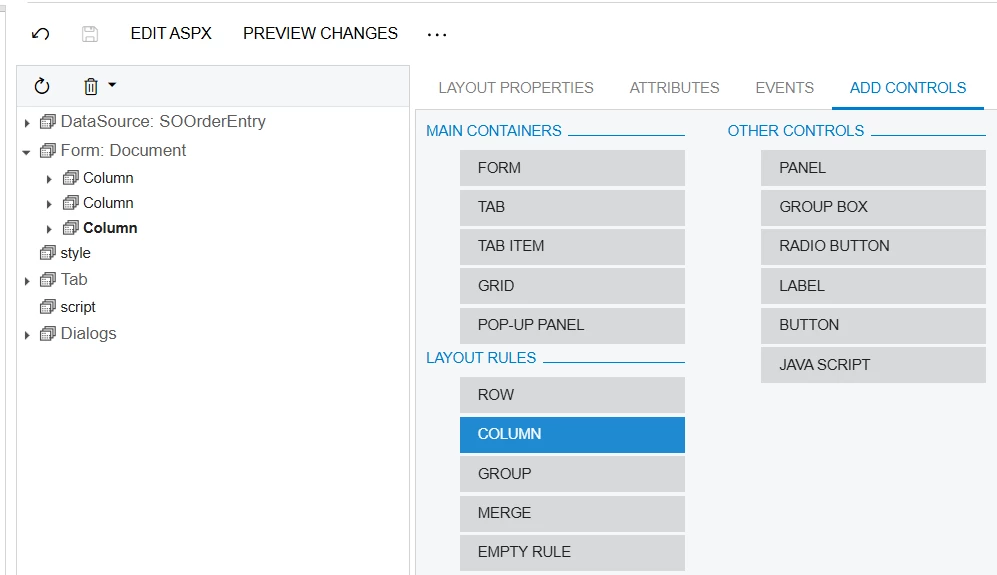
You can go to  Customization Editor & Add Column first then add your Fields 
 

Then You able to see Section beside Blue section.

I hope it Helps!


Forum|alt.badge.img

@Abhishek Niikam Hello. I have this approach and it’s works for old UI but not for new UI


darylbowman
Captain II
Forum|alt.badge.img+15

I can tell you why. I can’t tell you how to fix it (or if it’s possible / smart).

RQ301000.html (exerpt)

<template>
<qp-template id="form-Request" name="7-10-7" class="equal-height" qp-collapsible wg-container="document_form">
<qp-fieldset id="fsColumnA-Request" slot="A" view.bind="Document">
// fields
</qp-fieldset>
<qp-fieldset id="fsColumnB-Request" slot="B" view.bind="Document">
// fields
</qp-fieldset>
<qp-fieldset id="fsColumnC-Request" slot="C" view.bind="Document" class="highlights-section">
// fields
</qp-fieldset>
</qp-template>

Notice <qp-template id="form-Request" name="7-10-7" 

This displays three columns, where fieldset fsColumnA-Request is in slot ‘A’, fsColumnB-Request in ‘B’, and fsColumnC-Request in ‘C’.


Forum|alt.badge.img

@darylbowman  Hello. Thanks. Yeah, i saw that but haven’t found a way how to add one more column to header


Forum|alt.badge.img+8
  • Captain II
  • Answer
  • July 16, 2025

@VadymBoichenko96 


The Modern UI is limited, by default, to 3 columns in the ‘header’ section of a form.

I have seen a way to add another column, but this is not recommended by Acumatica.

Here is a link that shows how to do it:

How to add more than three columns to the Form template in Modern UI? | Community