

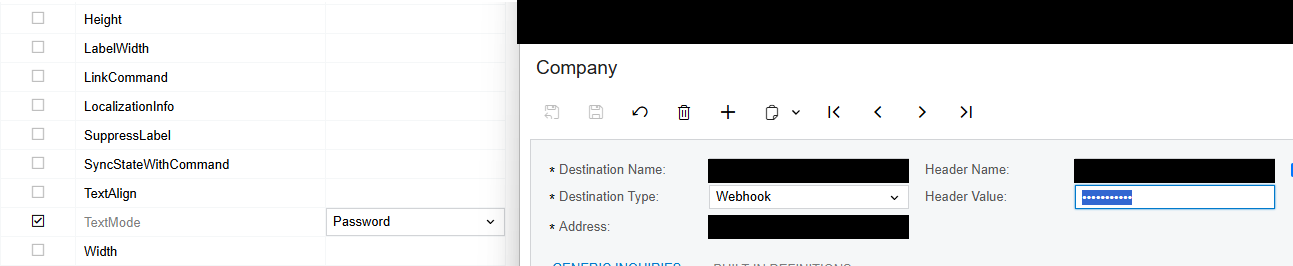
I am trying to adjust a field so that the input is masked like a password field. I have it in my classic UI customization, but I am unable to find any resources for implementing this in the modern UI.
The field in question is a base field on an Acumatica page. The field is the “Header Value” field in the “Push Notifications” page SM302000.
I have two questions:
The first is what and where do I add modifications to adjust this field to be masked as a password? Do I adjust the DAC definition for the modern UI, do I adjust the view definition of this field in an extension .ts file, and/or do I create an html extension field that modifies it?
The second question is what would that syntax look like? What specifically do I need to add to create the password masking?
I did try to look for examples within the provided Acumatica code, but was unable to find any examples.
Solved
Add Password Mask in Modern UI


Best answer by epetruncio
Hi
I have not, but I do not believe I will need to pursue this anyway.
The first solution presented hashed the value in the DB. I did not want or need the value hashed. Instead, I needed the value stored in plain text because it was being used by an API for external validation to another server and there was no way for me to un-hash the value before sending. I just wanted to mask on the UI.
I do not believe we are pursuing this route anymore anyway.





Enter your E-mail address. We'll send you an e-mail with instructions to reset your password.