Answer

Add customer order number on add payments on the bank deposit screen

  • May 13, 2025
  • 4 replies
  • 80 views

Forum|alt.badge.img

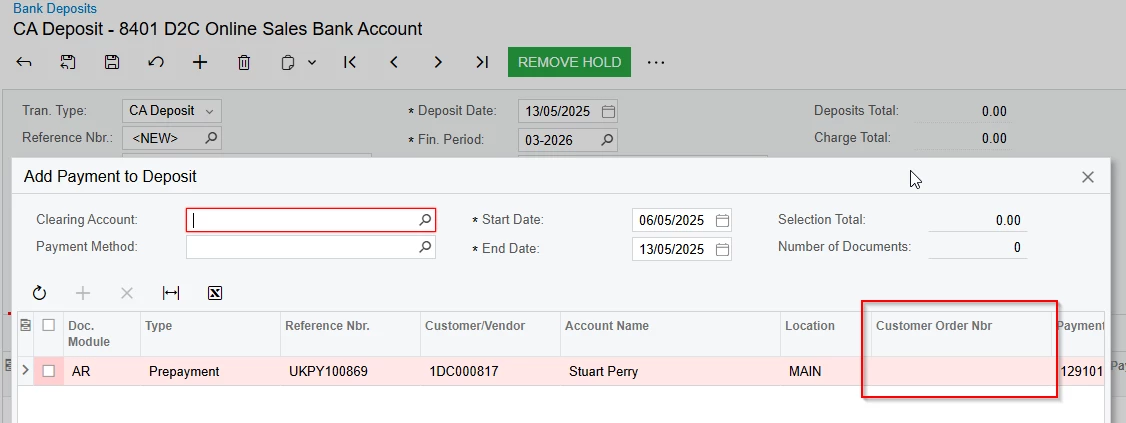
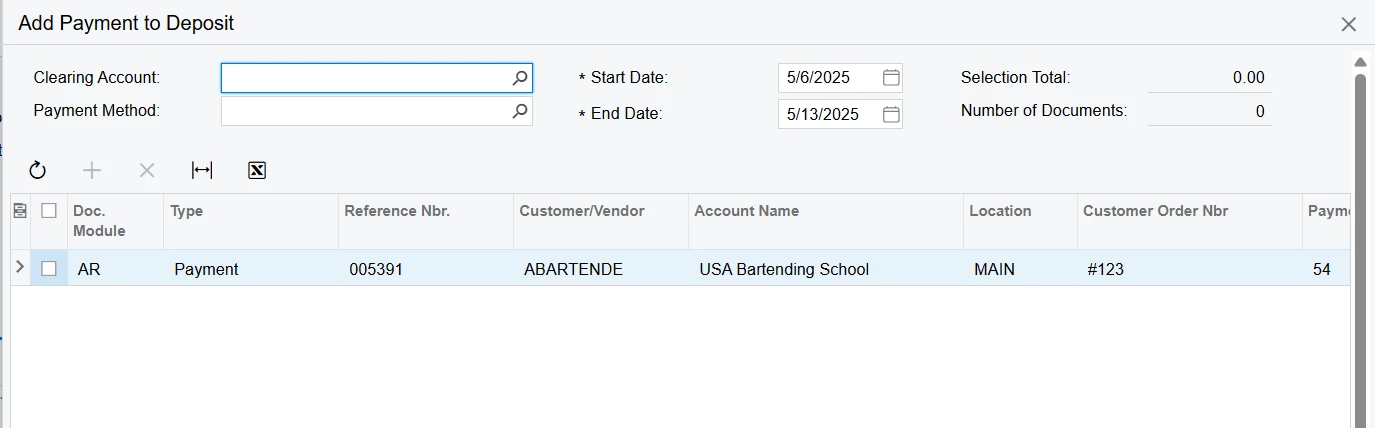
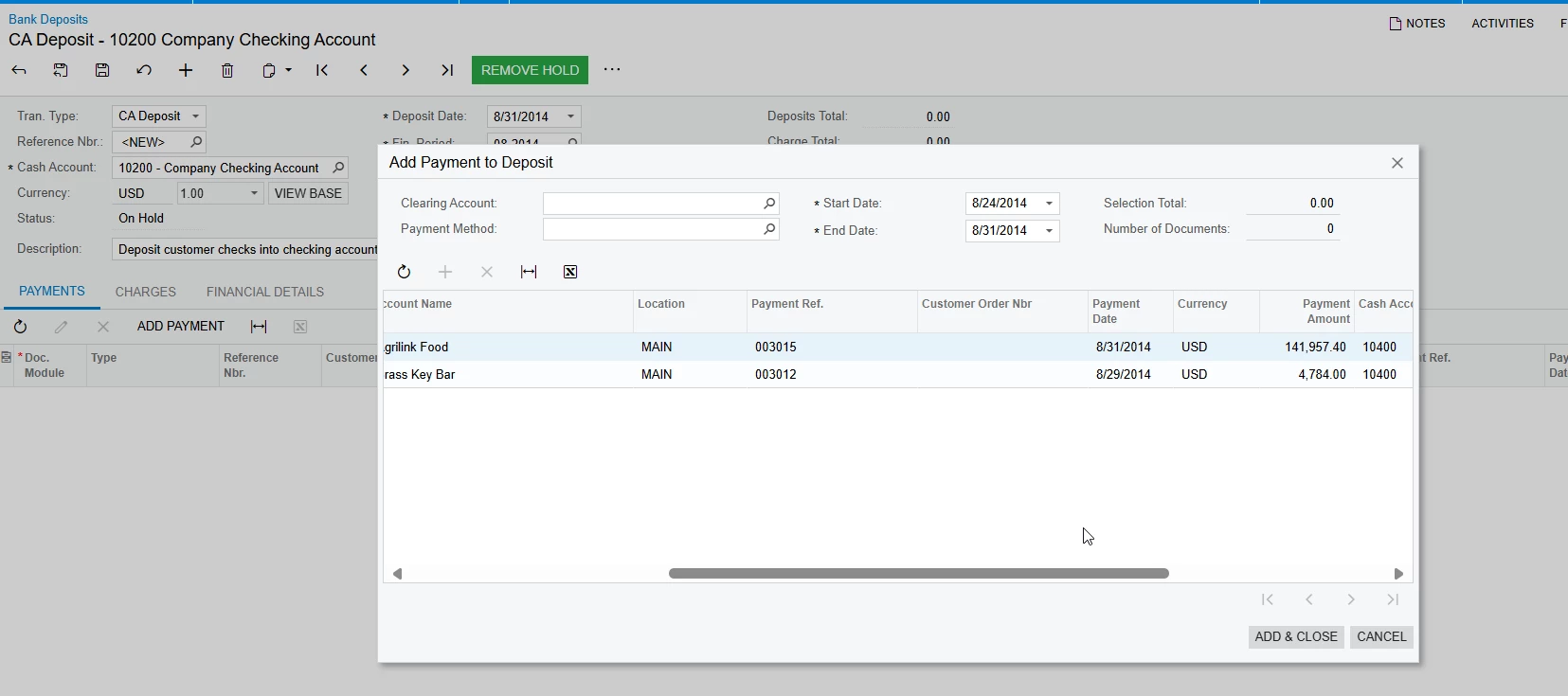
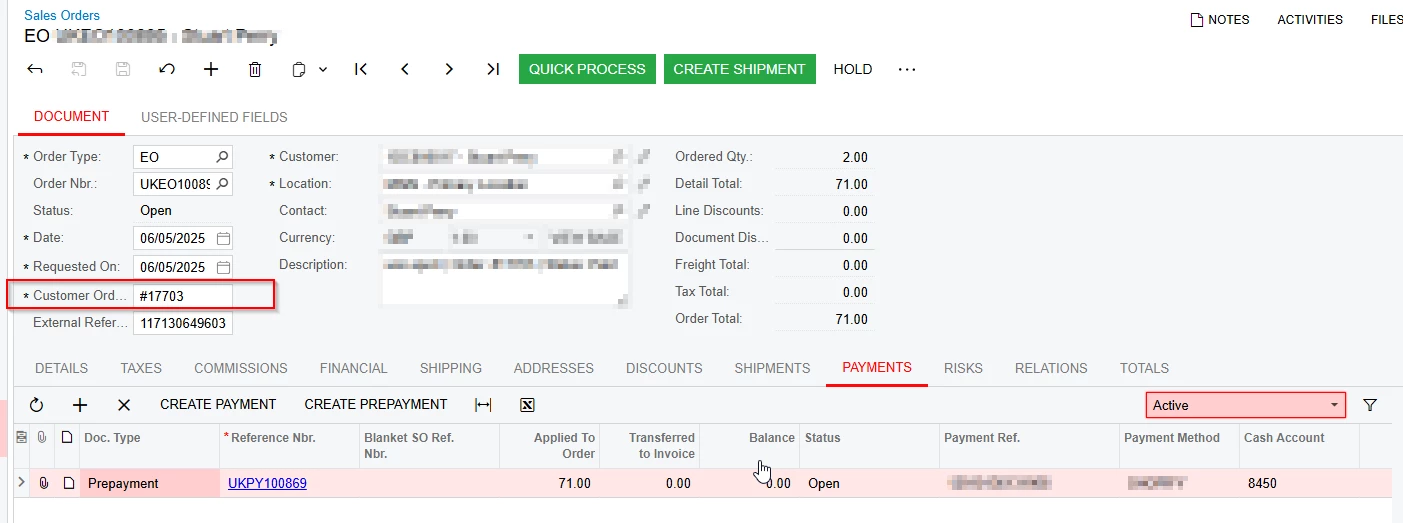
I am trying to add the customer order number on the add payments smart panel. I read that this can be done by using delegates, but I am struggling to get this to work.
I added the dac:
 

using PX.Data;
using PX.Objects.CA;
using PX.Objects.SO;

namespace PX.Objects.CA
{
    public class PaymentInfoExt : PXCacheExtension<PaymentInfo>
    {
        #region UsrCustomerOrderNbr
        [PXString(40)]
        [PXUIField(DisplayName = "Customer Order Nbr", Enabled = false)]
        public virtual string UsrCustomerOrderNbr { get; set; }
        public abstract class usrCustomerOrderNbr : PX.Data.BQL.BqlString.Field<usrCustomerOrderNbr> { }
        #endregion
    }
}


using PX.Data;
using PX.Objects.AR;
using PX.Objects.CA;
using PX.Objects.SO;
using System.Collections;

namespace PX.Objects.CA
{
    public class CATranEntryExt : PXGraphExtension<CATranEntry>
    {
        [PXOverride]
        public virtual IEnumerable payments(Func<IEnumerable> baseMethod)
        {
            foreach (PXResult<PaymentInfo, ARPayment, ARInvoice, SOOrder> result in
                PXSelectJoin<PaymentInfo,
                    LeftJoin<ARPayment, 
                        On<ARPayment.docType, Equal<PaymentInfo.origDocType>,
                        And<ARPayment.refNbr, Equal<PaymentInfo.origRefNbr>>>>,
                    LeftJoin<ARInvoice,
                        On<ARInvoice.docType, Equal<ARPayment.docType>,
                        And<ARInvoice.refNbr, Equal<ARPayment.refNbr>>>>,
                    LeftJoin<SOOrder,
                        On<SOOrder.orderType, Equal<ARInvoice.soOrderType>,
                        And<SOOrder.orderNbr, Equal<ARInvoice.soOrderNbr>>>>>>
                .Select(Base))
            {
                PaymentInfo payment = result;
                SOOrder order = result;

                var ext = PXCache<PaymentInfo>.GetExtension<PaymentInfoExt>(payment);
                ext.UsrCustomerOrderNbr = order?.CustomerOrderNbr;

                yield return payment;
            }
        }
    }
}

Am I approaching this the correct way?

Best answer by Abhishek Niikam

Hi ​@LungileNjakazi37 I’m attaching the package that worked for me just publish it & look whether its working or not. 

4 replies

Forum|alt.badge.img+2

@LungileNjakazi37 Hello, 

You can populate the custom field using the RowSelected event on PaymentInfo as shown below:
 

public class CADepositEntry_Extension : PXGraphExtension<CADepositEntry>
{
    protected void _(Events.RowSelected<PaymentInfo> e)
    {
        if (e.Row == null)
            return;

        var ext = PXCache<PaymentInfo>.GetExtension<PaymentInfoExt>(e.Row);
        if (string.IsNullOrEmpty(ext.UsrCustomerOrderNbr))
        {
            ARPayment arPayment = PXSelect<ARPayment,
                Where<ARPayment.refNbr, Equal<Required<ARPayment.refNbr>>,
                      And<ARPayment.docType, Equal<Required<ARPayment.docType>>>>>
                .Select(Base, e.Row.RefNbr, e.Row.DocType);

            if (arPayment != null)
            {
                ARAdjust adj = PXSelect<ARAdjust,
                    Where<ARAdjust.adjgDocType, Equal<Required<ARAdjust.adjgDocType>>,
                          And<ARAdjust.adjgRefNbr, Equal<Required<ARAdjust.adjgRefNbr>>>>>
                    .Select(Base, arPayment.DocType, arPayment.RefNbr);

                if (adj != null)
                {
                    ARInvoice invoice = PXSelect<ARInvoice,
                        Where<ARInvoice.docType, Equal<Required<ARInvoice.docType>>,
                              And<ARInvoice.refNbr, Equal<Required<ARInvoice.refNbr>>>>>
                        .Select(Base, adj.AdjdDocType, adj.AdjdRefNbr);

                    if (invoice != null)
                    {
                        SOOrder soOrder = PXSelectJoin<SOOrder,
                            InnerJoin<SOOrderShipment,
                                On<SOOrder.orderType, Equal<SOOrderShipment.orderType>,
                                   And<SOOrder.orderNbr, Equal<SOOrderShipment.orderNbr>>>>,
                            Where<SOOrderShipment.invoiceNbr, Equal<Required<SOOrderShipment.invoiceNbr>>>>
                            .Select(Base, invoice.RefNbr);

                        if (soOrder != null)
                        {
                            ext.UsrCustomerOrderNbr = soOrder.CustomerOrderNbr;
                        }
                    }
                }
            }
        }
    }
}


This method ensures your custom field gets populated dynamically at runtime based on the associated Sales Order, without requiring database persistence.
I hope it will help!


Forum|alt.badge.img

Hi ​@Abhishek Niikam I must be doing something wrong because I published the code you provided above but it is still blank on my end


Forum|alt.badge.img+2

Hi ​@LungileNjakazi37 I’m attaching the package that worked for me just publish it & look whether its working or not. 


DipakNilkanth
Pro III
Forum|alt.badge.img+13

Hi ​@LungileNjakazi37,

Please check if the CommitChanges property is set to True for the Customer Order Nbr field. Also, verify that the SyncPosition and RepaintColumns properties are set to True for the corresponding grid. these settings are required to enable the automatic callback functionality.

It’s possible that the value is not being populated due to one of these configurations being missing or incorrect.

Let me know what you find.