Does anybody already try to add Action button in this section:




Does anybody already try to add Action button in this section:
Best answer by Leonardo Justiniano
Hi
You have to create the action in the graph and add a section to the specific grid in the ASPX code of the screen:
Graph
 #region Actions

 public PXAction<DAC> myview;

 [PXUIField(DisplayName = "Action Label", Enabled = true)]
 [PXButton]
 public virtual IEnumerable pxactionFunction(PXAdapter adapter)
 {
	...
 }

 #endregion
ActionBar Component
<px:PXGrid runat="server" ID="grdDemo" Width="100%" AllowPaging="True" Height="300px" DataSourceID="ds" SkinID="DetailsInTab">
	<Levels>
		<px:PXGridLevel DataMember="myview">
			<Columns>
			  <px:PXGridColumn DataField="..." Width="60" Type="..." />
			  ...
			</Columns>
		</px:PXGridLevel>
	</Levels>
	<ActionBar>
		<CustomItems>
			<px:PXToolBarButton Text="Action Label">
				<AutoCallBack Target="ds" Command="pxactionFunction" />
			</px:PXToolBarButton>
		</CustomItems>
	</ActionBar>
</px:PXGrid>
Editing the ASPX
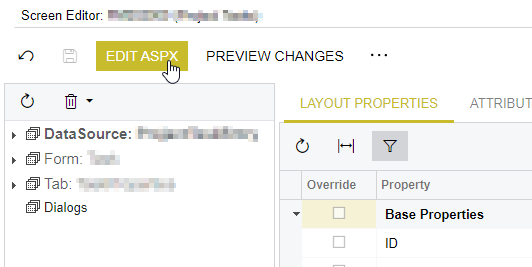
Hope this helps
No account yet? Create an account
Enter your E-mail address. We'll send you an e-mail with instructions to reset your password.