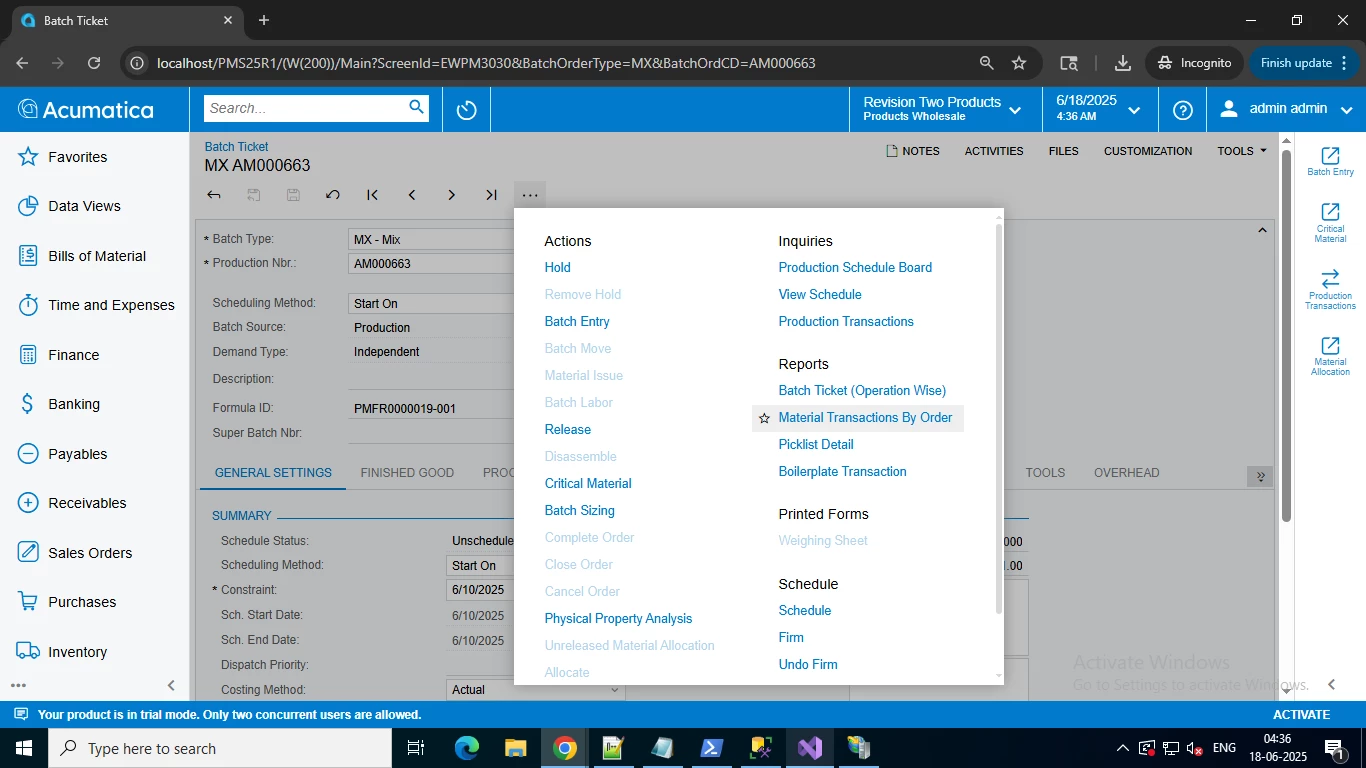
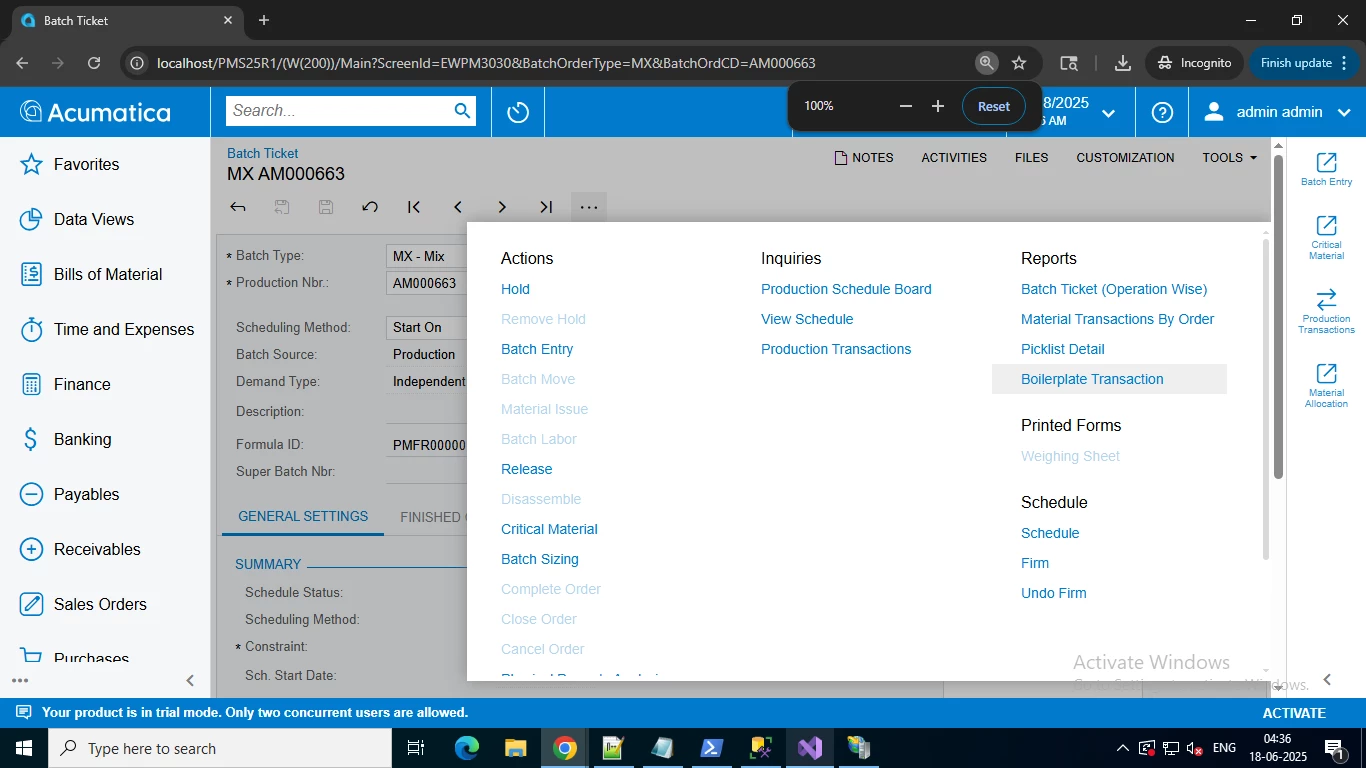
I want that my action button should not reorder when I try to zoom in or zoom out on the browser.
Right now my action button is getting reorder in zoom out and zoom in, Creating 3 rows.
Can see the below image for more clarification.
Before Zoom in
After zoom in
Please guide me how my action button should not get rearrange.
Best answer by Tony Lanzer
Do you mean that it spread out into 3 columns (not rows)? If so, this is likely simply the UI framework CSS settings performing their adjustments. As your browser settings change, the CSS on the page helps to control the display, size, and positioning of elements on the page. This is inherent in the UI framework. If it’s behaving badly (e.g. it’s not visible on the page), I would create a support ticket; but if it’s just repositioning as you adjust your browser settings, I doubt that this would be addressed.
Do you mean that it spread out into 3 columns (not rows)? If so, this is likely simply the UI framework CSS settings performing their adjustments. As your browser settings change, the CSS on the page helps to control the display, size, and positioning of elements on the page. This is inherent in the UI framework. If it’s behaving badly (e.g. it’s not visible on the page), I would create a support ticket; but if it’s just repositioning as you adjust your browser settings, I doubt that this would be addressed.