Question

25R2 classic to Modern UI converted and added to the package , unable to see the MUI changes

  • November 27, 2025
  • 14 replies
  • 96 views

Forum|alt.badge.img

25R2 classic to Modern UI converted and added to the package , package published in another instance unable to see the MUI changes in the screen


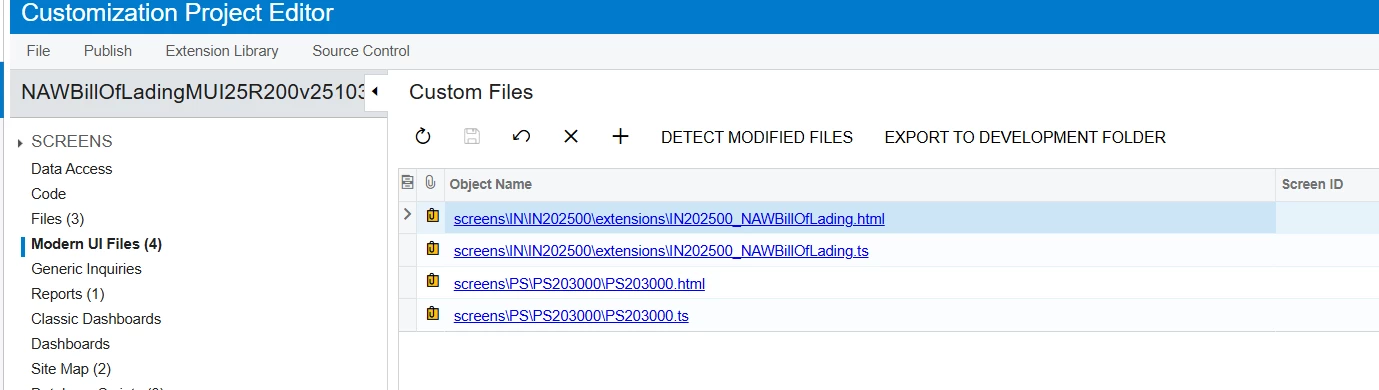
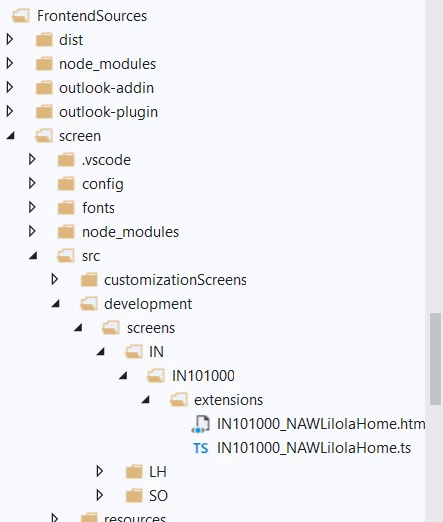
In 25R2, to be able to add the files to the Customization project you have to have the Modern UI files in the following path, FrontendSources\screen\src\development

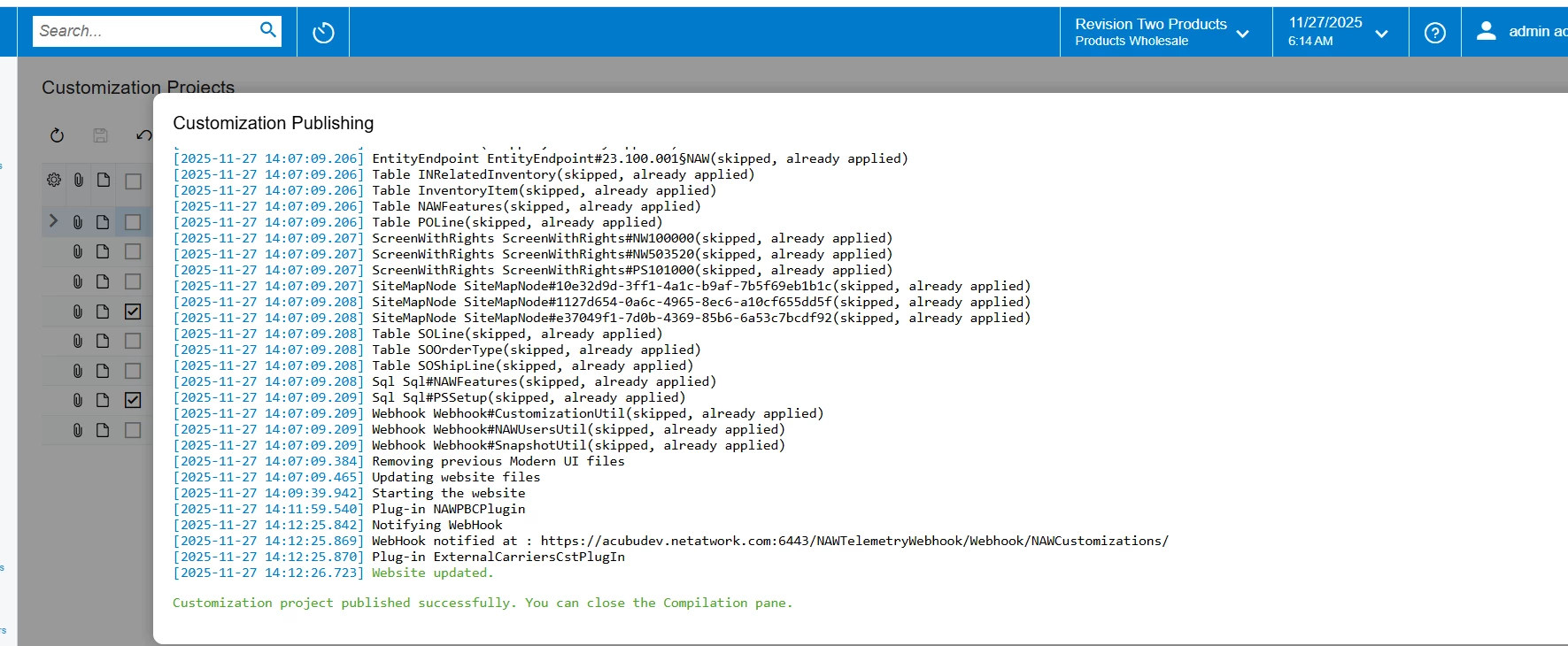
After publish the package in another instance the Modern UI files not reflected in any where 
14 replies

darylbowman
Captain II
Forum|alt.badge.img+15

Try this:

  1. Export the package just in case
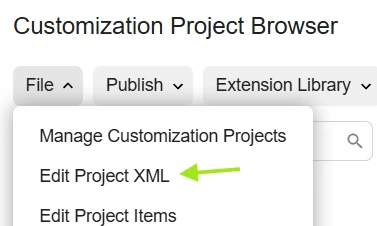
  2. Edit Project XML
  3. Change the MUI file paths to start with “screens/XX/
  4. Save the package
  5. Publish again

Forum|alt.badge.img
  • Author
  • Jr Varsity III
  • December 1, 2025

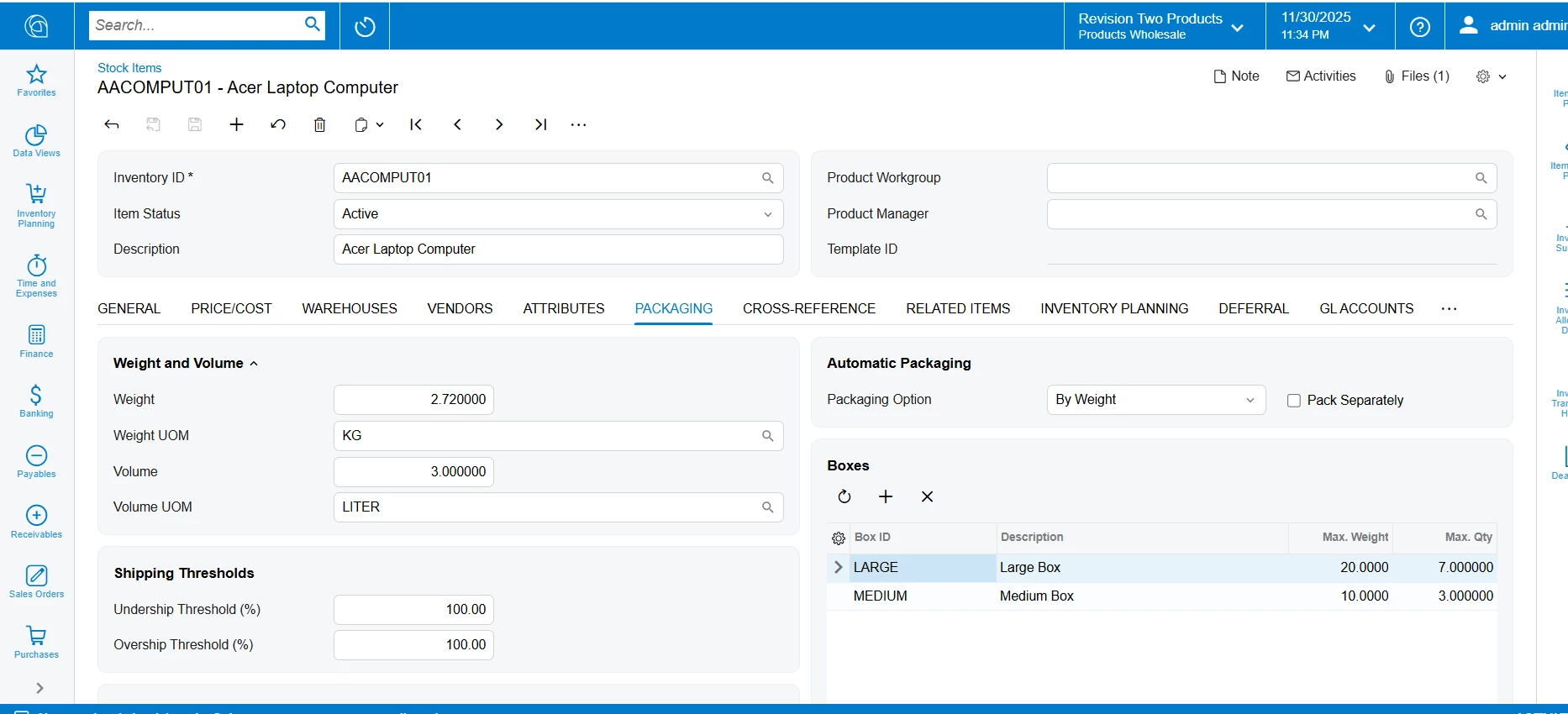
@darylbowman made changes as suggested , published package still modern UI changes not reflecting in the screens
 

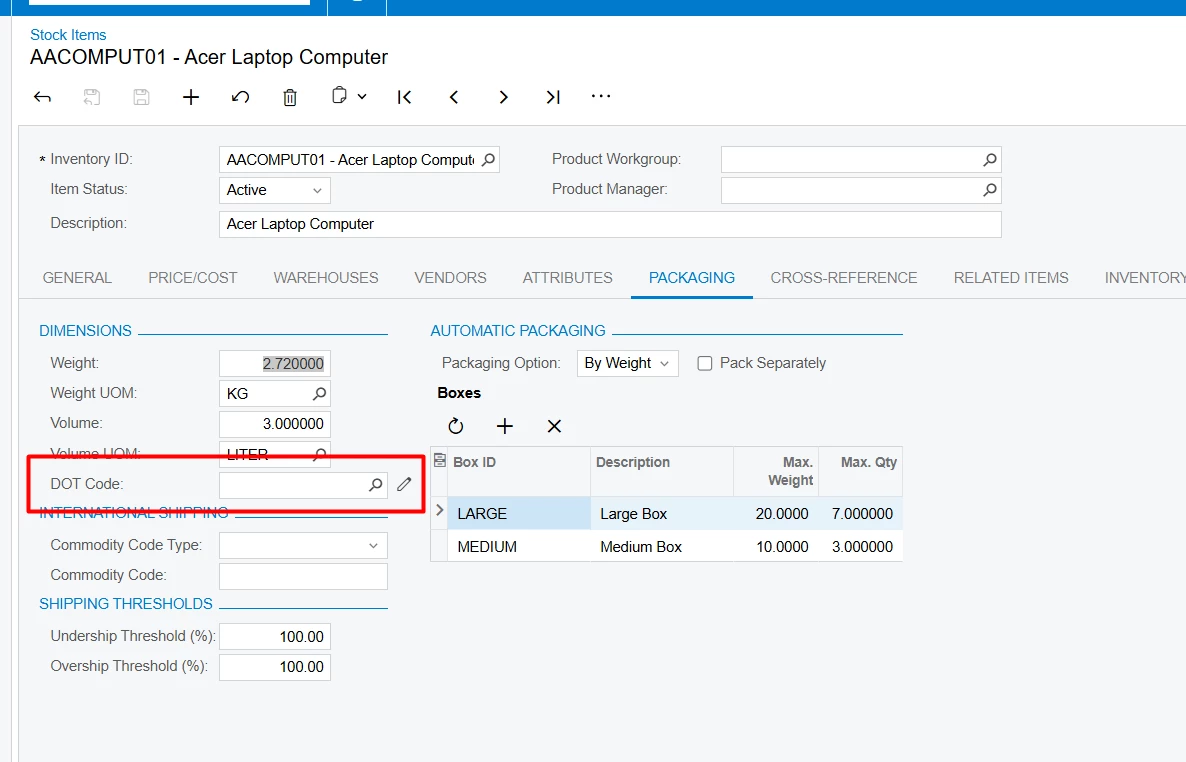
Classic 


Modern UI


Forum|alt.badge.img+8
  • Captain II
  • December 1, 2025

@Siddu 

Does your customisation depend on/reference other customised fields?

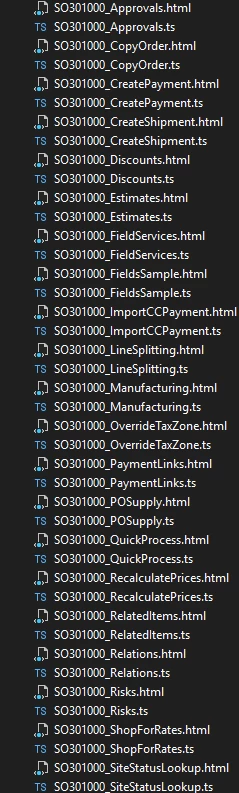
The Modern UI compiles aplhabetically so if there are any files that your customisation depends on but does not come afterwards alphabetically, your changes won’t load. 


Forum|alt.badge.img
  • Author
  • Jr Varsity III
  • December 1, 2025

@Siddu 

Does your customisation depend on/reference other customised fields?

The Modern UI compiles aplhabetically so if there are any files that your customisation depends on but does not come afterwards alphabetically, your changes won’t load. 

do have any sample solution 


Forum|alt.badge.img+8
  • Captain II
  • December 1, 2025

Take SO301000 for exapmle:


If SO301000_Relations depends on a field which is first introduced in SO301000_ShopForRates, this will not work. I hope that made sense.


Forum|alt.badge.img
  • Author
  • Jr Varsity III
  • December 1, 2025

Take SO301000 for exapmle:


If SO301000_Relations depends on a field which is first introduced in SO301000_ShopForRates, this will not work. I hope that made sense.

 my customisation not depends on any reference other customised fields, and we new new custom screen that converted to Modern UI, after publising in other instance Modern UI changes not reflecting


darylbowman
Captain II
Forum|alt.badge.img+15

Could you post the TypeScript content?


Forum|alt.badge.img
  • Author
  • Jr Varsity III
  • December 1, 2025

Could you post the TypeScript content?

@darylbowman please find below Type script and HTML

HTML script
<template>
    <field after="#fsDimensions-Packaging [name='VolumeUOM']" name="UsrDOTCode"></field>
</template>

Type script

import { PXFieldState, PXFieldOptions } from "client-controls";
import { IN202500, ItemSettings } from "src/screens/IN/IN202500/IN202500";

export interface ItemSettings_BillOfLading extends ItemSettings { }
export class ItemSettings_BillOfLading {
    UsrDOTCode: PXFieldState;
}


Forum|alt.badge.img+8
  • Captain II
  • December 1, 2025

You need to extend IN202500 which is the screen class.


Something like:


export interface IN202500_DOT extends IN202500 { }

export class IN202500 DOT {
}


darylbowman
Captain II
Forum|alt.badge.img+15

You need to extend IN202500 which is the screen class.

I don’t actually see any reason he would need to. What he has seems like it should work.

@Siddu - Have you built it locally with npm?


Forum|alt.badge.img+3

Hi ​@Siddu 
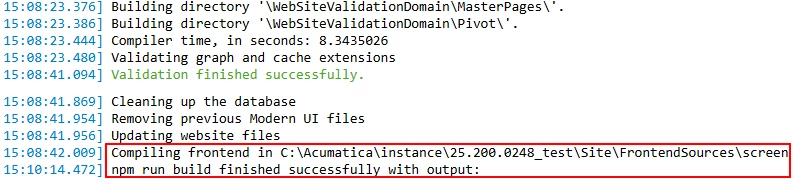
As far as I can see, it doesn’t even build the screens during customization publishing. Usually this happens when there are no Modern UI files in the customization at all (but they do exist in this case), or when something is wrong with the instance.

Have you tried running Reset Caches on the Apply Updates screen? I’m not sure it will fix the issue, but in my opinion it’s worth trying.


Forum|alt.badge.img+8
  • Captain II
  • December 1, 2025

You need to extend IN202500 which is the screen class.

I don’t actually see any reason he would need to. What he has seems like it should work.


Everyday is a school day!


Forum|alt.badge.img
  • Author
  • Jr Varsity III
  • December 1, 2025

You need to extend IN202500 which is the screen class.

I don’t actually see any reason he would need to. What he has seems like it should work.

@Siddu - Have you built it locally with npm?

in locally build npm,


Forum|alt.badge.img
  • Author
  • Jr Varsity III
  • December 1, 2025

Hi ​@Siddu 
As far as I can see, it doesn’t even build the screens during customization publishing. Usually this happens when there are no Modern UI files in the customization at all (but they do exist in this case), or when something is wrong with the instance.

Have you tried running Reset Caches on the Apply Updates screen? I’m not sure it will fix the issue, but in my opinion it’s worth trying.

@aleksandrsechin  I have tried running Reset Caches on the Apply Updates
while publishing package, i didn’t see the above red marked execution commands
any idea why those are not coming