Solved

Using cases and tasks to manage customer requests

  • February 21, 2025
  • 3 replies
  • 130 views

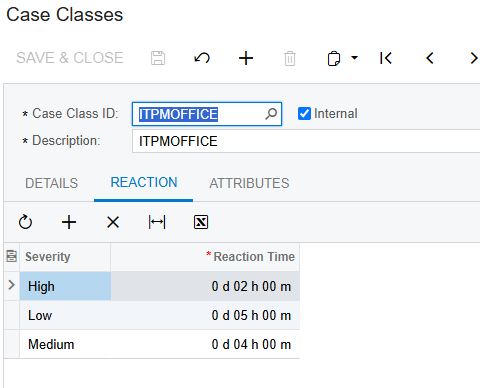
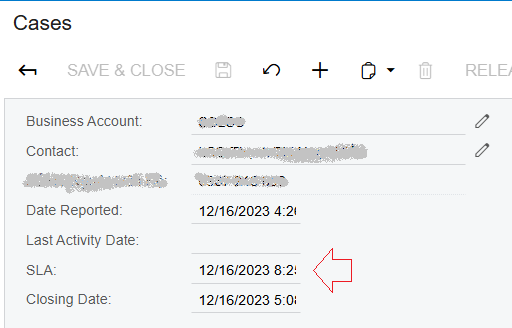
We use cases and tasks to manage our customer requests. We have two classes, support and project.  For support cases we have an SLA of 2 days to solve the case.  Project cases have work tasks associated.  Do others use this module this way and if so, how do you properly report on SLA’s, open and close times, time to complete?  Do you have any dashboards that are native to Acumatica that you use?

Best answer by vkumar

Hi ​@bmowbray33 

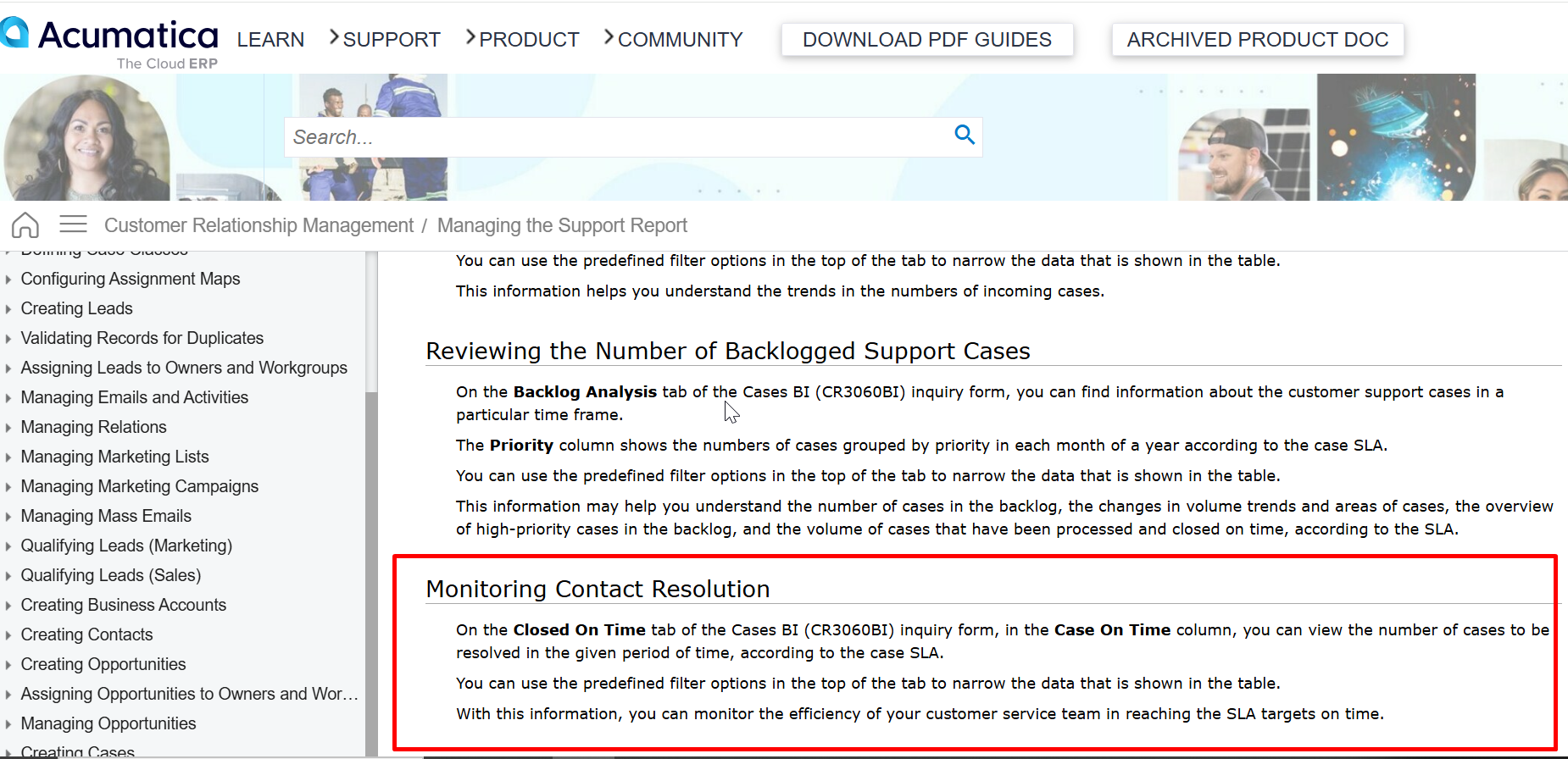
Here is the documentation link which explains an out of the box option for the Support SLA based case analysis/reporting. 

https://help.acumatica.com/(W(2))/Help?ScreenId=ShowWiki&pageid=dc1abcab-2726-4ad3-ad00-1397f808ad5c
Hope this helps,

Regards,

3 replies

nhatnghetinh
Captain II
Forum|alt.badge.img+11
  • Captain II
  • February 22, 2025

Hi ​@bmowbray33 

We used the Support Module and Case Classes.

We modified the Generic Inquiry of Cases (CR.30.60.CL) and created a new report using Report Designer. We added the necessary fields to the reports including the fields as you said (SLA, Close Times, Complete Time)


Best Regards,

NNT


Forum|alt.badge.img+12
  • Acumatica Support Team
  • Answer
  • February 24, 2025

Hi ​@bmowbray33 

Here is the documentation link which explains an out of the box option for the Support SLA based case analysis/reporting. 

https://help.acumatica.com/(W(2))/Help?ScreenId=ShowWiki&pageid=dc1abcab-2726-4ad3-ad00-1397f808ad5c

Hope this helps,

Regards,


KushaniPerera88
Acumatica Employee
Forum|alt.badge.img+3
  • Acumatica Employee
  • February 24, 2025

Hi ​@bmowbray33 

We have different forms that will allow you to check the information for a specific case class however these forms are available in 2024 R2, these forms allow users to analyze different commitments that has been setup in the case classes with SLA

Please refer this help article for more information - CRM: Case Commitment Inquiry Forms