Answer

Transfer "subscribed" Values Marketing Lists Customer->Contact

  • September 22, 2025
  • 3 replies
  • 59 views

FinnSystemAG
Freshman II
Forum|alt.badge.img

Hello all,

i want to achieve, that the Marketinglists, a Customer has, are also subscribed in Contacts, that are created out of the Customer.

Problem:

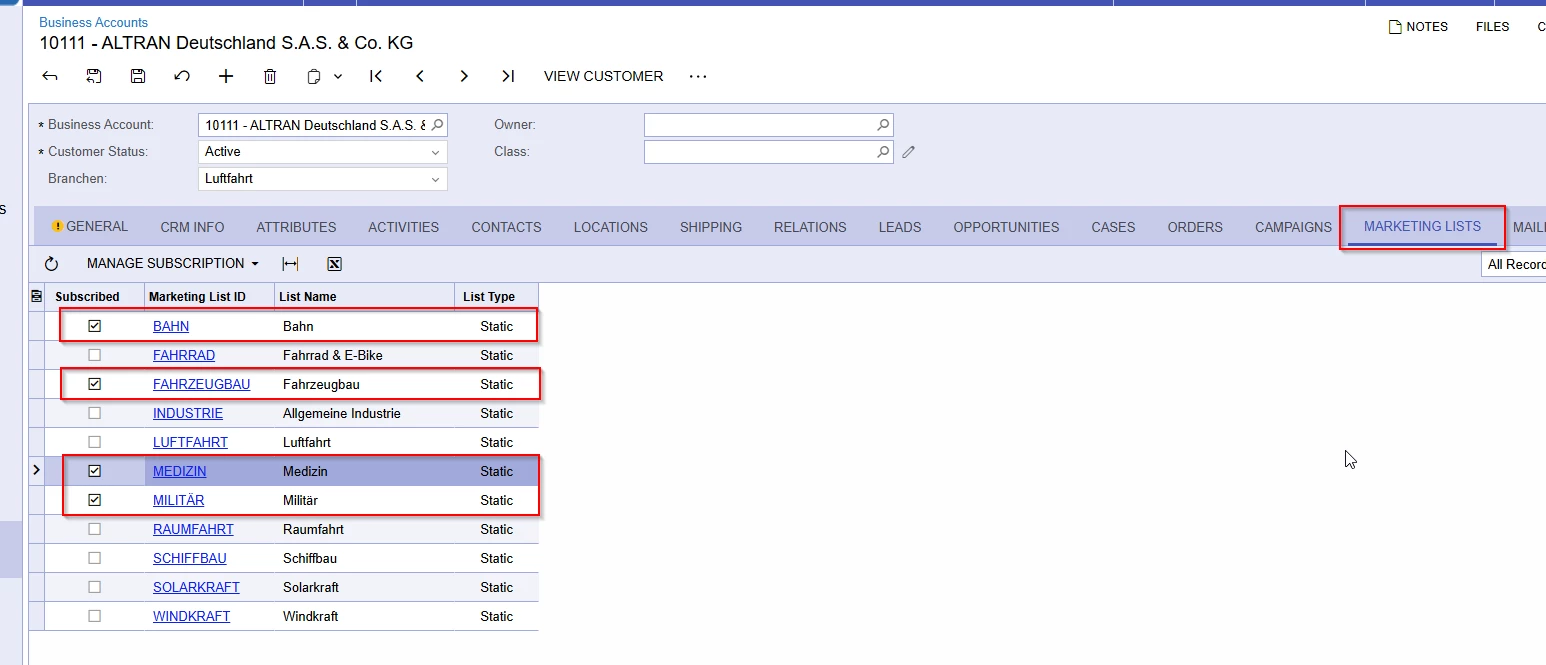
For example we have the following Customer/business account, with the following Marketing-lists checked;

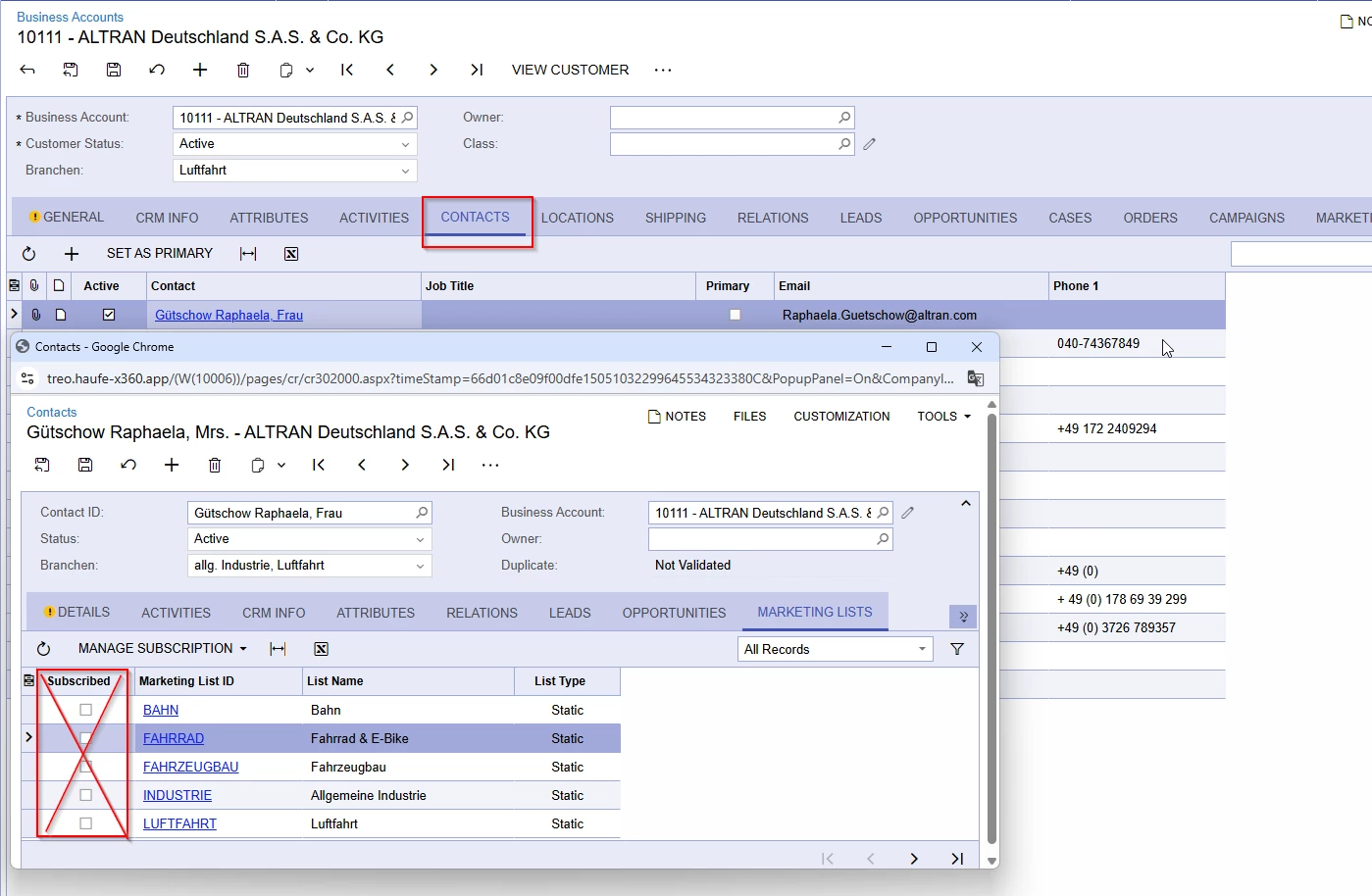
When a contact is created out of the business account, no marketing list is checked/subscribed:
 

The Customer whiches it to be like that automatically, when a contact is created out of an business Account, so that the contacts marketing lists always match with the ones of the customer.

How could this be done?


Thank you

Best answer by Abhishek Niikam

Hello ​@FinnSystemAG, Oops! I’m busy at something.
I hope you doing well,
So here is simple guide to create & add code in project :
 

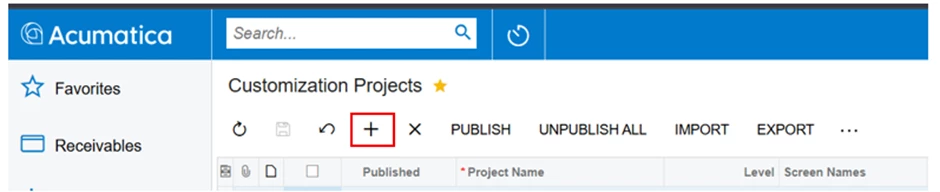
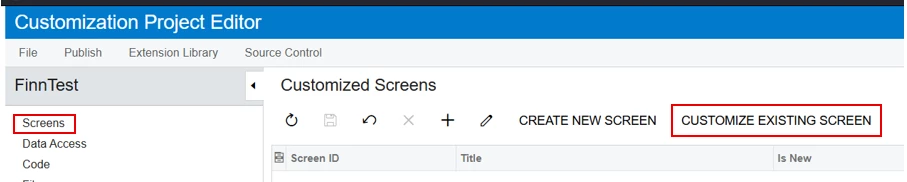
Click on ‘+’ icon & create a new Project (Name it & press Save) 


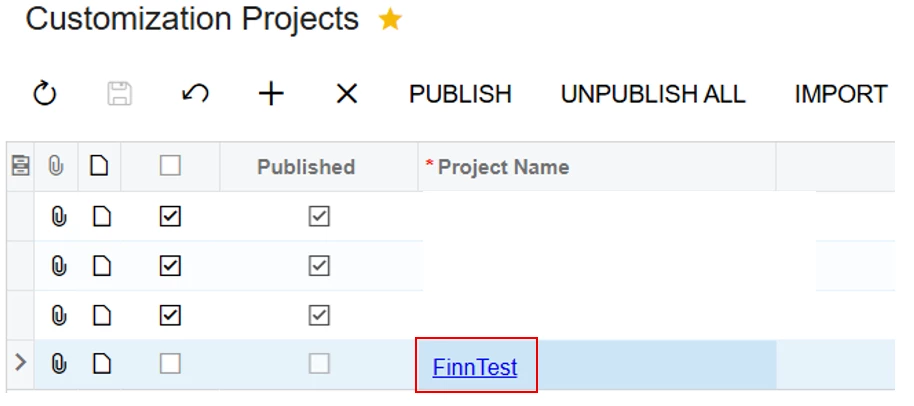
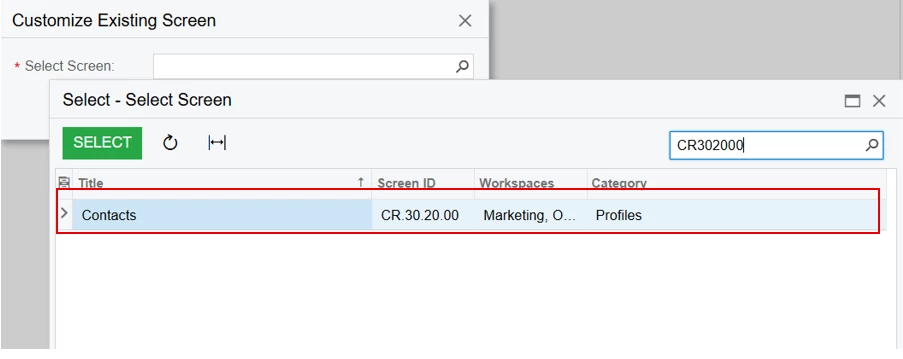
Open Project (FinnTest) & select screen which (Contact)

Press Ok & then screen editor will Open.

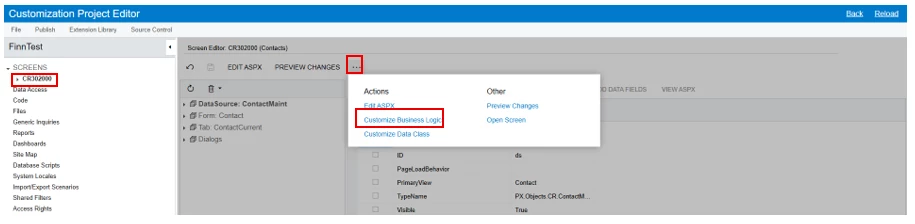
Click on 3 dots & choose ‘Custiomze Business Logic’ Option

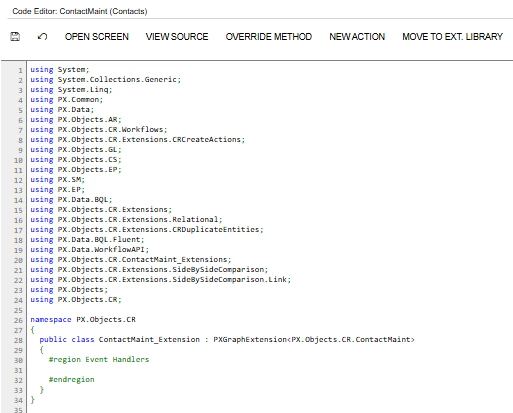
It will open code section with ContactMaint Graph


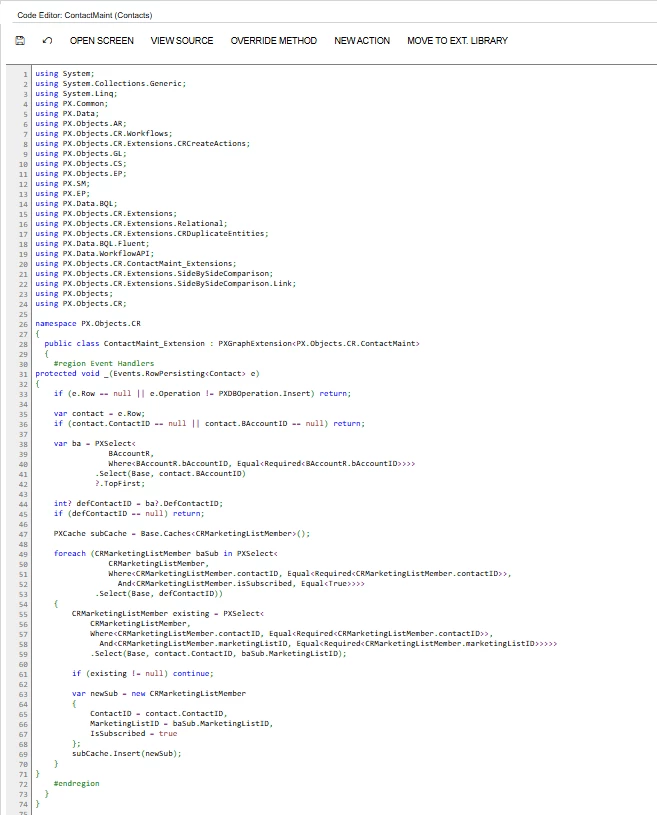
Add below code snippet in class :
 

protected void _(Events.RowPersisting<Contact> e)
{
if (e.Row == null || e.Operation != PXDBOperation.Insert) return;

var contact = e.Row;
if (contact.ContactID == null || contact.BAccountID == null) return;

var ba = PXSelect<
BAccountR,
Where<BAccountR.bAccountID, Equal<Required<BAccountR.bAccountID>>>>
.Select(Base, contact.BAccountID)
?.TopFirst;

int? defContactID = ba?.DefContactID;
if (defContactID == null) return;

PXCache subCache = Base.Caches<CRMarketingListMember>();

foreach (CRMarketingListMember baSub in PXSelect<
CRMarketingListMember,
Where<CRMarketingListMember.contactID, Equal<Required<CRMarketingListMember.contactID>>,
And<CRMarketingListMember.isSubscribed, Equal<True>>>>
.Select(Base, defContactID))
{
CRMarketingListMember existing = PXSelect<
CRMarketingListMember,
Where<CRMarketingListMember.contactID, Equal<Required<CRMarketingListMember.contactID>>,
And<CRMarketingListMember.marketingListID, Equal<Required<CRMarketingListMember.marketingListID>>>>>
.Select(Base, contact.ContactID, baSub.MarketingListID);

if (existing != null) continue;

var newSub = new CRMarketingListMember
{
ContactID = contact.ContactID,
MarketingListID = baSub.MarketingListID,
IsSubscribed = true
};
subCache.Insert(newSub);
}
}

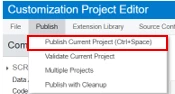
Press Save. and Publish Project.


I hope it helps!
Have a wonderful day.

3 replies

Forum|alt.badge.img+2

Hello ​@FinnSystemAG, so you’ll need a customization. Here’s how you can approach it.

  • Use the RowInserted event of the Contact DAC (table Contact) in a PXGraphExtension<ContactMaint> customization.

  • This way, as soon as a contact is created, you can pull the Business Account’s marketing lists and copy them over.

I hope this approach helps!


FinnSystemAG
Freshman II
Forum|alt.badge.img
  • Author
  • Freshman II
  • September 23, 2025

Hello ​@FinnSystemAG, so you’ll need a customization. Here’s how you can approach it.

  • Use the RowInserted event of the Contact DAC (table Contact) in a PXGraphExtension<ContactMaint> customization.

  • This way, as soon as a contact is created, you can pull the Business Account’s marketing lists and copy them over.

I hope this approach helps!

Hi Abhishek,

thank you for the fast answer. Were currently hiring a new developer thus we cosultants arent that firm with customizations. Do you have some Guide by any Chance, that can help for executing your solution? Or can you give a more detailed approach?:)


Have an nice day.


Grettings


Forum|alt.badge.img+2
  • Jr Varsity II
  • Answer
  • September 26, 2025

Hello ​@FinnSystemAG, Oops! I’m busy at something.
I hope you doing well,
So here is simple guide to create & add code in project :
 

Click on ‘+’ icon & create a new Project (Name it & press Save) 


Open Project (FinnTest) & select screen which (Contact)

Press Ok & then screen editor will Open.

Click on 3 dots & choose ‘Custiomze Business Logic’ Option

It will open code section with ContactMaint Graph


Add below code snippet in class :
 

protected void _(Events.RowPersisting<Contact> e)
{
if (e.Row == null || e.Operation != PXDBOperation.Insert) return;

var contact = e.Row;
if (contact.ContactID == null || contact.BAccountID == null) return;

var ba = PXSelect<
BAccountR,
Where<BAccountR.bAccountID, Equal<Required<BAccountR.bAccountID>>>>
.Select(Base, contact.BAccountID)
?.TopFirst;

int? defContactID = ba?.DefContactID;
if (defContactID == null) return;

PXCache subCache = Base.Caches<CRMarketingListMember>();

foreach (CRMarketingListMember baSub in PXSelect<
CRMarketingListMember,
Where<CRMarketingListMember.contactID, Equal<Required<CRMarketingListMember.contactID>>,
And<CRMarketingListMember.isSubscribed, Equal<True>>>>
.Select(Base, defContactID))
{
CRMarketingListMember existing = PXSelect<
CRMarketingListMember,
Where<CRMarketingListMember.contactID, Equal<Required<CRMarketingListMember.contactID>>,
And<CRMarketingListMember.marketingListID, Equal<Required<CRMarketingListMember.marketingListID>>>>>
.Select(Base, contact.ContactID, baSub.MarketingListID);

if (existing != null) continue;

var newSub = new CRMarketingListMember
{
ContactID = contact.ContactID,
MarketingListID = baSub.MarketingListID,
IsSubscribed = true
};
subCache.Insert(newSub);
}
}

Press Save. and Publish Project.


I hope it helps!
Have a wonderful day.