Question

Sub Report duplicate data if i use from and to on my reference number

  • January 8, 2026
  • 5 replies
  • 47 views

Forum|alt.badge.img


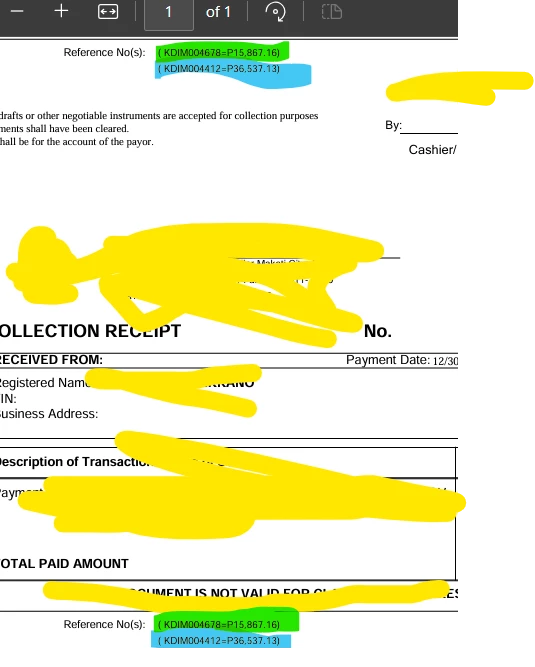
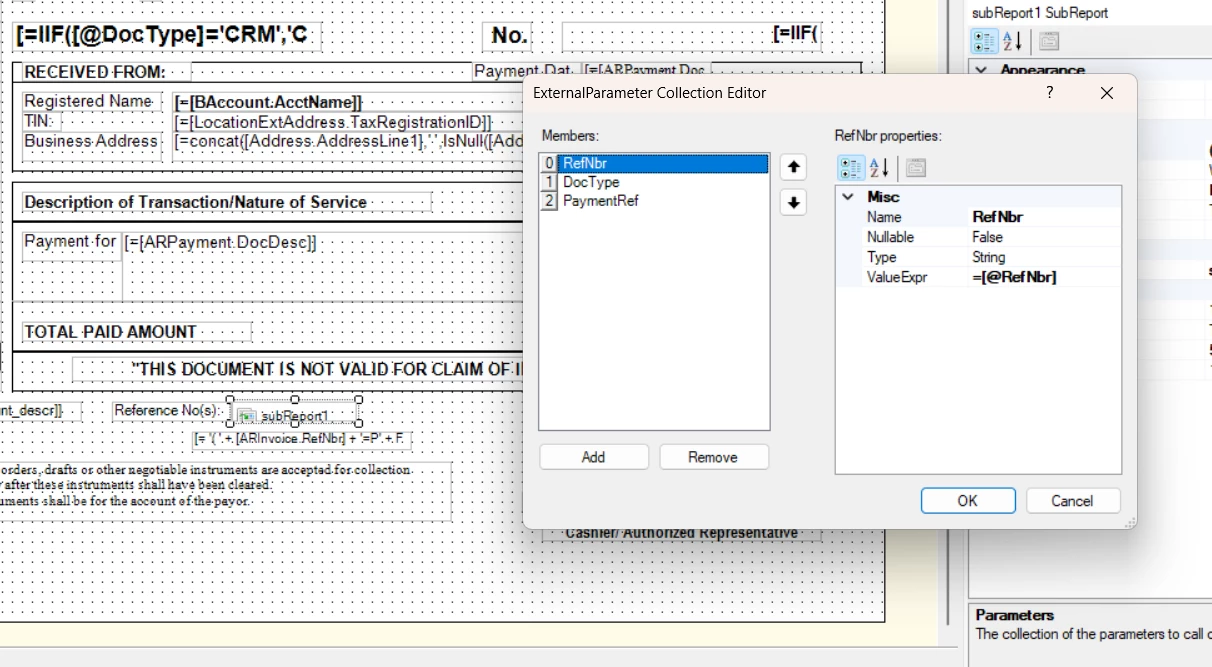
Good day. I’m having an issue with my subreport. When I use the reference number range (from and to), it only retrieves the first reference number, and all the results end up being the same.
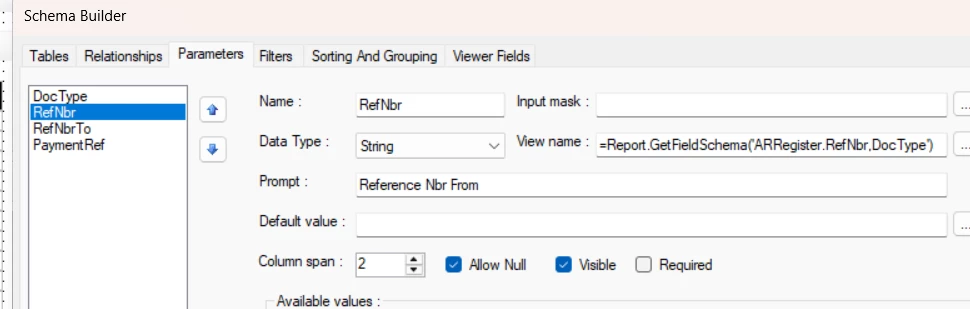


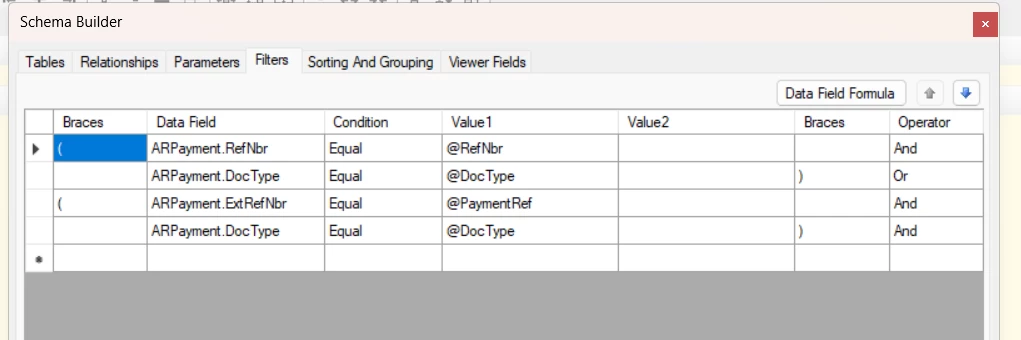
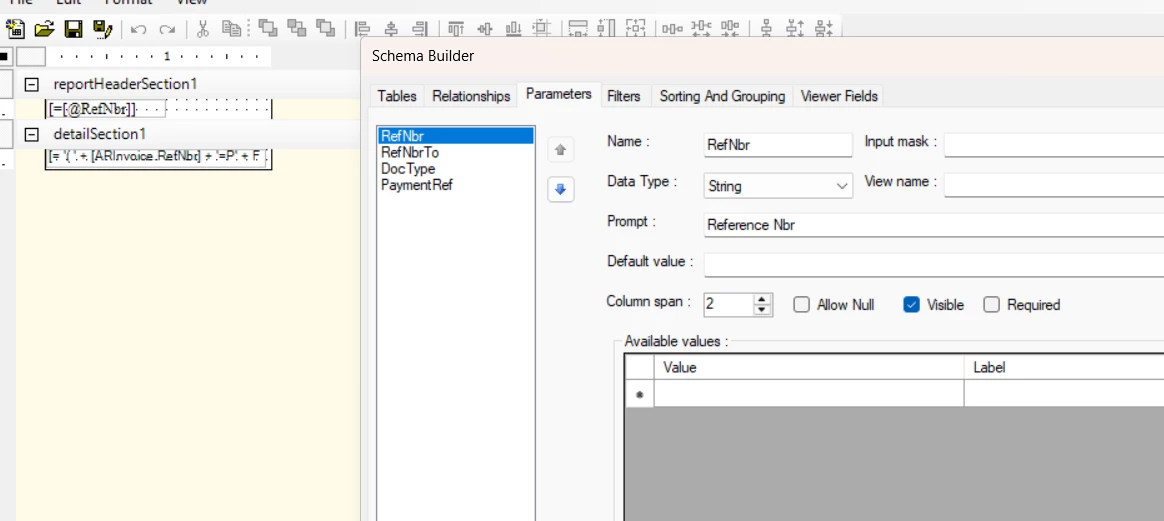
and this is what i put on my SubReport


5 replies

bwhite49
Captain II
Forum|alt.badge.img+12
  • Captain II
  • January 8, 2026

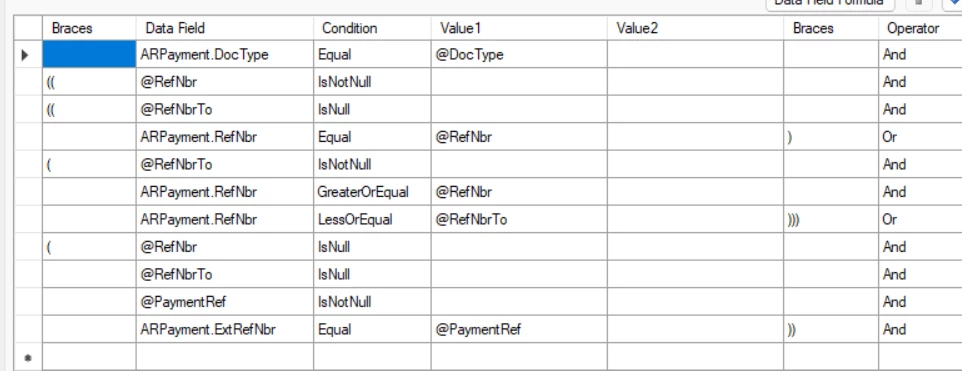
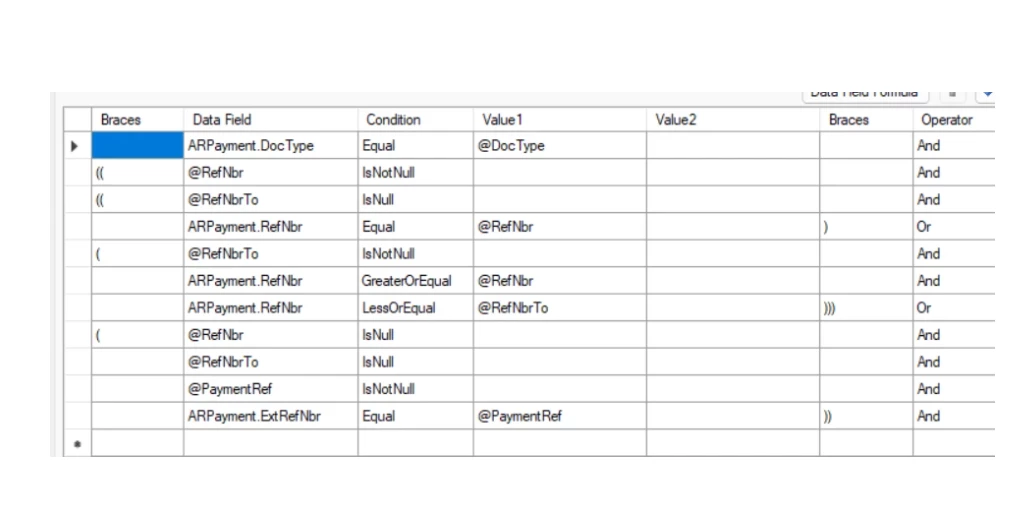
In the conditions you have to replace ARPayment.RefNbr isbetween @RefNbr (value 1) and @RefNbrTo (Value2)

Or

do two lines where

ARPayment.RefNbr Is Greater than or equal to @RefNbr

ARPayment.RefNbr Is less than or equal to @RefNbrTo


There might be more issues, but that is the first step.


Forum|alt.badge.img
  • Author
  • Jr Varsity III
  • January 9, 2026

@bwhite49  i already tried it but now no data is showing on the subreport


Forum|alt.badge.img
  • Author
  • Jr Varsity III
  • January 9, 2026

i already fix this my problem is its not seperating 


bwhite49
Captain II
Forum|alt.badge.img+12
  • Captain II
  • January 9, 2026

Sorry, looking at this again… These conditions are a little over-engineered… Lots of duplication going on


I would delete all of this and start over. You need 

((ARPayment.DocType = @DocType AND

ARPayment.RefNbr = @RefNbr)

OR

(@RefNbr ISNULL AND

ARPayment.ExtRef = @PaymentRef))

You will need to the subreport conditions to be this…

(ARPayment.DocType = @DocType AND

ARPayment.RefNbr = @RefNbr)


You don’t need the @RefNbrTo parameter


You subreport just needs to list all of the invoices under that payment. You don’t need a payment nbr range. 

Your subreport will need these two parameters as well...

@DocType

@RefNbr


Forum|alt.badge.img
  • Author
  • Jr Varsity III
  • January 19, 2026

@bwhite49  I need a date range so I can get multiple reports at once there are too many to print one by one. If it’s just a single report, that’s fine.