Solved

LowerCase to UpperCase on Leads

  • August 7, 2024
  • 5 replies
  • 154 views

I want to forcefully input Data in UpperCase Only

Best answer by andriitkachenko

Hi @TeophelusJohannes18 

If it’s your custom field - I’d try first to change the setter:

        public string Field
{
get
{
return Field;
}

set
{
Field = value.ToUpper();
}
}

For standard field - you can create a Graph Extension, define an event handler (FieldUpdating) and change the case:

        protected virtual void _(Events.FieldUpdating<YourDac.field> e)
{
if (!(e.NewValue is string newValue))
return;

e.NewValue = newValue.ToUpper();
}

You could also go with the trigger in the database, but I’d say doing it in code is more preferable.

5 replies

andriitkachenko
Jr Varsity III
Forum|alt.badge.img+6

Hi @TeophelusJohannes18 

If it’s your custom field - I’d try first to change the setter:

        public string Field
{
get
{
return Field;
}

set
{
Field = value.ToUpper();
}
}

For standard field - you can create a Graph Extension, define an event handler (FieldUpdating) and change the case:

        protected virtual void _(Events.FieldUpdating<YourDac.field> e)
{
if (!(e.NewValue is string newValue))
return;

e.NewValue = newValue.ToUpper();
}

You could also go with the trigger in the database, but I’d say doing it in code is more preferable.


andriitkachenko
Jr Varsity III
Forum|alt.badge.img+6

I can also see different solution for the similar question at the Stack Overflow, maybe you like it more.


DipakNilkanth
Pro III
Forum|alt.badge.img+13

Hi @TeophelusJohannes18,
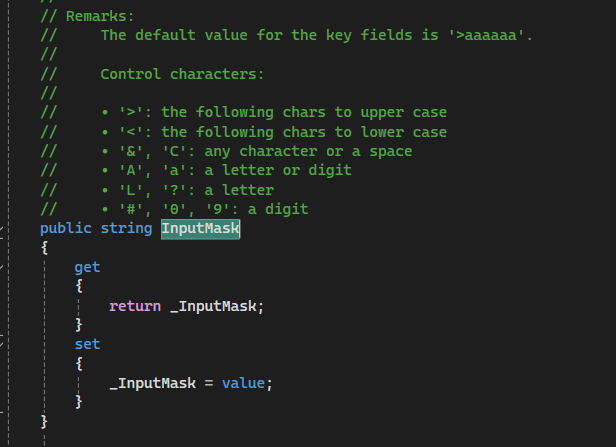
You can use the InputMask property in your DAC declaration of the field to ensure that data is entered according to your desired format

You can use it lIke 

[PXDBString(6, IsKey = true, InputMask = ">CCCCCC")]


hope, it helps!


darylbowman
Captain II
Forum|alt.badge.img+15
[PXDBString(6, IsKey = true, InputMask = ">CCCCCC")]


This


Thanks a lot, guys. It worked for me