



We’re trying to set up an business event to send out emails to customers following the completion of a Marketing Campaign. However, we don’t want to pester our clients with emails. Ideally, the business event would send out a email to a customer, the customer would read it, and then be removed from the mailing list for a set period of time before being reintroduce the pool of potential recipients. Is this something that can be done within Acumatica, and if so, how?
Solved
Is it Possible to Automatically Remove Certain Email Addresses from Business Events for a Set Period of Time after they Receive an Email?
Best answer by hkabiri
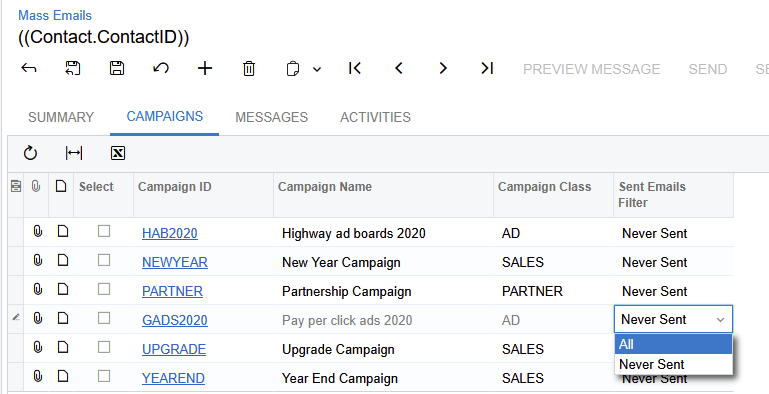
And inside the Campaign Member list you can have a column called Email Sent which shows how many time emails sent through this campaign to the recipient and that also can be another way you can add/remove members to and from campaign.
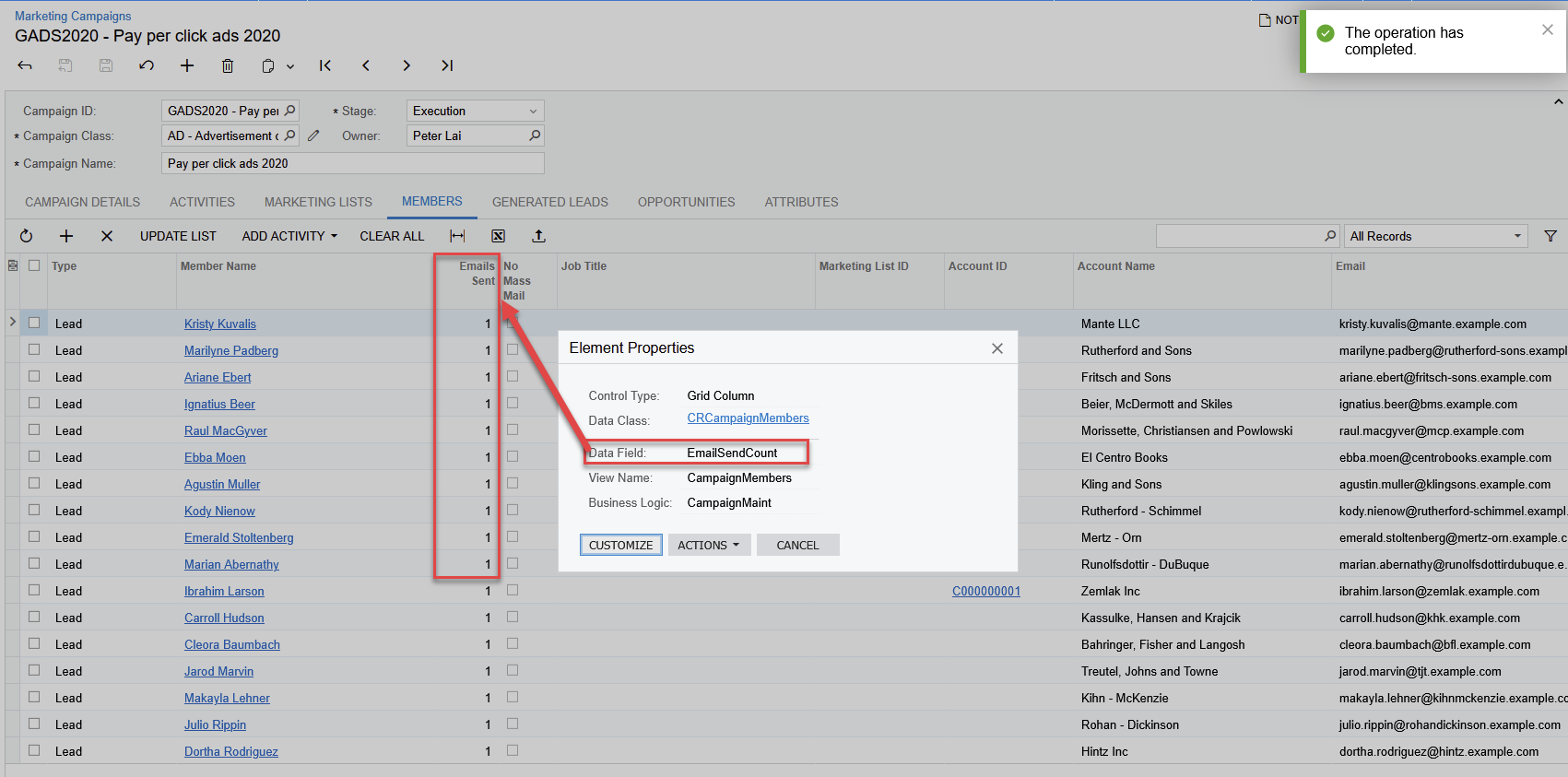
You can have another business event which can update the Contact and mark No Mass mail checked in case the Emails sent reached to a certain number and probably uncheck later when you want to continue sending emails to the Contact/Lead.



Login to the community
No account yet? Create an account
Social Login
Login with your Acumatica accountEnter your E-mail address. We'll send you an e-mail with instructions to reset your password.