How can I setup an Approval workflow for the Opportunities screen in Acumatica? We know that the Approval Map doesnt have the option to setup approval for Opportunities screen. But is there any possibility to setup a similar flow without customization?
Best answer by nhatnghetinh
Hi @harshitasethia74
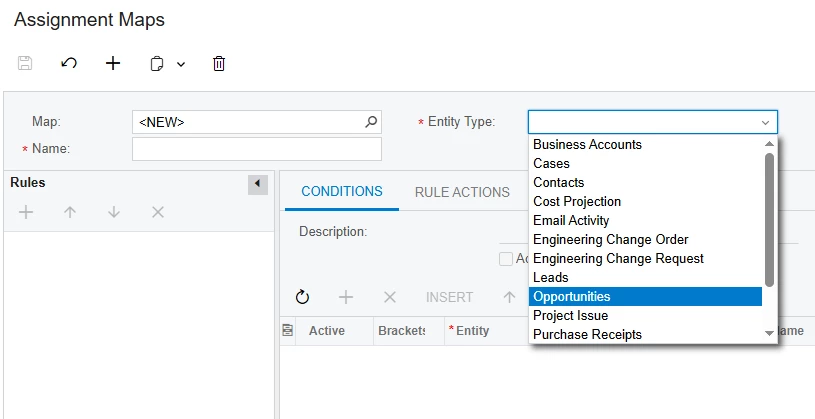
In my opinion, for Opportunities, you need to assign someone to handle and manage that opportunity. Therefore, Acumatica created an "Assignment Maps" feature for the "Opportunities" screen but not an Approval Maps feature for Opportunities.
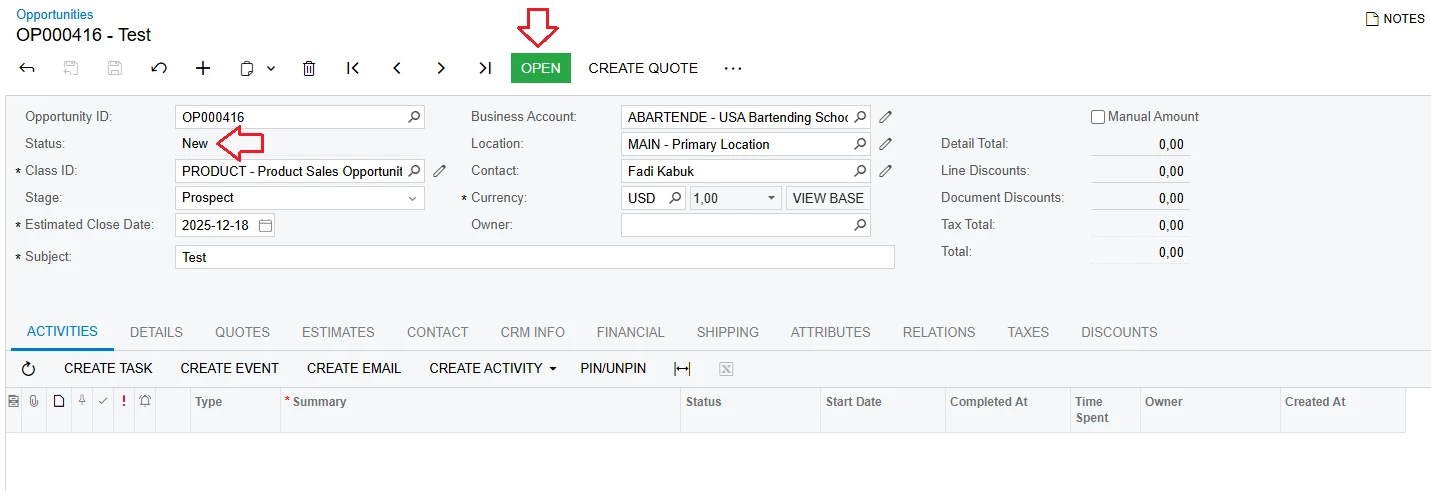
When a new Opportunity is created, its status will be "New". To accept or agree to this Opportunity, you click "OPEN" on the Opportunities screen. Then you create Access Rights to grant permissions to who can use this "OPEN" feature. I think you can use Access Rights to enable the "Open" feature instead of the "Approval workflow" as you mentioned.
In my opinion, for Opportunities, you need to assign someone to handle and manage that opportunity. Therefore, Acumatica created an "Assignment Maps" feature for the "Opportunities" screen but not an Approval Maps feature for Opportunities.
When a new Opportunity is created, its status will be "New". To accept or agree to this Opportunity, you click "OPEN" on the Opportunities screen. Then you create Access Rights to grant permissions to who can use this "OPEN" feature. I think you can use Access Rights to enable the "Open" feature instead of the "Approval workflow" as you mentioned.