Solved

Adding Activity Details to Reports

  • January 15, 2025
  • 3 replies
  • 206 views

Hello,

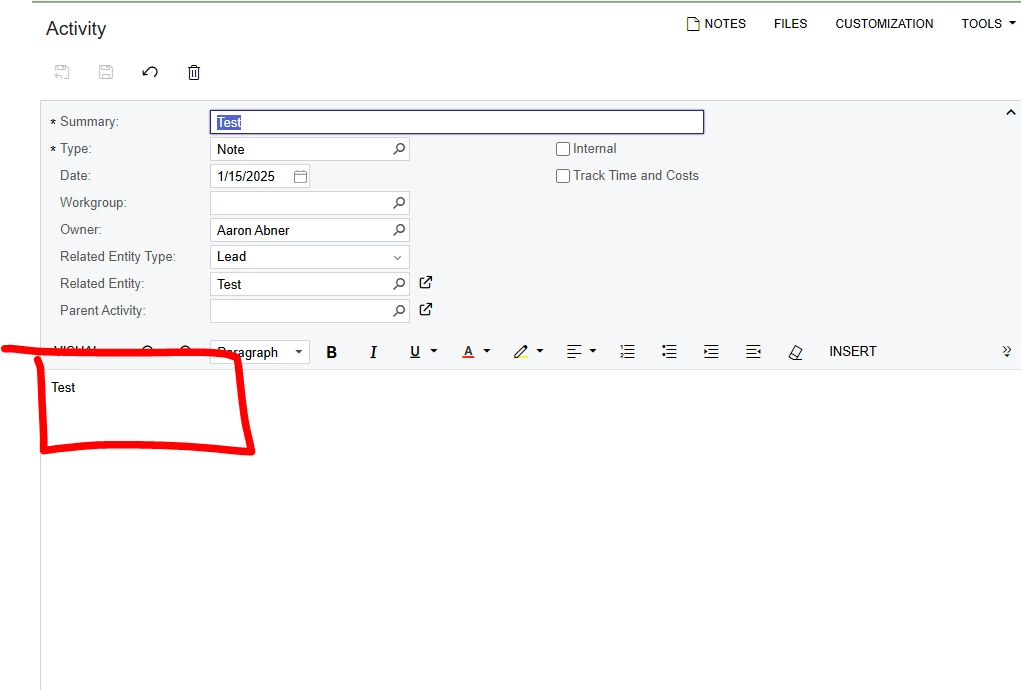
Trying to come up with an easy way to see all activities created under Leads, Opportunities, and Business Accounts. When an activity is created the user enters a Summary, but then also types up details in a separate box. Does Acumatica allow for these details to be put into an Audit? I put a picture to show the spot I am looking for. I am trying to save clicking around to read every report all my salesmen enter daily. 


Best regards,


Aaron Abner


Best answer by nhatnghetinh

Hi ​@aabner 

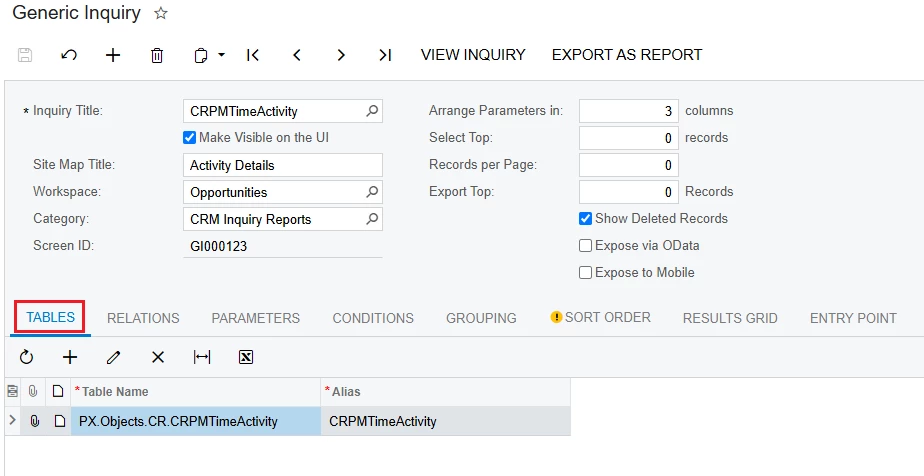
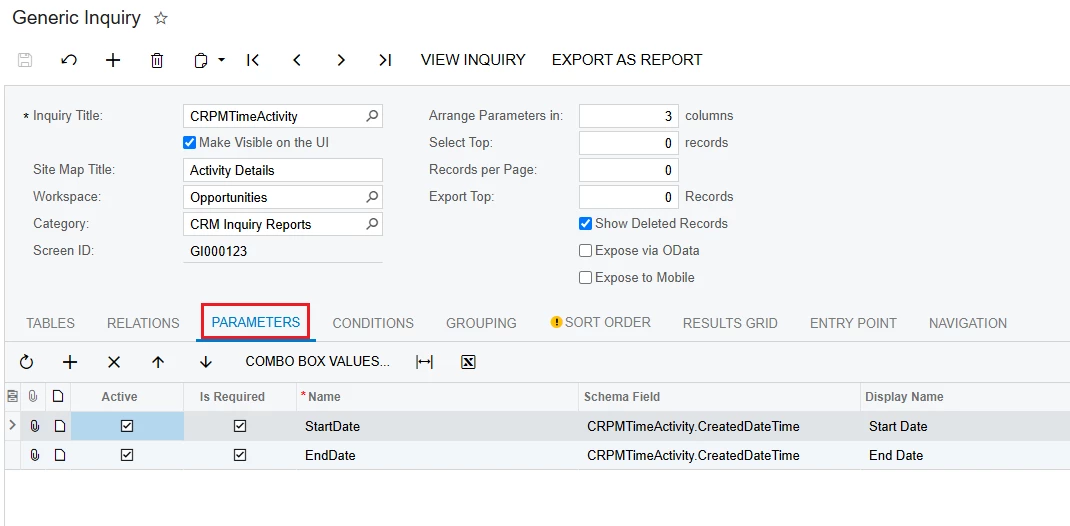
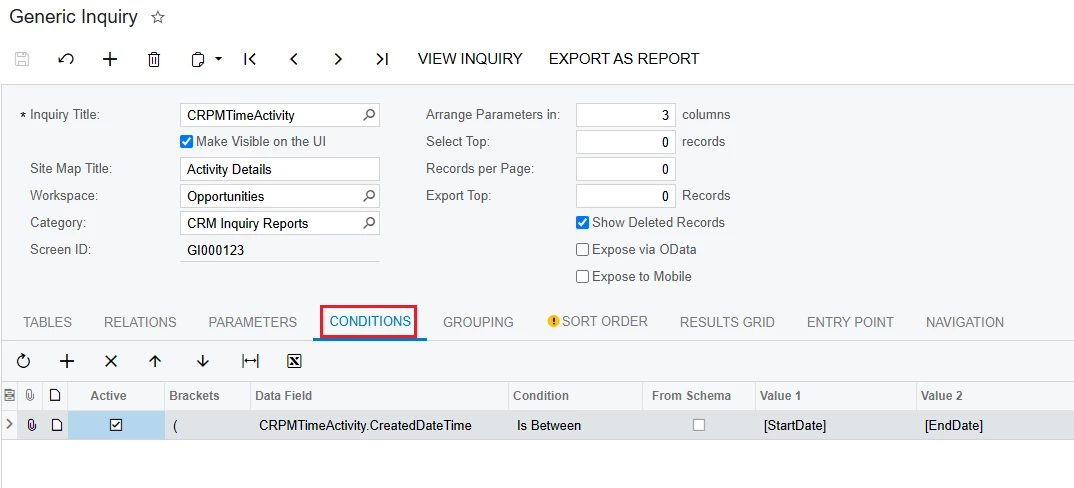
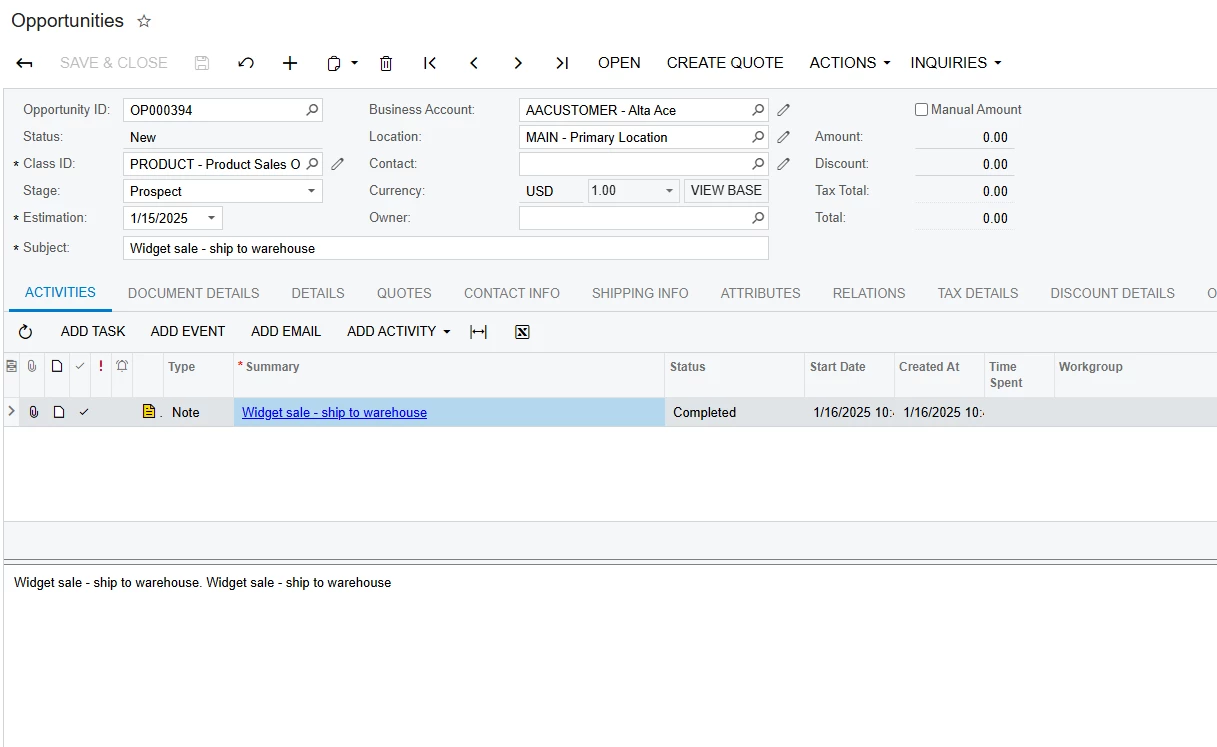
Please create a Generic Inquiry to get the activities.


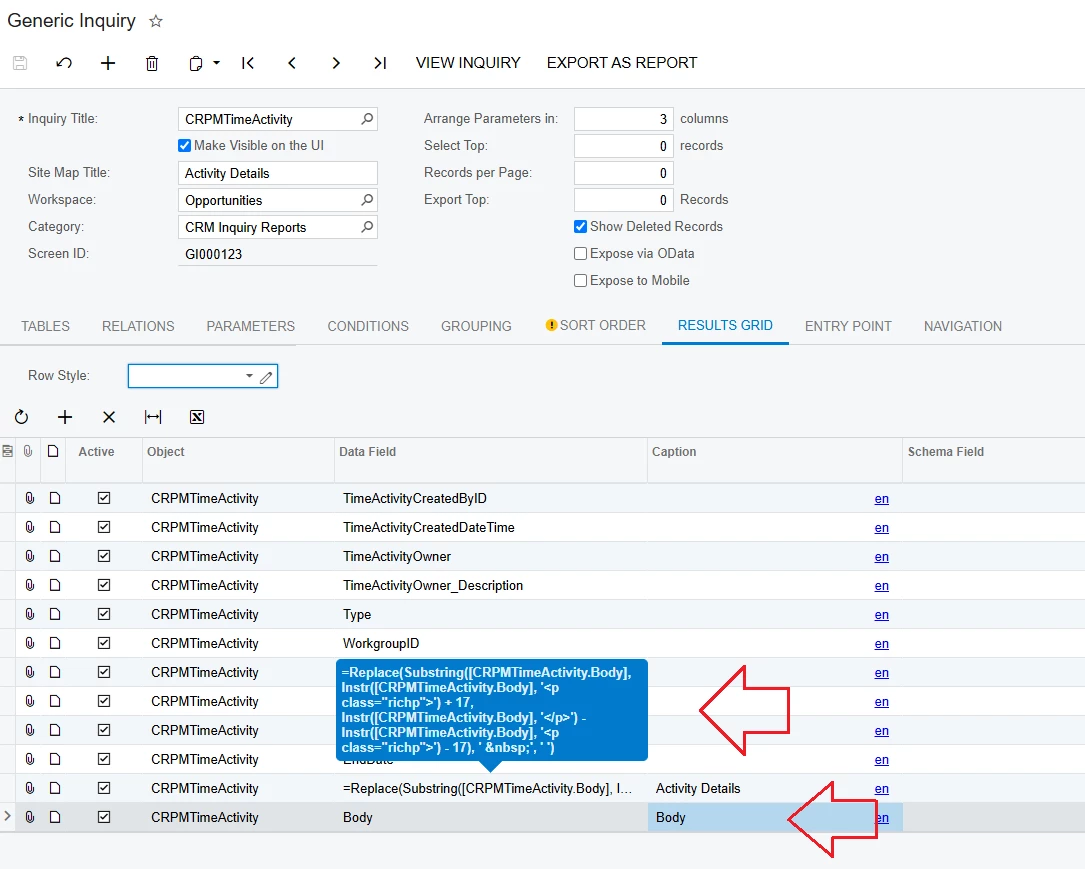
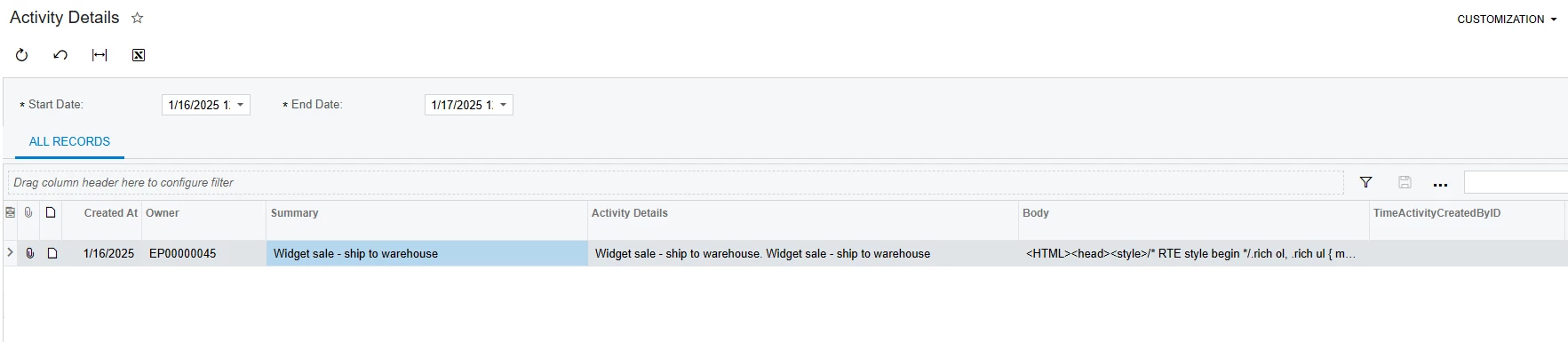
However, the Body field (detailed content of the activities) is displayed in HTML format, so you need to create a formula to remove unnecessary HTML content. Below is a sample formula, you need to optimize and edit this formula to complete all cases.

=Replace(Substring([CRPMTimeActivity.Body], Instr([CRPMTimeActivity.Body], '<p class="richp">') + 17, Instr([CRPMTimeActivity.Body], '</p>') - Instr([CRPMTimeActivity.Body], '<p class="richp">') - 17), '&nbsp;', ' ')


Best Regards,

NNT

3 replies

nhatnghetinh
Captain II
Forum|alt.badge.img+11
  • Captain II
  • Answer
  • January 16, 2025

Hi ​@aabner 

Please create a Generic Inquiry to get the activities.


However, the Body field (detailed content of the activities) is displayed in HTML format, so you need to create a formula to remove unnecessary HTML content. Below is a sample formula, you need to optimize and edit this formula to complete all cases.

=Replace(Substring([CRPMTimeActivity.Body], Instr([CRPMTimeActivity.Body], '<p class="richp">') + 17, Instr([CRPMTimeActivity.Body], '</p>') - Instr([CRPMTimeActivity.Body], '<p class="richp">') - 17), '&nbsp;', ' ')


Best Regards,

NNT


nhatnghetinh
Captain II
Forum|alt.badge.img+11
  • Captain II
  • January 17, 2025

Hi ​@aabner 

I'm sending back a more complete formula that pulls detailed content from the HTML.

=Replace( Substring( [CRPMTimeActivity.Body], Instr([CRPMTimeActivity.Body], '">') + 2, Instr([CRPMTimeActivity.Body], '</body></HTML>') - Instr([CRPMTimeActivity.Body], '">') - 2 ), '&nbsp;', ' ' )


Best Regards,

NNT


Forum|alt.badge.img+8
  • Captain II
  • January 27, 2025

Adding to ​@nhatnghetinh 


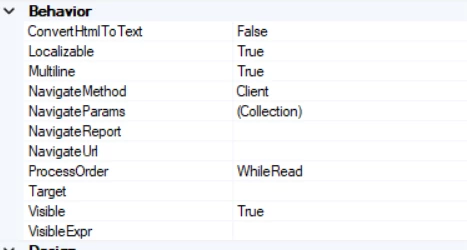
The report designer also has a function to Convert HTML: